спроба вилучити чи замінити акумулятор призведе до
пошкодження пристрою та призведе до припинення дії
гарантії.
Обережно: ІСНУЄ РИЗИК ВИБУХУ, ЯКЩО БУДЕ
ЗДІЙСНЕНА ЗАМІНА НА НЕПРАВИЛЬНИЙ ТИП
АКУМУЛЯТОРУ. УТИЛІЗУЙТЕ ПРИСТРІЙ НАЛЕЖНИМ
ЧИНОМ.
4. Buttons Operation
Music
Play/Pause
Press
Volume Down/Up Press - / +
Next Track Long press + for 2s
Previous TrackLong press - for 2s
ANC on / offSlide ANC switch button
Calls
Answer/ end call
Press
Reject a call/Long Press - / + for 2s
Call waiting
Receive incoming call and
end ongoing call
Press
Mute during call Press - and +
Pair
Enter pairing mode (first
time)
Press and hold
for 4s
Enter pairing mode
Press and hold
for 2s
Voice
To issue a voice command
during idle mode, then say
the command
Double Press
ES Funcionamiento de los botones
Musica
Reproducir/Pausar
Presione
Volumen abajo/arriba Presione - / +
Siguiente PistaMantenga pulsado por 2s
Pista AnteriosMantenga pulsado por 2s
ANC Encendido/ApagadoDeslice el botón de interruptor ANC
Llamadas
Contestar/Finalizar
Presione
Colgar llamadaMantenga pulsado por 2s - / +
Llamada en espera
Reciba una llamada entrante
y finalice la llamada en curso
Presione
Silenciar durante llamadaPresione - y +
Emparejamiento
Ingrese modo de
emparejamiento (por primera
vez)
Mantenga presionado durante 4
segundos
Ingrese el modo de
emparejamiento
Mantenga presionado durante 2
segundos
Voz
Para emitir un comando de
voz durante el modo inactivo,
diga el comando
Pulse dos veces
NL Knopfuncties
Muziek
Afspelen/onderbreken
Druk op
Volume omlaag/omhoogDruk op -/+
Volgende track Druk 2 sec. op +
Vorige trackDruk 2 sec. op +
ANC aan/uitVerschuif ANC-schakelaar
Oproepen
Oproep beantwoorden/
beëindigen
Druk op
Een oproep weigerenDruk 2 sec. op -/+
Gesprek te wachten
Inkomende oproep
ontvangen en huidige
oproep beëindigen
Druk op
Dempen tijdens het gesprekDruk op - en +
Koppelen
De koppelingsmodus
invoeren (eerste keer)
Houd
4 sec. ingedrukt
De koppelingsmodus invoeren
Houd
2 sec. ingedrukt
Stem
Als u een spraakopdracht
tijdens de inactieve modus wilt
uitgeven, zegt u de opdracht
Druk tweemaal op
PT Botões operacionais
Música
Play/Pause
Pressione
Volume Down/Up Pressione - / +
Next Track (Próxima faixa)Pressione + por 2s
Previous TrackPressione - por 2s
ANC on / offDeslize o botão interruptor ANC
Realização de chamadas
Atender/ desligar chamadas
Pressione
Rejeitar chamada/Long Press - / + for 2s
Chamada em espera
Receber chamada e finalizar
chamada em andamento
Pressione
Mudo durante a chamadaPressione - e +
Pareamento
Selecione modo de
pareamento (primeira vez)
Pressione e segure
por 4s
/2
%
Quick check
I'm not a robot
Incorrect answer, please try again.
Chat with your Motorola Escape 500 ANC manual using AI
Get instant AI answers from your Motorola Escape 500 ANC manual
Ask anything about the Motorola Escape 500 ANC. Answers come from this manual, with the pages they are based on.
Ask a Question
0/1000
Do you recommend Escape 500 ANC?
YesNo
0
Lars Weber
7 months ago
Are there common Bluetooth connectivity problems I should be aware of before buying?
0
Manual.ly
7 months ago
While many customers experience stable connections, some reports indicate pairing difficulties. We recommend keeping the headphones close to the device during setup. If issues arise, try resetting the connection or checking for firmware updates. Most users find the sound quality excellent, though a few noted ANC behavior varies by setting.
M: QW-35-FL
M: QW-35-FL
Frequently Asked
Questions
A
Charge the device until the status light turns off completely. This ensures optimal performance and battery health before the first session.
Is this answer helpful?
A
No, battery removal voids the warranty and risks damage. Only a recycling facility should handle battery replacement processes.
Is this answer helpful?
A
Hold the power button for four seconds until the LED flashes blue. Select Escape 500 ANC from your phone settings.
Is this answer helpful?
A
Yes, the AUX-IN port allows wired audio streaming if wireless signals become compromised or for charging.
Is this answer helpful?
A
Slide the ANC switch button on the headset surface to toggle active noise cancellation on or off.
Is this answer helpful?
A
Download Hubble Connect for VerveLife from App Store or Google Play for additional features like location tracking.
Is this answer helpful?
A
Press the central button to answer or end a call. Long press specific keys to reject incoming calls.
Is this answer helpful?
M: QW-35-FL
Advantagesand
Disadvantages
Advantages
Active Noise Cancellation enhances audio privacy effectively.
AUX-IN port provides reliable wired connectivity backup.
LED status indicators show charge and pairing clearly.
Voice command support reduces button pressing during use.
VS
Disadvantages
Wall charger not included in the standard package.
Battery removal voids warranty and risks physical damage.
Requires full charge before first use strictly.
No explicit battery capacity watt-hours listed in guide.
Pairing requires holding buttons for four seconds reliably.
M: QW-35-FL
Product
Specification
Type
Headphones (Over-Ear)
Design
Headband
Acoustic Design
Closed-back
Microphone
No
Connector
3.5mm Jack
Wireless
Bluetooth 4.0, Multipoint
Controls
3-button remote control
Battery Life
12 hours
Battery
USB Micro-B Charging Port
Device Features
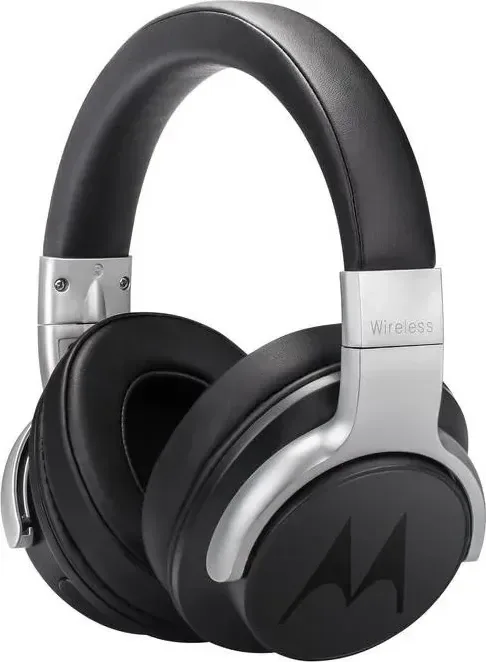
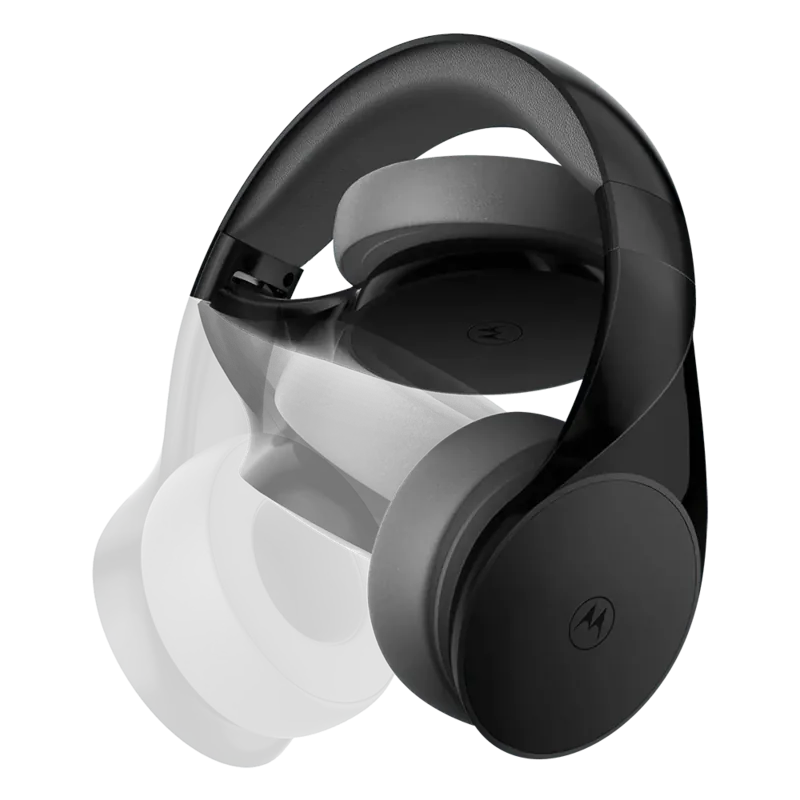
Active Noise Cancellation (ANC), Rotatable Ear Cup, Waterproof (IPX4)
Software Features
Voice Assistant (Amazon Alexa, Apple Siri, Google Assistant)
Color
Black
M: QW-35-FL
Product
Description
Discovering the Motorola Escape 500 ANC
The Motorola Escape 500 ANC stands out in the crowded wireless audio market by offering robust active noise cancellation features right from the start. Users who consult the Motorola Escape 500 ANC Manual within the packaging will find detailed instructions on how to maximize these capabilities safely. Sound quality remains excellent during noise reduction. This headset ensures a premium listening experience through advanced Bluetooth connectivity that supports seamless pairing across devices. The design focuses on comfort with ear cups sized for extended wear sessions without fatigue during long flights or commutes.
Battery management is straightforward once you understand the charging logic provided in the guide. The device requires a full charge before initial use to ensure optimal performance. The LED indicators provide clear status updates regarding power levels and charging states. A fully charged unit powers through your day while the standby mode conserves energy efficiently when not active. If the battery runs low, a quick charge restores functionality for continued listening without interruption. Always ensure the status light turns off before considering the job complete. This prevents damage to the internal cells. Wait at least five seconds after a low power cycle before reconnecting the cable to ensure proper charging initiation.
Connecting to your device is simple yet effective. Long pressing the power button for four seconds initiates pairing mode indicated by a blue flashing light on the LED. You can then select the Escape 500 ANC from your phone settings to establish a connection. The Hubble Connect app enhances the experience by locating recent connection spots and offering support updates for advanced features. Voice commands are also available during idle modes for hands-free control over music and calls.
Controls are intuitive for daily tasks. Volume adjustment uses the plus and minus keys directly on the headset surface for easy access. ANC toggling is handled via a sliding switch mechanism for immediate noise blocking when desired. Call handling includes answering, declining, and managing waiting calls easily through physical buttons. An AUX-IN port provides backup audio streaming if wireless signals become compromised. Overall this product delivers reliable performance for commuters and home users alike with solid build quality.
Important notes regarding battery safety must be followed strictly. Battery removal voids the warranty and risks damage. Improper replacement risks explosion and damage. Use the included cable if the battery dies during use before charging fully again. Enjoy clear sound and stable connectivity. Read the manual fully to avoid unintended consequences. Do not ignore warnings.



Lars Weber
7 months ago
Are there common Bluetooth connectivity problems I should be aware of before buying?
Manual.ly
7 months ago
While many customers experience stable connections, some reports indicate pairing difficulties. We recommend keeping the headphones close to the device during setup. If issues arise, try resetting the connection or checking for firmware updates. Most users find the sound quality excellent, though a few noted ANC behavior varies by setting.