
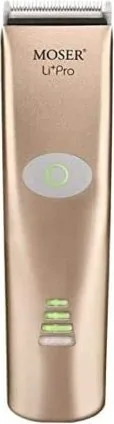
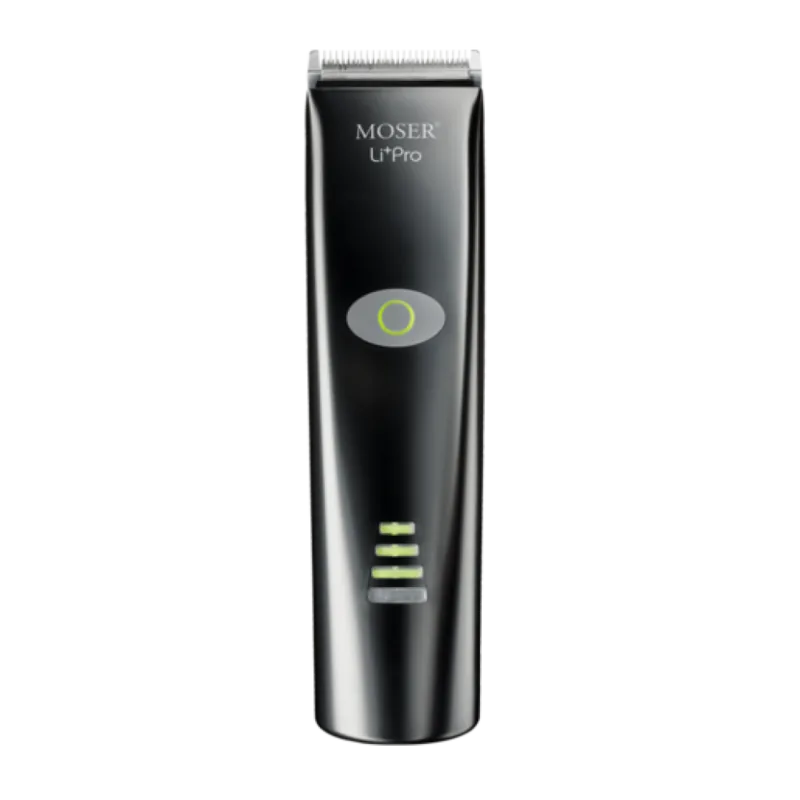
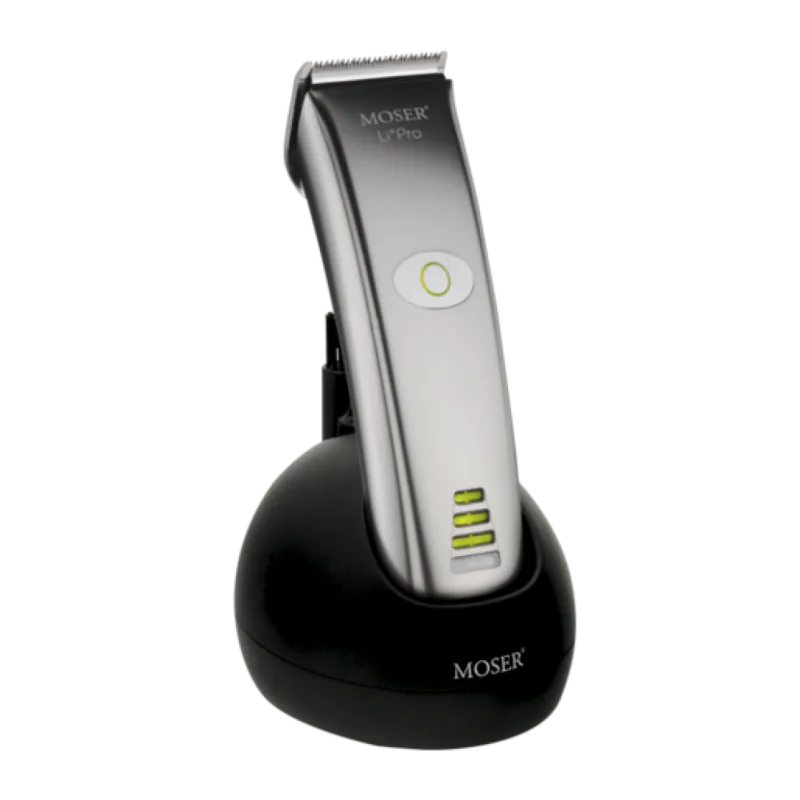
Moser Li+Pro 1884-0050 Manual
PDF manual · 148 Pages
English



Quick check
Incorrect answer, please try again.
Chat with your Moser Li+Pro 1884-0050 manual using AI
Get instant AI answers from your Moser Li+Pro 1884-0050 manual
Ask anything about the Moser Li+Pro 1884-0050. Answers come from this manual, with the pages they are based on.
Li+Pro 1884-0050 Maintenance Schedule
Remove attachment comb, detach blade set, and use cleaning brush to remove hair residues from the housing opening and blade set.
Apply manufacturer-recommended blade oil to ensure good cutting performance and prevent wear. Oil frequently.
If the oil and cleaning indicator (D) lights up, immediately clean and oil the blade set to avoid premature wear.
Fully discharge the appliance and then recharge it in one uninterrupted process to increase accuracy of the battery power indicator.
Ask a Question
Do you recommend Li+Pro 1884-0050?
Yes NoFrequently Asked Questions
When fully charged, the Moser 1884-0050 provides up to 75 minutes of continuous operation without being connected to a power source.
Is this answer helpful?
No, you must never immerse the device in water or allow liquid to enter the housing. Clean only with a soft cloth and brush to avoid electric shock.
Is this answer helpful?
First, clean and oil the blade set thoroughly. If the issue persists, the blades may be worn out and need replacement by a professional service center.
Is this answer helpful?
No, the lithium-ion battery cannot be replaced by the user due to explosion risks. It must be exchanged at an authorized service center using original parts.
Is this answer helpful?
An oil and cleaning indicator light will illuminate when maintenance is needed. You should clean and oil the blades immediately upon seeing this signal.
Is this answer helpful?
Yes, the included plug-in transformer supports voltages from 100 to 240 V AC, making it suitable for use in most countries worldwide.
Is this answer helpful?
Advantages and Disadvantages
Advantages

- Long-lasting Li-Ion battery providing up to 75 minutes of runtime
- Intelligent charging management prevents overcharging and extends battery life
- Easy Cleaning lever simplifies hair removal from the blade assembly
- Oil and cleaning indicator alerts users to maintenance needs proactively
- Adjustable cutting length from 0.7 mm to 3 mm for versatile styling
Disadvantages

- Battery replacement must be done by authorized service centers only
- Attachment combs may vary depending on the specific model configuration
- Blade set requires regular oiling to maintain optimal cutting performance
- Device cannot be submerged in water for cleaning due to electrical risks
- Charging time is approximately 45 minutes which may be long for quick top-ups
Product Specification
Type
Hair Clipper
Power Source
Mains, Battery (Li-Ion)
Cut Lengths
0.7-3 mm
Cut Width
1.81 in
Features
Charging Indicator Light
Operating Time
1.25 hr
Package Contents
Charging Station, Cleaning Brush, Cleaning Oil
Product Description
The Moser 1884-0050 Li+Pro Black: Professional Precision at Your Fingertips
The Moser 1884-0050 Li+Pro black represents the pinnacle of professional grooming technology, designed specifically for barbers and stylists who demand reliability and power. This cordless hair clipper combines a robust DC motor with advanced lithium-ion battery technology to deliver consistent performance throughout long working days. Its sleek black finish not only looks professional but also resists scratches and fingerprints, maintaining a pristine appearance in any busy salon environment.
Designed for commercial use, this device excels at cutting human hair, beards, and eyebrows with surgical precision. The ergonomic design ensures comfort during extended sessions, reducing hand fatigue while maximizing control. The integrated cutting length adjustment allows users to fine-tune their cuts from 0.7 mm to 3 mm without changing attachments, offering versatility for various styling techniques. Whether you are performing a fade or a detailed beard trim, the Moser 1884-0050 adapts to your needs instantly.
Power management is seamless thanks to the intelligent charging system. A full charge provides up to 75 minutes of continuous operation, ensuring you never run out of power mid-service. The LED indicators provide clear feedback on battery status and maintenance needs, preventing unexpected interruptions. The unit includes a charging stand and a universal adapter compatible with global voltage standards, making it an ideal choice for international professionals.
Maintenance is straightforward yet critical for longevity. The Easy Cleaning lever simplifies the removal of hair clippings from the blade set, while the oil and cleaning indicator reminds users when lubrication is required. Regular care ensures the blades remain sharp and cool, preventing skin irritation and ensuring smooth cuts. The detachable blade set can be easily replaced when necessary, extending the life of the main unit significantly.
Key Notes
- Suitable for professional barbershops and home use by experienced individuals.
- Includes optional attachment combs ranging from 3 mm to 25 mm.
- Complies with strict EU safety and electromagnetic compatibility directives.
- Features a power-saving mode that automatically turns off displays after 15 seconds.
Search for 67,706 Manuals online


Type-in Brand or Model