
Moon 700i v2 Manual
PDF manual · 19 Pages
English



Quick check
Incorrect answer, please try again.
Ask a Question
Do you recommend 700i v2?
Yes NoFrequently Asked Questions
Access the SETUPINPUTS menu and select FIRMWARE RESET. Confirm with YES to proceed. This will reboot the system to default states for troubleshooting.
Is this answer helpful?
Yes, the MiND menu allows customization of labels from A-Z and numbers to match your home setup clearly.
Is this answer helpful?
Settings vary by input but can reach up to plus 10.0decibels for AUX. CD is listed at plus 9.9decibels.
Is this answer helpful?
Yes, asterisks indicate safe defaults that optimize standard audio performance across all connected equipment safely.
Is this answer helpful?
Use the SYS menus for S1, S2, S3, S4 to disable specific functions or toggle them off directly.
Is this answer helpful?
Multiple inputs including TV and Video support standard IR protocols for external control integration.
Is this answer helpful?
Advantages and Disadvantages
Advantages

- Extensive MiND menu system allows for granular audio channel configuration
- Clear visual indicators with asterisks marking factory default settings
- Individual volume offset controls for multiple input sources including Phono and CD
Disadvantages

- Requires manual navigation for firmware resets and IR code changes
- Complex preset codes like NOVA260D may confuse new users
- Setup menus are dense and require careful reading to avoid errors
Product Specification
Channels
2
Power per Channel
175W (8 Ohm), 350W (4 Ohm)
Audio Connections
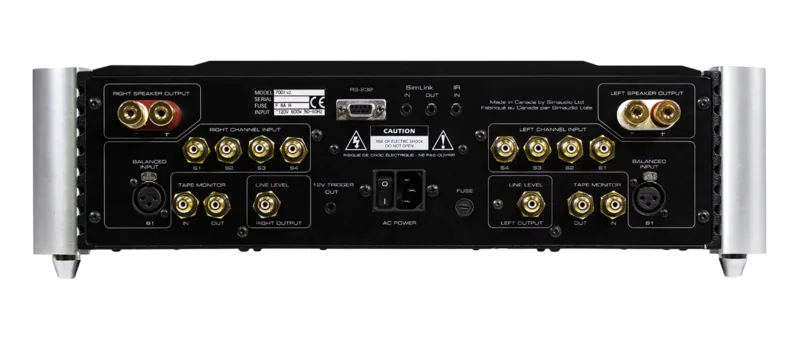
4 x Stereo Line In (RCA), Stereo Line In (XLR), Tape Out (RCA)
Power Consumption
50W (standby)
Dimensions
18.74 x 5.51 x 18.11 in (W x H x D)
Weight
61.73 lbs
Product Description
Moon 700i v2 Overview
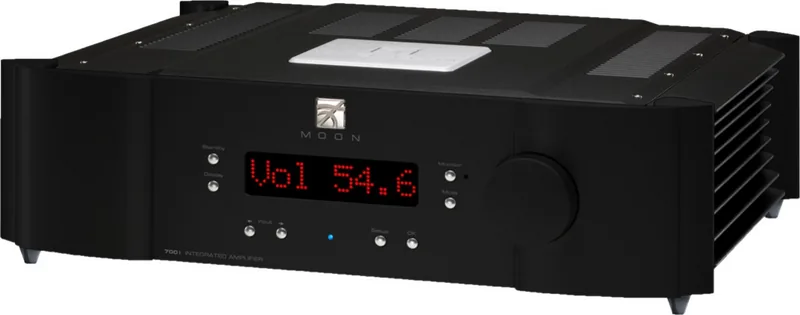
The Moon 700i v2 represents a pinnacle of audio engineering designed for enthusiasts who demand precise control over their home theater systems. This device serves as the central hub for your audio inputs, offering a robust array of setup menus that allow for deep customization. Whether you are connecting a turntable, a CD player, or a modern streaming device, the Moon 700i v2 ensures compatibility and quality. The accompanying Moon 700i v2 Manual provides a comprehensive guide to navigating these complex settings without confusion. Users often seek clarity when managing multiple sources to maintain signal integrity.
Setup and Configuration
Users can access various setup menus right from the interface. The Quick Reference section highlights critical areas such as Trigger Input, Infrared Control, and Firmware Reset. These features ensure that your amplifier integrates seamlessly with other components in your system. One standout feature is the MiND technology, which allows for extensive system adjustments. Each channel, labeled from S1 to S4, offers specific system settings like SYS 11 or SYS 14, giving you granular control over how your audio signal is processed throughout the room.
Volume and Input Management
Managing audio levels is crucial for an immersive experience. The device includes maximum volume offset settings ranging from plus 10.0decibels down to minus 10.0decibels depending on the source. Inputs like CD, DVD, and Phono have dedicated offset controls to balance loudness across different media types. Additionally, labels can be customized for inputs like TV or Video, ensuring that your remote is always clear and intuitive. The manual covers all these adjustments in detail. Adjusting these parameters ensures a balanced sound profile for any listening situation.
System Defaults and Notes
Factory default settings are clearly marked with an asterisk in any documentation. This helps users understand which parameters are optimized for standard use. The firmware reset option allows for a clean slate if issues arise. The MiND system also supports a wide range of preset codes labeled from NOVA260D to HA650D. Users should always refer to the manual before changing these presets to avoid unintended system behavior.
Note: Always back up your custom settings before performing a firmware reset. Note: Check IR codes periodically to ensure remote functionality remains active.
Search for 67,706 Manuals online


Type-in Brand or Model