
Montech Air X Manual
PDF manual · 9 Pages
English



Quick check
Incorrect answer, please try again.
Chat with your Montech Air X manual using AI
Get instant AI answers from your Montech Air X manual
Ask anything about the Montech Air X. Answers come from this manual, with the pages they are based on.
Ask a Question
Do you recommend Air X?
Yes NoFrequently Asked Questions
The Montech Air X supports ATX, Micro ATX, and Mini ITX motherboard form factors, making it versatile for various build sizes.
Is this answer helpful?
To turn off the lights manually, simply press and hold the LED button on the front panel for six seconds until the lights extinguish.
Is this answer helpful?
No, the pre-installed fans require a 5V 3-pin header for synchronization and will not work with older 4-pin RGB or 12V standard RGB controllers.
Is this answer helpful?
The case supports graphics cards up to 340mm in length, accommodating most high-performance models available today.
Is this answer helpful?
The included controller box can connect and manage up to six independent fans, allowing for detailed customization of airflow and lighting.
Is this answer helpful?
Advantages and Disadvantages
Advantages

- Includes three high-quality ARGB fans pre-installed for immediate visual impact
- Supports massive 360mm radiators for advanced liquid cooling capabilities
- Features easy-to-remove dust filters on front, top, and bottom panels
- Offers flexible storage with room for four SSDs and two HDDs
- Provides dual control methods for lighting via button or motherboard sync
Disadvantages

- ARGB synchronization requires a specific 5V 3-pin motherboard header
- Older 4-pin RGB systems are not compatible with the included fans
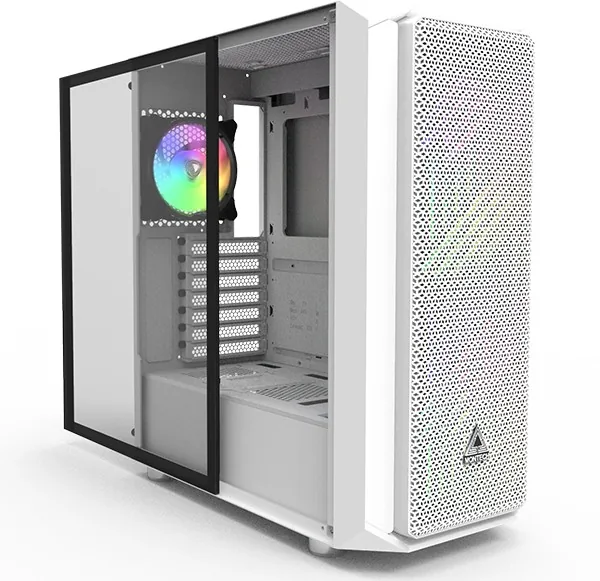
- Side glass removal requires careful handling to prevent breakage
- Front panel removal needs forceful prying from the bottom gap
- Large 200mm fans may interfere with some tight cabinet layouts
Product Specification
Extern
N/A
Intern
2x 2.5"/3.5" (horizontal, drive rails), 2x 2.5"
Connections
2x USB-A 3.0 (5Gb/s), 1x USB-A 2.0 (480Mb/s), 1x 3.5mm jack (Line-Out), 1x 3.5mm jack (Line-In)
PCI Slots
7
Fan (front)
2x 200mm, 800rpm, 5391 CFM or 3x 120mm (optional) or 2x 140mm (optional)
Fan (rear)
1x 120mm, 1300rpm, 2493 CFM
Fan (left)
N/A
Fan (right)
N/A
Fan (top)
2x 140mm (optional)
Fan (bottom)
N/A
Fan (other)
2x 120mm (optional)
Radiator sizes
120/140/240/280/360mm front, 120/140/240mm top, 120mm rear
Motherboard
up to E-ATX (SSI EEB, 12"x13")
Supported motherboards
Mini-ITX (6.7"x6.7")/µATX (9.6"x9.6")/ATX (12"x9.6")/E-ATX (SSI EEB, 12"x13")
Power supply
ATX (max. 7.5" deep)
Power supply position
bottom
CPU cooler
max. 6.42" height
Graphics cards
max. 13.39"
Lighting
RGB header 3-pin ARGB (+5V/DATA/GND), integrated LED controller, lit fans
Dimensions (WxDxH)
8.27x18.7x16.73in
Volume
2.59 cu ft
Weight
16.01 lbs
Chassis type
Mid-Tower
Front
Mesh
Top
partially closed, mostly fan grille, dust filter outside
Bottom
partially closed, fan grille at rear, dust filter
Left
closed, glass
Right
closed
Rear
partially closed, fan grille right top, PCI slots (7x horizontal)
Front I/O Position
Chassis side: top, Height: middle, Position: right
Features
Cable management, dust filter, glass window
USB spelling
Link
Product Description
Discover the Montech Air X: A Hub for High-Performance Gaming
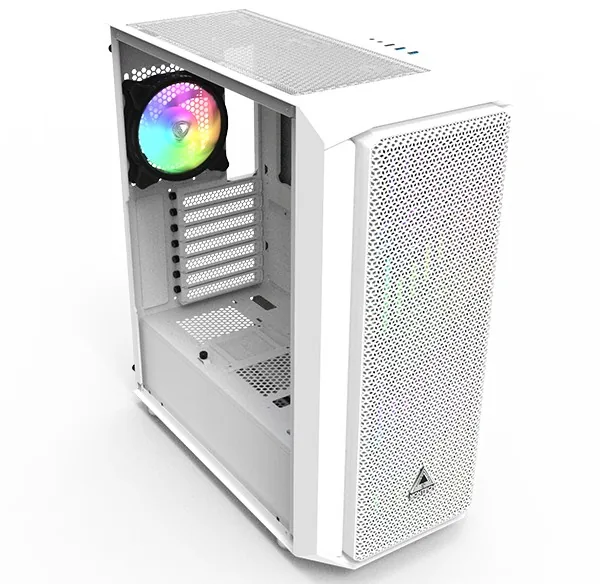
The Montech Air X stands out as a premier choice for enthusiasts seeking an optimal balance between aesthetics and functionality. Designed with a sleek black or white finish, this chassis offers a spacious interior measuring 425 by 210 by 458 millimeters. It is built to accommodate a wide range of motherboard formats including ATX, Micro ATX, and Mini ITX, ensuring compatibility for both compact builds and expansive setups.
One of the most striking features of the Montech Air X is its pre-installed ARGB lighting system. The case comes equipped with two 200mm front fans and one 120mm rear fan, all featuring vibrant ARGB effects that can be synchronized with your motherboard or controlled directly via the front panel LED button. This dual-control capability allows users to customize their lighting experience effortlessly, whether they prefer direct hardware control or software integration through a compatible 5V 3-pin header.
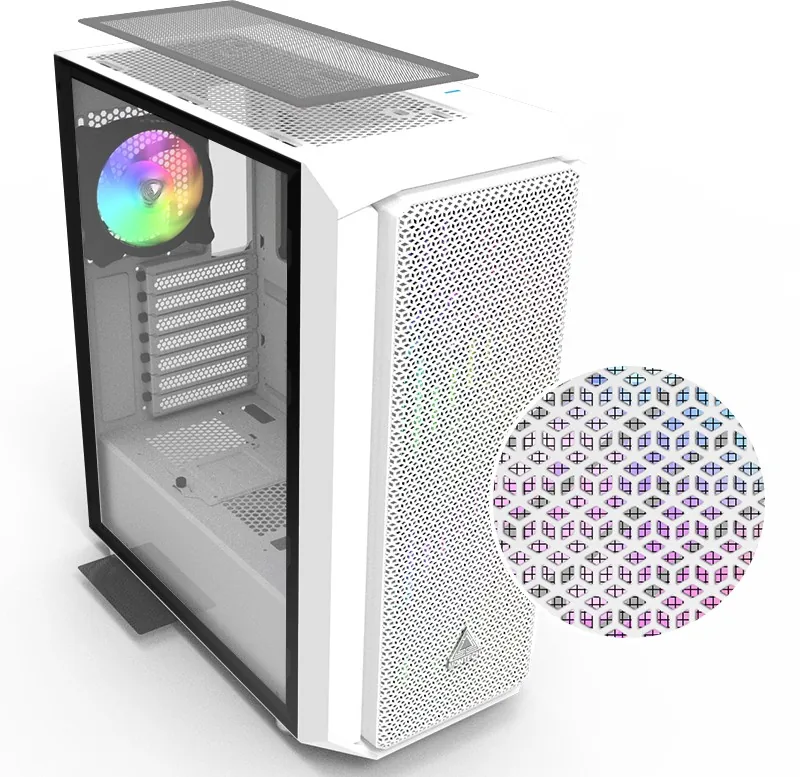
Airflow and cooling are prioritized in the design of the Montech Air X. With support for radiators up to 360mm at the front and 280mm at the top, builders can implement robust liquid cooling solutions. The case also supports large graphics cards up to 340mm and CPU coolers up to 163mm, providing ample clearance for high-end components. Dust management is handled efficiently with fine mesh filters on the front, top, and bottom panels, which are easily removable for cleaning without needing to disassemble the entire unit.
Inside, the Montech Air X provides versatile storage options. Users can install four 2.5-inch SSDs and two 3.5-inch HDDs, while the bottom-mounted power supply compartment keeps cables hidden and improves airflow. The inclusion of a dedicated controller box allows for independent management of up to six fans, adding another layer of customization to your build. Whether you are constructing a silent office PC or a roaring gaming rig, the Montech Air X delivers the performance and style required to elevate your setup.
Search for 67,732 Manuals online


Type-in Brand or Model