
Montech Air 1000 Manual
PDF manual · 16 Pages
English



Quick check
Incorrect answer, please try again.
Ask a Question
Do you recommend Air 1000?
Yes NoFrequently Asked Questions
Press the LED button short to cycle through available RGB modes.
Is this answer helpful?
Press the LED button for three seconds to turn off the lighting.
Is this answer helpful?
Hold the LED button for five seconds after entering the motherboard software.
Is this answer helpful?
Yes, dust filters are integrated into the bottom and top sections.
Is this answer helpful?
Hidden compartments allow wires to be tucked away for a clean look.
Is this answer helpful?
The layout accommodates standard ATX motherboards and large GPU units easily.
Is this answer helpful?
Yes, setup process notes are included to help avoid mistakes.
Is this answer helpful?
Advantages and Disadvantages
Advantages

- Excellent mesh front panel design promotes unrestricted airflow for cooling. Toolless design makes swapping components quick and easy for users.
- Dust filters are integrated into the bottom and top sections for easy maintenance.
- Unique control panel allows manual RGB management without cluttering the interior.
- Hidden compartments allow for wires to be tucked away from view effectively.
Disadvantages

- Setup requires specific button press timing for motherboard software synchronization.
- Documentation can be fragmented when relying on manual only without digital files.
- Might require driver installation on motherboard for full lighting integration success.
Product Specification
External
N/A
Internal
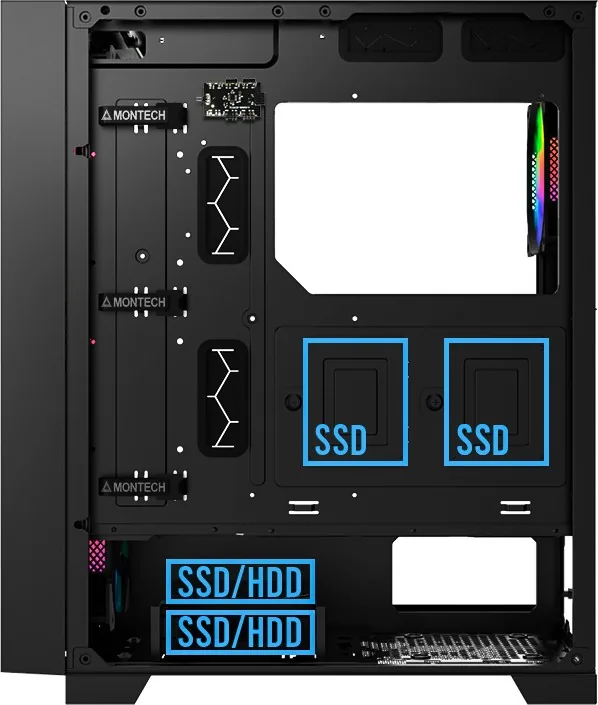
2x 2.5/3.5 (horizontal, drive rails), 4x 2.5
Ports
2x USB-A 3.0 (5Gb/s), 1x USB-A 2.0 (480Mb/s), 1x 3.5mm Jack (Line-Out), 1x 3.5mm Jack (Line-In)
PCI Slots
7
Fan (left)
N/A
Fan (right)
N/A
Fan (bottom)
N/A
Fan (other)
2x 4.72 in. (optional)
Motherboard
supports up to ATX
Supported Motherboards
Mini-ITX (6.7x6.7) / Micro-ATX (9.6x9.6) / ATX (12x9.6)
Power Supply
ATX (max. 7.09 in. deep)
Power Supply Position
bottom
CPU Cooler
max. 6.50 in. height
Graphics Card
max. 13.39 in. (without radiator, 12.20 in. with radiator)
Dimensions (WxHxD)
8.39x18.90x16.93 in.
Volume
1.55 cu. ft.
Weight
15.98 lbs.
Case Type
Midi-Tower
Bottom
partially enclosed, rear fan grille, external dust filter
Rear
partially enclosed, fan grille top right, PCI Slots (7x horizontal)
USB Labeling
Left
Product Description
Overview of the Montech Air 1000
The Montech Air 1000 stands out in the crowded PC chassis market by offering exceptional airflow and a unique design philosophy. When diving into the specifics of this build solution, users often refer to the Montech Air 1000 Manual to navigate the setup process smoothly. This guide provides insights into the RGB configurations and assembly instructions that are crucial for enthusiasts building their first machine. It serves as an essential companion for setting up the lighting features correctly.
Lighting and Controls
One of the standout features is the control panel located at the top of the case. It allows users to manage lighting effects without cluttering the interior unnecessarily. A short press on the LED button changes the RGB mode while holding it for three seconds turns off the lighting entirely. For motherboard software integration, holding the button for five seconds after launching the application links the case sync. This level of control ensures users keep their builds looking sharp without software conflicts or driver headaches. The manual details these steps clearly so no user gets lost in settings.
Performance and Assembly
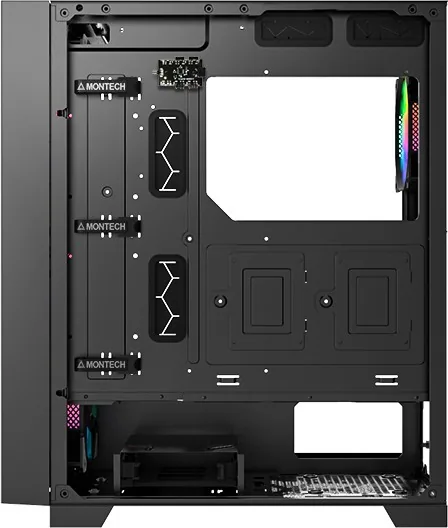
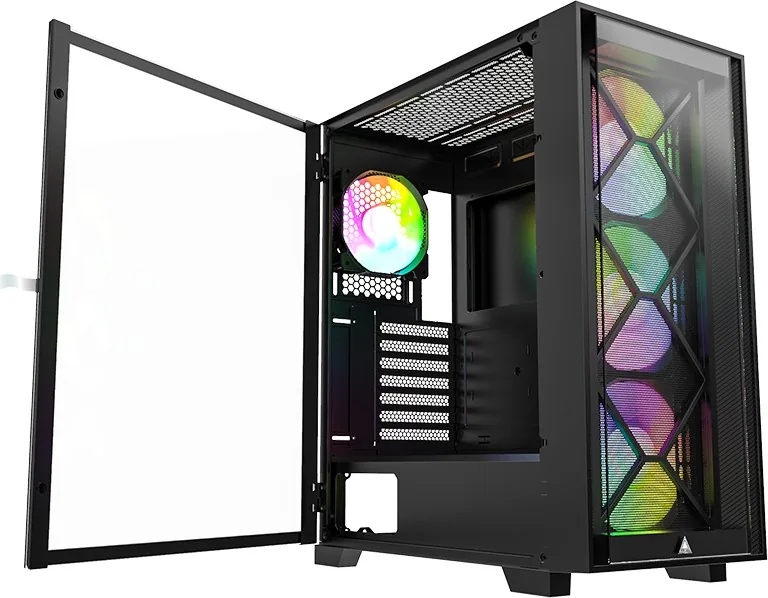
The pre-installed fans included with the Montech Air 1000 are designed for balance between noise and performance scores. Unlike generic cases where fans are weak, this unit prioritizes thermal efficiency while maintaining an aesthetic appeal for gamers. The mesh front panel design promotes unrestricted airflow, keeping components cool during intensive gaming sessions. Inside, the layout accommodates standard ATX motherboards and large GPU units with ease. Building with the Montech Air 1000 Manual in hand simplifies cable management significantly. The hidden compartments allow for wires to be tucked away from view effectively. This not only improves airflow but also makes the interior look clean and professional for streamers. The cable routing options are generous enough to handle even the most complex power setups. Users report that the toolless design makes swapping components quick and easy without needing extra hardware tools.
Design and Durability
Aesthetically, the chassis offers a sleek look that fits modern desks in apartments or offices. The tempered glass side panel showcases the internal hardware and RGB lighting effects vividly. The combination of performance and style makes it a top choice for gamers and content creators alike. Whether you are pushing CPU limits or rendering video, this case supports the demands of high-end hardware reliably. Overall, understanding the installation steps and control features is key to maximizing the potential of your new system build. The documentation ensures you get the best experience possible from the factory components included. Ventilation is also a key aspect of the Montech Air 1000 design. Dust filters are integrated into the bottom and top sections to trap debris before it enters the case. This maintenance feature helps extend the lifespan of internal components by preventing overheating due to dust buildup. The manual includes cleaning suggestions to keep the filters effective over time. Notes about the setup process are in the guide. This helps avoid mistakes. The LED button is key. Controls lighting easy. Users love it. Build is solid. Great value. Highly recommended for gamers.
Search for 67,732 Manuals online


Type-in Brand or Model