
Monitor Audio IMS-4 Manual
PDF manual · 9 Pages
English



Quick check
Incorrect answer, please try again.
Chat with your Monitor Audio IMS-4 manual using AI
Get instant AI answers from your Monitor Audio IMS-4 manual
Ask anything about the Monitor Audio IMS-4. Answers come from this manual, with the pages they are based on.
IMS-4 Maintenance Schedule
Backup your favourite playlists to a USB Drive or memory stick to prevent permanent loss if they become corrupt over time.
Reindex the device via Settings > Music Library if changes made to the USB content are not picked up by the IMS-4.
Select Reload Artwork in the app settings to refresh all album artwork on attached USB and network devices.
Use Upgrade Check - Player in the Help menu to check BluOS servers for any available software updates for the IMS-4.
Ask a Question
Do you recommend IMS-4?
Yes NoFrequently Asked Questions
Yes, the IMS-4 can access different sources like USB, analogue, and network services at once, routing them to different zones independently without conflict or latency issues.
Is this answer helpful?
It requires a wired Ethernet connection for stability. It supports 1000BaseT Gigabit communication for robust data transfer to ensure high quality music streams.
Is this answer helpful?
No, rack brackets must be fitted by removing side screws. The product itself is 1U but the brackets are necessary for standard 19 inch rack systems.
Is this answer helpful?
Yes, the IMS-4 supports AirPlay 2 but requires iOS 11.4 or later on your iPhone or iPad for full functionality and stream stability.
Is this answer helpful?
Remove power, hold the reset button on the back, reconnect power while holding the button until the LED flashes red, then release it.
Is this answer helpful?
Yes, it integrates with Crestron, Control4, and RTI systems allowing for unified control of your audio and lighting environment within the home.
Is this answer helpful?
It supports MP3, AAC, WMA, FLAC, ALAC, WAV, AIFF, MQA, and HRS formats for high quality music playback from USB or network drives.
Is this answer helpful?
Advantages and Disadvantages
Advantages

- Supports up to 4 zones of audio playback with high resolution streaming capabilities.
- Integrates seamlessly with major control systems like Crestron and Control4 for smart homes.
- Compact 1U rack mount design saves valuable equipment space within audio installations.
- Handles Master Quality Authenticated files ensuring artists original audio quality is preserved.
- Includes system interrupt capability to mute audio for fire alarms or doorbell chimes.
Disadvantages

- Does not include built in amplification so an external power amplifier is required for speakers.
- Rack bracket installation requires removing existing screws which might be tricky for beginners.
- Configuration relies on the mobile or desktop app which adds a dependency on a secondary device.
- Some advanced settings require knowledge of network topology for optimal integration performance.
- Initial setup on multiple rooms can be time consuming compared to single zone player devices.
Product Specification
Type
Streaming Player
D/A Converter
24-bit/192 kHz
Audio Formats
AAC, AIFF, ALAC, FLAC, MP3, MQA, OGG/Vorbis, WAV, WMA
Streaming Clients
Amazon Music, Apple AirPlay 2, Deezer, Qobuz, Spotify, Tidal
Audio Connections
Digital Audio In (optical), Stereo Line In (RCA), 4x Digital Audio Out (coaxial), 4x Digital Audio Out (optical), 4x Pre Out (RCA)
Additional Connections
USB-A, RJ-45
Features
Voice Assistant (Amazon Alexa, Google Assistant)
Color
Black
Dimensions
17.24x1.69x9.29in (WxHxD)
Weight
6.17 lbs
Product Description
The Ultimate Custom Installation Streamer
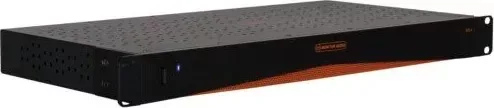
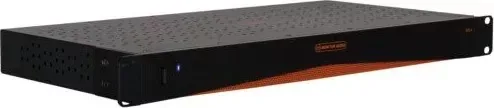
The Monitor Audio IMS-4 stands out as a premier choice for custom audio installations where space is at a strict premium. Designed with discretion in mind, this powerful streamer fits seamlessly into a standard 1U rack space, making it an ideal companion for professional setups in commercial or residential projects. Utilizing advanced BluOS technology, users enjoy high-resolution streaming capabilities reaching up to 24-bit/192kHz across four distinct audio zones simultaneously. This incredible flexibility allows separate audio streams to play in different rooms while maintaining perfect synchronization throughout the entire home network infrastructure.
Integration with major industry control systems like Crestron, Control4, and RTI ensures seamless operation within larger smart home ecosystems. The unit supports a wide variety of inputs including digital optical, coaxial, analogue, and USB options. This versatility means non-network sources like cable boxes or satellite boxes can be distributed to every zone in the house without complex rewiring. Quality music lovers will appreciate the robust support for Master Quality Authenticated recordings, ensuring the original intent is preserved perfectly through every speaker in the system.
Setting up the system is a straightforward process thanks to the dedicated companion application available for iOS, Android, Windows, and Mac platforms. The software guides users step by step through connecting the device to the local network and configuring individual rooms. A built-in trigger input allows for remote power control, which is essential for hiding units behind walls or inside furniture racks without manual access. Power consumption remains exceptionally low in standby mode, contributing to overall energy efficiency during long listening periods.
For those seeking detailed technical configuration guides, the Monitor Audio IMS-4 Manual provides comprehensive instructions on LED indicators, button functions, and network connectivity troubleshooting. Whether installing doorbell interrupts for commercial alerts or setting sleep timers for bedtime listening, this hardware supports advanced audio control requirements. With support for AirPlay 2 and access to numerous popular music services, it delivers a robust listening experience without compromising on sleek installation aesthetics.
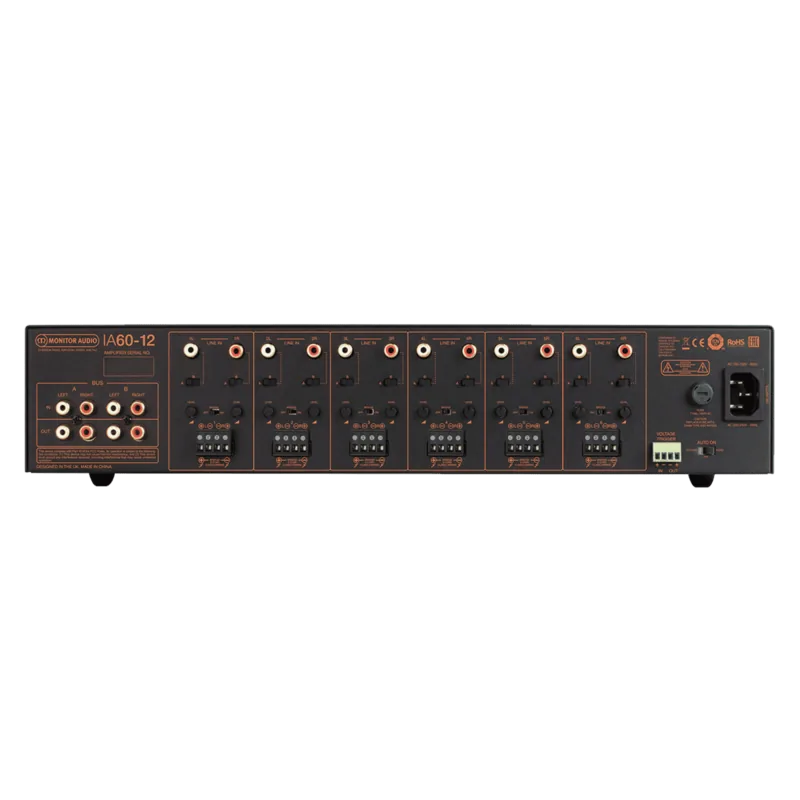
Installation notes advise using appropriate rack brackets for secure mounting standards. Connections for multiple zones are clearly labeled on the robust back panel for easy technician access. System interruptions allow for fire alarm muting, adding a critical safety layer for the property occupants. Regular firmware updates ensure continued performance and feature additions. Overall, the IMS-4 balances high fidelity audio reproduction with practical installation needs for serious audio enthusiasts and professional integrators alike.
Search for 67,706 Manuals online


Type-in Brand or Model