
Miniland Thermoadvanced Plus Manual
PDF manual · 119 Pages
English



Quick check
Incorrect answer, please try again.
Chat with your Miniland Thermoadvanced Plus manual using AI
Get instant AI answers from your Miniland Thermoadvanced Plus manual
Ask anything about the Miniland Thermoadvanced Plus. Answers come from this manual, with the pages they are based on.
Thermoadvanced Plus Maintenance Schedule
Ensure the infrared sensor is clean and dry before every measurement to guarantee accuracy.
Allow the device to dry for at least 20 minutes before taking new temperature readings.
Change the two AAA batteries immediately when the low battery symbol appears or the device stops functioning.
Take out the batteries if the thermometer will not be used regularly to prevent chemical leakage damage.
Ask a Question
Do you recommend Thermoadvanced Plus?
Yes NoFrequently Asked Questions
Hold the thermometer 3–5 cm from the center of the forehead (midway between eyebrow and hairline), press and release the forehead button when the spotlight is positioned, wait for two beeps, then read the temperature on the LCD or hear it via the talk function.
Is this answer helpful?
Yes. Install the free eMyBaby app, set the thermometer to silent mode, take a reading and then place the thermometer speaker directly in front of your phone/tablet microphone to transmit the ultrasonic signal; the app will register and save the measurement under the selected baby profile.
Is this answer helpful?
A red backlight and fever indicator appear for body readings of 38.0°C–42.9°C (100.4°F–109.3°F). This signals a fever-range temperature; consult a healthcare professional if the patient feels unwell.
Is this answer helpful?
Gently clean the sensor with a cotton swab slightly moistened with alcohol, dry immediately with a clean swab, and wait at least 20 minutes before taking new measurements. Avoid abrasive cleaners, solvents or immersing the device in liquids.
Is this answer helpful?
ErrE indicates ambient temperature out of allowed range; ErrP/ErrH or Err messages point to measurement or hardware issues; Hi/Lo indicate readings outside measurable ranges. Ensure the thermometer and patient acclimate ~30 minutes, clean the sensor, measure indoors, replace low batteries, and contact support for persistent hardware errors.
Is this answer helpful?
The thermometer stores up to 9 forehead measurements. New readings overwrite the oldest entry when full. Use the Set/Mem button to view stored records, and long-press to scroll quickly through memory items.
Is this answer helpful?
Yes—object mode measures surface temperature of liquids and surfaces from 3–5 cm away, suitable for warm milk or bath water. Do not use object mode for body temperature; surface readings may differ from internal temperatures.
Is this answer helpful?
Advantages and Disadvantages
Advantages

- Non-contact forehead and object measurements with quick results and audible voice feedback.
- Stores up to 9 forehead readings with time and date for tracking temperature history.
- eMyBaby app compatibility for saving measures to a smartphone/tablet and baby profiles.
- Color backlight and fever indicator for immediate visual alert when ≥38°C.
- Compact, lightweight design with spotlight for accurate positioning and sleep mode to save battery.
Disadvantages

- Ultrasound app pairing requires close speaker-to-microphone placement and can be affected by noise.
- Object measurement mode cannot be used for body temperature and may differ from internal temps.
- Performance can be affected by electromagnetic interference—requires separation from RF devices.
- Requires careful acclimation (≈30 minutes) and sensor cleaning for accurate readings.
- Uses 2×AAA batteries (need replacements and proper disposal) rather than rechargeable power.
Product Specification
Type
Infrared thermometer
Operating mode
Battery operated (2x AAA battery)
Application
on the forehead
Units of measure
°F, °C (switchable)
Measuring range
89.6°F to 109.22°F (Body temperature)
Accuracy
±0.36°F
Measurement time
2s
Memory function
9 memory slots
Display
yes
Special features
Automatic switch-off
Product Description
Miniland Thermoadvanced Plus — Smart, Fast and User-Friendly
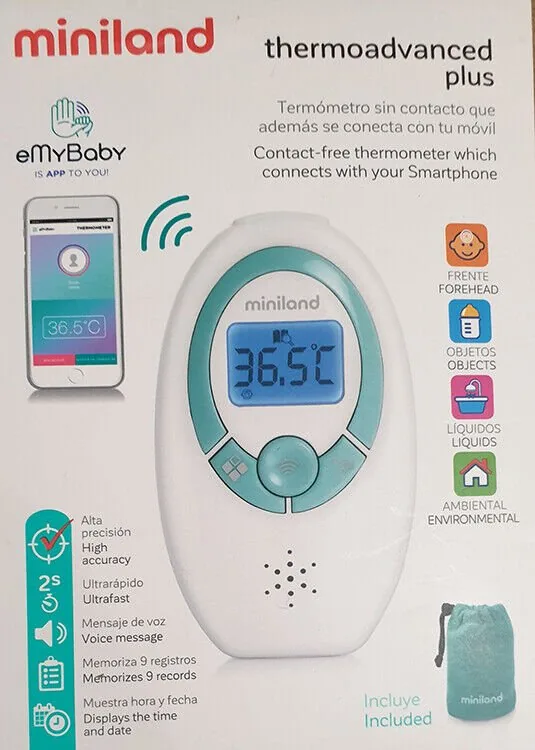
The Miniland Thermoadvanced Plus is an infrared, non-contact speaking thermometer designed for home use, especially for families monitoring babies and children. Compact and lightweight, it delivers quick forehead and object surface readings from 3–5 cm away, with audible voice feedback in multiple languages and an easy-to-read LCD that uses blue/red backlighting to indicate normal or fever-range temperatures. The device stores up to nine forehead readings in memory and can switch between Celsius and Fahrenheit. It includes a spotlight to help position the sensor, an on/off sleep mode to preserve battery life, and a talk function that announces temperature, time, or room temp in six languages or silent mode for app pairing.
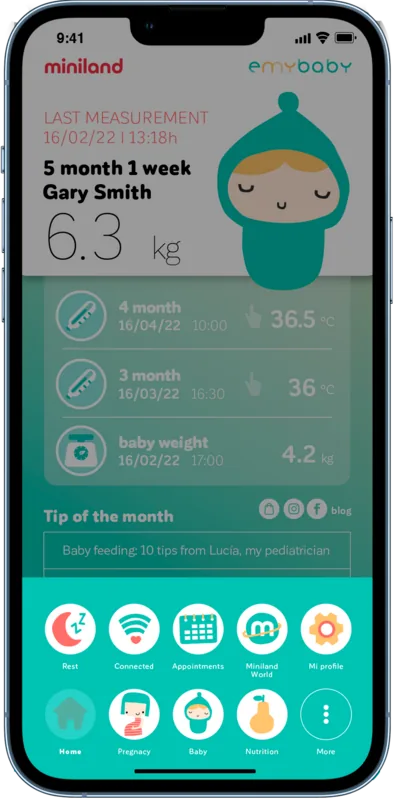
Beyond basic readings, the Thermoadvanced Plus offers smartphone connectivity via the eMyBaby app. After setting the thermometer to silent mode and installing the app, readings can be transferred by placing the thermometer speaker near the phone microphone (ultrasound-based communication). The app lets you create baby profiles and keep a history of temperatures for trend tracking. The manual emphasizes calibration at manufacture (no routine recalibration needed), battery installation (2×AAA), cleaning the infrared sensor with alcohol swabs, and storage/operation temperature limits to ensure accuracy.
Safety and accuracy features are prominent: the unit warns when readings equal or exceed 38°C (100.4°F), recommends consulting a physician if necessary, and details EMC precautions to avoid RF interference from nearby wireless transmitters. The instructions call out common troubleshooting messages (ErrP/ErrH, ErrE, Hi, Lo), guidance for accurate measurements (allow device and patient to stabilize 30 minutes in the measurement environment, clean sensor, avoid drafts or recent bathing/fed infants), and disposal instructions for batteries and the product in line with WEEE regulations.
Practical design choices include a memory recall function with time/date stamps, configurable time format and sleep settings, and an object-measurement mode for checking liquids or surfaces (not for body temperature). The thermometer’s specifications note forehead accuracy (±0.2°C in key range), object accuracy (±1.0°C), operating ranges for body, room and object temperatures, lightweight build, and compliance with medical device and EMC standards.
Notes
- Designed for occasional home monitoring; not a replacement for medical diagnosis.
- Keep at least ~30 cm from other wireless devices when using the eMyBaby app for best results.
- Clean sensor gently with an alcohol swab and allow 20 minutes drying before measuring.
- Replace batteries when the low-battery icon appears and remove batteries for long-term storage.
Search for 67,706 Manuals online


Type-in Brand or Model