
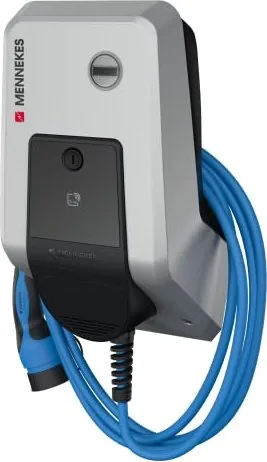
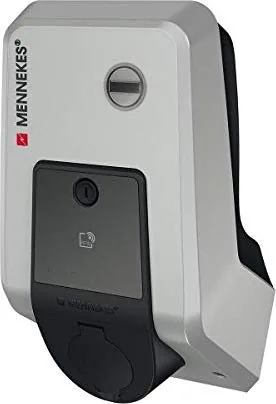
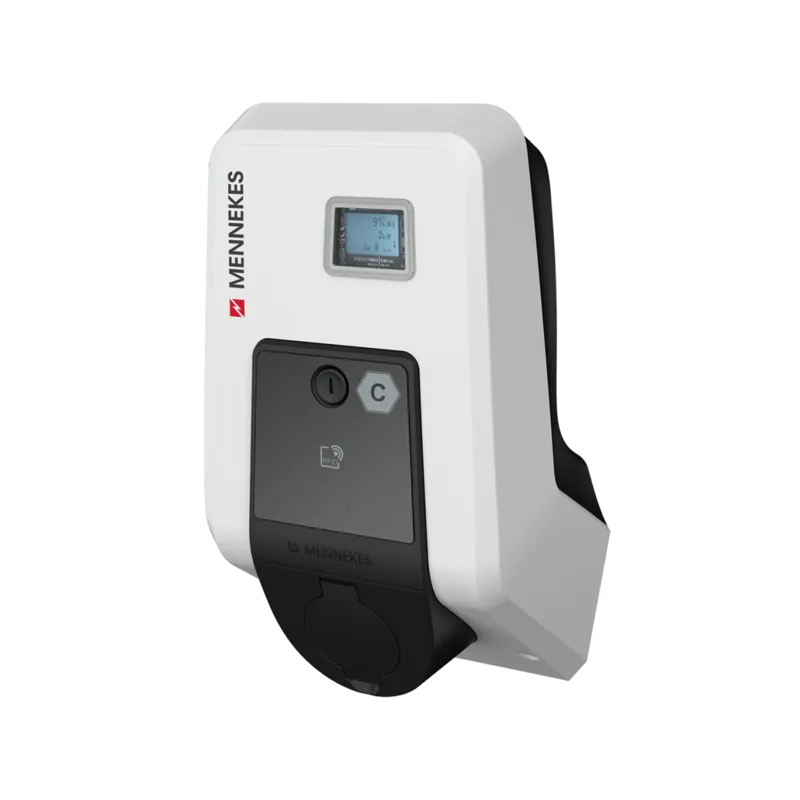
Mennekes AMTRON Premium Manual
PDF manual · 208 Pages
English



Quick check
Incorrect answer, please try again.
Chat with your Mennekes AMTRON Premium manual using AI
Get instant AI answers from your Mennekes AMTRON Premium manual
Ask anything about the Mennekes AMTRON Premium. Answers come from this manual, with the pages they are based on.
AMTRON Premium Maintenance Schedule
Visually inspect for defects or damage. Check secure fastening. Clean the outside with a damp cloth.
Visually inspect for defects or damage.
Visually inspect for defects or damage. Check the function of the circuit breaker (RCCB).
Visually inspect for defects or damage.
Have a qualified electrician check the system according to VDE0100.
Free maintenance reminders
Timed to your purchase date. Always free, unsubscribe anytime.
Ask a Question
Do you recommend AMTRON Premium?
Yes NoFrequently Asked Questions
It is a fixed EV charging station for private and semi-public locations. It is designed for Mode 3 charging and can operate as a simple standalone charger or as part of a smart networked setup.
Is this answer helpful?
Yes. RFID authorization is supported on Premium variants. Users can be added to an internal whitelist, and charging can be started or stopped with approved cards depending on the configuration.
Is this answer helpful?
Yes. The MENNEKES Charge APP lets users start, pause, stop, and monitor charging sessions. It also supports device setup, charging history, and managing RFID cards in supported configurations.
Is this answer helpful?
It shows the current charging status, such as ready, charging, waiting, overheating warning, or fault. The colors and animation help users understand what the wallbox is doing at a glance.
Is this answer helpful?
Energy Manager mode connects the wallbox with a Sunny Home Manager system. Charging power can then be adjusted based on available solar energy and user-defined charging preferences.
Is this answer helpful?
Charging is interrupted, and the behavior afterward depends on the setup. In some configurations the session stops, while in others it can resume automatically when power returns.
Is this answer helpful?
Yes. The unit should be checked periodically for visible damage, secure mounting, and proper function. Safety devices and cables should also be inspected according to the maintenance plan.
Is this answer helpful?
Advantages and Disadvantages
Advantages

- Supports multiple charging modes, including app control, RFID access, timing, and energy management.
- Clear LED status feedback makes it easy to understand charging state and system alerts.
- Strong safety focus with residual-current testing, reset functions, and controlled access.
- Network connectivity enables smart setup, monitoring, and integration with home energy systems.
Disadvantages

- Some advanced functions depend on installation settings and may not be available in every version.
- Certain features require the Charge APP, RFID setup, or network access to work fully.
- Qualified electrical installation is required, which adds complexity compared with a basic charger.
- Incorrect setup or missing data sheets can limit access to configuration and user functions.
Product Specification
Number of charging points
1
Charging mode
IEC 61851-1 (Mode 3)
Mounting
Wall mounting
Authorization
App, RFID
Interfaces
RS-485, RJ-45, Wi-Fi (WLAN)
Dimensions
10.20x18.70x8.66in (WxHxD)
Product Description
Mennekes AMTRON Premium: smart charging with everyday practicality
The Mennekes AMTRON Premium Manual highlights a wallbox built for drivers who want a dependable, flexible, and easy-to-manage charging experience. Designed for private and semi-public use, the AMTRON Premium brings together compact hardware, clear status feedback, and intelligent control options that make daily EV charging feel straightforward rather than technical.
At the heart of the system is the HC controller, which manages charging automatically and supports several operating modes. That means the wallbox can work as a simple plug-and-charge solution, or it can be configured for RFID-based access, app control, time-based charging, external tariff signals, or Energy Manager integration. This versatility makes the AMTRON Premium a strong fit for homes, workplaces, fleet parking areas, and properties where charging needs may change over time.
One of the most useful features is the MENNEKES Charge APP. It allows users to authorize charging, monitor energy delivered, pause or stop sessions, and adjust settings without needing to interact directly with the unit every time. For households with multiple drivers, the built-in RFID management adds another layer of convenience, especially when access needs to be limited to specific users. The LED info field also provides quick visual feedback, so the charging state can be understood at a glance.
The premium experience is not only about control, but also about safety and resilience. The unit includes integrated protection functions, a multifunction button for stopping charging, resetting protection devices, and testing the residual current circuit breaker. The text also emphasizes proper maintenance, safe installation by qualified electricians, and routine checks to preserve long-term reliability.
Another strength of the AMTRON Premium is its network readiness. With WLAN or LAN connectivity, it can be linked to a home network, a service interface, or a backend system depending on the configuration. This makes it suitable for users who want more than basic charging and value data, scheduling, and smart energy coordination. In combination with a photovoltaic setup and a Sunny Home Manager, it can even help prioritize solar energy for vehicle charging.
Overall, the AMTRON Premium stands out as a well-rounded charging station that balances convenience, safety, and smart energy control. It is not just a wallbox for charging a car; it is a practical energy tool for modern EV ownership.
Notes
- Best results come from correct setup and qualified installation.
- RFID, app access, and smart modes depend on the selected configuration.
- Regular inspections help maintain safety and performance.
Search for 67,706 Manuals online


Type-in Brand or Model