
MegaSat HD 1 Smart Manual
PDF manual · 60 Pages
English



Quick check
Incorrect answer, please try again.
Chat with your MegaSat HD 1 Smart manual using AI
Get instant AI answers from your MegaSat HD 1 Smart manual
Ask anything about the MegaSat HD 1 Smart. Answers come from this manual, with the pages they are based on.
Ask a Question
Do you recommend HD 1 Smart?
Yes NoVideo Manual
Satellitenschüssel Ausrichten ✅ TOP ANLEITUNG: Wie Sat Anlage Anschließen & auf Astra Einstellen???
Frequently Asked Questions
The meter can be powered by your satellite receiver (DC 12–20 V), an external power supply (DC 18 V, ≥1.2 A), or the included USB powerbank (4.8–6.0 V to the device). For LNBs with higher current draw (>200 mA) use the receiver or an appropriate PSU.
Is this answer helpful?
The BT Satmeter app provides live spectrum and constellation views, azimuth and elevation calculations based on device location, a compass and alignment mode that uses phone rotation to aim the dish, plus signal metrics (CNR, dBμV, BER, MER) to guide fine tuning.
Is this answer helpful?
Yes. It supports Unicable EN 50494 (SCD) and EN 50607 (SCD2), as well as DiSEqC 1.0, 1.1 and 1.2 and USALS. Unicable SCD handles up to 8 user bands and SCD2 up to 32; specific band/port settings are configured in the app.
Is this answer helpful?
This usually indicates insufficient supply or an LNB inrush issue. Try powering the meter from the receiver or an 18V PSU, or connect the LNB after the meter finishes booting to reduce the start-up load; also check for short circuits in cabling.
Is this answer helpful?
Bluetooth connections typically work up to about 10 meters line-of-sight. Excessive distance, obstacles or if the mobile device enters standby may cause disconnects; keeping the phone active and nearby is recommended during alignment.
Is this answer helpful?
Yes — the app allows editing of the preconfigured satellites and transponders. Changes are saved when you exit (press back) in the app and are transmitted to the meter while within Bluetooth range.
Is this answer helpful?
Use the app’s live spectrum, constellation diagram and scope (four-transponder view) to analyze signals. Verify LNB type/voltage, 22 kHz status, DiSEqC/Unicable settings, and consult the manual’s troubleshooting section for common faults and remedies.
Is this answer helpful?
Advantages and Disadvantages
Advantages

- Bluetooth app integration with spectrum, constellation and angle calculation for precise alignment.
- Supports DiSEqC (1.0/1.1/1.2), USALS and Unicable (EN 50494/EN 50607) for complex installs.
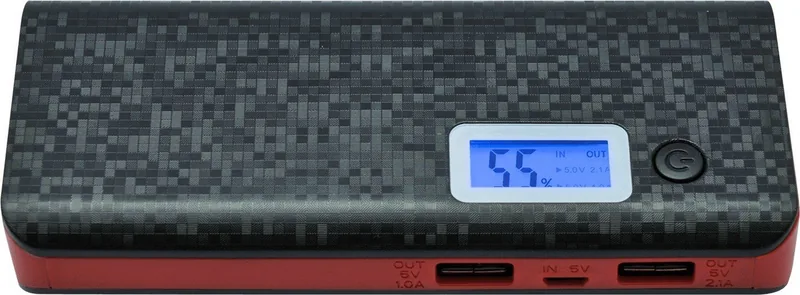
- Portable power via included 10,000 mAh powerbank with OLED capacity display and dual USB outputs.
- Clear LED indicators and audible lock tone speed up coarse and fine dish adjustments.
- Compact, lightweight design with mechanical buttons and micro USB power for field convenience.
Disadvantages

- Powerbank only supports LNBs up to ~200 mA; higher-draw LNBs require receiver or mains PSU.
- Bluetooth range and mobile standby can interrupt app connection during alignment.
- Limited to 8 preconfigured satellites/transponders by default (editable via app).
- Device not shockproof or waterproof — requires careful handling in field conditions.
- Some advanced settings (motorized DiSEqC/USALS) require consulting external motor manuals.
Product Specification
Type
Satellite finder
Measurement method
digital
Measurement of
DVB-S/S2
Display
no
Connections
2x LNB, 1x USB, Bluetooth
Analysis types
LED, Sound
Search mode
automatic, Blindscan, manual
DiSEqC
1.0/1.1/1.2/1.3
Unicable compatible
yes (Unicable, Unicable II)
Special features
integrated speaker, pre-programmed channel list
Dimensions
5.51x2.72x1.02in (WxHxD)
Weight
0.22lb
Product Description
MegaSat HD 1 Smart — Reliable Satfinder with App Integration
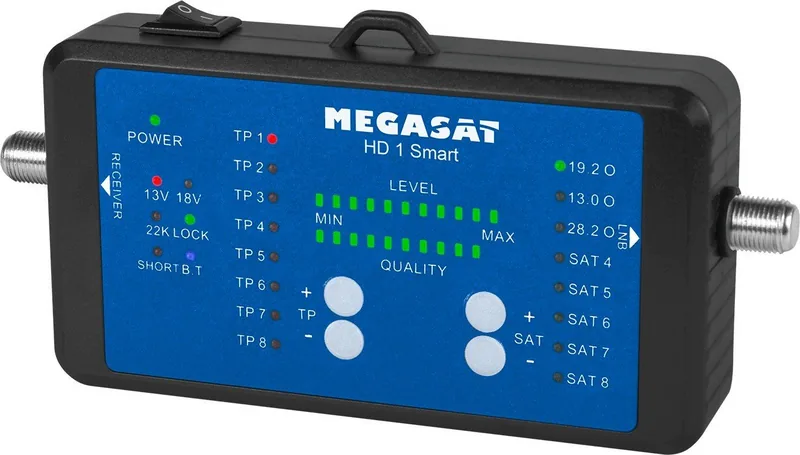
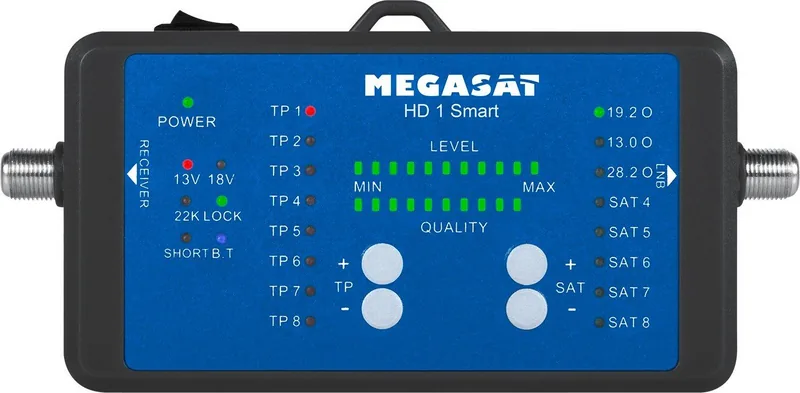
The MegaSat HD 1 Smart is a compact satellite signal meter designed for fast and accurate DVB‑S/S2 alignment. Combining a handheld LED meter with Bluetooth connectivity and a companion mobile app for iOS and Android, this unit streamlines dish setup for installers and DIY users alike. It supports up to eight user-editable satellites with eight transponders each, displays signal level and quality across a 12‑LED bar, and provides audible feedback when a satellite is locked.
Beyond the basics, the HD 1 Smart handles typical LNB voltages (13 V / 18 V), 22 kHz switching, and offers compatibility with DiSEqC (1.0 / 1.1 / 1.2), USALS, and Unicable (EN 50494 & EN 50607) systems. Power options include connection to a receiver, an external USB source, or the included 10,000 mAh powerbank, making field use flexible. The device features mechanical selection buttons for satellites and transponders, status LEDs (including LOCK, SHORT, Bluetooth), and a micro USB port for power.
The companion BT Satmeter app greatly enhances functionality: live spectrum and constellation displays, azimuth/elevation calculations based on the mobile device’s location and sensors, a compass and alignment mode that uses device rotation to aim the dish, and menus to edit satellites, transponders and LNB parameters. The app also shows detailed signal metrics (CNR, dBμV, BER, MER) and allows manual spectrum range selection, band switching for high/low LNB bands, and Unicable or DiSEqC configuration.
Practical workflow is straightforward: connect the meter between LNB and receiver or powerbank, select satellite and transponder with front buttons or through the app, and adjust dish elevation and azimuth until LOCK and peak LED readings are achieved. Fine tuning is aided by app tools like scope (four-transponder view), spectrum zoom, and constellation plotting. The included powerbank doubles as a 10,000 mAh portable supply with two USB outputs, OLED capacity display and LED torch, though high‑current LNBs may require a receiver or mains adapter.
For technicians and hobbyists who need fast, mobile satellite alignment with modern analysis tools, the MegaSat HD 1 Smart pairs dependable hardware with a feature‑rich app to reduce installation time and improve alignment accuracy.
Notes
- Supports DiSEqC, USALS and Unicable standards; Unicable SCD manages up to 8 users, SCD2 up to 32.
- Powerbank can supply the meter but LNBs drawing >200 mA should use receiver or external PSU.
- App requires Bluetooth and location permissions for angle calculations; keep mobile device out of standby during alignment.
Search for 67,706 Manuals online


Type-in Brand or Model
leo95
7 months ago
Is the device suitable for permanent, continuous measurement operation (24/7)?
Manual.ly
7 months ago
Thanks for the question. The device is designed for regular measurement use, not unlimited 24/7 operation by default. For continuous monitoring, you need to follow the recommended operating cycle from the manual (duty cycle, warm-up time, and power supply limits) and ensure proper ventilation and stable conditions to avoid overheating and sensor drift. If your application requires true continuous duty, we recommend checking the continuous-monitoring configuration or the appropriate model for long-term operation, since calibration and maintenance intervals may differ. If you share your expected measurement frequency, runtime per day, and environment, support can advise whether your setup fits the specifications.