
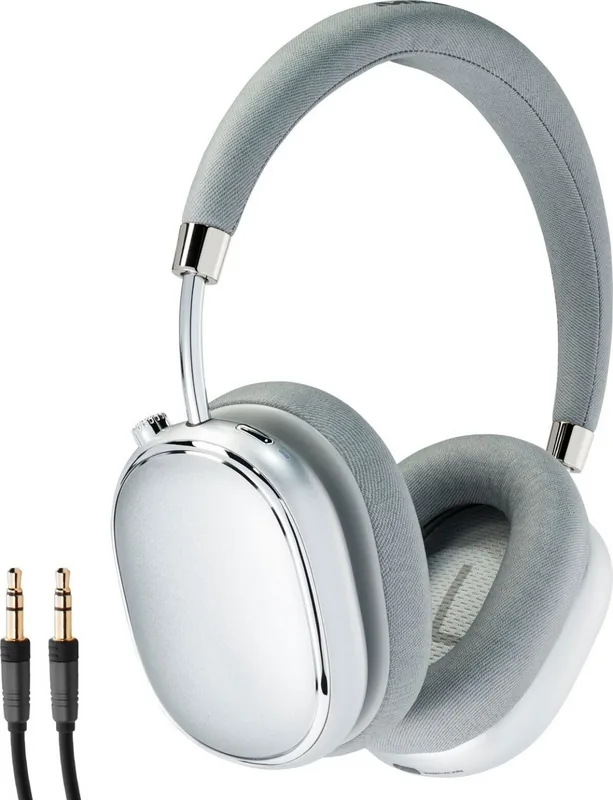
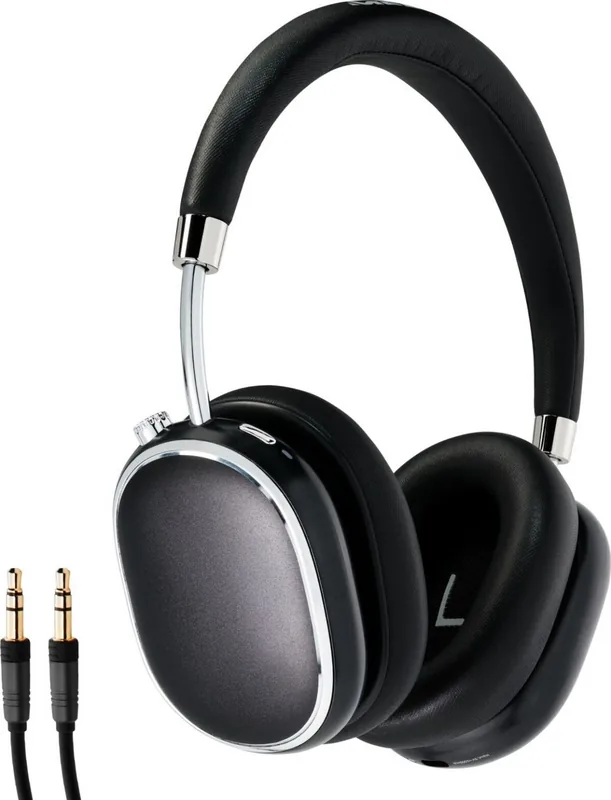

Medion Life E62474 Manual
PDF manual · 146 Pages
English



Quick check
Incorrect answer, please try again.
Chat with your Medion Life E62474 manual using AI
Get instant AI answers from your Medion Life E62474 manual
Ask anything about the Medion Life E62474. Answers come from this manual, with the pages they are based on.
Life E62474 Maintenance Schedule
The manual advises charging the integrated rechargeable battery regularly and as fully as possible. Do not leave it discharged for a long period.
Check the headphones and all accessories for any signs of damage before every single use to ensure safety and proper function.
Ask a Question
Do you recommend Life E62474?
Yes NoFrequently Asked Questions
Press the ANC mode button twice to enable noise suppression. Pressing once activates transparency mode. A third press disables it to save power. The LED flashes green to confirm activation.
Is this answer helpful?
The device supports Bluetooth version 5.0 with a range of up to ten meters between headphones and audio source depending on environmental conditions like obstacles.
Is this answer helpful?
Charging time is approximately three point five to four hours using the included micro USB cable connected to a power source or computer.
Is this answer helpful?
Yes, you can connect using the provided 3.5 mm audio cable. However, playback controls may not work through the headset buttons in wired mode.
Is this answer helpful?
No, the lithium polymer battery is permanently installed and cannot be removed or replaced without professional assistance from the service center.
Is this answer helpful?
Switch the device off then hold the multifunction button for ten seconds to delete all paired device information and start fresh.
Is this answer helpful?
Check troubleshooting steps in the guide first. If unresolved, contact customer service rather than attempting to open or repair the unit yourself.
Is this answer helpful?
Advantages and Disadvantages
Advantages

- Long battery life up to 50 hours allows extended use without frequent charging interruptions during daily activities.
- Active noise cancelling mode effectively dampens external sounds for focused listening in noisy environments.
- Versatile connectivity options include both Bluetooth 5.0 for wireless and 3.5mm jack for wired connections.
- Intuitive multifunction button controls simplify volume adjustment and call management without accessing the connected device.
- Transparent mode lets users hear ambient sounds when needed without removing the headphones completely.
Disadvantages

- Integrated battery cannot be replaced by the user which could shorten usable lifespan if failure occurs.
- Charging port uses Micro USB instead of modern Type C interfaces for faster charging capabilities.
- Cannot connect multiple audio devices simultaneously limiting multitasking options across different smartphones or tablets.
- No dedicated mobile app for firmware updates or equalizer customization is included with the standard package.
- Requires specific temperature range operation conditions to prevent internal damage which may limit outdoor usage.
Product Specification
Type
Headphones (Over-Ear)
Design
Headband
Design Principle
Closed
Microphone
Built-in
Connector
3.5mm Jack
Wireless
Bluetooth 5.0
Cable
Single-sided, Detachable
Controls
1-button Remote
Battery Life
50 hours
Battery
USB Micro-B Charging Port, 4 hours
Frequency Range
20Hz-20kHz
Impedance
32 Ohms
Drivers
1.57 inches
Device Features
Active Noise Cancellation (ANC), Ambient Mode
Weight
0.60 lbs
Product Description
Experience Freedom with Premium Audio
When looking for reliable wireless audio, the Medion Life E62474 stands out as a top contender for personal entertainment. This over-ear headset delivers impressive sound quality while ensuring your environment remains undisturbed thanks to advanced noise cancellation technology. Users often find that understanding the device fully enhances the overall experience, much like consulting the Medion Life E62474 Manual during the initial setup phase to ensure all features are activated correctly.
The device features an integrated lithium polymer battery capable of providing up to fifty hours of continuous playback. This longevity means you can enjoy your music, podcasts, or calls for days without needing to find a power outlet. Recharging is simple via the included micro USB cable, which connects directly to a computer or compatible power source. The LED indicators provide clear status updates, turning red during charging and blue once the power pack is fully ready for action.
Connectivity plays a significant role in daily usability. Supported Bluetooth version 5.0 ensures stable transmission up to ten meters away from your source. You can easily switch between pairing mode and standard operation using the multifunction button. For times when wireless signals are unavailable, the 3.5 mm audio jack offers a reliable wired alternative. Adjusting volume is intuitive through the same multifunction control, rotating clockwise or counter-clockwise for immediate response. You can also manage calls directly through the headset, accepting or rejecting incoming calls with simple button taps.
Activation of noise features requires specific button presses. Pressing the ANC mode button once activates transparency mode, allowing outside sounds like announcements to be heard clearly. Pressing it again engages active noise suppression to dampen environmental noise. A third press disables the function entirely to save power. The operating LED changes color to confirm the active state, ensuring you know the current setting at a glance.
Safety and maintenance are also crucial considerations for long-term ownership. The headphones should only be operated within specific temperature ranges to protect the internal components from overheating or damage. Keeping moisture away from the ear cups ensures longevity, and cleaning should always be done with a soft dry cloth. Do not use chemical solvents that might damage the surface. If issues arise, contacting service support is recommended over attempting DIY repairs on the sealed unit which contains sensitive electronics.
Understanding these operational details helps you get the most out of your purchase. Whether commuting or relaxing at home, this headset adapts to your needs efficiently. Transparency mode allows outside sound to be heard when needed, providing versatility. Remember to store the unit in a cool, dry place to prevent dust accumulation. Notes: Ensure the device is fully charged before first use. Do not expose to extreme humidity. Keep away from children under eight years of age. Service centers are available for assistance if troubleshooting steps do not resolve the issue. Always check the battery status before long trips to avoid interruption.
Search for 67,706 Manuals online


Type-in Brand or Model