
Medion Life E13226 Manual
PDF manual · 82 Pages
English



Quick check
Incorrect answer, please try again.
Chat with your Medion Life E13226 manual using AI
Get instant AI answers from your Medion Life E13226 manual
Ask anything about the Medion Life E13226. Answers come from this manual, with the pages they are based on.
Life E13226 Maintenance Schedule
Inspect the device for damage before using it for the first time. Do not operate if defective.
Wipe dust off first, then gently wipe with a soft lint-free cloth. Do not use solvents or abrasive agents.
Remove spent batteries or those from the remote control if not used for an extended period to prevent leakage.
Ask a Question
Do you recommend Life E13226?
Yes NoFrequently Asked Questions
The Medion Life E13226 32" model features a physical resolution of 1366 × 768 pixels, suitable for HD viewing but not Full HD or 4K detail.
Is this answer helpful?
It supports DVB‑T/T2, DVB‑C and satellite reception (with LNB and CI+ slot for CAM cards), plus HDMI (including ARC/CEC), USB 2.0, component (YPbPr), AV, SCART (on some variants) and headphone/SPDIF audio outputs.
Is this answer helpful?
Yes — the USB media player handles common formats: photos (JPG, BMP, PNG), music (MP3, FLAC, OGG) and videos (AVI, MKV, MP4, MPEG variants). Playback is generally reliable, but not all codec/container combinations are guaranteed due to variations in file encoding.
Is this answer helpful?
The 32" models use VESA 100×100 mm mounting holes. Use appropriate M4 screws (or M6 for some larger variants) with a length equal to the wall mount thickness plus 8 mm, and mount on solid surfaces like concrete for safety.
Is this answer helpful?
Keep the TV in a dry indoor location with at least 10 cm ventilation clearance, avoid covering vents, unplug before cleaning, use a soft lint‑free cloth, handle batteries safely, and have repairs performed only by authorized service partners.
Is this answer helpful?
Software updates can be performed via USB from the Option → Software Update (USB) menu. Place the correct firmware file on a USB stick, insert it in the TV, and follow the on‑screen prompts. Do not interrupt the update process to avoid damage.
Is this answer helpful?
The TV offers System Lock functions including channel lock, parental guidance (age levels), key lock for panel buttons and hotel mode. Default passwords are documented; if forgotten, master codes (e.g., 4711 or 8899 for DVD) are noted in the manual.
Is this answer helpful?
Advantages and Disadvantages
Advantages

- Multiple input options (HDMI, component, AV, SCART, USB, RF and satellite with CI+) for broad device compatibility.
- USB media player supports photos, music and video playback (common formats like JPG, MP3, MP4, MKV).
- Compact 32" form factor with VESA mounting (100×100 mm) makes it suitable for small rooms and wall mounting.
- Built‑in tuners for DVB‑T/T2, DVB‑C and satellite reception with auto tuning, blind scan and manual tuning options.
- Simple on‑screen menus and preset picture/sound modes (Dynamic, Standard, Mild, Personal) for easy adjustment.
Disadvantages

- HD resolution (1366×768) is lower than Full HD or 4K, limiting image detail for some users.
- Limited smart platform capabilities — no built‑in streaming apps or Wi‑Fi in the documented feature set.
- USB playback compatibility depends on codecs; some files may not play due to codec or container limitations.
- Integrated DVD option available only on some variants, adding inconsistency across models.
- Speakers (2×8 W) provide basic audio; users may prefer external soundbars for richer sound.
Product Specification
Diagonal
32"/31.89in
Resolution
1366x768
Panel
LCD
Backlight
LED
HDR
no
Refresh rate
50/60Hz native
Brightness
220cd/m2
Contrast
3,000:1 static, 10,000:1 dynamic
3D
no
Tuner
1x DVB-C/-T/-T2/-S/-S2 HEVC (H.265) MPEG-4 AVC (H.264)
Video connections
2x HDMI, VGA, Component Video, SCART, Audio/Video input
Audio connections
Digital Audio Out (coaxial), Headphone (3.5mm jack)
Other connections
1x USB-A 2.0, 1x CI+
Total audio power
2.0, 16W (2x 8W)
Energy efficiency class SDR
F (A to G)
Energy consumption SDR
27kWh/1000h
Color
black
VESA
100x100
Stand
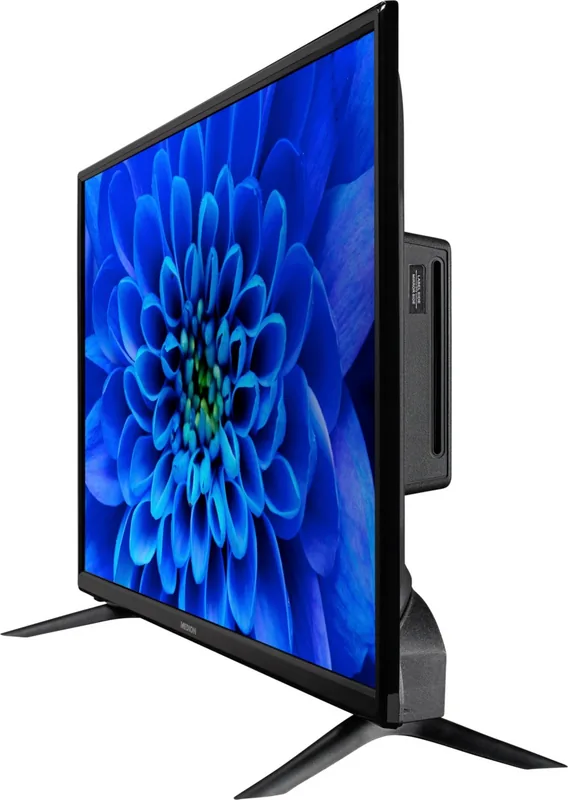
side
Dimensions with stand
28.86x18.70x9.29in (WxHxD)
Dimensions without stand
28.86x17.32x3.62in (WxHxD)
Weight with stand
8.60lbs
Weight without stand
8.16lbs
Manufacturer's warranty
2 years
Note
Information on DVB-T2 reception in Austria. Information on DVB-T2 reception in Germany.
Product Description
Medion Life E13226 — Practical Guide and Manual Highlights ## Overview
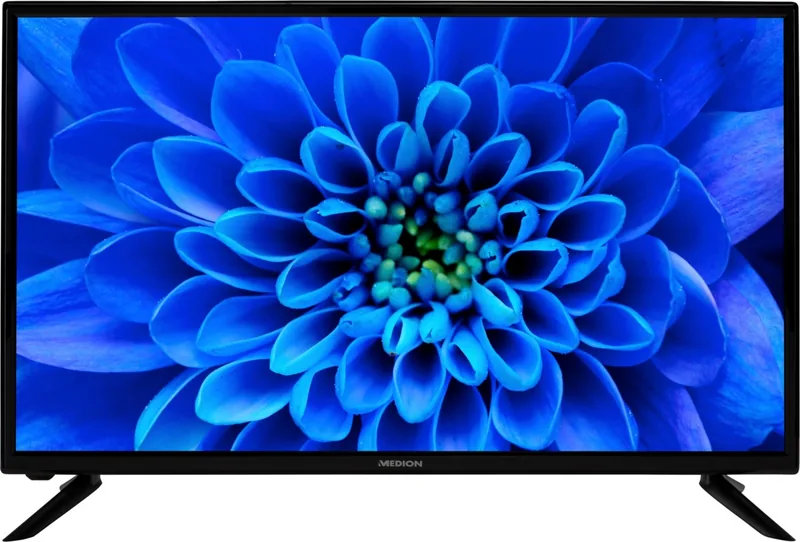
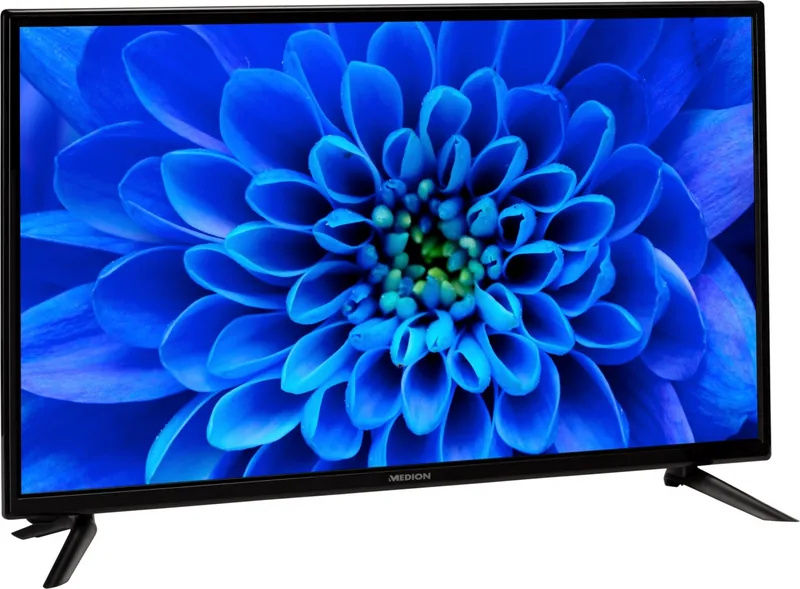
The Medion Life E13226 is a compact 32" (approx. 80 cm) LCD TV designed for home entertainment with essential modern features. It offers 1366 x 768 resolution, built-in tuners for DVB‑T/DVB‑T2/DVB‑C and satellite reception (with CI+ slot support), dual 8 W speakers, HDMI inputs (one with ARC/CEC), USB media playback, and optional integrated DVD playback on certain variants. The set targets private, stationary use in living rooms, bedrooms or kitchens where a straightforward, affordable HDTV is needed.
Features and usage
The E13226 supports multiple input types—HDMI, SCART, component (YPbPr), AV in, USB and coaxial satellite/antenna—so it integrates easily with set‑top boxes, game consoles and media drives. USB media playback covers common photo, audio and video formats (JPG/BMP/PNG, MP3/FLAC/OGG, AVI/MKV/MP4 and others), enabling slideshow and music playback directly from flash drives or external HDDs. The TV includes teletext, an EPG (electronic programme guide), on‑screen menus with picture and sound presets (Dynamic, Standard, Mild, Personal), and parental and key locks for secure family use.
Practical setup is guided by a First Time Installation wizard for auto‑tuning (cable, terrestrial, satellite) and supports network scans, blind scans and manual tuning. Wall mounting follows VESA standards (100×100 mm for the 32" models). The remote control provides dedicated media, teletext and DVD controls (if fitted), plus picture/volume/channel shortcuts for everyday convenience.
Safety and maintenance
Safety guidance stresses indoor, stationary use only, ventilation clearance, correct mains wiring to earthed sockets, battery handling for the remote, and professional servicing. Cleaning instructions recommend soft, lint‑free cloths and avoiding solvents or moisture ingress. Long‑term storage and disposal guidelines align with EU recycling and battery take‑back rules.
Who it’s for
This model suits users seeking an uncomplicated, affordable HDTV with multiple connection options and USB media playback. It’s a good fit for secondary rooms, rental properties, or buyers who prefer clear menus and straightforward setup without high‑end smart platform complexity.
Notes
- Resolution: 1366 × 768 (32" models). Power consumption: up to 50 W; standby < 0.5 W.
- Supports DVB‑T/T2, DVB‑C and satellite reception; CI+ slot for pay TV CAM modules.
- USB media compatibility is broad but not exhaustive — some codecs or recording formats may not play.
- For satellite features and advanced tuning, consult on‑screen dish/transponder options and DiSEqC/LNB settings.
Search for 67,706 Manuals online


Type-in Brand or Model