
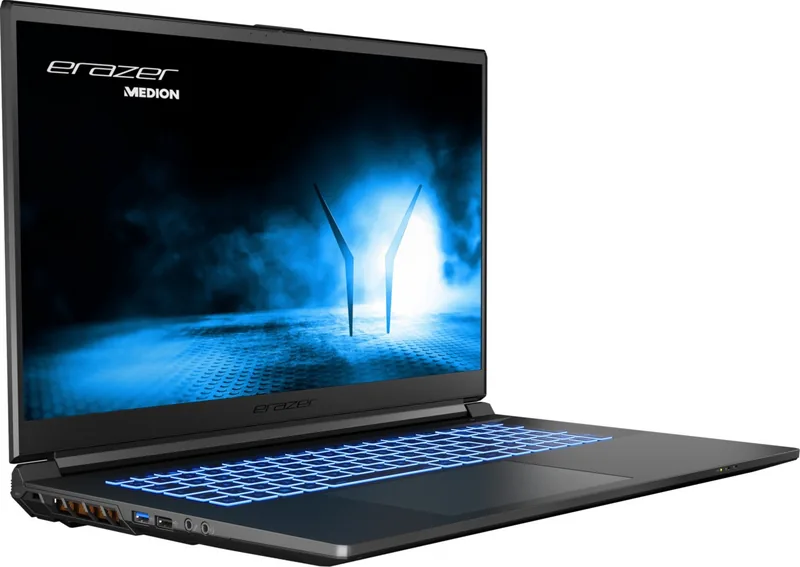
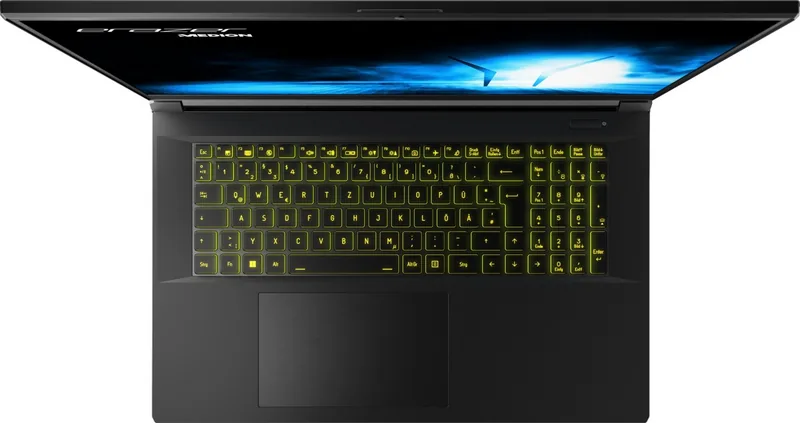

Medion Erazer Scout E20 Manual
PDF manual · 49 Pages
English



Quick check
Incorrect answer, please try again.
Chat with your Medion Erazer Scout E20 manual using AI
Get instant AI answers from your Medion Erazer Scout E20 manual
Ask anything about the Medion Erazer Scout E20. Answers come from this manual, with the pages they are based on.
Ask a Question
Do you recommend Erazer Scout E20?
Yes NoFrequently Asked Questions
Windows activates automatically once an internet connection is established. If the time is incorrect, adjust it via the clock settings in the taskbar.
Is this answer helpful?
No, the battery is integrated into the device. Replacement must be performed by a qualified service technician to ensure safety and warranty compliance.
Is this answer helpful?
If you connect a USB device to a different port than the one it was originally installed on, the operating system assigns it a new ID, requiring driver reinstallation.
Is this answer helpful?
Check if the background lighting was disabled using Fn+F2. Press any key to reactivate it. If the power light is off, press the on/off switch to wake the device.
Is this answer helpful?
Resetting should only be done as a last resort when the system fails to respond normally. Always back up your data before attempting a reset.
Is this answer helpful?
Advantages and Disadvantages
Advantages

- Large 17.3-inch display provides excellent immersion for gaming and media
- Versatile connectivity with multiple USB 3.2 ports and HDMI output
- Comprehensive safety and maintenance guidelines included in documentation
Disadvantages

- Integrated battery cannot be easily replaced by the user
- Device must be used indoors due to 5 GHz Wi-Fi restrictions in some regions
- Requires careful handling to avoid damaging the sensitive display hinges
Product Specification
Type
Notebook
Display
17.3", 1920x1080 (FHD), 16:9, 127ppi, 144Hz, non-glare (matt), IPS
CPU
Intel Core i7-13700H, 6C+8c/20T, 2.40-5.00GHz, 24MB+20MB Cache, 45-115W TDP (PBP/MTP), Codename "Raptor Lake-H" (Raptor Cove + Gracemont, Intel 7)
RAM
16GB DDR5-4800 (2x 8GB SO-DIMM-Module, 2 Slots, max. 64GB)
SSD
1TB M.2 PCIe 4.0
HDD
N/A
Flash
N/A
Graphics
NVIDIA GeForce RTX 4050 - 6GB GDDR6 - Mobile, 20SM/2560SP, Codename "AD107" (Ada Lovelace, TSMC 5nm "NVIDIA 4N"), 2370MHz, 100W Max GPU Power
Operating System
Windows 11 Home
Input
Keyboard with US Layout (RGB backlit, Numpad, Rubber-Dome), Touchpad
Connections
1x USB-C 3.1 (10Gb/s), 1x USB-A 3.1 (10Gb/s), 1x USB-A 3.0 (5Gb/s), 1x USB-A 2.0 (480Mb/s), 1x Mini DisplayPort 1.4a, 1x HDMI 1.4, 2x 3.5mm Jack, 1x RJ-45 1Gb LAN, 1x SD Card, 1x DC-In Barrel Jack (Power)
Wireless
Wi-Fi 6E (WLAN 802.11a/b/g/n/ac/ax, 2x2, Intel AX211), Bluetooth 5.3
Authentication
TPM 2.0
Camera
0.9 Megapixel
Optical Drive
N/A
Battery
Built-in, Li-Ion, 4 Cells, 54Wh, 4h Runtime
Weight
6.17 lbs
Dimensions
15.63x10.43x1.14 inches (WxDxH)
Color
Black
SSD/HDD Slots
1x M.2 PCIe, 1x 2.5" SATA
Warranty
Two Years (Mail-in)
USB Spelling
Link
Product Description
Medion Erazer Scout E20: A Powerful Gaming Companion
The Medion Erazer Scout E20 is a high-performance 17.3-inch notebook designed for gamers and multimedia enthusiasts who demand power without compromising on portability. This device combines robust processing capabilities with a sleek design, making it an ideal choice for immersive gaming sessions, video editing, and complex multitasking. The large display offers stunning visual clarity, allowing users to experience games and media in vivid detail.
Operating the Medion Erazer Scout E20 Manual provides essential guidance on maximizing the potential of this machine. From setting up the powerful Wi-Fi and Bluetooth connectivity to managing the advanced battery life, every aspect is covered to ensure a seamless user experience. The notebook features a comprehensive array of ports including USB 3.2 Gen 2 Type-C and HDMI, enabling easy connection to external monitors, storage devices, and audio systems. Safety instructions emphasize proper handling, such as avoiding liquid exposure and ensuring adequate ventilation to prevent overheating during intense usage sessions.
Ergonomics play a crucial role in the daily use of this laptop. The manual advises on maintaining correct posture to avoid strain during long gaming or work hours. Users are encouraged to position the screen at eye level and keep the keyboard at a comfortable distance. The included touchpad and backlit keyboard enhance usability in various lighting conditions. For those concerned about security, the device supports password protection via UEFI configuration and Kensington lock slots to deter theft.
Maintenance and care are vital for longevity. The guide recommends regular cleaning with a damp cloth and avoiding harsh chemicals. It also highlights the importance of data backups before any system updates or resets. The integrated rechargeable battery requires specific charging habits to maintain its lifespan, such as performing full discharge cycles occasionally. Whether you are traveling or working from home, the Medion Erazer Scout E20 delivers reliability and performance, supported by detailed operational instructions that cover everything from initial setup to troubleshooting common issues.
Search for 67,706 Manuals online


Type-in Brand or Model