
Medion Erazer Scout E10 Manual
PDF manual · 48 Pages
English



Quick check
Incorrect answer, please try again.
Chat with your Medion Erazer Scout E10 manual using AI
Get instant AI answers from your Medion Erazer Scout E10 manual
Ask anything about the Medion Erazer Scout E10. Answers come from this manual, with the pages they are based on.
Ask a Question
Do you recommend Erazer Scout E10?
Yes NoFrequently Asked Questions
The Medion Erazer Scout E10 has a 17.3-inch display. This larger notebook format offers more viewing area for working with multiple windows, watching media, browsing, and everyday productivity tasks.
Is this answer helpful?
The notebook includes HDMI and Mini DisplayPort connections. It also has USB Type-C ports, which may support additional monitor setups when used with a compatible docking station. External monitor cables and docking stations are not listed as included accessories.
Is this answer helpful?
Yes. It supports Wi-Fi standards 802.11 a/b/g/n/ac/ax across 2.4 GHz, 5 GHz, and 6 GHz bands, plus Bluetooth for compatible wireless devices. Airplane mode can disable wireless connections when required.
Is this answer helpful?
Connections listed include USB 3.2 Gen 1 Type-A, USB 2.0 Type-A, USB 3.2 Gen 2 Type-C, HDMI, Mini DisplayPort, RJ-45 LAN, a microSD card slot, a microphone input, and a combined headset connection.
Is this answer helpful?
Recovery can be performed through PowerRecover, if available on the installed configuration, or through Windows recovery options. Users may choose to keep personal files during a refresh or remove all data for a full reset. Back up important data first.
Is this answer helpful?
The battery charges automatically when the supplied power adapter is connected, whether the notebook is on or off. Charging takes longer during use. The manual recommends using only the supplied original adapter and keeping ventilation openings uncovered.
Is this answer helpful?
Advantages and Disadvantages
Advantages

- Large 17.3-inch display provides a roomy workspace for multitasking, video, and general computer use.
- Broad connectivity includes USB Type-A, USB Type-C, HDMI, Mini DisplayPort, LAN, audio, and microSD support.
- Wi-Fi supports 2.4 GHz, 5 GHz, and 6 GHz bands, with Bluetooth for wireless accessories.
- Keyboard shortcuts provide quick access to brightness, sound, webcam, touchpad, sleep, and airplane mode.
- Recovery options and UEFI security features support troubleshooting and device protection.
Disadvantages

- The manual does not specify processor, graphics, memory, storage capacity, display resolution, or battery runtime.
- The integrated battery is not intended for user replacement and requires service support when replacement is needed.
- 5 GHz Wi-Fi operation is restricted to indoor use in EU countries.
- High workloads such as games, video, and graphics work can reduce battery life.
- The display should not be opened beyond 120 degrees, requiring careful handling.
Product Specification
Type
Notebook
Display
17.3 in, 1920 x 1080 (FHD), 16:9, 127 ppi, 144 Hz, non-glare (matte), IPS
RAM
16 GB DDR4-3200 (2 x 8 GB SO-DIMM modules, 2 slots, max. 64 GB)
HDD
N/A
Flash
N/A
Operating system
Windows 11 Home
Input
Keyboard with German layout (RGB backlit, numeric keypad, rubber dome), touchpad
Wireless
Wi-Fi 6E (WLAN 802.11a/b/g/n/ac/ax, 2 x 2, Intel AX211), Bluetooth 5.3
Authentication
TPM 2.0
Camera
0.9 megapixels
Optical drive
N/A
Battery
built-in, lithium-ion, 4 cells, 54 Wh, 4-hour runtime
Dimensions
15.63 x 10.39 x 1.01 in (W x D x H)
Color
black
Warranty
two years (return to depot)
USB notation
Link
Product Description
Medion Erazer Scout E10 - Read, Download & Print Free
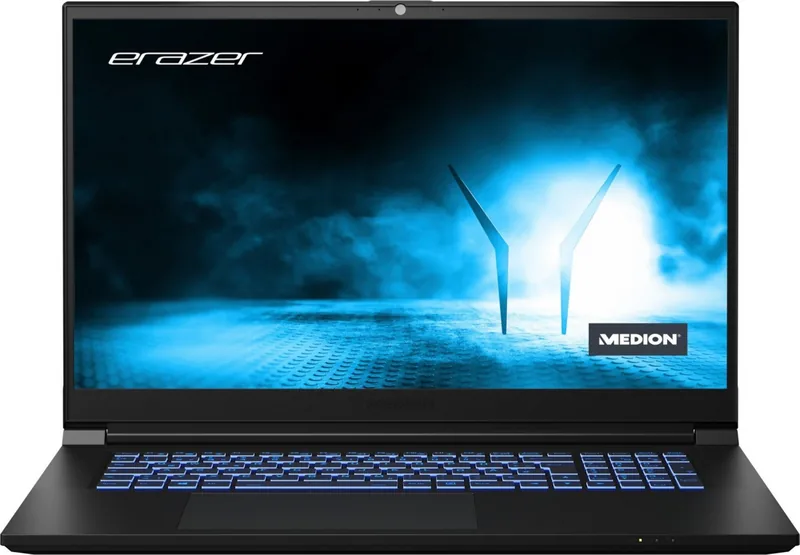
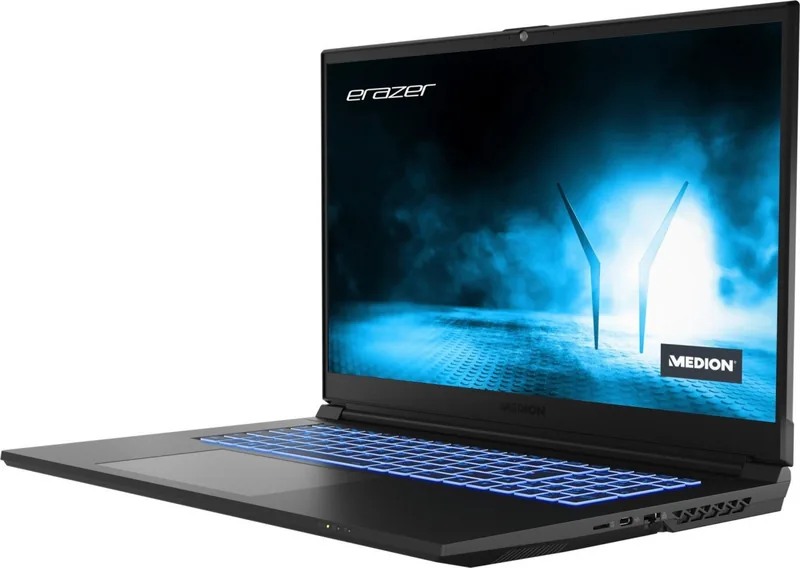
The Medion Erazer Scout E10 is a 17.3-inch notebook designed for users who value a large workspace, flexible connectivity, and practical everyday controls. Its spacious display makes it a strong fit for home entertainment, study sessions, office tasks, and multitasking with several windows open. The notebook combines a full-size keyboard, touchpad, integrated webcam, microphones, and stereo speakers in a portable format.
Connectivity for work and entertainment
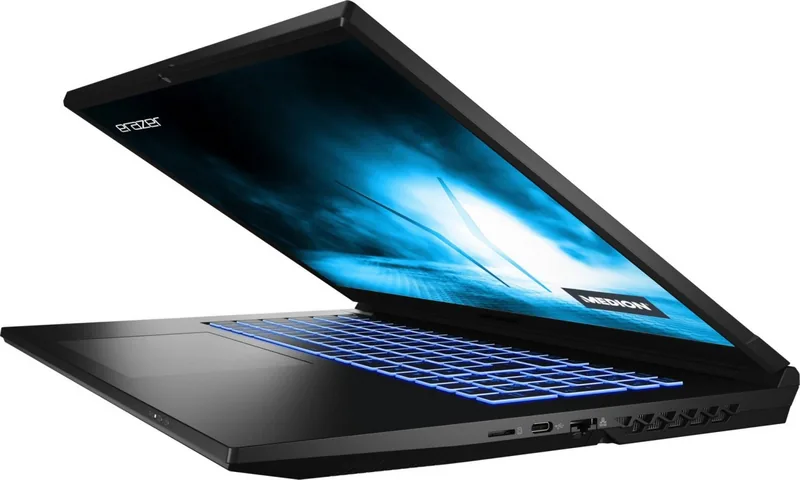
The Scout E10 provides a useful selection of connections for peripherals and external screens. It includes USB Type-A ports, USB Type-C connections, HDMI, Mini DisplayPort, a microSD card reader, a combined headset socket, and a wired LAN port. This variety supports accessories such as external storage, mice, headsets, memory cards, monitors, and network cables without relying entirely on adapters.
Wireless connections are also built in. Wi-Fi supports 2.4 GHz, 5 GHz, and 6 GHz bands with modern 802.11 a/b/g/n/ac/ax standards, while Bluetooth enables cable-free use with compatible headphones, speakers, keyboards, and other devices. For travel or locations where radio signals must be disabled, airplane mode can switch off wireless communication quickly.
Everyday operation made simple
Dedicated keyboard shortcuts help manage common functions. Users can control volume, adjust display brightness, toggle the touchpad and webcam, switch display output, activate airplane mode, and enter sleep mode. The system also provides selectable operating profiles and fan behavior controls, helping users balance quiet operation, power saving, and performance according to their current task.
The built-in battery supports mobile use, while the supplied power adapter handles charging and mains operation. Energy settings can automatically turn off the display and place the notebook into sleep mode after periods of inactivity. Battery runtime naturally depends on workload, display use, and demanding activities such as video playback or graphics-intensive applications.
Setup, protection, and recovery
The Medion Erazer Scout E10 arrives ready for initial Windows setup. A wired or wireless internet connection can be used during configuration, and Windows activation is handled automatically once connected online. Security options include a power-on password configured through UEFI settings and a Kensington lock slot for physical protection.
Recovery features help restore the system if software problems occur. Depending on the installed configuration, users can use PowerRecover or Windows recovery tools to keep personal files during a refresh or remove all data for a complete reset. Backing up important content before any recovery process remains essential.
Note: Keep ventilation openings clear, use the supplied power adapter, avoid liquids and extreme temperatures, and open the display no farther than 120 degrees. For 5 GHz Wi-Fi use in EU countries, indoor operation is required.
The Medion Erazer Scout E10 - Read, Download & Print Free overview highlights a versatile large-screen notebook with broad connection options and practical tools for everyday computing.
Search for 67,706 Manuals online


Type-in Brand or Model