
Medion Akoya S23005 Manual
PDF manual · 2 Pages
English



Quick check
Incorrect answer, please try again.
Chat with your Medion Akoya S23005 manual using AI
Get instant AI answers from your Medion Akoya S23005 manual
Ask anything about the Medion Akoya S23005. Answers come from this manual, with the pages they are based on.
Ask a Question
Do you recommend Akoya S23005?
Yes NoFrequently Asked Questions
It is a compact multimedia PC suited to everyday office work, web access, media use, and space-conscious desktop setups. Its slim format, stand, and VESA mounting support make it practical for desks, counters, or monitor-mounted installations.
Is this answer helpful?
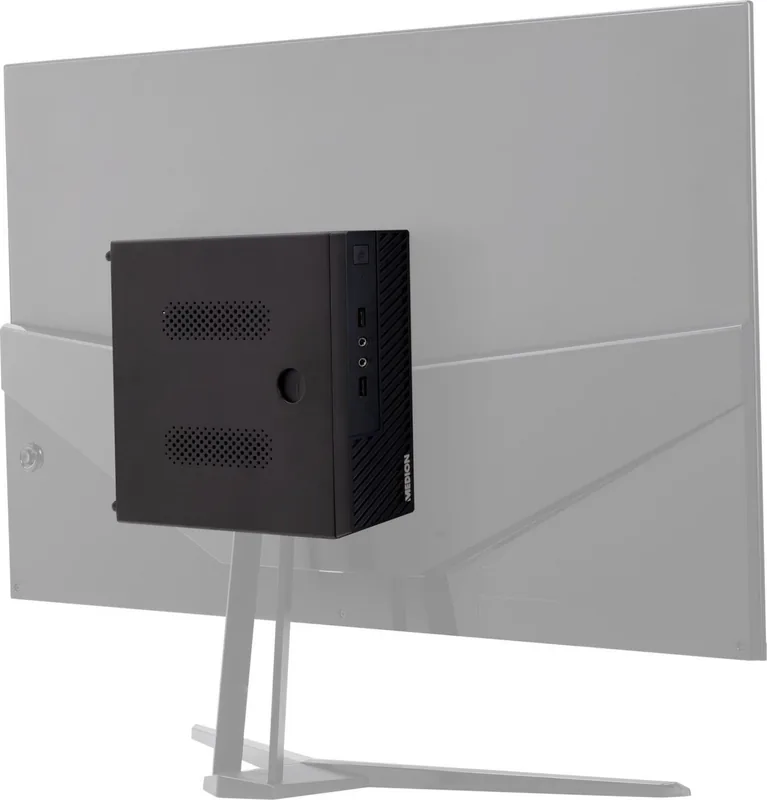
Yes. The system includes a stand and VESA mounting hardware, allowing installation on compatible displays or monitor arms. Confirm the VESA pattern and available clearance on the display before mounting the computer.
Is this answer helpful?
Depending on the configuration, the system can provide HDMI and DisplayPort connections. Because these interfaces are listed as optional, check the physical ports on the individual device before buying cables or planning a multi-monitor setup.
Is this answer helpful?
Some configurations include Intel Wi-Fi and Bluetooth modules. Supported wireless standards can range from Wi-Fi 5 to Wi-Fi 6 or optional Wi-Fi 6E, depending on the installed adapter. Wired LAN is also available for stable network access.
Is this answer helpful?
Selected packages include a SATA cable intended for fitting a 2.5-inch SATA HDD or SSD. Compatibility and included parts may vary, so verify the installed configuration and use suitable mounting and storage components.
Is this answer helpful?
Use the computer at temperatures from 5 C to 30 C and at 20% to 80% non-condensing humidity. Avoid blocked ventilation, moisture, and extreme temperatures. For safe operation, use the supplied power adapter and cable only.
Is this answer helpful?
Advantages and Disadvantages
Advantages

- Slim design helps save desk space and supports neat workstation layouts.
- VESA mounting and a stand provide flexible placement options.
- LAN, HDMI, DisplayPort, and USB connections support common peripherals.
- Optional Intel Wi-Fi and Bluetooth configurations offer modern wireless connectivity.
- Selected configurations may support adding a 2.5-inch SATA HDD or SSD.
Disadvantages

- Port selection and wireless features vary by configuration.
- HDMI, DisplayPort, audio, and some USB ports may be optional.
- 5 GHz wireless operation may be restricted to indoor use in some regions.
- Storage expansion support depends on the supplied hardware and configuration.
- The system must be used only with its matching included power adapter.
Product Specification
CPU
Intel Core i5-1135G7, 4C/8T, 0.90-4.20 GHz, 8 MB+5 MB cache, 12 W TDP, 12-28 W cTDP, codename "Tiger Lake-UP3" (Willow Cove, Intel 10 nm SuperFin)
Hard drive
N/A
Optical drive
N/A
Graphics
Intel Iris Xe Graphics (iGPU), 80 EUs/640 SPs, 1.30 GHz, "Gen 12.1" architecture (Tiger Lake GT2)
Rear ports
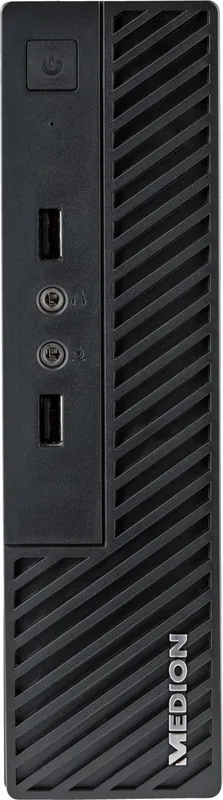
4 x USB-A 3.0, 2 x USB-A 2.0, 1 x Gigabit LAN, 2 x audio jack
Front/side ports
2 x USB-A 2.0, 2 x audio jack
Card reader
N/A
Wireless
Wi-Fi 6 (WLAN 802.11a/b/g/n/ac/ax, 2x2), Bluetooth 5.2
Monitor
N/A
Dimensions (W x H x D)
7.80 x 2.13 x 8.31 in
Weight
7.39 lb
Color
black
Product Description
Medion Akoya S23005 Slim Thin Client Manual: Compact Multimedia PC Overview
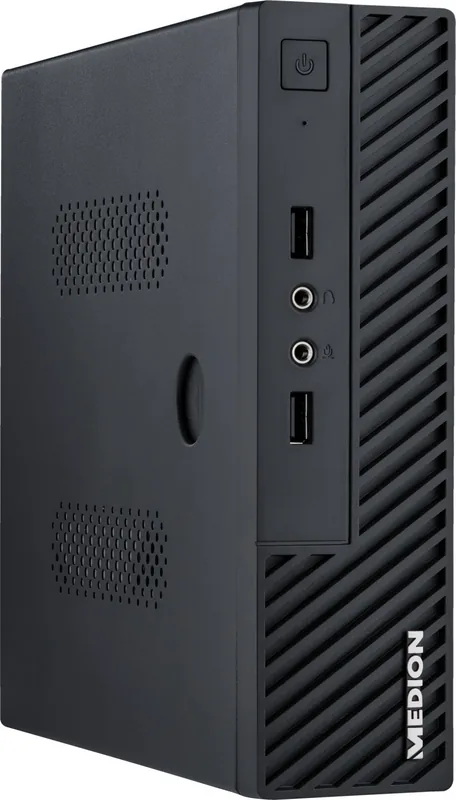
The Medion Akoya S23005 Slim Thin Client is a compact multimedia PC designed for users who value a tidy workspace, flexible placement, and practical everyday connectivity. Its slim enclosure makes it a suitable choice for home offices, study areas, reception desks, and entertainment setups where a conventional desktop tower would take up too much room. The included stand and VESA mounting option also allow the system to be positioned on a desk or attached behind a compatible display.
Connectivity for Everyday Setups
The Medion Akoya S23005 Slim Thin Client offers a useful selection of ports, although the exact configuration may vary by version. Available connections can include USB 3.2 Type-A ports for modern peripherals, optional USB 2.0 ports, LAN networking, HDMI, and DisplayPort. This combination can support common monitor, keyboard, mouse, storage, and network requirements. Optional headphone and microphone jacks add convenience for calls, media playback, and voice communication.
Wired LAN provides a dependable connection for office tasks and streaming. Certain configurations also include Intel wireless hardware with Bluetooth support. Depending on the installed module, the system may support Wi-Fi 5, Wi-Fi 6, or optional Wi-Fi 6E capability, helping users connect to compatible wireless networks at 2.4 GHz, 5 GHz, and, on selected models, 6 GHz bands.
Flexible Installation and Expansion
A notable practical feature is the compact mounting design. The supplied stand can keep the device upright, while VESA compatibility can help create a clean all-in-one style workstation behind a monitor. Selected packages may include a SATA cable for adding a 2.5-inch internal SATA HDD or SSD, offering a possible path for additional local storage where supported.
The Medion Akoya S23005 Slim Thin Client Manual keyword is useful when checking compatible accessories, port availability, mounting steps, operating limits, and optional hardware. Since included accessories and installed interfaces can differ, buyers should confirm the configuration of their individual unit before planning upgrades or display connections.
Notes
Operate the system in an environment between 5 C and 30 C, with non-condensing humidity between 20% and 80%. Use only the supplied power adapter with the computer. If the device has 5 GHz wireless networking, local rules may limit its use to indoor locations in some countries. Keep packaging materials away from children and ensure ventilation remains unobstructed during operation.
Search for 67,706 Manuals online


Type-in Brand or Model