

Medion Akoya E15407 Manual
PDF manual · 50 Pages
English



Quick check
Incorrect answer, please try again.
Chat with your Medion Akoya E15407 manual using AI
Get instant AI answers from your Medion Akoya E15407 manual
Ask anything about the Medion Akoya E15407. Answers come from this manual, with the pages they are based on.
Akoya E15407 Maintenance Schedule
Carry out a complete discharge and charge cycle once a month to prevent the battery from being fully discharged and permanently damaged.
Clean the notebook only with a slightly damp, lint-free cloth. Do not use solvents or corrosive cleaning agents.
Clean the display and touchpad using special cleaning agents such as glass cleaner.
Free maintenance reminders
Timed to your purchase date. Always free, unsubscribe anytime.
Ask a Question
Do you recommend Akoya E15407?
Yes NoFrequently Asked Questions
The Medion Akoya E15407 has a 15.6-inch display, equivalent to 39.6 cm. This size offers a practical balance between portable notebook use and a comfortable workspace for browsing, writing, video playback, and everyday tasks.
Is this answer helpful?
Yes. It includes an HDMI connection for an external display. Its USB Type-C port also supports DisplayPort output, although a suitable adapter may be required and is not included.
Is this answer helpful?
Yes. The notebook supports Wi-Fi 802.11 a/b/g/n/ac across 2.4 GHz and 5 GHz bands, plus Bluetooth for compatible wireless accessories. Airplane mode can disable wireless connections when needed.
Is this answer helpful?
Yes. A privacy-mode slider controls the webcam and internal microphone. An indicator light shows when privacy mode is active, helping users confirm that these integrated components are disabled.
Is this answer helpful?
The notebook has an M.2 2280 SATA slot for compatible flash storage expansion. Installation requires powering down the notebook, opening the storage cover, and securing the drive correctly. Users without technical experience should seek professional support.
Is this answer helpful?
Use the supplied power adapter, avoid covering the notebook while charging, and keep it away from heat and moisture. For extended storage, keep the battery near 50 percent charge and perform a full charge-discharge cycle about once a month.
Is this answer helpful?
Advantages and Disadvantages
Advantages

- 15.6-inch display and full keyboard provide a comfortable format for everyday work and entertainment.
- Wi-Fi 802.11ac, Bluetooth, HDMI, USB-C with DisplayPort, USB-A, and microSD support flexible connectivity.
- Privacy-mode slider can disable the webcam and internal microphone when they are not needed.
- M.2 2280 SATA expansion slot provides an option for compatible storage upgrades.
- Optional fingerprint sensor can support convenient Windows Hello sign-in.
Disadvantages

- The 5 GHz Wi-Fi function is restricted to indoor use in supported regions.
- USB-C display and charging functions may require a compatible adapter that is not included.
- The integrated battery is not designed for simple user replacement.
- Storage upgrades require careful handling and are best suited to experienced users or technicians.
- The display should not be opened beyond 120 degrees to avoid possible damage.
Product Specification
Type
Laptop
Display
15.6 in, 1920x1080 (FHD), 16:9, 141 ppi, 60 Hz, glossy, IPS
HDD
N/A
Flash
N/A
Wireless
Wi-Fi 5 (WLAN 802.11a/b/g/n/ac, 1x1, Intel 9462), Bluetooth 5.1
Camera
0.9 megapixels
Optical Drive
N/A
Battery
built-in, Li-polymer, 3 cells, 45 Wh, 8-hour runtime
Power Adapter
1x barrel connector
Weight
3.84 lb
Dimensions
14.13x9.45x0.78 in (WxDxH)
Color
gray
Warranty
two years (return-to-base)
USB Notation
Link
Product Description
Medion Akoya E15407 - Read, Download & Print Free
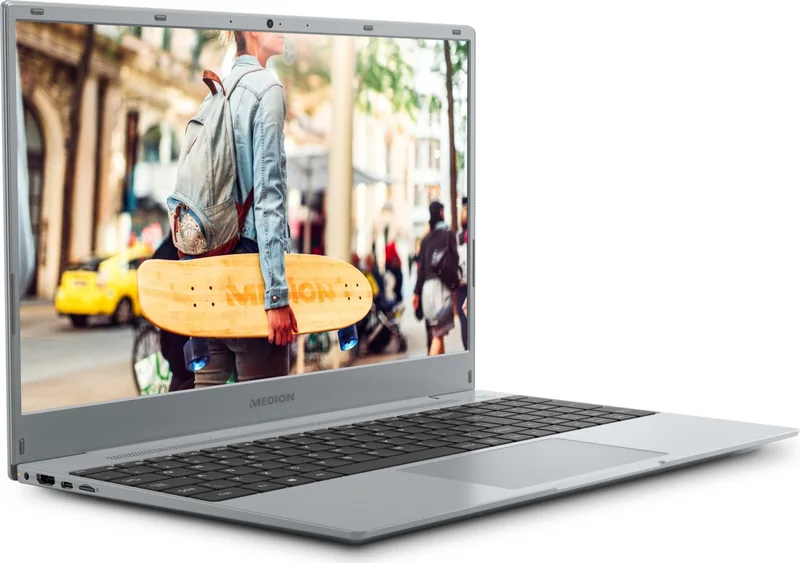
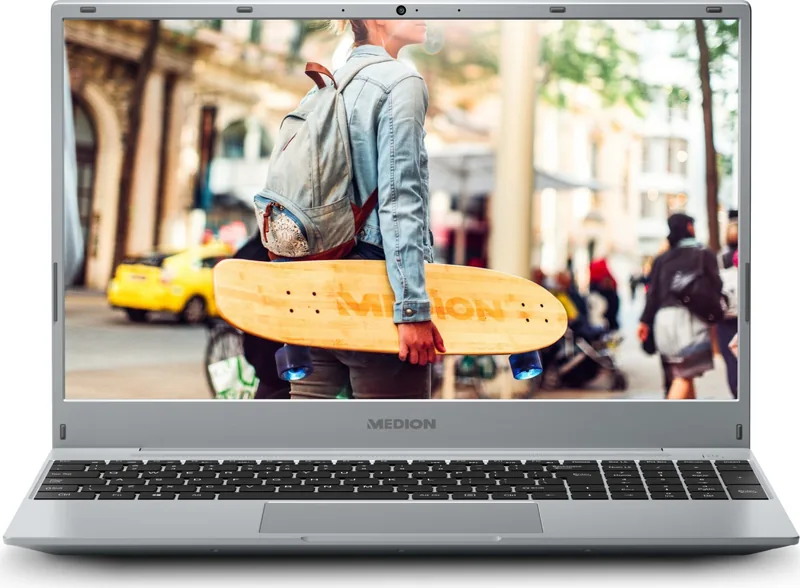
The Medion Akoya E15407 is a 15.6-inch notebook designed for everyday computing, digital communication, entertainment, and practical home use. Its full-size format provides a comfortable workspace for browsing, writing, streaming, managing photos, and handling routine tasks. With a 39.6 cm display, integrated keyboard, and responsive touchpad, it offers a familiar laptop experience for users who value a straightforward setup.
Connectivity and Expansion
This model supports modern wireless connections through Wi-Fi 802.11 a/b/g/n/ac and Bluetooth. Dual-band Wi-Fi provides access to 2.4 GHz and 5 GHz networks, while Bluetooth makes it easier to pair compatible accessories such as wireless headphones, speakers, mice, or keyboards. An airplane mode is also available to disable wireless communication when required.
Physical connections include HDMI for an external monitor, USB Type-C with DisplayPort and charging support, a USB Type-A port, an audio combo jack, and a microSD card reader. These options help the Medion Akoya E15407 fit into a home workstation, study area, or travel setup. The Type-C connection can support an additional display when used with a suitable adapter.
Practical Everyday Features
The notebook includes a webcam, microphones, stereo speakers, and a dedicated privacy-mode slider that can disable the webcam and internal microphone. This is a useful feature for people who want added control during video calls or while working in shared environments. Selected configurations may also include a fingerprint sensor for Windows Hello sign-in.
An M.2 2280 SATA expansion slot is available for compatible flash storage, giving experienced users an option to increase storage capacity. The notebook also includes recovery features for restoring Windows when software problems occur, along with power-saving settings that can help manage battery use during daily work.
Comfort, Care, and Security
The Medion Akoya E15407 is intended for indoor use and should be operated on a stable surface with clear ventilation. The display can open up to 120 degrees, supporting flexible positioning without overextending the hinges. Built-in keyboard shortcuts allow quick adjustment of brightness, volume, playback, touchpad status, and wireless display search.
Regular backups, careful battery charging, and the supplied power adapter help maintain reliable operation. For users looking for a capable 15.6-inch notebook with useful ports, wireless flexibility, privacy controls, and upgrade potential, the Medion Akoya E15407 delivers a practical balance for personal computing.
Notes
- Use the supplied power adapter for charging.
- The 5 GHz Wi-Fi function is intended for indoor use in supported regions.
- Back up important data before recovery or storage upgrades.
Search for 67,706 Manuals online


Type-in Brand or Model