
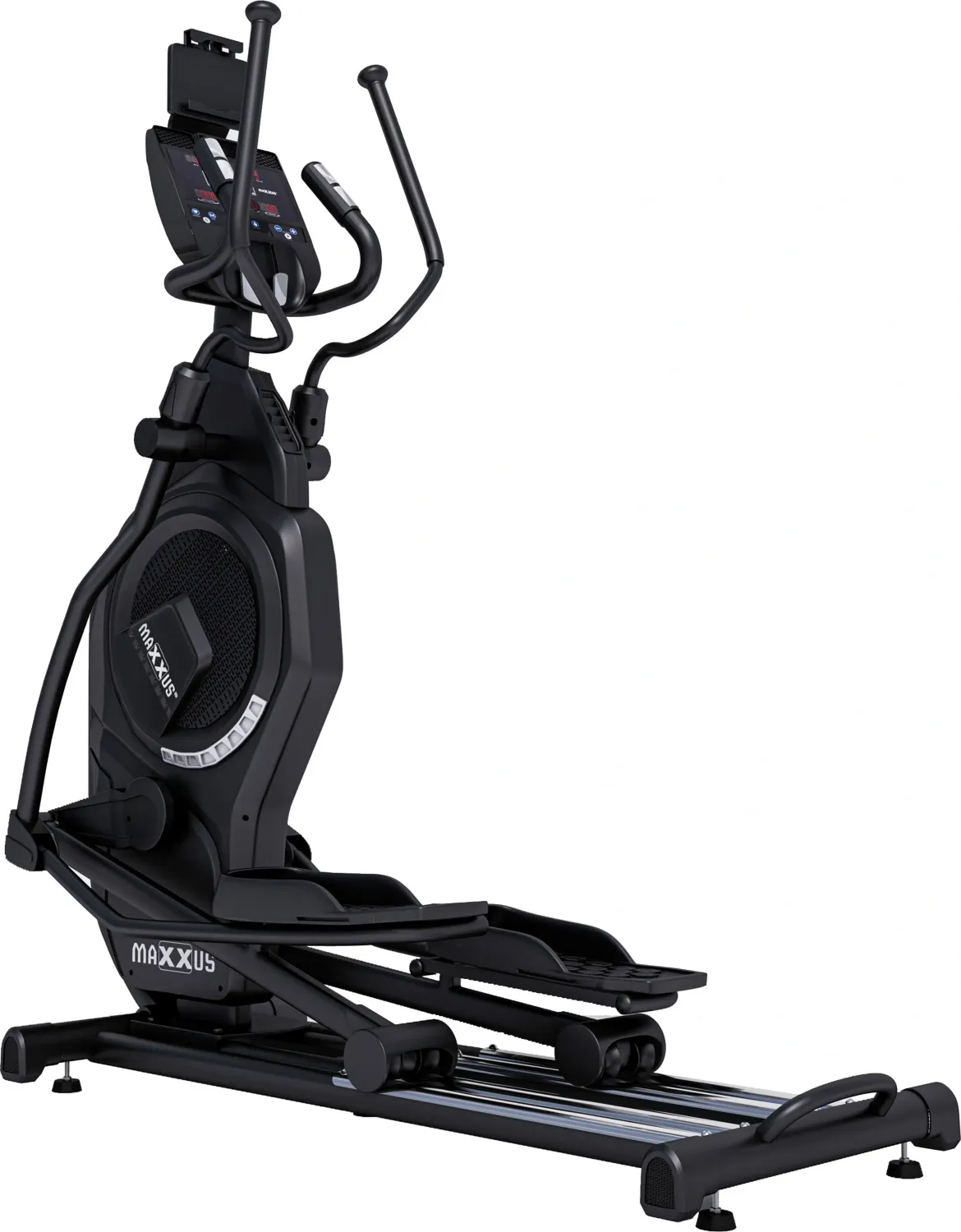
Maxxus CX 9.1 Manual
PDF manual · 36 Pages
English



Quick check
Incorrect answer, please try again.
Chat with your Maxxus CX 9.1 manual using AI
Get instant AI answers from your Maxxus CX 9.1 manual
Ask anything about the Maxxus CX 9.1. Answers come from this manual, with the pages they are based on.
CX 9.1 Maintenance Schedule
Clean with damp cloth and soap, dry thoroughly, then lubricate top of tubes with silicone or spray. Do this weekly with frequent use or if squeaking occurs.
Check the tightness of nuts and bolts at least once a month and re-tighten if necessary.
Lubricate the transverse axles on the handlebar stem and the axles on the large drive discs once every 6 months with multipurpose grease.
Free maintenance reminders
Timed to your purchase date. Always free, unsubscribe anytime.
Ask a Question
Do you recommend CX 9.1?
Yes NoFrequently Asked Questions
Assembly requires two people and careful adherence to instructions to avoid gaps. It is recommended to follow the provided steps sequentially for a secure build.
Is this answer helpful?
No, it is for indoor use only to prevent electronic damage from humidity. Exposure to rain or direct sunlight may void warranty coverage.
Is this answer helpful?
Regular checkups once a month for screws and lubrication are necessary. Lubricate sliding rails weekly for optimal quiet operation and smooth movement.
Is this answer helpful?
Five years for private use, two years for commercial use with registration. Registration must be done within specific timeframes after purchase.
Is this answer helpful?
Yes, estimates calories based on weight and effort using standard formula. It provides an approximation rather than an exact physiological measurement.
Is this answer helpful?
No, strictly for adults to ensure safety and proper supervision. Children should not use the device under any circumstances.
Is this answer helpful?
Very quiet due to magnetic brakes and ball bearings designed to reduce friction. Mechanical noises are minimal during standard operation levels.
Is this answer helpful?
Advantages and Disadvantages
Advantages

- Extremely quiet operation due to high quality ball bearings and magnetic braking system.
- Heart rate monitoring available via hand sensors or optional chest strap for accuracy.
- Detailed setup guide ensures safe assembly and correct placement on any floor type.
Disadvantages

- Assembly requires two adults due to the heavy weight and large frame structure.
- Maximum user weight limit is 150 kg which may restrict heavier users.
- Chest strap for heart rate programs is not included and must be purchased separately.
Product Specification
Colors
black, gray
Resistance
16-fold electronically adjustable
Braking System
Permanent Magnet, Air
Drive System
Ribbed Belt
Flywheel Position
Front
Flywheel Mass
61.73 lbs
Max User Weight
330.69 lbs
Dimensions
63.78x25.59x72.83 inches
Weight
220.46 lbs
Features
Transport casters, Hand pulse monitoring, Chest strap compatible, USB
Product Description
Elevate Your Home Fitness Experience with the Maxxus CX 9.1 Crosstrainer
Discover Superior Performance
Fitness enthusiasts often seek equipment that balances durability with advanced functionality. The Maxxus CX 9.1 Crosstrainer delivers an exceptional workout environment suitable for both beginners and seasoned athletes. To ensure optimal usage and safety, understanding the technical specifications and operational guidelines is crucial. The Maxxus CX 9.1 Crosstrainer Manual provides detailed setup instructions, ensuring every user knows how to operate the machine safely and effectively. This guide is essential for long-term enjoyment.
Comprehensive Safety and Assembly
Safe operation is the priority for any exercise machine. Strict adherence to electrical and environmental safety rules is required. The unit operates on standard 220 to 230V power and requires specific grounding to prevent electrical hazards. Assembly involves multiple steps requiring two individuals due to the significant weight. Proper placement on a level floor is essential to prevent damage to the device. Users must ensure the area is well-ventilated and free from moisture. Ensure stability before each session to avoid accidents.
Advanced Cockpit Features
Users benefit from an intuitive display console that tracks multiple workout metrics effectively. Metrics include speed, distance, time, calories, power output, and resistance levels ranging from one to twenty-four. Heart rate monitoring is available via built-in hand sensors or an optional chest strap. This allows for personalized training zones based on age and fitness goals. Recovery measurements help assess cardiovascular health after sessions. Different training profiles exist to mimic outdoor terrain or target specific muscle groups.
Maintenance and Warranty
Regular care ensures longevity in the home gym setting. Cleaning the sliding rails and lubricating moving parts prevents wear and reduces noise. The warranty policy differs based on usage type, offering extended coverage for private owners while maintaining standard protection for commercial settings. Proper registration is required to activate these benefits.
Training recommendations suggest consistent usage three to four times weekly for best results. Hydration and warm-up routines are vital for injury prevention. This equipment supports goals ranging from weight loss to endurance building. Whether you seek a quiet ride or competitive metrics, this cross trainer meets professional standards.
Accessories and Environment
Optional accessories enhance the functionality. A floor protection mat is recommended to safeguard wooden surfaces from sweat and scratches while minimizing vibration noise. The device is designed specifically for indoor use only and should not be exposed to humidity or outdoor elements. Electronic devices nearby may interfere with signal transmission during monitoring. This ensures the electronic systems run without interruption during your fitness routine.
Search for 67,706 Manuals online


Type-in Brand or Model