
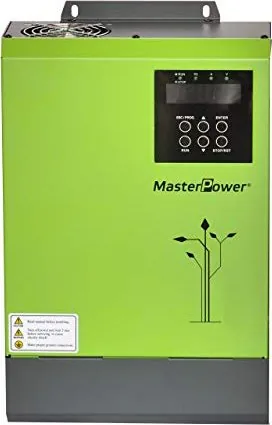
Masterbattery Omega Manual
PDF manual · 5 Pages
English



Quick check
Incorrect answer, please try again.
Chat with your Masterbattery Omega manual using AI
Get instant AI answers from your Masterbattery Omega manual
Ask anything about the Masterbattery Omega. Answers come from this manual, with the pages they are based on.
Ask a Question
Do you recommend Omega?
Yes NoFrequently Asked Questions
The remote panel is designed to allow users to remotely control and monitor water pump inverters. It provides a user-friendly interface with a display screen, operation buttons, and LED indicators to track system status and adjust settings from a distance.
Is this answer helpful?
First, connect the supplied communication board to the RS-232 port on the inverter using the provided screws. Then, link the communication board to the remote panel using the RJ45 cable. Finally, connect the power lines to the appropriate terminals, ensuring correct polarity.
Is this answer helpful?
Fault Code E01 signifies a timeout during the BUS soft start phase. This usually means the resistor responsible for the soft start function is broken and needs replacement to restore normal operation.
Is this answer helpful?
Yes, the system supports an optional external +5V power input via the micro USB port if you choose not to use the internal power source connection from the inverter. Just ensure the voltage matches the requirements.
Is this answer helpful?
The maximum acceptable communication distance between the inverter and the remote panel is 15 meters. Exceeding this limit may result in communication loss or unstable operation.
Is this answer helpful?
Error E30 indicates a communication fault between the inverter and the remote panel. Check if the cable connection is secure and ensure the inverter has power. If issues persist, inspect the RJ45 ports and cables for damage.
Is this answer helpful?
Advantages and Disadvantages
Advantages

- Enables remote monitoring and control of water pump inverters from up to 15 meters away
- Features clear LED indicators and an easy-to-read digital display screen
- Includes comprehensive fault code diagnostics for rapid troubleshooting
- Simple installation process with clearly marked wiring diagrams and included hardware
- Supports both internal and optional external +5V power input options
Disadvantages

- Maximum communication distance is limited to 15 meters which may require repeaters for larger sites
- Requires careful handling of RS-232 connections to prevent permanent hardware damage
- Specific fault codes apply only to certain models like the 2.2KW LS variant
- External power input requires precise positive and negative terminal matching
- Fan locking errors are restricted to specific high-power models (2.2KW/7.5KW/11KW)
Product Specification
Note
Prices include some 0% VAT rates for AT and DE
Type
Solar inverter, with fan
MPP tracker count
1
Efficiency
97.0% max.
Interfaces
RS-232, RS-485
Protection class
IP20
Ambient temperature
-4°F to 113°F
Dimensions
9.1x13.5x4.3 in (WxHxD)
Product Description
Masterbattery Omega Solar Water Pump Inverter Remote Control System
The Masterbattery Omega Solar Water Pump Inverter represents a significant leap in agricultural and industrial water management technology. At the heart of this advanced system lies a sophisticated remote panel designed to offer seamless control and real-time monitoring capabilities. This device allows operators to manage water pump inverters from a distance, ensuring efficiency and reliability without the need for constant physical presence at the installation site.
Comprehensive Monitoring and Control
The remote panel features a dedicated operation interface complete with an intuitive display screen and responsive buttons. Users can easily navigate through various settings and monitor critical performance metrics. The LED indicators provide immediate visual feedback on the system status, allowing for quick identification of any operational anomalies. Whether managing small-scale irrigation or large municipal systems, this tool ensures that power delivery remains stable and efficient.
Robust Installation and Connectivity
Installation is straightforward when following the provided guidelines. The unit includes a communication board that connects directly to the inverter via an RS-232 port. A sturdy RJ45 cable links the communication board to the remote panel, supporting a maximum distance of 15 meters. Safety is paramount during setup; users must ensure no power is active while connecting the communication board to prevent damage. Proper alignment of terminals and secure screw mounting are essential to maintain a reliable connection throughout the lifecycle of the equipment.
Troubleshooting Made Simple
In the event of an issue, the system provides a detailed fault reference code list. Codes such as E01 for soft start timeouts or E09 for over-temperature conditions guide technicians toward specific solutions. Understanding these codes helps in diagnosing problems like relay faults, output voltage irregularities, or communication breakdowns between the inverter and the remote panel. This proactive approach minimizes downtime and extends the longevity of the solar water pump infrastructure.
Important Notes
- Always verify terminal polarity before connecting external power inputs.
- Ensure all cables are securely fastened to prevent signal loss.
- Regularly inspect the fan and cooling systems to avoid overheating.
Search for 67,732 Manuals online


Type-in Brand or Model