
Marantz Professional Turret Manual
PDF manual · 40 Pages
English



Quick check
Incorrect answer, please try again.
Chat with your Marantz Professional Turret manual using AI
Get instant AI answers from your Marantz Professional Turret manual
Ask anything about the Marantz Professional Turret. Answers come from this manual, with the pages they are based on.
Ask a Question
Do you recommend Turret?
Yes NoFrequently Asked Questions
It is designed for streaming, podcasting, and live content creation. The all-in-one layout helps users capture video, record voice, and monitor audio from a single desktop setup.
Is this answer helpful?
Yes. It includes a full HD webcam with H.264 compression and a 48 kHz/16-bit USB condenser microphone with a pop filter, making it ready for voice and video recording.
Is this answer helpful?
Yes. The Turret supports Windows 7, 8, and 10, as well as Mac OS X 10.6 or later. You just need to select it as the correct audio and video device in your software.
Is this answer helpful?
The Mix knob blends microphone sound with computer playback in your headphones. This is useful when you want to hear yourself directly while reducing the effect of latency.
Is this answer helpful?
The lighting filters change the character of the LED ring light. You can use diffuse, cool, or warm filters to better match the room lighting or create a more flattering look on camera.
Is this answer helpful?
Check the power connection, USB cable, and software settings first. Make sure the microphone and camera are turned on, and confirm that the Turret is selected as the active input or capture device.
Is this answer helpful?
Advantages and Disadvantages
Advantages

- All-in-one design combines camera, mic, lighting, and monitoring in one compact unit.
- Full HD webcam and 48 kHz USB condenser mic are ready for streaming and podcasting.
- LED ring light includes warm, cool, and diffuse filters for flexible on-camera looks.
- USB-C connection, internal hub, and headphone amp make setup and monitoring easier.
Disadvantages

- Mic output is 16-bit even though the interface supports higher-resolution audio.
- Best results depend on correctly selecting the Turret in software and OS settings.
- Some useful accessories and external connections are optional, not included for every use case.
- The 3.5 mm outputs are practical, but advanced studio users may want more routing options.
Product Specification
Type
Streaming Microphone
Construction
digital (16bit/48kHz)
Transducer Principle
Condenser
Polar Pattern
Cardioid
Connection
USB
Frequency Range
150Hz-15kHz
Nominal Impedance
100 Ohm
Included
Pop Filter, Microphone Stand, Camera
Weight
7.72 lbs
Product Description
Marantz Professional Turret Manual: A Compact Streaming Studio for Creators
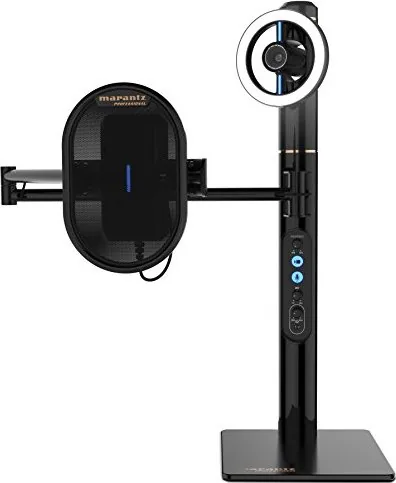
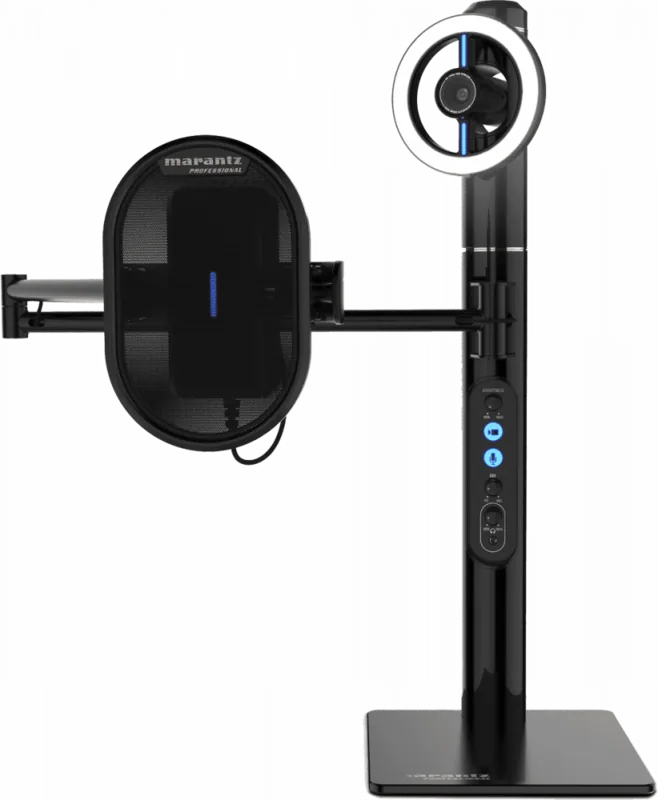
If you want a cleaner, faster way to build a streaming or podcasting setup, the Marantz Professional Turret stands out as an all-in-one answer. It combines a full HD webcam, a 48 kHz/16-bit USB condenser microphone, a pop filter, and an LED ring light into a single desktop-friendly unit. For anyone who records often, that means fewer separate devices, fewer cables, and a more streamlined workspace.
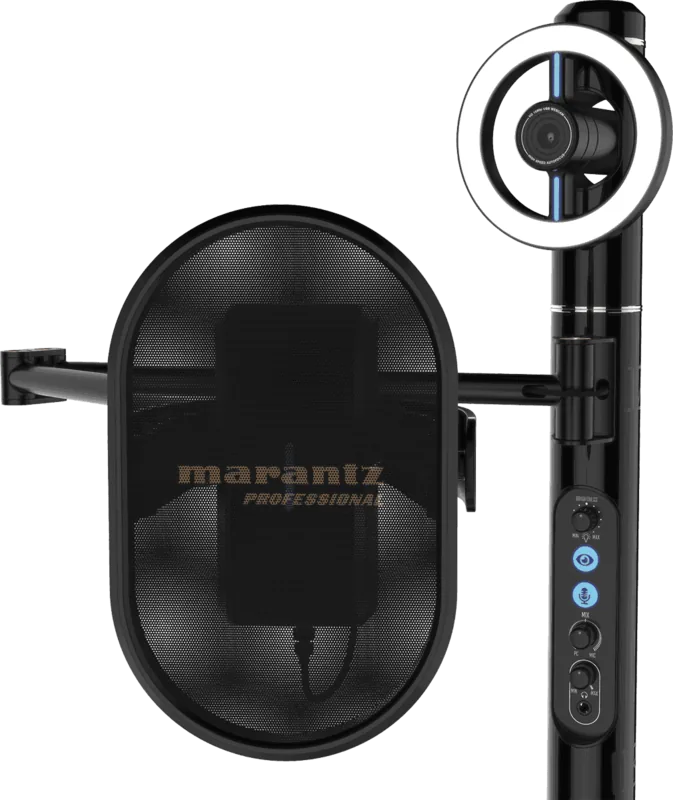
What makes the Turret especially appealing is how practical it feels in real use. The camera includes H.264 compression for efficient video handling, while the microphone is designed for clear voice capture with a cardioid pattern and built-in status feedback. The lighting system adds another layer of polish, offering diffuse, cool, and warm filter options so your on-camera look can match different rooms or moods. It is a simple setup, but it gives creators a surprisingly flexible starting point.
The system is also built with monitoring and workflow in mind. A USB-C connection sends audio and video to the computer with low latency, while the internal USB hub lets you connect flash drives for quick access. The onboard headphone amplifier and mix control make it easier to balance computer playback with live microphone input, which is especially useful when recording voiceovers, streaming gameplay, or hosting live conversations.
Marantz Professional Turret Manual content also highlights how adaptable the unit is across platforms. It supports both Windows and Mac, and the setup process is straightforward once the Turret is selected as the default input and output device. The camera can be used as a video capture device, while the microphone can serve as the main recording source. A sensitivity switch on the mic adds extra control for louder environments, and the brightness knob gives you quick command over the LED ring light.
In a blog-style summary, the Turret is best described as a compact creator hub: professional-looking, easy to place on a desk, and portable enough for location work. It is not trying to be a massive studio rack; instead, it focuses on speed, convenience, and solid everyday performance.
Notes
- Keep the pop filter in place for cleaner speech and protection.
- Remove the plastic film from the lighting filters before first use.
- If latency appears in headphones, use the Mix control to blend in more direct mic monitoring.
- Select the Turret as the active audio and video device in your software before recording.
Search for 67,706 Manuals online


Type-in Brand or Model
Sofia Weber
10 months ago
Does this device work well for recording both audio and video?
Manual.ly
10 months ago
Yes. Customers report it is great for capturing both audio and video, and it is suitable for everyday recording needs. If you plan to record continuously, make sure your settings (input/mic, resolution, and storage capacity) match your intended use, and use a compatible power and connection setup to avoid interruptions.