
Manhattan USB to Serial Manual
PDF manual · 6 Pages
English



Quick check
Incorrect answer, please try again.
Chat with your Manhattan USB to Serial manual using AI
Get instant AI answers from your Manhattan USB to Serial manual
Ask anything about the Manhattan USB to Serial. Answers come from this manual, with the pages they are based on.
Ask a Question
Do you recommend USB to Serial?
Yes NoFrequently Asked Questions
It connects USB-equipped computers to serial devices that still rely on a COM port. It is useful for legacy hardware such as modems, industrial devices, and older peripherals that do not have native USB support.
Is this answer helpful?
The adapter supports a wide range of systems, including Windows XP, Vista, 7, 8, 8.1, and 10, plus Linux and Mac OS 9.x/10.x or later. Exact driver behavior may vary slightly by platform.
Is this answer helpful?
Yes, the setup instructions recommend installing the included driver before connecting the adapter. This helps the system detect the device correctly and assign a COM port after the adapter is plugged in.
Is this answer helpful?
After connecting it, check Device Manager on Windows for a device labeled as a USB-to-Serial communication port. You should also see a COM port number assigned by the operating system.
Is this answer helpful?
Yes, the driver can be uninstalled through the Control Panel using the standard remove-programs workflow. The maintenance program guides you through the removal process step by step.
Is this answer helpful?
Unplug the adapter, finish the driver installation, and then reconnect it. This allows the operating system to detect the device properly and complete setup with the correct serial port assignment.
Is this answer helpful?
Advantages and Disadvantages
Advantages

- Works with a broad range of operating systems, including older Windows, Linux, and Mac versions.
- Plug-and-play and hot-swappable design makes it easy to use when connecting legacy devices.
- Includes driver support and clear setup steps for reliable serial communication.
- Backed by a three-year warranty for added peace of mind.
Disadvantages

- Driver screens and steps can vary depending on chipset and operating system.
- Requires a manual installation step before use in many cases.
- Best suited for older serial hardware, not general modern USB accessories.
- Users may need to check Device Manager to confirm the correct COM port assignment.
Product Specification
USB Notation
Link
Product Description
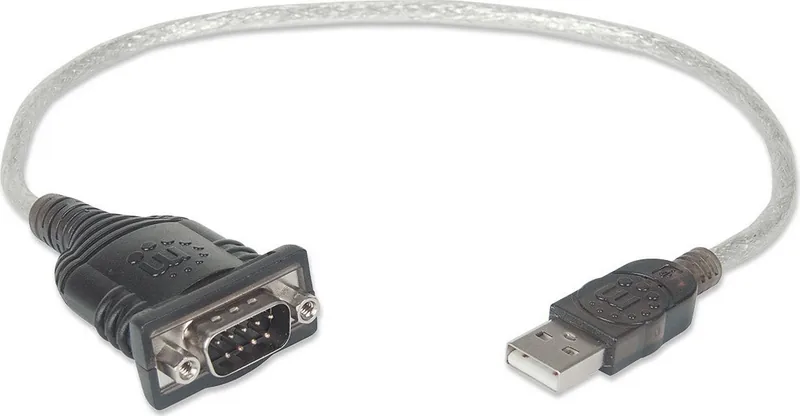
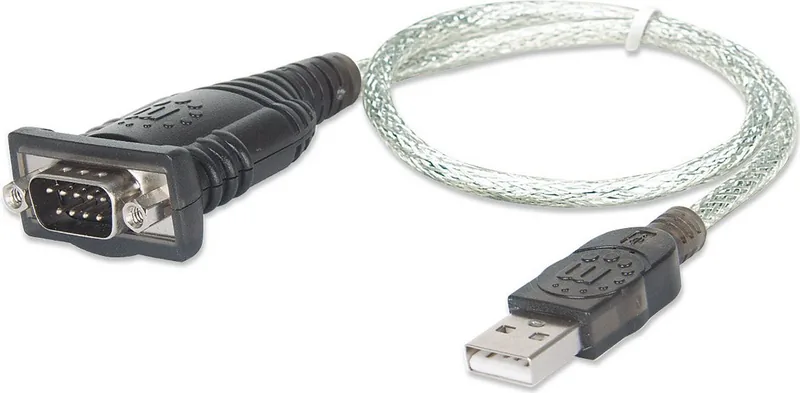
Manhattan USB 1.1 Serial Adapter Cable
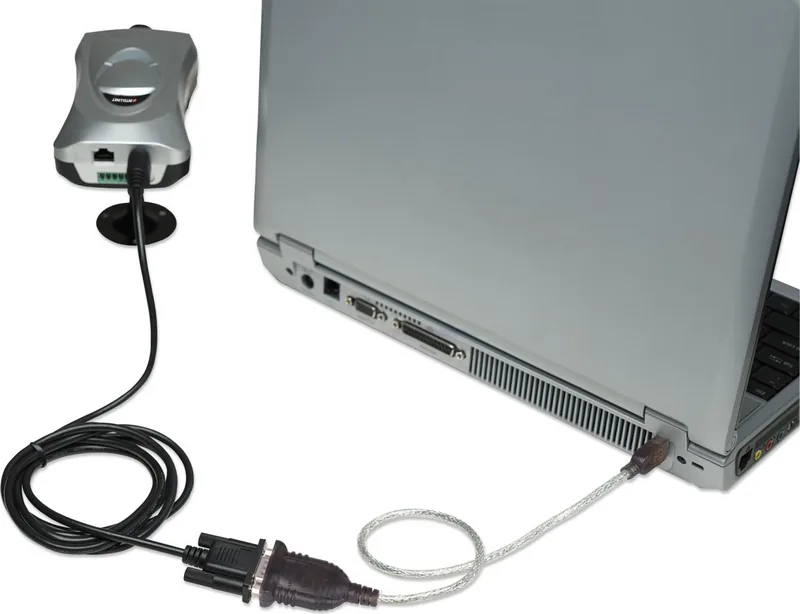
The Manhattan USB 1.1 Serial Adapter Cable is a practical way to keep older serial devices useful on today’s computers. Instead of replacing reliable hardware, this adapter creates a straightforward USB-to-serial link for equipment that still depends on a classic COM port. It is a small accessory, but it can make a big difference for users working with modems, industrial tools, legacy printers, routers, and other RS-232-style devices.
One of its strongest advantages is convenience. The adapter is designed for plug-and-play use and supports hot-swapping, making it easy to connect when needed and remove when the job is done. The included driver CD helps guide installation, and the product is supported across a wide range of systems, including Windows XP through Windows 10, Linux, and classic Mac environments. For many users, that flexibility is what makes it such a handy bridge between old and new technology.
The setup process is simple, but it still follows a careful driver-first approach. The Manhattan USB 1.1 Serial Adapter Cable Manual emphasizes installing the driver before connecting the device, then checking Device Manager to confirm that Windows has assigned the correct COM port. That extra step matters because serial communication depends on proper port recognition. The manual also notes that the exact screens may differ slightly depending on chipset and operating system, which is useful to know when troubleshooting.
Beyond installation, the adapter is easy to maintain. If you ever need to remove it, the driver can be uninstalled through the Control Panel using a standard maintenance flow. This makes it a sensible choice for workstations where serial support is only needed occasionally. Add in Manhattan’s three-year warranty, and the adapter becomes an affordable, low-risk solution for extending the life of essential hardware.
Whether you are maintaining a lab bench, updating a home office, or connecting to a piece of hardware that refuses to retire, this adapter offers a clean path forward. It keeps setup costs low while preserving access to equipment that still works well. In that sense, the Manhattan USB 1.1 Serial Adapter Cable is less about novelty and more about practical continuity—helping dependable legacy devices stay productive in a USB-centric world.
Notes
- Install the driver before plugging in the adapter when possible.
- Confirm the assigned COM port in Device Manager after connection.
- Driver screens may vary slightly by chipset and operating system.
- A good fit for legacy serial equipment, not as a replacement for modern USB peripherals.
Search for 67,706 Manuals online


Type-in Brand or Model