
Manhattan USB-C to DVI Manual
PDF manual · 2 Pages
English



Quick check
Incorrect answer, please try again.
Chat with your Manhattan USB-C to DVI manual using AI
Get instant AI answers from your Manhattan USB-C to DVI manual
Ask anything about the Manhattan USB-C to DVI. Answers come from this manual, with the pages they are based on.
Ask a Question
Do you recommend USB-C to DVI?
Yes NoFrequently Asked Questions
Products without moving parts are covered for 5 years. Products with moving parts have a 3 year warranty. Cleaning consumables and air are covered for 60 days.
Is this answer helpful?
No. The warranty policy states that service workshops do not repair these items. They are replaced physically if a defect occurs within the warranty period.
Is this answer helpful?
The supported models include 151764, 152235, 152457, 152464, and 152471. These vary by connection type and cable length.
Is this answer helpful?
Yes. The USB port on your computer must be capable of DisplayPort Alt-Mode for the video signal to transmit correctly.
Is this answer helpful?
Do not throw it in household waste. You must take it to an applicable collection point for the recycling of electrical and electronic equipment.
Is this answer helpful?
The product must not be altered or repaired by consumers. It must be operated according to the provided instructions and purchased from an authorized dealer.
Is this answer helpful?
Visit manhattanproducts.com/warranty for detailed warranty information in multiple languages including English, German, and Spanish.
Is this answer helpful?
Advantages and Disadvantages
Advantages

- Five-year warranty on products without moving parts.
- Supports multiple output types including HDMI, DVI, and DisplayPort.
- FCC Class B compliant for safe residential use.
- Physical replacement warranty rather than repair service.
- Models available in one and two-meter lengths.
Disadvantages

- Warranty covers physical replacement only, no repair workshops.
- Requires specific DP Alt-Mode USB port for functionality.
- Valid only if product is not altered by consumers.
- Recycling instructions required by EU and other regions.
- Cleaning consumables have limited six-month warranty coverage.
Product Specification
Input
USB-C with DisplayPort
Output
DVI
Resolution
2520x1600@60Hz
Manufacturer Warranty
3 years
Product Description
Unlocking Versatile Connectivity for Modern Workspaces
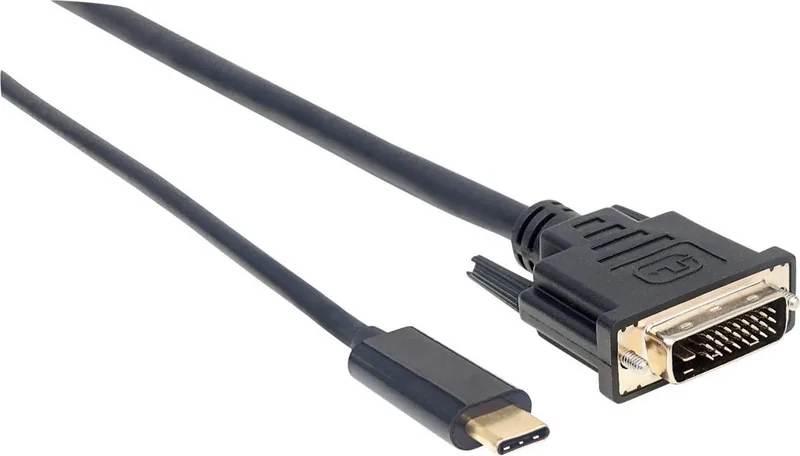
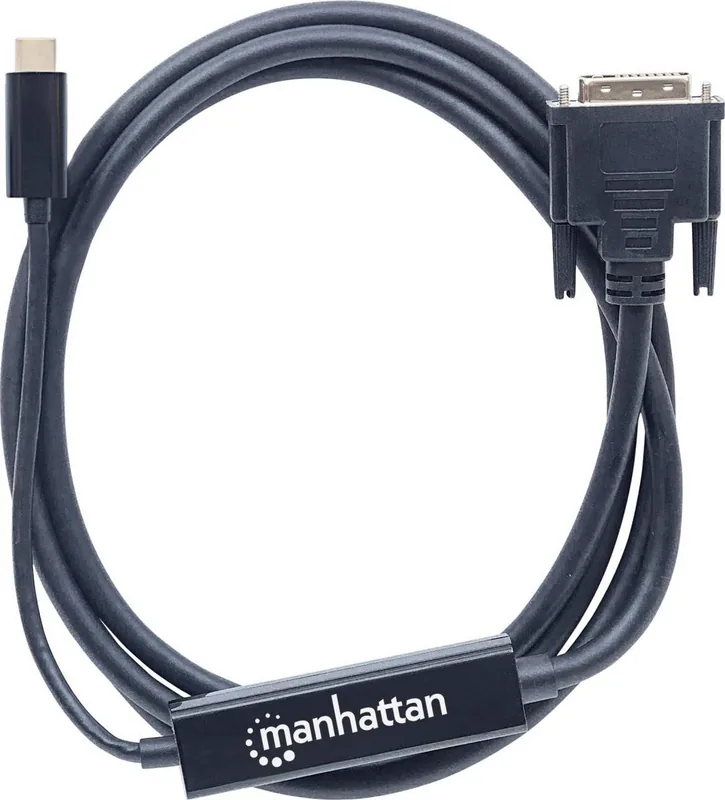
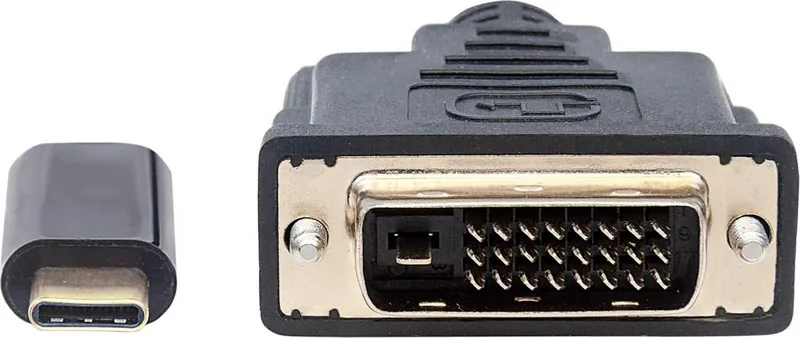
In the modern digital workspace, bridging the gap between your devices and displays is essential for maintaining high productivity standards. The Manhattan USB-C Plug to DVI Plug 2m Adapter Cable Manual serves as a definitive guide for users seeking reliable connection solutions for their hardware. This adapter streamlines the process of linking USB-C equipped computers to older or specialized display interfaces without sacrificing signal quality. Understanding how to utilize this hardware ensures your productivity remains uninterrupted across various setups, whether in an office or at home.
Essential Connection Features and Models
The core functionality revolves around bridging USB-C ports with HDMI, DVI, and DisplayPort displays effectively. By selecting the correct model, such as those designated for specific lengths and interface types, you ensure optimal performance without lag. The hardware supports DP Alt-Mode capable ports, which is a critical technical requirement for successful video transmission. Models like 151764 and 152464 are available in two-meter lengths, providing flexibility for distant setups. Whether you are presenting in a conference room or connecting to a home theater setup, the right adapter is paramount for seamless visual output. Specific configurations include 152235 for shorter reach needs.
Warranty and Reliability Standards
Trust in durability is another major factor when selecting peripheral accessories. Manhattan offers robust warranty coverage depending on the product category and component type. Products without moving parts often receive up to five years of protection against manufacturing defects. If issues arise, the process focuses on physical replacement rather than repair, as service workshops are not utilized for these specific components. This commitment to hardware reliability simplifies the resolution process for consumers facing unexpected failures during operation. Cleaning consumables have a six-month coverage window while moving parts are protected for three years.
Usage Instructions
Proper usage begins with connecting the display to the adapter and turning it on. Afterward, plug the adapter into a DP Alt-Mode-capable USB port on your computer. This sequence ensures the system recognizes the new display input immediately. Verify that the screen activates to confirm successful signal transfer before proceeding with other tasks.
Regulatory Compliance and Safety
Safety is paramount for all electronic devices used in residential environments. These units comply with FCC Class B limits for digital devices found in residential installations. They have been tested to provide reasonable protection against harmful interference. Additionally, the CE mark indicates compliance with R&TTE Directive standards for international markets. Users should consult dealer support if interference occurs with radio or television reception despite correct installation.
Responsible Usage and Disposal
Proper maintenance extends the life of your equipment and aids the planet. Users are encouraged to dispose of items correctly according to local regulations regarding electronic waste. The product should not be treated as household waste due to its electronic nature. Instead, take it to an applicable collection point for recycling electrical and electronic equipment. This practice helps prevent negative consequences to the environment and human health associated with inappropriate handling of discarded technology. Print on recycled paper highlights environmental commitment.
Final Notes and Summary
Always verify your specific model number before installation to avoid compatibility issues. Ensure compatibility with your source device capabilities regarding DisplayPort Alt-Mode. Keep the purchase receipt or original invoice with date and model for warranty claims. This structured approach ensures long-term satisfaction with your technological investment and maximizes the utility of your connectivity accessories. Warranty requires product to be unaltered and operated according to instructions.
Search for 67,732 Manuals online


Type-in Brand or Model