

Manhattan USB-C Multiport Adapter Manual
PDF manual · 2 Pages
English



Quick check
Incorrect answer, please try again.
Chat with your Manhattan USB-C Multiport Adapter manual using AI
Get instant AI answers from your Manhattan USB-C Multiport Adapter manual
Ask anything about the Manhattan USB-C Multiport Adapter. Answers come from this manual, with the pages they are based on.
Ask a Question
Do you recommend USB-C Multiport Adapter?
Yes NoFrequently Asked Questions
It expands one USB-C port into multiple connection options for monitors, projectors, and peripherals. It is designed to make laptop setups more flexible in offices, classrooms, and travel situations.
Is this answer helpful?
Yes, those display connections are part of its main appeal. It helps users connect to different screen types, including newer monitors and older presentation systems.
Is this answer helpful?
The product information suggests power support for modern USB-C workflows, so it can help keep a laptop powered during use. Exact charging behavior depends on the laptop and the adapter’s power limits.
Is this answer helpful?
Yes, the laptop should support USB-C DisplayPort Alt Mode for video output. Without that feature, display functions may be limited or unavailable.
Is this answer helpful?
Yes, it is a strong fit for presentations because it can connect to different display standards. That makes it easier to work in meeting rooms with mixed equipment.
Is this answer helpful?
Manhattan warranty details are available on the manufacturer’s website. It is also a good idea to keep purchase details and packaging in case support is needed later.
Is this answer helpful?
Advantages and Disadvantages
Advantages

- Adds HDMI, VGA, and Mini DisplayPort support from one USB-C connection.
- Helps modern laptops work with both new and older display setups.
- USB 3.0 support improves everyday accessory connectivity and speed.
- Useful for travel, offices, classrooms, and presentation environments.
- Warranty and compliance details add trust and product confidence.
Disadvantages

- Video features depend on the host device supporting USB-C Alt Mode.
- Legacy displays may still require the right cable or adapter fit.
- Power delivery may not replace a full charger for demanding laptops.
- It is more than a simple adapter, so some users may not need all ports.
Product Specification
Input
USB-C 3.0
Output
HDMI, VGA, Mini DisplayPort
Resolution
max. 3840x2160@30Hz (HDMI, DisplayPort)
Special Features
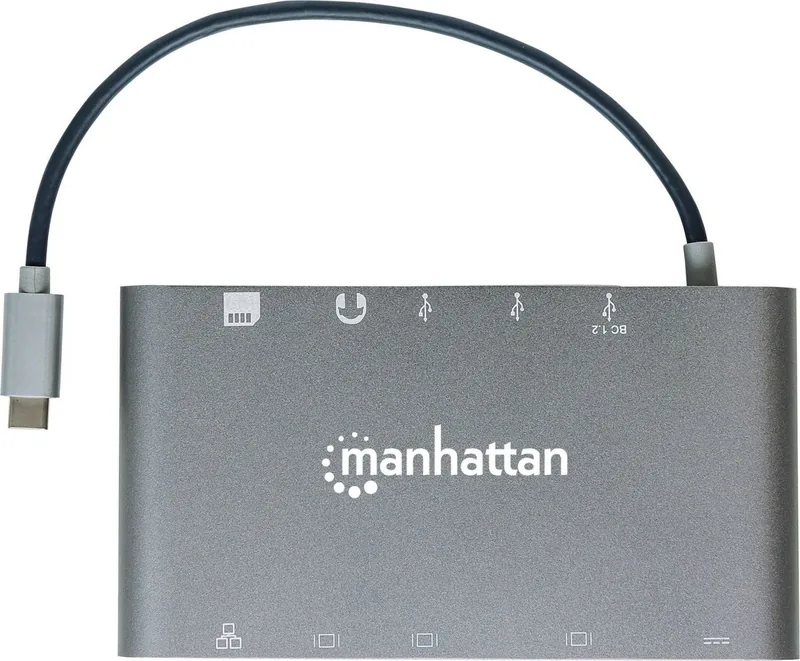
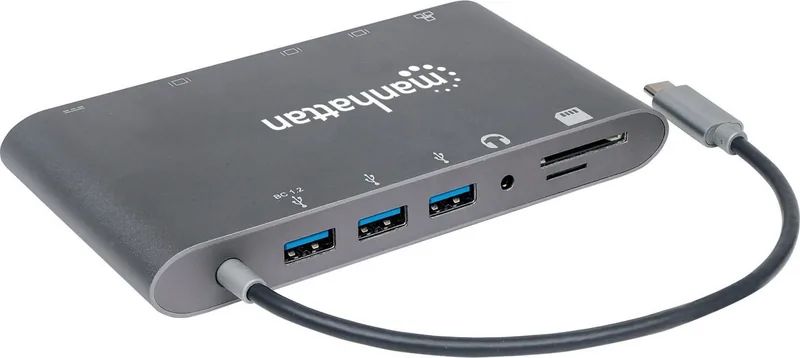
USB-C Power Delivery (60W), 1x Gb LAN, USB Hub (1x USB-C 3.0, 3x USB-A 3.0), Card Reader (SD, microSD), 1x Line-In
Manufacturer's Warranty
three years
Product Description
Manhattan USB-C Multiport Adapter: A Practical Hub for Modern Laptops
The Manhattan USB-C Multiport Adapter USB 3.0 Type-C/VGA/HDMI/Mini DisplayPort Adapter is built for users who want fewer limits and more screen options. It turns a single USB-C port into a flexible workspace tool, making it easier to connect to displays, accessories, and everyday office gear without carrying a bag full of extras.
This kind of adapter is especially helpful for hybrid work, classroom setups, and travel-friendly presentations. With support for VGA, HDMI, and Mini DisplayPort connections, it bridges the gap between newer USB-C devices and older meeting-room hardware. That means one laptop can connect to a projector, a modern monitor, or a legacy screen with far less hassle.
The Manhattan USB-C Multiport Adapter USB 3.0 Type-C/VGA/HDMI/Mini DisplayPort Adapter Manual is useful for understanding setup steps, display compatibility, and power expectations. The unit is designed with convenience in mind, including SuperSpeed USB 3.0 for faster accessory use and broad compatibility through USB-C Alt Mode support. For users who frequently swap between desks, this can make a noticeable difference in speed and simplicity.
Another strong point is its focus on everyday reliability. The product information points to video output support up to 4K on compatible connections, along with 1080p60 performance for standard display needs. It also references network and power features that fit a modern docking-style workflow, helping users stay connected while keeping their laptop charged or powered efficiently during work sessions.
Beyond performance, the adapter comes with the reassurance of warranty information and compliance statements. Manhattan provides warranty details online, and the product is associated with FCC and CE requirements, which adds confidence for buyers who care about safe, regulated electronics. The packaging and disposal guidance also reflect a responsible approach to product life cycle and recycling.
In short, this adapter is a smart companion for anyone who wants a cleaner desk, smoother meetings, and fewer compatibility headaches. It is not just about adding ports; it is about making a USB-C laptop fit naturally into mixed-device environments.
Notes
- Check your laptop for USB-C DisplayPort Alt Mode support before buying.
- Review the included manual for display modes, power limits, and best-use tips.
- Recycle the product properly at end of life according to local electronic waste rules.
Search for 67,706 Manuals online


Type-in Brand or Model