
Manhattan Numeric Wireless Keypad Manual
PDF manual · 2 Pages
English



Quick check
Incorrect answer, please try again.
Chat with your Manhattan Numeric Wireless Keypad manual using AI
Get instant AI answers from your Manhattan Numeric Wireless Keypad manual
Ask anything about the Manhattan Numeric Wireless Keypad. Answers come from this manual, with the pages they are based on.
Ask a Question
Do you recommend Numeric Wireless Keypad?
Yes NoFrequently Asked Questions
It is designed to make numeric entry faster and easier. It is especially useful for spreadsheets, forms, accounting work, and other tasks that involve frequent number input.
Is this answer helpful?
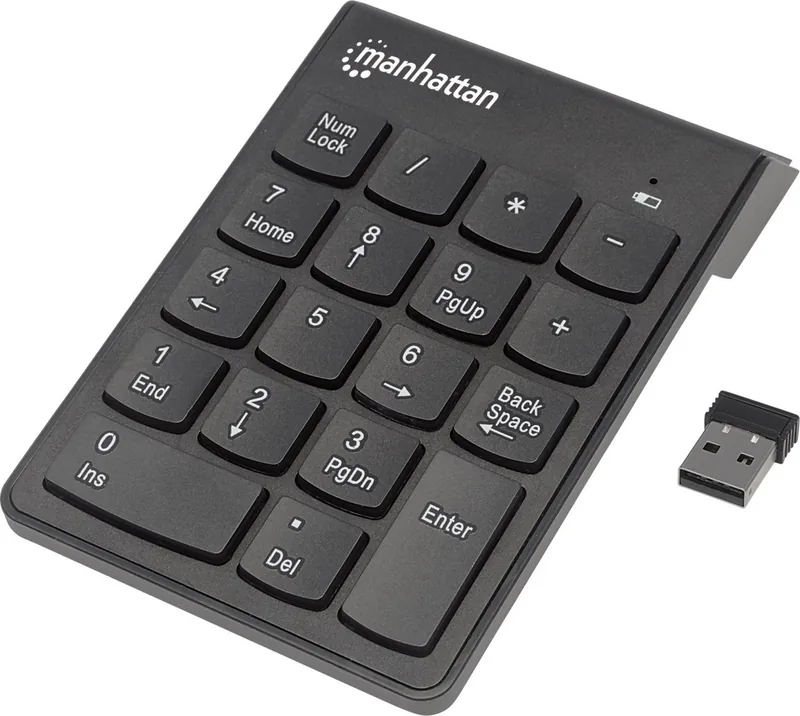
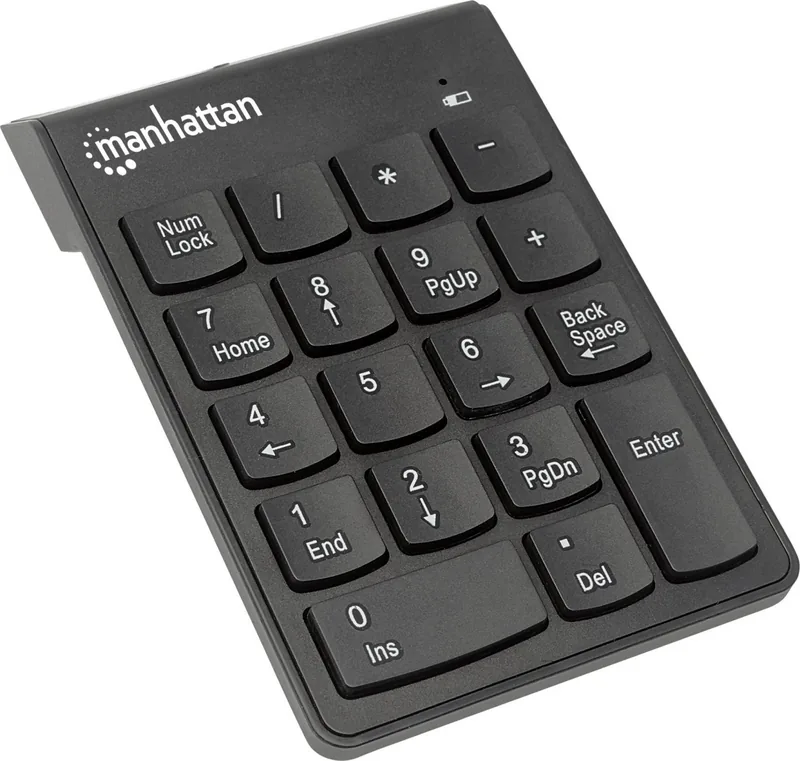
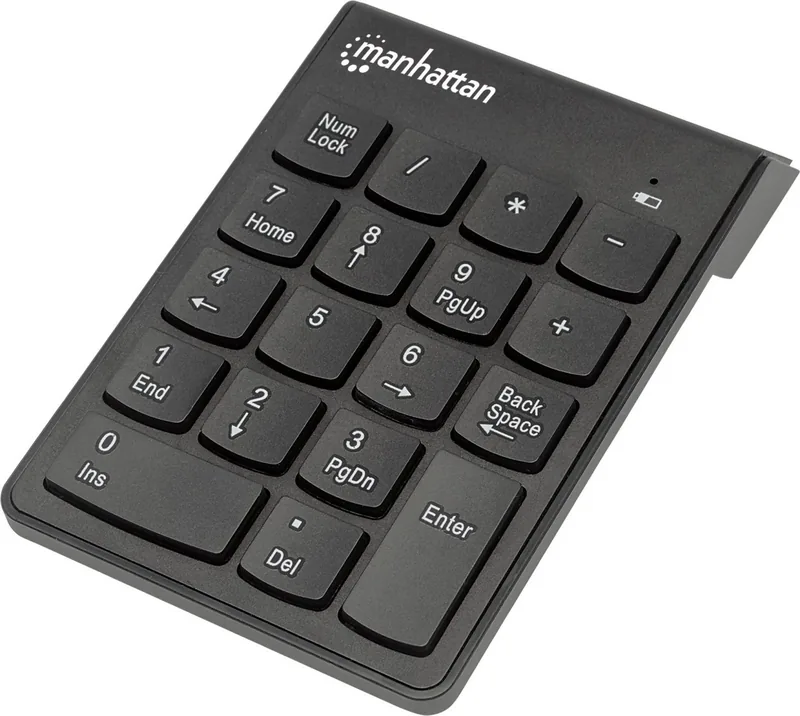
The keypad includes number keys, NumLock, Enter, Backspace, arithmetic operators, and navigation keys such as Home, End, PgUp, PgDn, Ins, and Del.
Is this answer helpful?
Yes, it can be a helpful companion for laptops that do not have a built-in number pad. It adds a separate numeric input area for easier work.
Is this answer helpful?
It emphasizes reading the instructions before use and following the operating guidance carefully. The manual also highlights proper handling, warranty information, and compliance notes.
Is this answer helpful?
The product is described as intended for PCs. If you plan to use it with another device type, it is best to confirm support before purchase.
Is this answer helpful?
Warranty details are directed to the manufacturer’s official website. The manual also provides regional warranty references for different languages and markets.
Is this answer helpful?
It should not be treated as regular household waste. The manual recommends recycling through appropriate electronic waste collection points or local disposal services.
Is this answer helpful?
Advantages and Disadvantages
Advantages

- Dedicated numeric layout speeds up data entry and calculations.
- Includes useful navigation and editing keys beyond basic numbers.
- Wireless design helps reduce cable clutter on the desk.
- USB connection makes setup simple for PC users.
Disadvantages

- Clearly aimed at PCs, so compatibility may be limited elsewhere.
- Not a full keyboard, so it cannot replace a standard typing setup.
- Users must follow the operating instructions for proper use.
- Electronic disposal and recycling rules need to be followed carefully.
Product Specification
Type
Numpad
Compatibility
PC, Mac OS
Key Type
Rubber Dome
Keys
18
Backlight
N/A
Key Height
flat
Keycap Shape
concave
Palm Rest
N/A
Housing
Plastic
Connectivity
wireless (2.40GHz)
Power Supply
1x AAA
Dimensions (WxHxD)
3.35x0.91x5.51in
Weight
0.20 lb
Special Features
Chiclet
Product Description
Manhattan Numeric Wireless Keypad, USB
The Manhattan Numeric Wireless Keypad, USB is a practical accessory for anyone who spends time entering numbers, balancing spreadsheets, or working through repetitive calculations. Designed as a compact add-on for PCs, it gives you a dedicated number pad without forcing you to rely on the smaller, built-in keyboard layout found on many laptops. That makes it a helpful tool for office work, home accounting, inventory tasks, and everyday data entry.
Its layout focuses on efficiency. Along with the numeric keys, the keypad includes common function and navigation controls such as NumLock, Enter, Backspace, Home, End, PgUp, PgDn, Ins, Del, and arithmetic operators. This combination supports both fast input and smooth movement through documents or worksheets, making it easier to stay productive without constantly switching between keys.
The USB connection keeps the setup straightforward, while the wireless design adds flexibility to your workspace. You can place the keypad where it feels most comfortable, whether you are using a desktop setup or expanding a laptop workstation. For users who need frequent numeric input, that extra freedom can improve comfort and speed during long sessions.
The manual also reflects the product’s focus on responsible use and long-term support. It includes safety guidance, warranty references, and regulatory notes such as FCC and CE compliance details. There is also clear recycling guidance, reminding users to dispose of electronic equipment properly and follow local rules for waste handling.
Overall, this keypad is best suited for people who want a simple, focused input device that supports quick number entry without unnecessary extras. It is a small accessory, but it can make a noticeable difference in daily workflow when accuracy and convenience matter most.
Notes
- Intended for PC use.
- Useful for spreadsheets, forms, and financial tasks.
- Check warranty details through the manufacturer’s official support page.
- Follow local e-waste disposal rules when replacing the device.
Search for 67,732 Manuals online


Type-in Brand or Model