
Manhattan HDMI to VGA Converter Manual
PDF manual · 2 Pages
English



Quick check
Incorrect answer, please try again.
Chat with your Manhattan HDMI to VGA Converter manual using AI
Get instant AI answers from your Manhattan HDMI to VGA Converter manual
Ask anything about the Manhattan HDMI to VGA Converter. Answers come from this manual, with the pages they are based on.
Ask a Question
Do you recommend HDMI to VGA Converter?
Yes NoFrequently Asked Questions
It is a tool connecting modern HDMI devices to older VGA displays allowing signal conversion for video and audio output.
Is this answer helpful?
Plug into HDMI output of source, VGA input of monitor, and audio port if needed for sound.
Is this answer helpful?
Yes, connect to micro-USB if power is needed to ensure stable performance.
Is this answer helpful?
Electronics generally get five years while cleaning products get sixty days coverage.
Is this answer helpful?
Yes, it meets FCC Class B standards for digital devices and E.U. R&TTE directives.
Is this answer helpful?
Do not throw in trash. Take to recycling point for electronic waste handling.
Is this answer helpful?
Models 151450 and 151559 are specifically designed for this conversion task.
Is this answer helpful?
Advantages and Disadvantages
Advantages

- Easy HDMI to VGA connection for legacy displays.
- Includes necessary audio output for full sound experience.
- Micro-USB port ensures stable power delivery.
- 5-year warranty on most electronic items.
- FCC Class B compliance for safe residential use.
Disadvantages

- VGA does not transmit audio so separate cable needed.
- Requires specific power input via micro-USB sometimes.
- Older connector technology limits resolution potential.
- Warranty excludes damage from user modification or misuse.
- Regulatory documents required for proper disposal procedures.
Product Specification
Type
Adapter Cable
Plug
HDMI 1.3, 3.5mm Jack
Port
VGA, USB Micro-B
Cable Length
11.81 inches
USB Orientation
Left
Product Description
Overview
Setup
Support
Disposal
Standards
Models
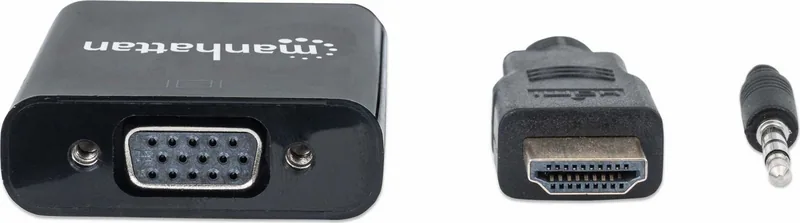
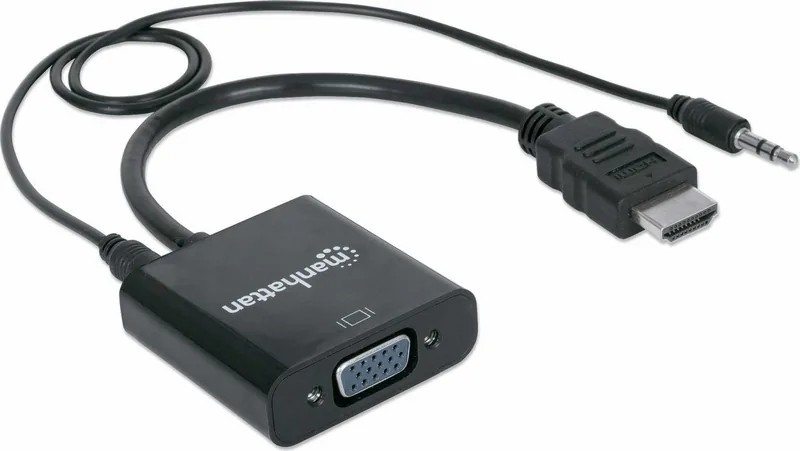
Connecting modern devices to older displays has never been easier or more versatile. The Manhattan HDMI/VGA Adapter serves as a crucial bridge between high-definition digital outputs and standard analog VGA inputs. Whether you are setting up a new home office, presentation room, or gaming station, this tool ensures compatibility across a wide variety of systems. Users often seek clear guidance where the Manhattan HDMI/VGA Adapter Manual proves essential for understanding connections without confusion.
To begin the configuration process, connect the adapter securely to the HDMI output of your source device. This could be a laptop computer, a Blu-ray player, game console like Xbox 360, or media streamer. Next, link the VGA input of your display monitor directly to the adapter unit using a standard cable. Audio is not transmitted through the VGA signal alone since VGA handles video only, so a separate audio device connection is necessary for full sound output. Micro-USB port exists for power if needed. This flexibility ensures stable performance even with power-hungry sources that might otherwise struggle without external voltage.
Manhattan products stand the test of time with robust build quality designed for daily use. The hardware supports standard resolutions found on most common monitors and televisions. For total peace of mind, the company offers comprehensive warranty coverage across different product categories. Cleaning items are covered for sixty days while items with moving parts receive three years of protection. Most other electronic items benefit from a five-year physical exchange guarantee without any charges. This level of assurance highlights the brand commitment to customer satisfaction and overall product longevity.
Disposal of electronic waste requires strict attention to local regulations and environmental impact concerns. An important symbol on the packaging indicates specific recycling requirements rather than standard trash disposal procedures. Users in the European Union and other regions must follow specific directives to prevent environmental harm. Recycling helps conserve natural resources and protects human health from inappropriate handling. If batteries are removable, they should be separated according to local laws for safe handling and material recovery.
This equipment meets FCC Class B standards for digital devices and interference protection. Limits are set to avoid harmful disruption in home areas during normal operation. If interference occurs, users can try reorienting antennas or changing circuit placements to fix issues. The device also complies with R&TTE Directive 1999/5/EC for European markets. Full specifications are available on the website for reference during installation or troubleshooting for any user needing verification.
The unit covers models 151450 and 151559 specifically designed for this conversion task. These codes help identify the correct warranty terms for your specific purchase region. The product includes clear diagrams for international markets since text appears in multiple languages.
Search for 67,732 Manuals online


Type-in Brand or Model