
Manhattan 506847 Manual
PDF manual · 2 Pages
English



Quick check
Incorrect answer, please try again.
Chat with your Manhattan 506847 manual using AI
Get instant AI answers from your Manhattan 506847 manual
Ask anything about the Manhattan 506847. Answers come from this manual, with the pages they are based on.
Ask a Question
Do you recommend 506847?
Yes NoFrequently Asked Questions
Yes. Install the provided driver first (from the included CD or manufacturer website). After the driver is installed, plug the adapter into a USB port; the system will complete the adapter installation automatically.
Is this answer helpful?
The adapter supports Gigabit Ethernet (up to 1 Gbps) over an RJ45 connection when connected to a USB 3.0 port and used with appropriate cabling and a Gigabit-capable network device.
Is this answer helpful?
Yes. If your system lacks a CD/DVD drive, download the driver and documentation from manhattan-products.com. The installation process mirrors the CD-based flow but uses downloaded files instead.
Is this answer helpful?
Yes. The product meets FCC Class B and CE/R&TTE requirements and includes WEEE disposal guidance; check local regulations and the manufacturer site for recycling instructions and compliance details.
Is this answer helpful?
Try reorienting or relocating the receiving antenna, increase separation between devices, use a different circuit outlet for the equipment, or consult a technician if interference persists, per the regulatory guidance.
Is this answer helpful?
Warranty details vary by region; the manual directs users to manhattan-products.com/warranty and provides regional contacts for the Americas, Europe, and Asia. Warranty terms include replacement under specified conditions.
Is this answer helpful?
Use the adapter’s Link/Activity LEDs and your system’s network status indicator. Ensure the RJ45 cable is seated, drivers are installed, and the network device is powered and configured for a link.
Is this answer helpful?
Advantages and Disadvantages
Advantages

- Provides Gigabit Ethernet over USB-A 3.0 for faster, stable wired connections
- Bus-powered, compact design ideal for travel and space-constrained setups
- Simple installation flow: driver first, then plug in; LED status indicators for link/activity
- Regulatory compliance (FCC Class B, CE/R&TTE) and multilingual documentation
- Manufacturer support and warranty information available online
Disadvantages

- Requires driver installation before first use—no immediate plug-and-play on some systems
- Relies on USB-A 3.0 port; performance reduced on older USB standards
- Includes installation CD which may be inconvenient for systems without optical drives
- Physical adapter can be a small point of mechanical stress on laptop ports
- No mention of integrated power delivery or additional ports—limited to network connectivity
Product Specification
Type
LAN adapter
Design
1x external wired (connection cable not detachable)
Interface
1x USB-A 2.0 (plug via cable, 480Mb/s)
Port
1x RJ-45
Data transfer
1x RJ-45 (10/100/1000Base-T)
Power supply
Power supply only via interface
Dimensions
0.91x0.59x3.82in (WxHxD)
Weight
0.32 lb
Compatibility
universal
Special features
VLAN, Wake on LAN
Manufacturer warranty
three years
USB notation
Link
Product Description
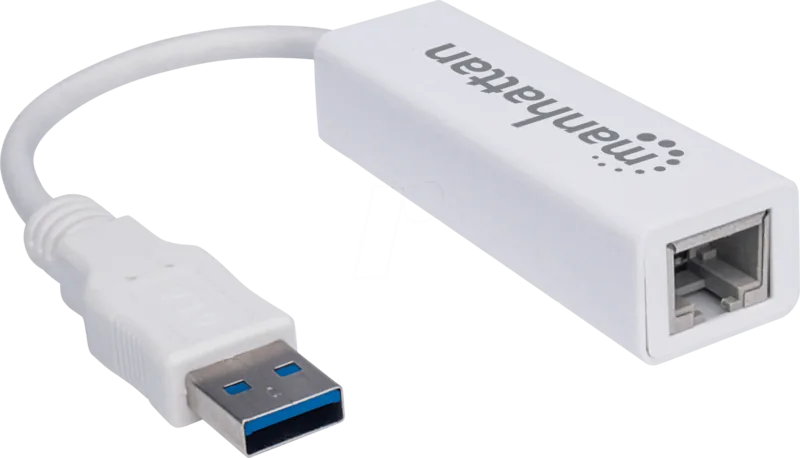
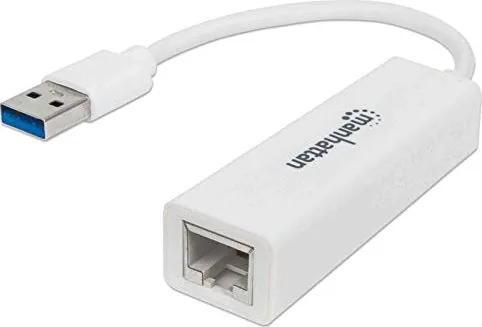
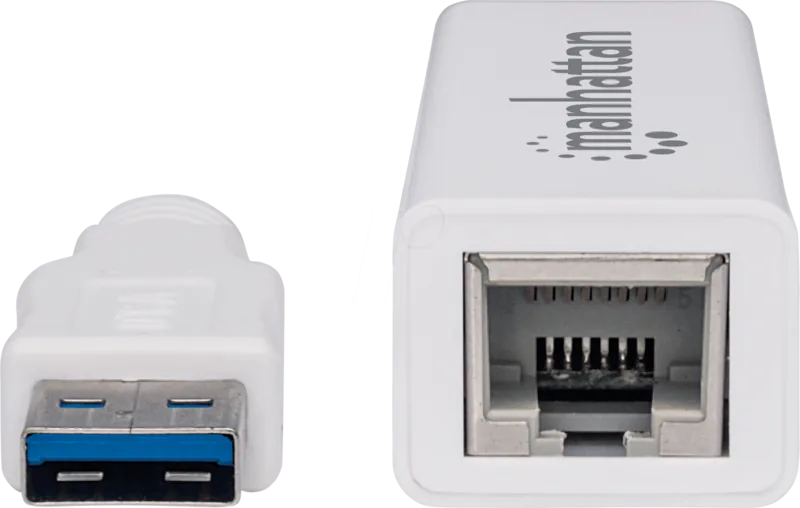
Manhattan LAN Adapter, RJ-45, USB-A 3.0 [Plug] Manual
The Manhattan LAN Adapter, RJ-45, USB-A 3.0 [Plug] is a compact SuperSpeed USB 3.0 to Gigabit Ethernet adapter designed to provide reliable wired network access for laptops, ultraportables, and desktops that lack a built-in Ethernet port. Lightweight and bus-powered, it converts a USB-A 3.0 port into a full Gigabit RJ-45 interface, enabling faster, lower-latency connections suitable for video conferencing, large-file transfers, streaming, and stable remote work sessions.
Featuring straightforward setup instructions and cross-platform driver support, the adapter emphasizes ease of installation: install the supplied driver first, then plug the adapter into a USB port and connect an RJ45 cable to your network device. The package typically includes an installation CD and clear on-screen prompts during driver setup. The adapter’s LED indicators show link and activity status so users can quickly verify connectivity.
Built to meet regulatory standards — including FCC Class B and EU R&TTE/CE requirements — the Manhattan adapter includes international warranty details and disposal guidance for compliant recycling. Documentation highlights warranty coverage, regional support contacts, and manufacturer locations across the Americas, Europe, and Asia. Safety notes advise not to connect the adapter before installing drivers and reference the manufacturer’s site for full specifications and driver downloads.
This adapter is ideal for travelers and home-office users who need a dependable wired connection without carrying a bulky dock. Its plug-and-play behavior after driver installation makes it suitable for IT managers who deploy devices across mixed environments. Robust compliance labeling and multilingual instructions reflect global distribution and straightforward customer support pathways.
Notes:
- Always install the provided driver before connecting the adapter to the computer to ensure correct operation.
- Use a quality RJ45 cable for Gigabit performance and check LED indicators for link/activity confirmation.
- Refer to manhattan-products.com for detailed specifications, driver downloads, and warranty registration.
Search for 67,706 Manuals online


Type-in Brand or Model
maria_k
10 months ago
My adapter works, but the delivered unit seems to be missing the LEDs, and the online instructions/images look incorrect. Is this normal, and where can I find the correct documentation?
Manual.ly
10 months ago
Thanks for the feedback. If your adapter is missing LEDs, please verify the exact product version you ordered and check the included scope of delivery first. LED presence can vary by model and batch. For the instructions, the datasheet is the reliable reference, and we recommend following it for wiring and operation. If the web images differ from your hardware, contact support with your order number and a photo of the adapter label and front side. We can then confirm whether your version should include LEDs and provide the correct manual for that exact model. In many cases, we can also help with a replacement if the delivery was incomplete.