
Manhattan 153430 Manual
PDF manual · 2 Pages
English



Quick check
Incorrect answer, please try again.
Chat with your Manhattan 153430 manual using AI
Get instant AI answers from your Manhattan 153430 manual
Ask anything about the Manhattan 153430. Answers come from this manual, with the pages they are based on.
Ask a Question
Do you recommend 153430?
Yes NoFrequently Asked Questions
Yes, the adapter supports USB Power Delivery up to 60W, allowing you to charge your laptop simultaneously while connected to a VGA display.
Is this answer helpful?
The adapter supports resolutions up to 1920x1080 at 60Hz, providing clear and sharp images for presentations and work.
Is this answer helpful?
Yes, it is compatible with most MacBook models that feature USB-C ports, provided they support video output over USB-C.
Is this answer helpful?
No, VGA is an analog video-only standard. You will need separate audio cables or speakers for sound.
Is this answer helpful?
Generally, no. Most modern operating systems recognize the adapter automatically upon connection.
Is this answer helpful?
Absolutely. It works seamlessly with Windows laptops that have USB-C ports capable of video output.
Is this answer helpful?
Some warmth during operation is normal due to power conversion. However, excessive heat should be checked by contacting support.
Is this answer helpful?
Advantages and Disadvantages
Advantages

- Delivers 60W power delivery to charge laptops while displaying video
- Simple plug-and-play functionality with no driver installation needed
- Durable black casing designed for frequent travel and daily use
Disadvantages

- Limited to VGA output, so it cannot support digital-only displays like HDMI or DisplayPort directly
- Does not include audio transmission capabilities through the VGA connection
- Performance may vary slightly depending on the host laptop's USB-C implementation
Product Specification
Input
USB-C 3.0
Output
VGA
Resolution
1920x1080@60Hz
Features
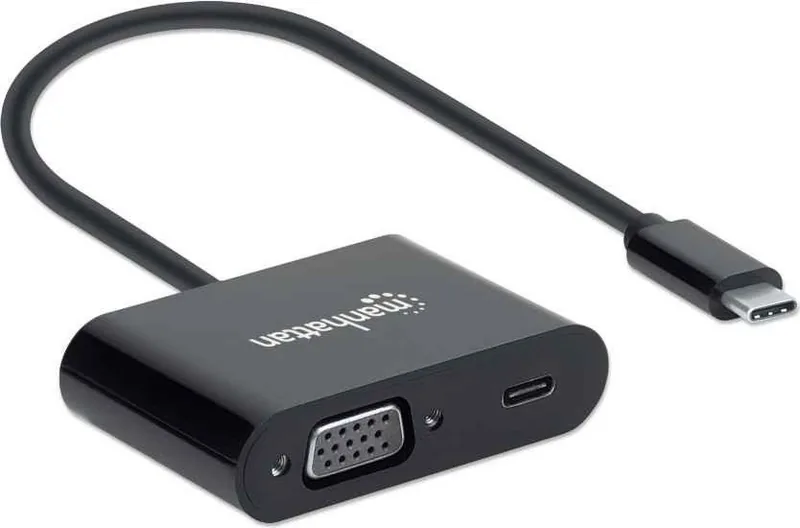
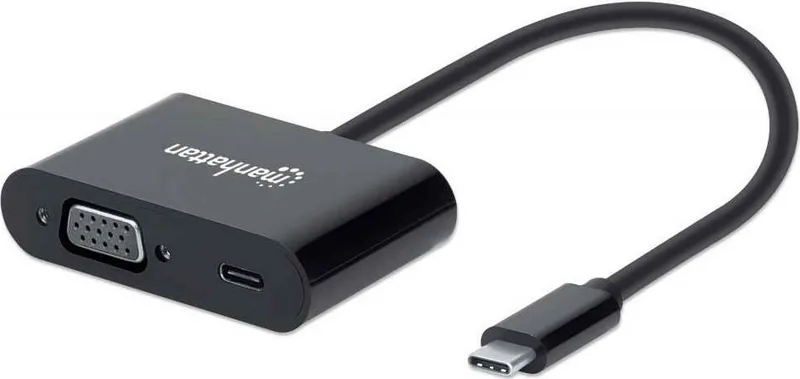
USB-C Power Delivery (60W), 1 USB-C charging port
Manufacturer Warranty
10 years
Product Description
Manhattan USB-C VGA Adapter with USB Power Delivery 60W: The Ultimate Connectivity Solution
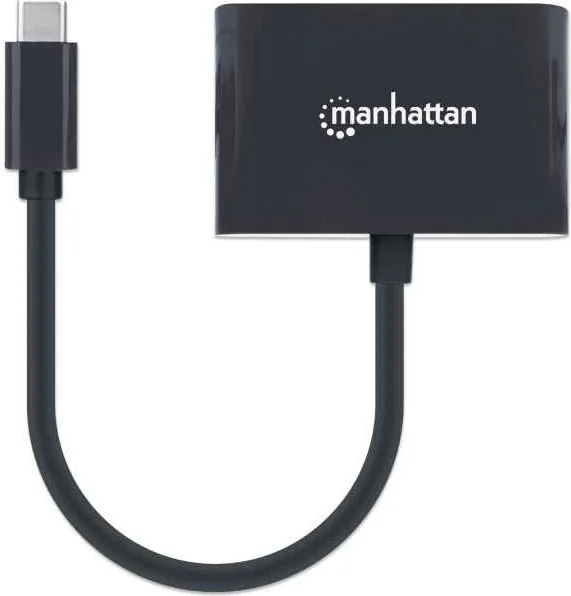
In the modern workspace, seamless connectivity is non-negotiable. The Manhattan USB-C VGA Adapter with USB Power Delivery 60W in black stands out as a robust solution for professionals and students alike who need to bridge the gap between modern laptops and traditional displays. This sleek adapter transforms a single USB-C port into a powerful hub, allowing you to connect your laptop to an external monitor or projector via VGA while simultaneously charging your device.
Designed for versatility, this adapter eliminates the frustration of tangled cables and limited ports. Whether you are presenting in a conference room with older VGA projectors or extending your desktop to a secondary screen at home, this tool ensures high-quality video output without compromising on performance. The integrated 60W power delivery feature means you can keep your laptop running at full capacity even while driving an external display, making it ideal for long work sessions or travel.
The build quality reflects Manhattan's commitment to durability. Encased in a matte black finish, it not only looks professional but also resists fingerprints and scratches. It is plug-and-play compatible, requiring no additional drivers on most operating systems, which simplifies setup for users of all technical levels. From corporate offices to educational institutions, this adapter serves as a reliable bridge between legacy hardware and next-generation computing devices.
Key Notes
- Supports video resolution up to 1920x1080 for crisp visuals.
- Compact design fits easily into any laptop bag.
- Includes essential safety certifications for global use.
Pros and Cons
Pros
- Delivers 60W power delivery to charge laptops while displaying video.
- Simple plug-and-play functionality with no driver installation needed.
- Durable black casing designed for frequent travel and daily use.
Cons
- Limited to VGA output, so it cannot support digital-only displays like HDMI or DisplayPort directly.
- Does not include audio transmission capabilities through the VGA connection.
- Performance may vary slightly depending on the host laptop's USB-C implementation.
Frequently Asked Questions
Q: Can I charge my laptop while using this adapter? A: Yes, the adapter supports USB Power Delivery up to 60W, allowing you to charge your laptop simultaneously while connected to a VGA display.
Q: What is the maximum resolution supported? A: The adapter supports resolutions up to 1920x1080 at 60Hz, providing clear and sharp images for presentations and work.
Q: Does it work with MacBooks? A: Yes, it is compatible with most MacBook models that feature USB-C ports, provided they support video output over USB-C.
Q: Is audio transmitted through the VGA cable? A: No, VGA is an analog video-only standard. You will need separate audio cables or speakers for sound.
Q: Do I need to install drivers? A: Generally, no. Most modern operating systems recognize the adapter automatically upon connection.
Q: Can I use this with a Windows PC? A: Absolutely. It works seamlessly with Windows laptops that have USB-C ports capable of video output.
Q: What happens if the adapter gets hot? A: Some warmth during operation is normal due to power conversion. However, excessive heat should be checked by contacting support.
Search for 67,732 Manuals online


Type-in Brand or Model