
Manhattan 152082 Manual
PDF manual · 2 Pages
English



Quick check
Incorrect answer, please try again.
Chat with your Manhattan 152082 manual using AI
Get instant AI answers from your Manhattan 152082 manual
Ask anything about the Manhattan 152082. Answers come from this manual, with the pages they are based on.
Ask a Question
Do you recommend 152082?
Yes NoFrequently Asked Questions
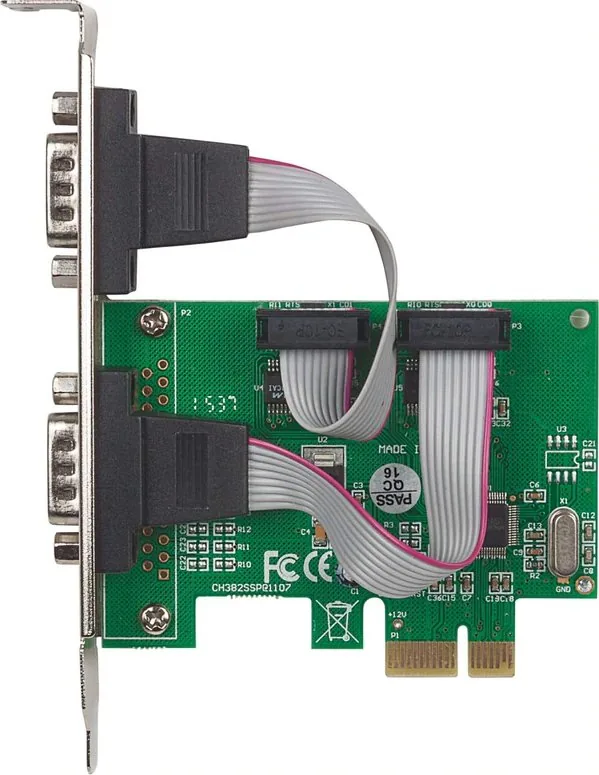
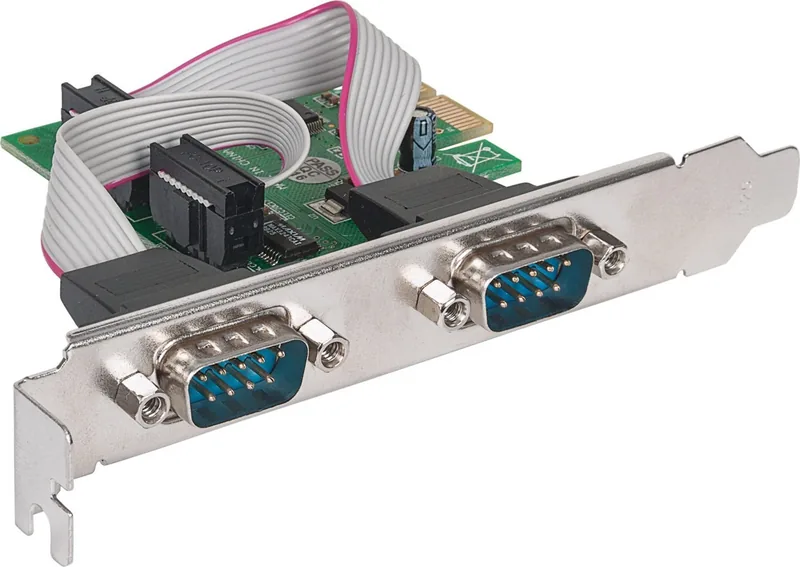
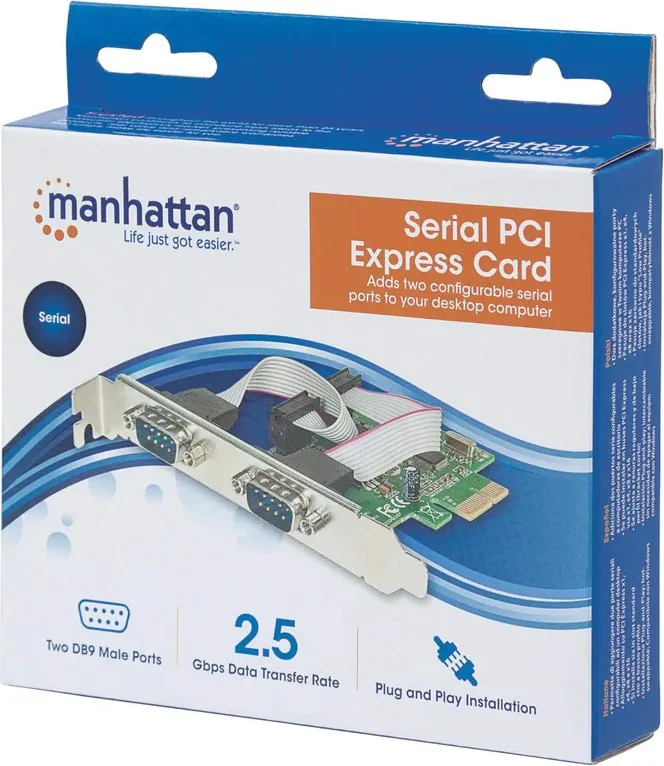
It provides two RS232 serial ports through a PCIe x1 expansion card, enabling connection of legacy serial devices—like barcode scanners, modems, industrial controllers, and printers—to modern PCs that have PCIe slots.
Is this answer helpful?
Power down your PC, insert the card into an available PCIe x1 slot, power up, then install drivers from the included CD or download them from manhattanproducts.com. Follow on-screen prompts and connect RS232 devices after driver installation.
Is this answer helpful?
Yes. Many Manhattan cards feature a low-profile form factor or include brackets that allow installation in both standard and compact chassis, but verify the specific model’s physical dimensions before purchase.
Is this answer helpful?
Full specifications, driver downloads, and warranty details are available on the manufacturer’s website (manhattanproducts.com). Warranty terms and service addresses vary by region, so consult the regional support pages.
Is this answer helpful?
The card complies with international standards for electromagnetic emissions (e.g., FCC Class B) and R&TTE/CE declarations. It carries WEEE disposal guidance—do not discard in household waste; use local e-waste collection or recycling centers.
Is this answer helpful?
Yes. The card has two independent RS232 ports that can each connect to separate serial devices, allowing concurrent communication as managed by installed drivers and the host system.
Is this answer helpful?
Advantages and Disadvantages
Advantages

- Provides two native RS232 ports via a single PCIe x1 slot for connecting legacy serial devices.
- Simple installation: insert into PCIe slot, install drivers from CD or manufacturer website.
- Low-profile design fits standard and compact systems for versatile deployment.
- Complies with regional regulatory standards and includes multilingual documentation.
- Reliable physical serial link with deterministic timing suited for industrial and POS use.
Disadvantages

- RS232 offers limited bandwidth compared with USB or networked alternatives.
- Requires driver installation and occasional manual configuration for some OSes.
- Occupies an expansion slot and may need internal access to install in some systems.
- Not suitable for high-throughput modern peripherals that demand faster interfaces.
- Warranty and service procedures vary by region and may require original proof of purchase.
Product Specification
External
2x serial (9-Pin RS-232)
Internal
N/A
Interface
PCIe x1
Special features
low profile PCB
USB notation
Link
Product Description
Manhattan 2x serial RS232, PCIe x1 Manual
The Manhattan 2x serial RS232, PCIe x1 is a compact PCI Express card that provides two RS232 serial ports for connecting legacy equipment, industrial devices, and serial peripherals to modern PCs. Designed for reliability and broad compatibility, the card installs in a PCIe x1 slot and delivers stable, low-latency serial communications suitable for point-of-sale systems, automation controllers, modems, and other RS232-dependent hardware.
Installation is straightforward: power down the computer, insert the PCIe card into an available PCIe x1 slot, power up, and install drivers from the included media or the manufacturer’s website. Once drivers are installed, attach RS232 devices via the card’s serial ports. The product package typically includes basic setup instructions and compliance information for regional regulatory standards.
Beyond simple connectivity, the Manhattan card emphasizes dependable construction and long-term support. It adheres to international safety and electromagnetic compatibility regulations, and is backed by warranty and multilingual documentation to aid a global user base. The card’s low-profile design often fits both standard and compact systems, making it adaptable for desktop workstations, kiosks, and embedded applications where serial I/O remains essential.
Practical uses for the Manhattan 2x serial RS232 card include industrial automation (PLC communication), legacy medical or laboratory instruments, barcode scanners and receipt printers in retail environments, and serial console management for network gear. Its two-port configuration lets users connect multiple devices simultaneously without occupying multiple expansion slots.
Performance-wise, RS232’s serial nature means throughput is modest compared with modern serial-over-USB or networked interfaces, but its deterministic timing, simplicity, and broad device support keep it valuable. The Manhattan card targets users who need robust physical-layer serial links rather than high-bandwidth data transfer: reliability, correct signal levels, and driver availability are the priorities.
Overall, the Manhattan 2x serial RS232, PCIe x1 is a practical, no-nonsense solution for restoring serial connectivity to current systems. It combines easy installation, regulatory compliance, and multilingual support to serve businesses and technicians who depend on trusted serial interfaces.
Notes
- Drivers and full specifications are available at manhattanproducts.com.
- Follow safety and disposal guidelines indicated on the product labeling for electronic waste (WEEE).
- Warranty terms vary by region; consult the manufacturer’s warranty page for details.
Search for 67,706 Manuals online


Type-in Brand or Model