
Man & Machine Really Cool Manual
PDF manual · 2 Pages
English



Quick check
Incorrect answer, please try again.
Chat with your Man & Machine Really Cool manual using AI
Get instant AI answers from your Man & Machine Really Cool manual
Ask anything about the Man & Machine Really Cool. Answers come from this manual, with the pages they are based on.
Ask a Question
Do you recommend Really Cool?
Yes NoFrequently Asked Questions
Press and hold both Ctrl keys simultaneously for three seconds until the lock indicator lights illuminate. To unlock, repeat the same procedure.
Is this answer helpful?
Yes, you can rinse or immerse the keyboard in soap and water or approved disinfectants, but you must never submerge the USB connector.
Is this answer helpful?
Safe options include chlorine bleach up to 10%, alcohol, glutaraldehyde, phenol, formaldehyde up to 37%, hydrogen peroxide up to 3%, and quaternary ammonium compounds.
Is this answer helpful?
No, the keyboard requires no software installation. It works immediately upon connecting to a USB or PS/2 port.
Is this answer helpful?
No, exposure to oils in hand lotions or emollients that reduce silicone lifespan is not covered under the manufacturer's warranty.
Is this answer helpful?
Send items freight prepaid to the original place of purchase or directly to Man & Machine Inc with a valid RMA number clearly marked on the package.
Is this answer helpful?
Advantages and Disadvantages
Advantages

- Fully immersible in approved disinfectants excluding the connector
- No software drivers required for instant setup
- Adjustable backlight with automatic memory save function
- Durable construction resistant to harsh chemicals
- Simple locking mechanism prevents accidental input
Disadvantages

- Backlight feature unavailable on standard non-option models
- USB connector cannot be submerged in liquid
- Silicone parts may degrade if exposed to certain lotion oils
- Warranty void if modified by unauthorized personnel
- Restricted temperature range limits extreme environment use
Product Specification
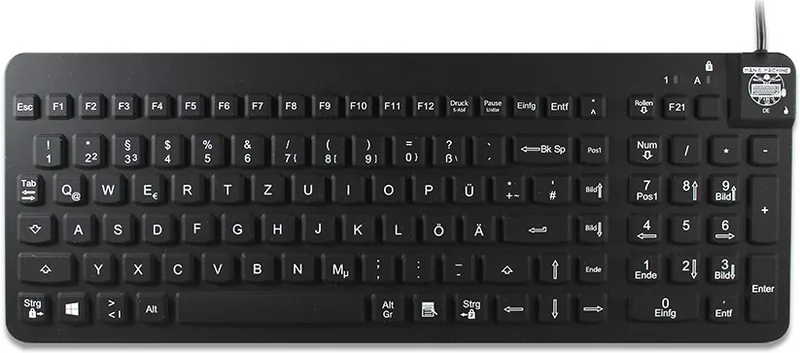
Layout
DE
Type
Rubber Dome
Lighting
N/A
Keycap Level
regular, with frame, chiclet
Keycap Format
flat
Keycap Dome
straight
Numeric Keypad
Standard
Cursor Block
offset
Control Keys
proprietary
Enter Key
shortened
Delete Key
Standard
Status Indicator
Caps Lock, Num
Wrist Rest
N/A
Housing
Silicone
Connection
wired (70.9 in), USB-A 2.0
Power Supply
USB
Dimensions (WxDxH)
15.00 x 0.59 x 5.51 in
Weight
1.72 lbs
Features
splash-proof + IP68, rubberized surface, coated
Product Description
Experience the Man & Machine Really Cool Keyboard
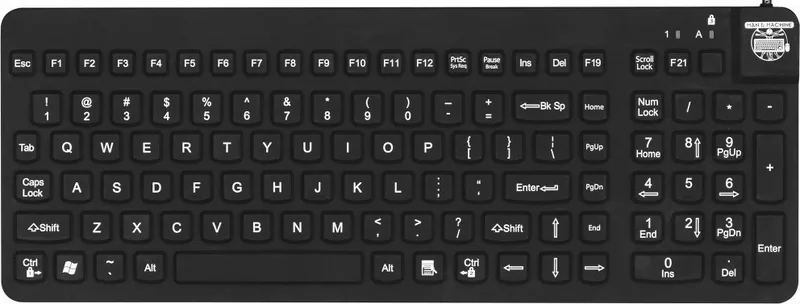
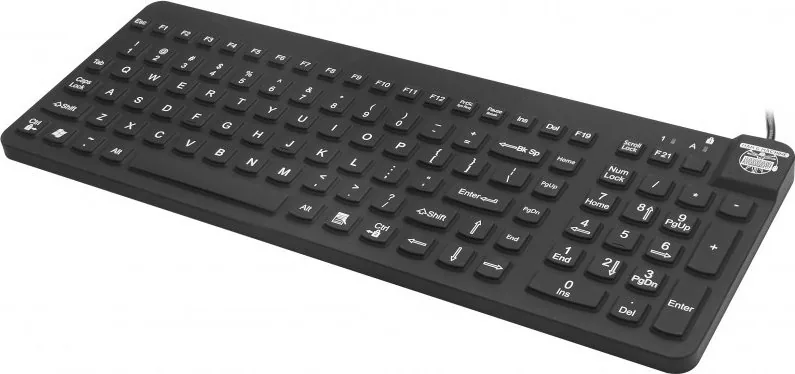
The Man & Machine Really Cool Keyboard represents a pinnacle of ergonomic design and functional durability, crafted specifically for environments where hygiene and reliability are paramount. Whether you are in a healthcare facility, a laboratory, or a high-traffic office, this keyboard offers robust performance without compromising on user comfort. The device features an intuitive layout that includes a dedicated lock button, ensuring that accidental key presses do not disrupt your workflow during critical tasks.
One of the standout features is the customizable backlight system. Users can toggle the illumination on or off with a single press and hold the key to adjust the intensity to their preferred level. This setting is automatically saved, providing consistent lighting conditions day after day. It is important to note that this feature is exclusive to models equipped with the backlight option, identifiable by a red or yellow cable label. The installation process is remarkably seamless, requiring no additional software drivers, allowing for immediate plug-and-play functionality via USB or PS/2 connections.
Hygiene is at the core of the Man & Machine design philosophy. The keyboard is engineered to withstand rigorous cleaning protocols. You can safely wipe the surface with non-abrasive microfiber cloths or soft brushes. For deeper sanitization, the unit can be rinsed, sprayed, or immersed in approved disinfectants such as alcohol-based solutions, bleach up to 10%, or hydrogen peroxide vapor, provided the USB connector remains dry. This level of cleanability ensures that the keyboard remains a safe tool in sterile environments while maintaining its structural integrity over time.
Important Maintenance Notes
To ensure longevity, avoid using petroleum-based fluids, acetone, or abrasive scouring pads. Never expose the device to temperatures below freezing or above 70 degrees Celsius. Regular cleaning helps prevent degradation caused by oils found in hand lotions or sanitizers, which are not covered under warranty if they cause silicone damage.
Key Advantages and Limitations
Pros
- Fully immersible in approved disinfectants excluding the connector
- No software drivers required for instant setup
- Adjustable backlight with automatic memory save function
- Durable construction resistant to harsh chemicals
- Simple locking mechanism prevents accidental input
Cons
- Backlight feature unavailable on standard non-option models
- USB connector cannot be submerged in liquid
- Silicone parts may degrade if exposed to certain lotion oils
- Warranty void if modified by unauthorized personnel
- Restricted temperature range limits extreme environment use
Search for 67,732 Manuals online


Type-in Brand or Model