
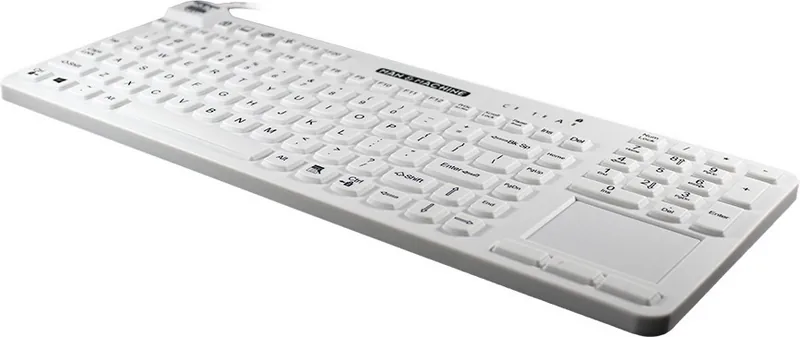
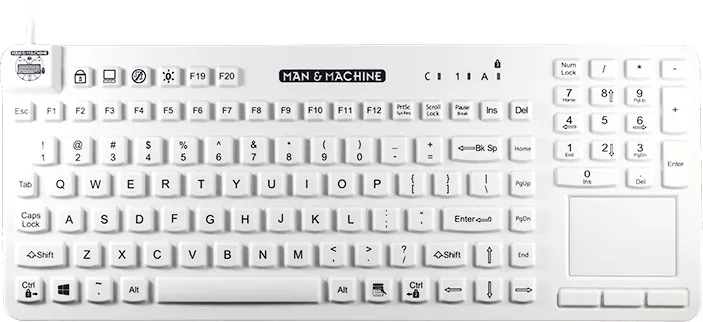
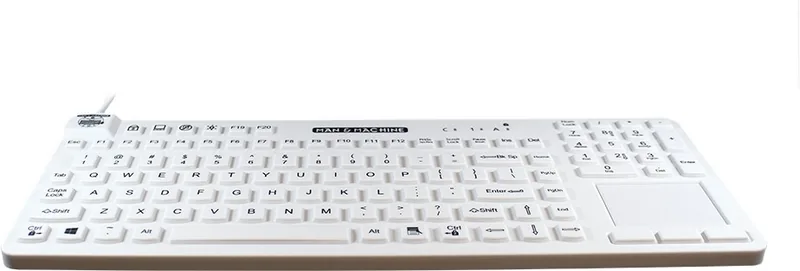
Man & Machine Really Cool Touch Manual
PDF manual · 10 Pages
English



Quick check
Incorrect answer, please try again.
Chat with your Man & Machine Really Cool Touch manual using AI
Get instant AI answers from your Man & Machine Really Cool Touch manual
Ask anything about the Man & Machine Really Cool Touch. Answers come from this manual, with the pages they are based on.
Really Cool Touch Maintenance Schedule
Lock the keyboard, then clean with approved methods (wipe, spray, or immerse) using soap/water or approved disinfectants. Do not immerse the USB connector.
If the touchpad does not function correctly after cleaning, press and hold both recalibration keys for 3 seconds until the Ctrl LEDs blink.
Ask a Question
Do you recommend Really Cool Touch?
Yes NoFrequently Asked Questions
Yes, you can immerse the keyboard body in soap and water or approved disinfectants, but you must never submerge the USB connector.
Is this answer helpful?
Hold down both Ctrl keys or the dedicated lock key (1B) for three seconds until the indicator lights signal the locked mode.
Is this answer helpful?
No, the keyboard is plug-and-play and requires no additional software drivers for installation on any standard operating system.
Is this answer helpful?
Ensure the touchpad is completely dry, then press and hold both Ctrl keys for three seconds to recalibrate the sensor.
Is this answer helpful?
Only models purchased with the backlight option include this feature, indicated by a red or yellow label on the cable.
Is this answer helpful?
Yes, do not expose the keyboard to temperatures below 0°C or above 70°C to ensure proper function and longevity.
Is this answer helpful?
Advantages and Disadvantages
Advantages

- Fully washable and submersible design compatible with harsh disinfectants
- Integrated touchpad eliminates need for external mouse
- No software installation required for immediate use
- Customizable cleaning reminder timer for hygiene compliance
- Adjustable backlight with automatic memory settings
Disadvantages

- Backlight feature requires specific purchase option with colored label
- USB connector must remain dry and cannot be immersed
- Silicone degradation may occur if exposed to hand lotion oils
- Black keyboards do not show LED indicators for recalibration
- Touchpad requires manual recalibration if performance drops after cleaning
Product Specification
Layout
DE
Type
Rubber Dome
Lighting
N/A
Keycap Level
regular, with frame, Chiclet
Keycap Format
flat
Keycap Dome
straight
Number Pad
Standard
Cursor Block
offset
Control Keys
proprietary
Enter Key
shortened
Delete Key
Standard
Status Indicator
Capslock, Num
Wrist Rest
N/A
Housing
Silicone
Connection
wired (5.9ft), USB-A 2.0
Power Supply
USB
Dimensions (WxDxH)
14.96x0.59x5.91in
Weight
1.85lbs
Features
splash-proof + IP68, rubberized surface, touchpad, covered
Product Description
Man and Machine Really Cool Touch Keyboard: A Hygienic Revolution
The Man and Machine Really Cool Touch Keyboard redefines interaction in high-traffic environments by seamlessly blending traditional typing with an integrated touchpad. Designed for hospitals, laboratories, and public facilities, this keyboard offers a robust solution that withstands rigorous cleaning protocols without compromising functionality. Its unique silicone construction allows it to be fully submerged in approved disinfectants, ensuring a sterile workspace every day.
One of its standout features is the versatile lock mechanism. Users can instantly lock the entire keyboard or just the touchpad by holding specific keys for three seconds, preventing accidental inputs during cleaning or transport. The device also boasts an adjustable backlight option, identifiable by a red or yellow cable label, which provides visibility in dim settings while automatically saving your preferred intensity. For those requiring strict hygiene monitoring, a built-in timer can trigger blinking reminders at intervals ranging from one hour to once a week, prompting staff to sanitize the surface promptly.
Installation is effortless as no software drivers are required; simply plug the USB or PS/2 connector into your system. The scroll functionality is intuitive, activated by holding the left click button while using the touchpad to navigate. If the touchpad ever feels unresponsive after a deep clean, a quick recalibration process involving the Ctrl keys restores full sensitivity. This keyboard is not just a peripheral; it is a durable partner designed to maintain operational efficiency in the most demanding environments.
Search for 67,732 Manuals online


Type-in Brand or Model