
Man & Machine Mighty Mouse 5 Manual
PDF manual · 5 Pages
English



Quick check
Incorrect answer, please try again.
Chat with your Man & Machine Mighty Mouse 5 manual using AI
Get instant AI answers from your Man & Machine Mighty Mouse 5 manual
Ask anything about the Man & Machine Mighty Mouse 5. Answers come from this manual, with the pages they are based on.
Ask a Question
Do you recommend Mighty Mouse 5?
Yes NoFrequently Asked Questions
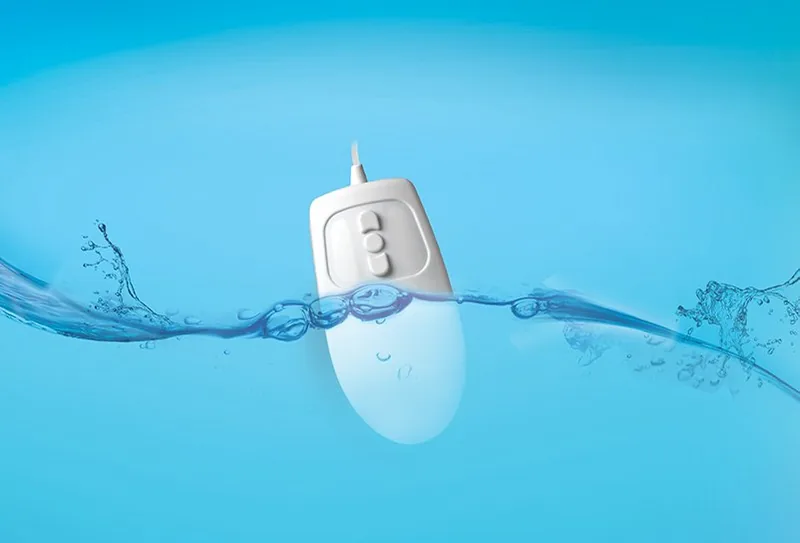
The body of the mouse is waterproof and can be immersed in soap and water or disinfectants. However, the USB connector must never be submerged to prevent electrical damage.
Is this answer helpful?
Safe options include chlorine bleach up to 10%, alcohol, glutaraldehyde, phenol, formaldehyde up to 37%, hydrogen peroxide up to 3%, and quaternary ammonium up to 2%.
Is this answer helpful?
No, the Mighty Mouse 5 requires no software installation. It is a plug-and-play device that works immediately upon connecting to a computer via USB.
Is this answer helpful?
No, you must never use petroleum-based cleaners or acetone. These substances can damage the silicone material and void the warranty coverage.
Is this answer helpful?
Oils in hand lotions and sanitizers can reduce the lifespan of the silicone surface. Regular cleaning helps limit this degradation, though such wear is not covered by warranty.
Is this answer helpful?
Advantages and Disadvantages
Advantages

- Made from durable medical-grade silicone resistant to harsh disinfectants
- Requires no software installation for immediate plug-and-play use
- Features five programmable buttons for enhanced workflow efficiency
- Can be fully immersed in soap and water for deep cleaning
- Ergonomic design reduces hand fatigue during extended use
Disadvantages

- USB connector cannot be submerged in liquid under any circumstances
- Silicone degrades faster when exposed to oils in hand lotions
- Does not support temperature or pressure sterilization methods
- Warranty excludes damage caused by normal wear and tear
- Must use only approved cleaning agents to avoid material damage
Product Specification
Suitability
both hands (left hand, right hand)
Keys
5 (total), 2 (main), 3 (top, scroll function)
Scroll Wheel
N/A
Scanning
LED-red/IR
Resolution
1000dpi
Lighting
N/A
Connection
wired (5.9ft), USB-A 2.0
Power Supply
USB
Dimensions (WxDxH)
2.56x1.38x4.92in
Approximate Volume
4.52cu in (approximate shape)
Weight
5.01oz
Features
closed bottom, IP68 certified, sheathed
Product Description
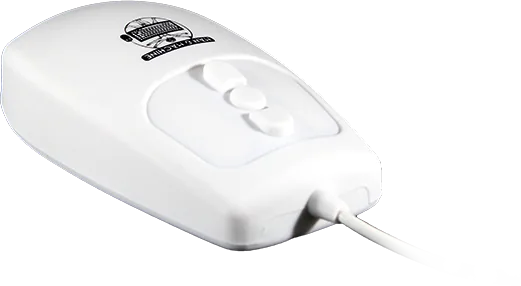
Man and Machine Mighty Mouse 5: The Ultimate Medical Grade Input Device
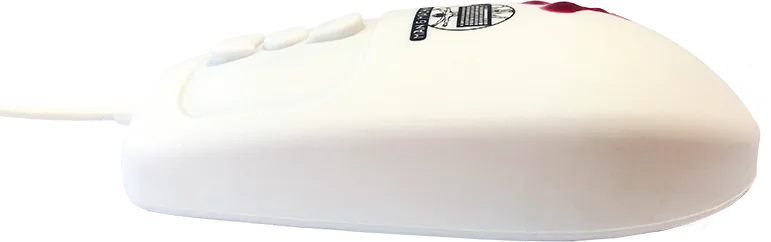
The Man and Machine Mighty Mouse 5 stands as a pinnacle of ergonomic design tailored specifically for the demanding environments of healthcare. Crafted from premium medical-grade silicone, this device is not merely a peripheral but a critical tool designed to withstand rigorous hygiene protocols without compromising performance. Its seamless construction eliminates crevices where bacteria might hide, making it an ideal choice for surgeons, nurses, and laboratory technicians who require absolute cleanliness and reliability.
Designed with intuitive functionality, the Mighty Mouse 5 features five distinct button configurations including left click, right click, scroll up, scroll lock, and scroll down. This layout ensures precise control while minimizing hand strain during long shifts. The installation process is remarkably straightforward, requiring no software drivers or complex setup procedures. Users can simply plug the USB connector into their system and begin working immediately, ensuring zero downtime in critical care settings.
Durability is at the core of the Mighty Mouse 5's engineering. It is built to endure exposure to a wide array of hospital-grade disinfectants, including chlorine-based solutions, alcohol, glutaraldehyde, phenol, formaldehyde, and hydrogen peroxide vapors. The robust silicone material allows for immersion in soapy water or approved cleaning agents, providing flexibility in sanitation routines. However, users must adhere to specific restrictions, such as avoiding petroleum-based cleaners like acetone and protecting the USB connector from submersion to prevent electrical failure.
Temperature stability is another key feature, with the mouse operating safely between 0 degrees Celsius and 70 degrees Celsius. It is crucial to avoid temperature or pressure sterilization methods, as these can damage the internal components. Additionally, regular cleaning helps mitigate the effects of oils found in hand lotions and sanitizers, which can degrade silicone over time. While such wear is not covered under warranty, proactive maintenance extends the product's lifespan significantly.
Important Notes
- Always use non-abrasive cloths like microfiber for wiping.
- Ensure the USB connector remains dry during all cleaning processes.
- Follow manufacturer guidelines for disinfectant concentrations strictly.
- Regular cleaning is essential to maintain silicone integrity.
Search for 67,732 Manuals online


Type-in Brand or Model