
Man & Machine Its Cool Flat Manual
PDF manual · 6 Pages
English



Quick check
Incorrect answer, please try again.
Chat with your Man & Machine Its Cool Flat manual using AI
Get instant AI answers from your Man & Machine Its Cool Flat manual
Ask anything about the Man & Machine Its Cool Flat. Answers come from this manual, with the pages they are based on.
Ask a Question
Do you recommend Its Cool Flat?
Yes NoFrequently Asked Questions
Yes, you may rinse the keyboard with water and soap or an approved disinfectant only after removing the quick-disconnect cable and securely inserting the micro-USB port cover. Ensure the cover is fully seated before rinsing.
Is this answer helpful?
Yes. The silicone drape (cover) can be sterilized in an autoclave or thermo-disinfector up to 134 °C and has been tested for 200 cycles, making it suitable for rigorous sterilization procedures that the keyboard body itself does not tolerate.
Is this answer helpful?
Approved disinfectants include chlorine-based solutions (up to 100,000 ppm), alcohol-based cleaners, glutaraldehyde, phenol, formaldehyde (up to 370,000 ppm), hydrogen peroxide (up to 30,000 ppm), and quaternary ammonium compounds (up to 20,000 ppm). Always follow the disinfectant manufacturer’s instructions.
Is this answer helpful?
No. The keyboard itself must not be immersed or sterilized using temperature/pressure methods. Only the silicone drape can be immersed or autoclaved as specified in the manual.
Is this answer helpful?
The one-year limited warranty covers defects in materials and workmanship. Manufacturer will repair or replace defective products at its option. To return for warranty service, obtain an RMA, disinfect the product, and ship freight prepaid with the RMA clearly marked. See manufacturer contact info for regions.
Is this answer helpful?
Yes. Do not expose the product to temperatures below 0 °C (32 °F) or above 70 °C (158 °F). Exceeding these limits may damage the product and void warranty protections.
Is this answer helpful?
Avoid petroleum-based solvents (such as acetone), abrasive cleaning aids, scourers, and harsh scrubbing tools. Use non-abrasive microfiber cloths, soft brushes, sponges, or approved wipes as described in the manual.
Is this answer helpful?
Advantages and Disadvantages
Advantages

- Sealed micro-USB port with cover protects connector during cleaning and rinsing.
- Removable quick-disconnect cable enables safe separation before wet cleaning.
- Silicone drape tolerates immersion, HPV exposure, and autoclave sterilization up to 134 °C.
- Compatible with a wide range of disinfectants including chlorine, alcohol, and hydrogen peroxide.
- One-year limited warranty with defined RMA return procedures for repair or replacement.
Disadvantages

- Keyboard itself must not be immersed—only the drape can be submerged for deep cleaning.
- Prohibits petroleum-based solvents and abrasive cleaners, limiting some cleaning products.
- Temperature limits (0 °C to 70 °C) restrict extreme-environment use.
- Warranty excludes damage from misuse, unauthorized repairs, and normal wear and tear.
- Some disinfectants allowed are strong and require careful handling and manufacturer guidance.
Product Specification
Layout
DE
Type
Rubber Dome
Backlight
N/A
Keycap Status
without keycaps
Keycap Format
without keycaps
Keycap Profile
without keycaps
Numeric Keypad
offset
Cursor Block
offset
Control Keys
N/A
Function Keys
Standard (top row, no gap below, ungrouped)
Enter Key
Standard
Delete Key
Standard
Palm Rest
N/A
Case
Plastic, Silicone (protective cover)
Case Color
monochrome, white
Keycap Finish
monochrome, white
Key Labeling
monochrome, black
Connection
wired (4.92 ft), USB-A 2.0, cable detachable (USB 2.0 Micro-B female)
Power Supply
USB
Dimensions (WxHxD)
13.58x0.98x4.53in
Weight
0.80 lb
Product Description
Man & Machine Its Cool Flat Keyboard, white, DE Manual
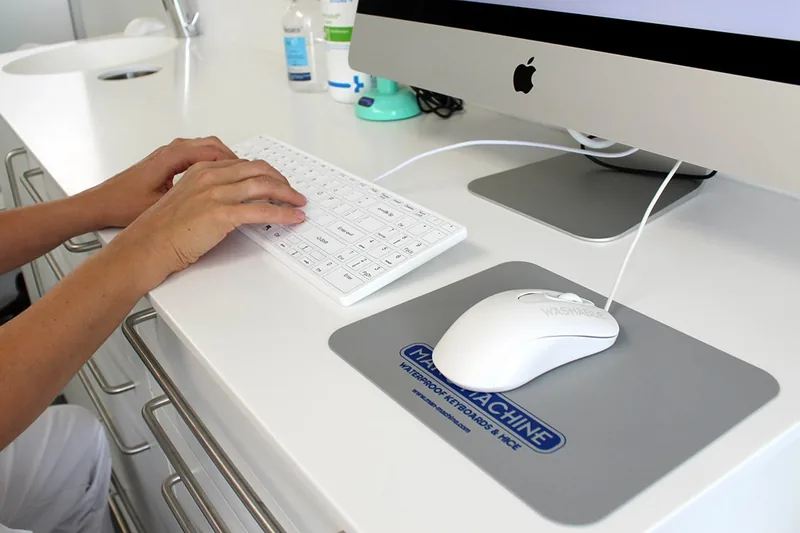
The Man & Machine Its Cool Flat Keyboard in white (DE layout) is a robust, easy-to-clean keyboard designed for demanding environments such as healthcare, labs, and sterile workspaces. Engineered with a removable quick-disconnect cable and a sealed micro-USB port cover, this keyboard prioritizes hygiene and durability without sacrificing a compact, flat profile that’s comfortable for everyday use.
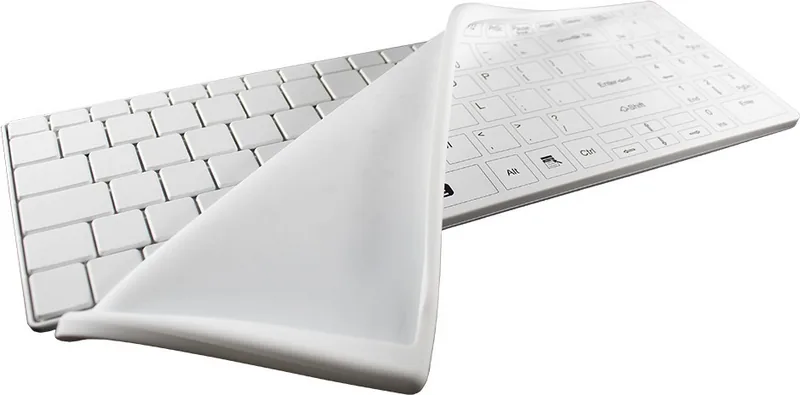
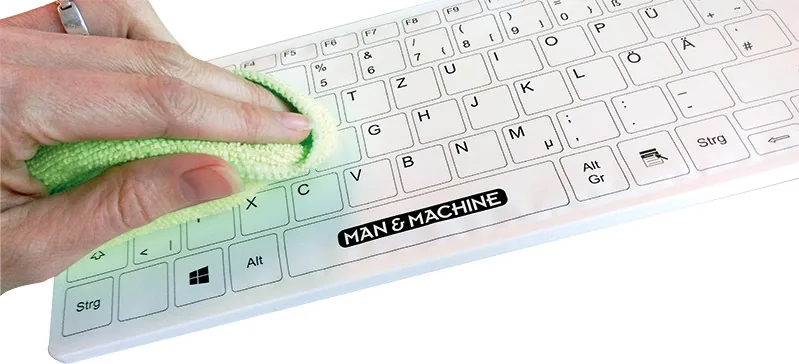
Built to withstand frequent cleaning, the keyboard supports multiple approved cleaning methods: gentle wiping with a non-abrasive microfiber cloth, spraying or rinsing with water and soap, and use of approved disinfectants. The silicone drape or cover expands cleaning options further—allowing immersion, exposure to hydrogen peroxide vapor (HPV), and even autoclave or thermo-disinfector sterilization up to 134 °C (tested for 200 cycles). For routine maintenance, remove the quick-disconnect cable before rinsing and ensure the port cover is fully seated to protect the internal connector.
Approved disinfectants include strong agents such as chlorine-based solutions (up to 100,000 ppm), alcohol-based cleaners, glutaraldehyde, phenol, formaldehyde (up to 370,000 ppm), hydrogen peroxide solutions (up to 30,000 ppm), and quaternary ammonium compounds (up to 20,000 ppm). Despite this broad tolerance, the manual enforces strict restrictions: do not immerse the keyboard (except specified drape), avoid petroleum-based solvents (e.g., acetone) and abrasive cleaning aids, and never use temperature or pressure sterilization methods on the keyboard itself. Also, avoid exposure to temperatures below 0 °C or above 70 °C.
The product comes with a one-year limited warranty covering defects in materials and workmanship for the original purchaser. Warranty remedies are limited to repair or replacement at the manufacturer’s discretion, subject to exclusions for misuse, normal wear, unauthorized repairs, and damage from external events. Returned products must be cleaned and disinfected prior to shipment and accompanied by a valid RMA. Warranty service addresses are provided for the USA and Europe, with contact details available on the Man & Machine website.
Whether deployed in clinical, laboratory, or industrial settings, the Its Cool Flat Keyboard offers a pragmatic balance of hygienic design, resilient materials, and clear cleaning protocols—helping teams maintain infection-control standards while keeping input devices functional and safe.
Notes
- Always remove the quick-disconnect cable and seal the micro-USB port before rinsing.
- Use only listed disinfectants and follow manufacturer and disinfectant instructions.
- The silicone drape supports more aggressive sterilization (autoclave, HPV) than the keyboard alone.
- Returns for warranty must be disinfected and shipped with an RMA number clearly marked.
Search for 67,732 Manuals online


Type-in Brand or Model