
Man & Machine Its Cool Flat Wireless Manual
PDF manual · 7 Pages
English



Quick check
Incorrect answer, please try again.
Chat with your Man & Machine Its Cool Flat Wireless manual using AI
Get instant AI answers from your Man & Machine Its Cool Flat Wireless manual
Ask anything about the Man & Machine Its Cool Flat Wireless. Answers come from this manual, with the pages they are based on.
Ask a Question
Do you recommend Its Cool Flat Wireless?
Yes NoFrequently Asked Questions
Hold down the blank key near Ctrl and Alt while turning the keyboard on. Ensure the dongle is plugged in and keep the keyboard close. The LED will blink blue during pairing and turn solid blue when connected.
Is this answer helpful?
Yes, you can rinse the keyboard with soap and water, but you must remove the charging cable and seal the Micro USB port with its protective cover first. Do not immerse the main unit unless using approved silicone cover methods.
Is this answer helpful?
A solid red LED indicates that the keyboard battery is currently charging. The light will turn off once the battery is fully charged.
Is this answer helpful?
No, this product is restricted to the Windows platform only. It will not function correctly on Mac operating systems.
Is this answer helpful?
If the LED blinks blue indicating lost pairing, hold the blank key near Ctrl and Alt while turning the keyboard on again. Replug the USB dongle if necessary and keep the devices close together.
Is this answer helpful?
Approved disinfectants include chlorine-based (up to 10%), alcohol-based, glutaraldehyde, phenol, formaldehyde (up to 37%), hydrogen peroxide (up to 3%), and quaternary ammonium (up to 2%).
Is this answer helpful?
Advantages and Disadvantages
Advantages

- Highly durable and resistant to harsh disinfectants and sterilization processes.
- Flat design allows for easy cleaning and prevents debris accumulation.
- Intuitive LED indicators provide clear status updates on battery and connection.
Disadvantages

- Limited to Windows operating systems only.
- Requires specific cleaning procedures to avoid damaging the electronics.
- Dongles are uniquely paired and cannot be swapped between different keyboards.
Product Specification
Layout
DE
Type
Rubber Dome
Lighting
N/A
Keycap Level
No keycaps
Keycap Format
No keycaps
Keycap Shape
No keycaps
Number Block
Staggered
Cursor Block
Staggered
Control Keys
N/A
F-Keys
Standard (top row, no gap below, ungrouped)
Enter Key
Standard
Delete Key
Standard
Wrist Rest
N/A
Housing
Plastic, Silicone (Protective Cover)
Housing Color
Solid, White
Keycap Finish
Solid, White
Key Legend
Solid, Black
Connection
Wireless (2.4GHz), USB-A (USB-A Receiver), Removable Cable (USB 2.0 Micro-B Port)
Power Supply
Battery
Dimensions (WxDxH)
13.58x0.98x4.53 in
Weight
11.21 oz
Product Description
Experience Seamless Typing with the Man and Machine Its Cool Flat Wireless Keyboard
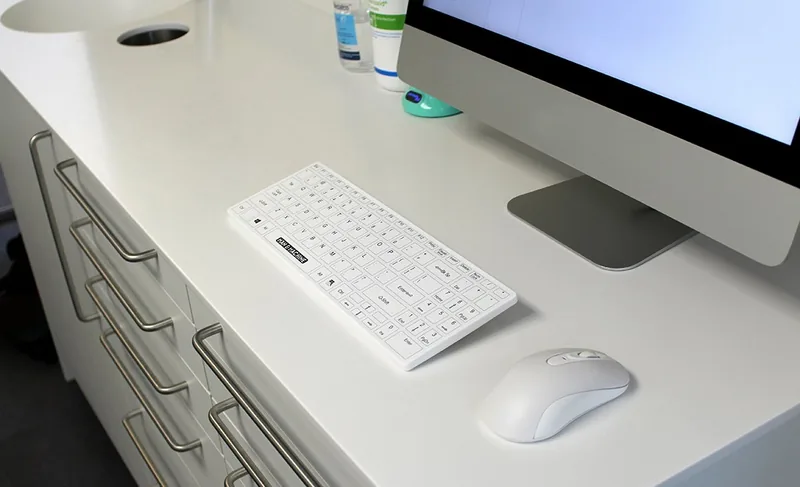
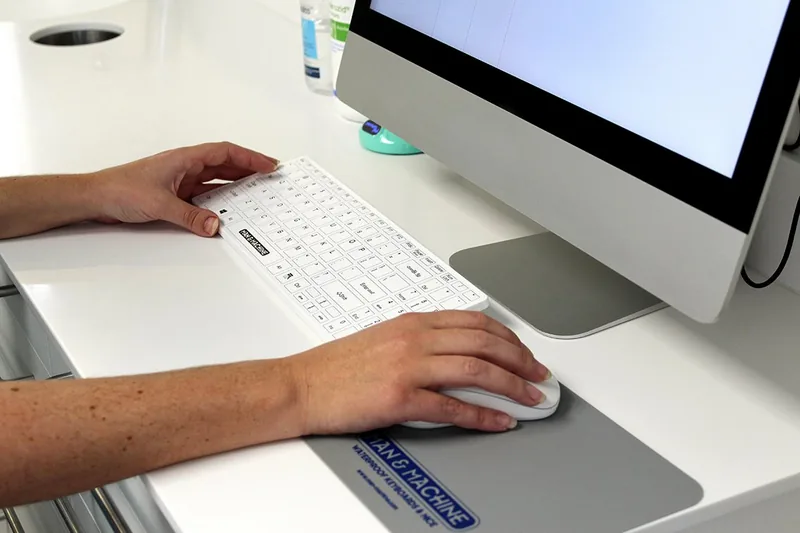
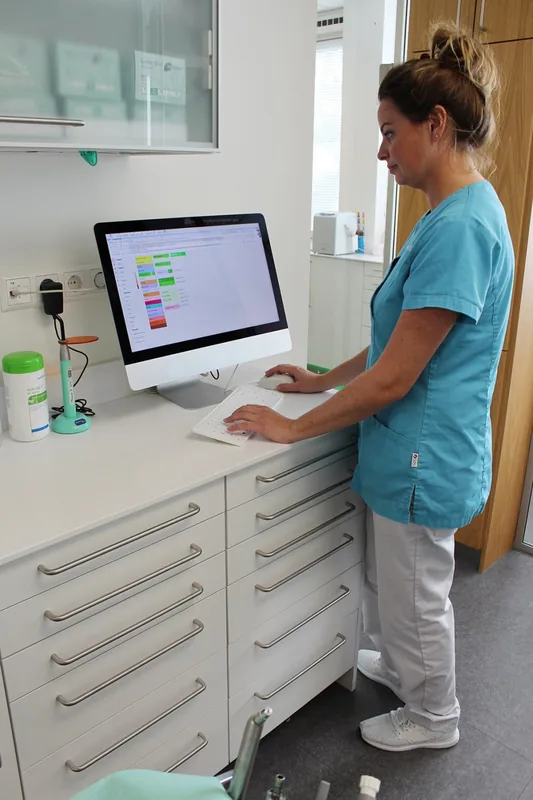
The Man and Machine Its Cool Flat Wireless Keyboard white DE is designed for professionals who demand hygiene, durability, and reliability. This sleek white keyboard features a flat design that is easy to clean and resistant to harsh disinfectants, making it ideal for healthcare settings, laboratories, or any environment requiring strict sanitation protocols.
Equipped with a wireless USB dongle located on the bottom of the unit, this keyboard offers a clutter-free workspace. The setup process is straightforward: simply insert the unique dongle into your computer's USB port and power on the device using the switch. The LED indicator provides clear visual feedback, showing red while charging, blinking blue during pairing attempts, and solid blue when successfully connected. For added convenience, the keyboard can be paired with compatible Man & Machine wireless mice using a single dongle.
Battery life is optimized through a micro-USB charging port protected by a silicone cover. When not in use, turning off the device maximizes battery longevity. The keyboard supports extensive cleaning methods, including wiping with soft cloths, spraying with approved disinfectants, and rinsing with soap and water after sealing the port. It can even withstand immersion in certain solutions and exposure to hydrogen peroxide vapors or autoclave sterilization up to 134 degrees Celsius.
While primarily built for robust performance, users should note that the system operates exclusively on Windows platforms. Regular maintenance ensures the device remains functional and hygienic for daily use.
Important Notes
- Always ensure the Micro USB port is covered before washing.
- Do not use petroleum-based cleaners or abrasive tools.
- Keep the keyboard away from temperatures below 0°C or above 70°C.
Pros and Cons
Pros
- Highly durable and resistant to harsh disinfectants and sterilization processes.
- Flat design allows for easy cleaning and prevents debris accumulation.
- Intuitive LED indicators provide clear status updates on battery and connection.
- Compatible with multiple devices using a single USB dongle.
- Includes a protective cover for the charging port during cleaning.
Cons
- Limited to Windows operating systems only.
- Requires specific cleaning procedures to avoid damaging the electronics.
- Dongles are uniquely paired and cannot be swapped between different keyboards.
- Battery will not function if completely drained without recharging.
- Sterilization limits apply regarding temperature and pressure methods.
Search for 67,732 Manuals online


Type-in Brand or Model