
Man & Machine C Mouse Wireless White Manual
PDF manual · 8 Pages
English



Quick check
Incorrect answer, please try again.
Chat with your Man & Machine C Mouse Wireless White manual using AI
Get instant AI answers from your Man & Machine C Mouse Wireless White manual
Ask anything about the Man & Machine C Mouse Wireless White. Answers come from this manual, with the pages they are based on.
C Mouse Wireless White Maintenance Schedule
Connect the charging cable to the mouse and a 5V USB source. The Red LED stays on while charging and turns off when fully charged.
Wipe with a soft cloth or rinse with approved disinfectants. Cover the micro-USB port with its cap before rinsing to prevent damage.
Ask a Question
Do you recommend C Mouse Wireless White?
Yes NoFrequently Asked Questions
No, you must never immerse the mouse in liquid. You can rinse it with soap and water, but you must first cover the Micro USB port with the provided cap to ensure no water enters the internal components.
Is this answer helpful?
You can use chlorine-based bleach (up to 10%), alcohol, glutaraldehyde, phenol, formaldehyde (up to 37%), hydrogen peroxide (up to 3%), and quaternary ammonium compounds. Avoid petroleum-based fluids and acetone.
Is this answer helpful?
When connected to a power source, the LED indicator will glow red. Once the battery is fully charged, the red light will turn off. If the sensor light does not turn on, try charging the battery again.
Is this answer helpful?
No, this product is restricted to the Windows platform. It will not function correctly on macOS or Linux operating systems.
Is this answer helpful?
A blinking blue light indicates the mouse is trying to pair or has lost its connection. To fix this, press the scroll wheel and right mouse button simultaneously to enter pairing mode, then reconnect the USB dongle.
Is this answer helpful?
Yes, if you are using a compatible Man & Machine wireless keyboard like the Its Cool or Its Cool Flat models, you can connect both devices to the same USB dongle.
Is this answer helpful?
Advantages and Disadvantages
Advantages

- Fully washable design allows for safe rinsing with soap and water
- Compatible with a wide variety of hospital-grade disinfectants
- Wireless connectivity eliminates cable clutter and improves mobility
- Rechargeable battery reduces long-term waste and operating costs
- Includes storage space for the USB port cover to prevent loss
Disadvantages

- Limited to Windows operating systems only
- Cannot be fully immersed in liquid under any circumstances
- Requires manual covering of the port before washing
- Battery will not charge if the sensor light fails to activate
- Pairing may be lost and requires specific steps to restore connection
Product Specification
Suitability
both hands (left hand, right hand)
Keys
3 (total), 2 (main), 1 (top)
Scroll Wheel
1x 2-way
Scanning
LED red/IR
Resolution
1000 dpi
Illumination
N/A
Connection
wired (5.9ft), USB-A 2.0 or wireless (2.4GHz), USB-A (USB-A receiver), detachable cable (USB 2.0 Micro-B port)
Power Supply
battery (integrated), charging cable (USB 2.0 Micro-B)
Dimensions (WxDxH)
2.24x1.42x3.94in
Approximate Volume
3.30 cu in (approximate shape)
Weight
4.41 oz
Color
solid, white, logo
Features
thumb rest, IP65 certified
Product Description
The Man & Machine C Mouse: Hygiene Meets Wireless Convenience
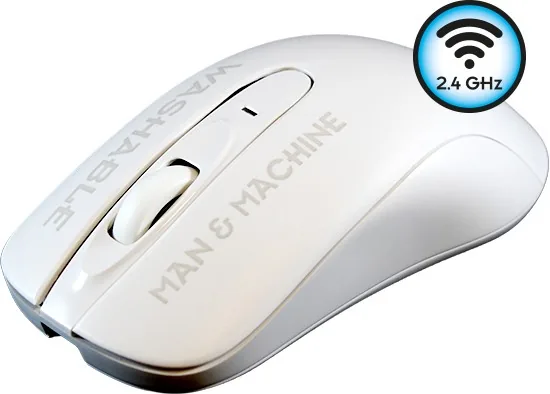
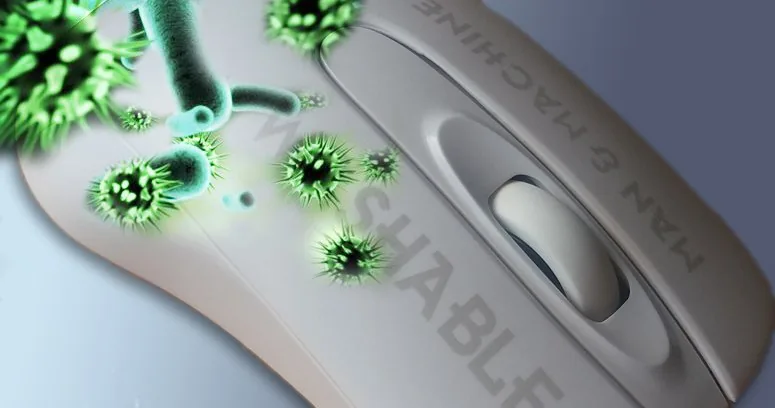
The Man & Machine C Mouse represents a significant advancement in peripheral design, specifically tailored for environments where hygiene is paramount. This wireless white USB mouse is engineered to withstand rigorous cleaning protocols without compromising performance. Unlike standard peripherals that must be avoided in sterile settings, this device can be safely washed with soap and water or disinfected using a wide range of approved chemical agents.
Designed for seamless integration, the mouse features a robust wireless connection via a dedicated USB dongle included in the box. It operates exclusively on Windows platforms and utilizes a rechargeable battery system powered through a Micro USB port. A unique feature of the C Mouse is its washable construction. Users can rinse the device thoroughly after use, provided they secure the protective cap over the charging port. This capability makes it an ideal choice for medical facilities, laboratories, food processing plants, and any setting requiring frequent sanitation.
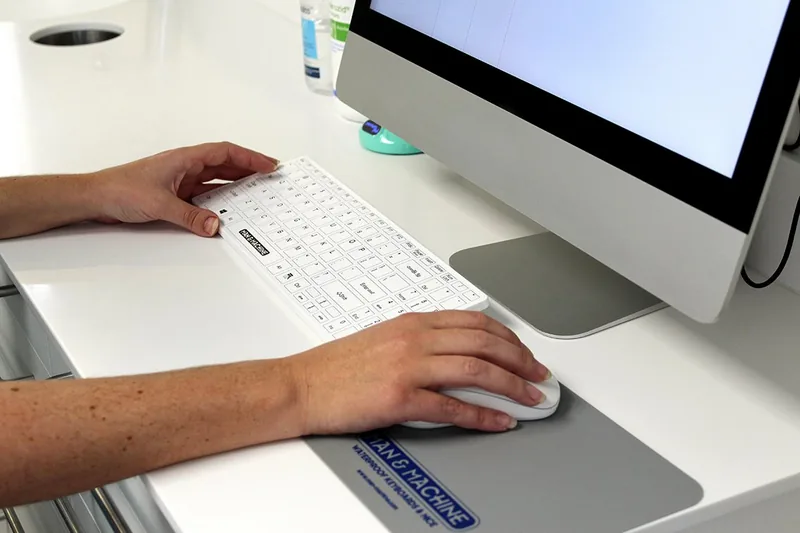
The mouse offers intuitive controls including a scroll wheel, power switch, and right-click functionality. Visual feedback is provided through an LED indicator that communicates battery status and connection state. A solid blue light confirms a successful pairing, while blinking indicates a search for connection or charging activity. The device also supports sharing a single dongle when used alongside compatible Man & Machine keyboards, streamlining desk setups.
Cleaning is straightforward yet requires adherence to specific guidelines. While immersion is prohibited, the surface can be sprayed or wiped with alcohol-based, chlorine-based, or other approved disinfectants. The mouse is built to endure temperatures between 0 and 55 degrees Celsius, ensuring durability in varied climates. Its ergonomic white design remains clean-looking even after repeated washing cycles, maintaining a professional aesthetic.
Important Usage Notes
- Always cover the Micro USB port before rinsing the mouse.
- Do not use petroleum-based cleaners or abrasive scrubbers.
- Ensure the battery is charged if the sensor light does not activate upon pressing the power button.
- The mouse will not function if the pairing signal is lost; follow re-pairing instructions immediately.
Search for 67,732 Manuals online


Type-in Brand or Model