
MakerBot Replicator+ Manual
PDF manual · 46 Pages
English



Quick check
Incorrect answer, please try again.
Chat with your MakerBot Replicator+ manual using AI
Get instant AI answers from your MakerBot Replicator+ manual
Ask anything about the MakerBot Replicator+. Answers come from this manual, with the pages they are based on.
Ask a Question
Do you recommend Replicator+?
Yes NoFrequently Asked Questions
It includes guided setup, which walks you through pairing, Wi-Fi configuration, filament loading, calibration, and an initial test print. This reduces the learning curve for new users.
Is this answer helpful?
The printer uses MakerBot PLA filament. The manual emphasizes using approved materials for best results and safe operation.
Is this answer helpful?
Yes. The MakerBot Mobile App lets you start, pause, and cancel prints, monitor progress, receive notifications, and view the onboard camera feed.
Is this answer helpful?
MakerBot Print is the main companion software. It supports model preparation, slicing, print management, layout adjustments, and exporting .makerbot files.
Is this answer helpful?
It uses a heated Smart Extruder+, a cooling build chamber, calibration tools, and a flexible build plate to improve adhesion and reduce warping or curling.
Is this answer helpful?
The manual suggests checking Z-offset calibration, cleaning the plate and nozzle, and using the assisted leveling tools if needed. Adhesion issues often come from distance or surface contamination.
Is this answer helpful?
Advantages and Disadvantages
Advantages

- Guided setup simplifies first-time installation and helps users connect Wi-Fi, load filament, and start printing quickly.
- Supports USB, Ethernet, and Wi-Fi, making it flexible for different workflows and network environments.
- MakerBot Print and the mobile app add convenient file preparation, monitoring, and remote control.
- Flexible build plate and heated extrusion setup help prints release more easily and reduce warping.
Disadvantages

- Only MakerBot-approved materials are recommended, so material choice is more limited than with open systems.
- The printer is not user-serviceable, so hardware issues may require support rather than DIY repair.
- It needs routine calibration and maintenance to keep print quality consistent.
- Internal storage is limited, and some workflows still depend on external files or software preparation.
Product Specification
Process
Fused Filament Fabrication (FFF)
Manufacturer Recommended Materials
0.07in Filament
Build Volume
11.61x6.50x7.83in (WxHxD)
Interfaces
USB 2.0, LAN, WLAN
Dimensions
20.79x16.14x17.36in (WxHxD)
Weight
35.27lb (empty)
Product Description
MakerBot Replicator+ Manual: A Practical Look at a Smart Desktop 3D Printer
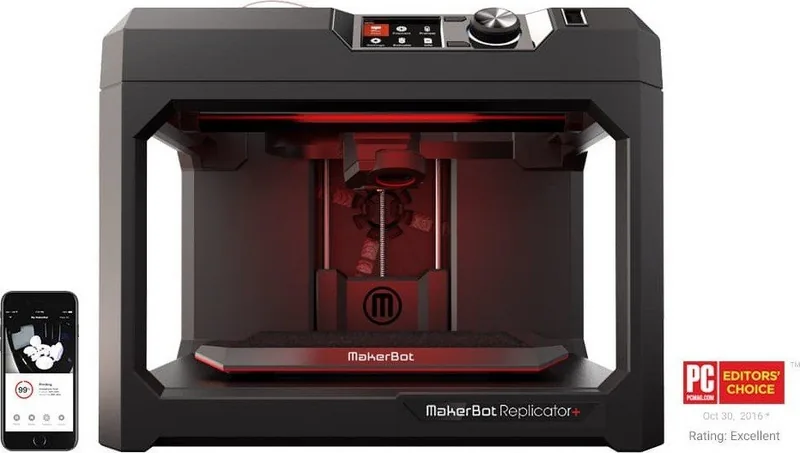
The MakerBot Replicator+ stands out as a reliable desktop 3D printer for makers who want a smoother path from idea to finished object. In the MakerBot Replicator+ Manual, the printer is presented as more than hardware: it is part of a complete workflow powered by MakerBot Print and the MakerBot Mobile App. That combination makes it easier to prepare files, connect the printer, and keep an eye on every stage of the job.
One of the biggest strengths of the Replicator+ is its guided setup. The printer helps new users get started with Wi-Fi pairing, filament loading, calibration, and a test print, so the first experience feels structured rather than overwhelming. It also supports multiple connection methods, including USB, Ethernet, and wireless networking, which gives users flexibility whether they work in a home studio, classroom, or production space.
The printing process itself follows a familiar fused deposition modeling approach, using MakerBot PLA filament to build objects layer by layer. The heated Smart Extruder+ and build chamber are designed to help reduce warping and curling, while the flexible build plate makes finished parts easier to remove. For users who value control, the control panel offers direct access to printing, filament changes, preheating, calibration, diagnostics, camera tools, and system settings.
MakerBot Print adds another layer of convenience. It lets users arrange models, adjust orientation and scale, preview layer paths, and choose print settings such as shell count, infill, supports, and rafts. The software also helps manage projects and export .makerbot files for printing. That makes the Replicator+ a strong fit for users who want a mix of guided automation and hands-on customization.
In everyday use, this printer is clearly built with practicality in mind. The onboard camera, print notifications, and diagnostic logs make monitoring easier, while the maintenance steps help keep performance consistent over time. If you are looking for a machine that balances accessibility with useful professional features, the MakerBot Replicator+ remains an appealing option.
Notes
- Best results come from approved MakerBot PLA filament.
- Regular calibration and clean build surfaces improve adhesion.
- The printer is designed for controlled, well-ventilated use.
Search for 67,706 Manuals online


Type-in Brand or Model