
MagniumGear Neo Qube 2 Manual
PDF manual · 4 Pages
English



Quick check
Incorrect answer, please try again.
Chat with your MagniumGear Neo Qube 2 manual using AI
Get instant AI answers from your MagniumGear Neo Qube 2 manual
Ask anything about the MagniumGear Neo Qube 2. Answers come from this manual, with the pages they are based on.
Ask a Question
Do you recommend Neo Qube 2?
Yes NoFrequently Asked Questions
The Neo Qube 2 supports Mini-ITX, Micro-ATX, ATX and E-ATX motherboards up to 280 mm wide. Micro-ATX builds may require repositioning stand-offs according to your motherboard manual.
Is this answer helpful?
The case supports multiple 120 mm fan mounts and radiators up to 360 mm on top and side locations, and up to 280 mm in some positions. CPU cooler height clearance is around 148 mm and GPU length up to approximately 275–280 mm, depending on layout.
Is this answer helpful?
Storage is modular: the bracket can be configured or removed to fit up to five 2.5" SSDs or a mix of 3.5" HDDs and 2.5" SSDs. Use the supplied SSD and HDD screws and secure the storage bracket back to the chassis after installation.
Is this answer helpful?
Yes. The chassis supports an optional Mini-ITX secondary system. It requires installing four additional stand-offs, securing the Mini-ITX board, and the PHANTEKS REVOLT X PSU is required for power distribution in dual-system configurations.
Is this answer helpful?
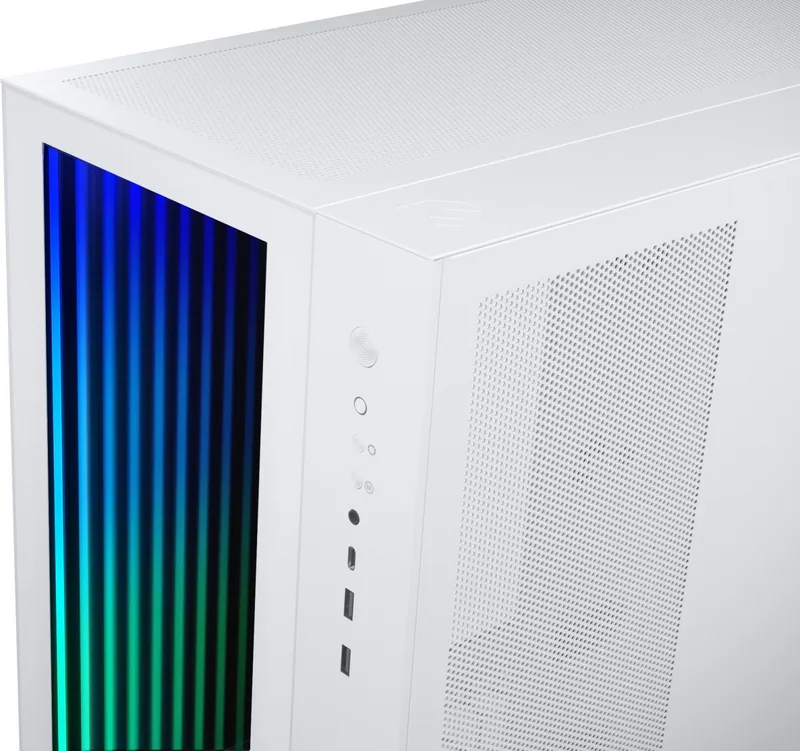
Front I/O offers power/reset (reset can act as dual-system power), D-RGB mode and color controls, headphone/mic jacks, USB-C and USB 3.0. Lighting can be controlled via onboard buttons or synced with a compatible motherboard D-RGB header; note that onboard D-RGB buttons deactivate when a motherboard header is used.
Is this answer helpful?
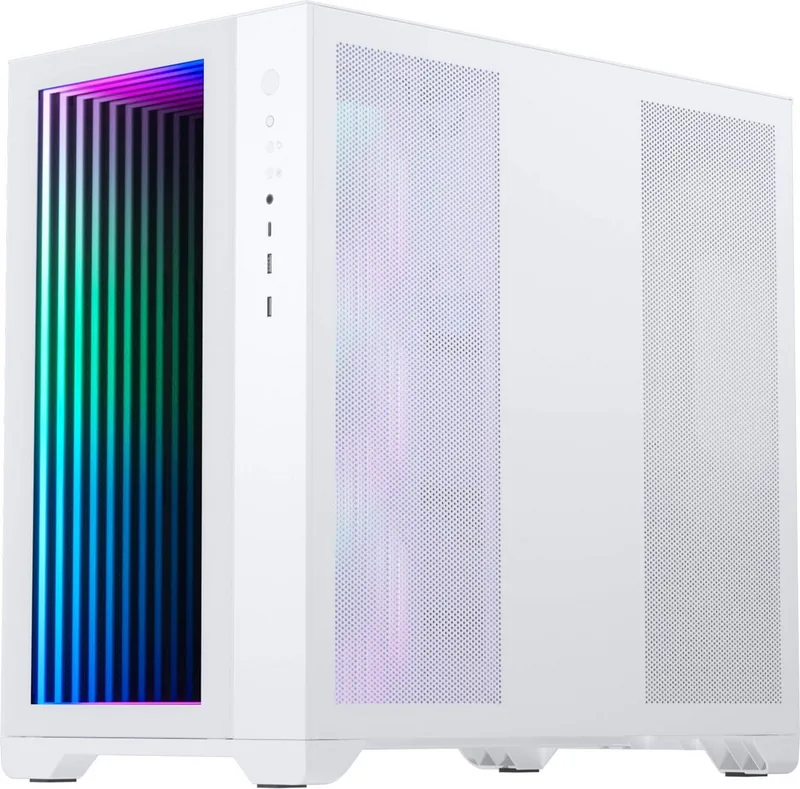
Yes. Top panels remove by loosening rear thumb screws and sliding back before lifting. The infinity mirror front panel on some models is sensitive to fingerprints and should be handled with care to avoid marks.
Is this answer helpful?
Remove the storage bracket before installing the PSU. Once the PSU is positioned, secure it with the four provided PSU screws. This ordering ensures clearance and proper alignment with drive cages and brackets.
Is this answer helpful?
Advantages and Disadvantages
Advantages

- Supports multiple motherboard sizes including E-ATX (up to 280 mm) for flexible builds.
- Versatile cooling support: up to 360 mm radiators on top and side, and multiple 120 mm fan mounts.
- Modular storage brackets allow up to five 2.5" SSDs or mixed HDD/SSD configurations.
- Dual-system capability with dedicated wiring and optional second-system power/LED behavior.
- Integrated D-RGB lighting with standalone controls and motherboard synchronization options.
Disadvantages

- Infinity mirror front panel is easy to fingerprint and requires careful handling.
- D-RGB controls are disabled when connected to a motherboard header, reducing onboard control.
- E-ATX support limited to motherboards up to 280 mm wide, may restrict some high-end boards.
- Dual-system setup requires a PHANTEKS REVOLT X PSU, adding cost and complexity.
- Removing/repositioning storage brackets is required before PSU installation, adding steps to build.
Product Specification
External
N/A
Internal
1x 3.5", 3x 2.5" or Variant2: 5x 2.5"
Ports
1x USB-C 3.1 (10Gb/s, 20-Pin Key-A Header), 2x USB-A 3.0 (5Gb/s), 1x 3.5mm jack (Line-In/Out)
PCI slots
8 (total)
Fans (front)
N/A
Fans (rear)
N/A
Fans (left)
N/A
Fans (right)
3x 4.72 in (optional)
Fans (top)
3x 4.72 in (optional) or 2x 5.51 in (optional)
Fans (bottom)
3x 4.72 in (optional) or 2x 5.51 in (optional)
Fans (other)
N/A
Radiator sizes
N/A front, 4.72/5.51/9.45/11.02/14.17 in top, 4.72/9.45/14.17 in right, 4.72/9.45/14.17 in bottom
Motherboard
up to ATX (10.98 in wide, System1), up to Mini-ITX (System2)
Supported Motherboards
Mini-ITX (6.7"x6.7", System1, System2)/uATX (9.6"x9.6", System1)/ATX (12"x9.6", System1)/E-ATX (12"x11", System1)
Power supply
ATX (max. 10.83 in deep)
Power supply position
bottom (vertical)
CPU cooler
max. 5.83 in height
Graphics cards
max. 16.14 in
Lighting
RGB-Header 3-Pin ARGB (+5V/DATA/GND), integrated RGB LED lighting
Dimensions (WxHxD)
10.63x17.72x18.11 in
Volume
14.76 gal
Weight
19.40 lb
Case type
Midi-Tower
Front
closed, Glass
Top
partially closed, mostly fan grille
Bottom
closed
Left
closed, Glass
Right
partially closed, Mesh, mostly fan grille, dust filter
Rear
partially closed, ventilation slots top right, PCI slots bottom (8x horizontal)
Front I/O Position
Case side: Front, Height: middle, Position: right
Special features
Dual System, Cable management, Dust filter, Graphics card vertically mountable (optional), Glass viewing window, Multi-chamber design
Note on E-ATX
Motherboard and case manufacturers refer to different dimensions as E-ATX. Motherboards with E-ATX/SSI EEB dimensions of 12.01x12.99 in or 12"x13" are not supported.
USB notation
Link
Product Description
MetallicGear / MagniumGear Neo Qube 2 Manual
Overview
The MetallicGear / MagniumGear Neo Qube 2 is a compact, versatile PC chassis designed for single- or dual-system builds. It supports Mini-ITX, Micro-ATX, ATX and E-ATX (up to 280 mm wide) motherboards and offers flexible storage and cooling options. The case includes customizable D-RGB lighting with dedicated controls, front I/O with USB-C and USB 3.0, and provisions for multiple radiator and fan configurations. The Neo Qube 2 balances a modern aesthetic—featuring an infinity mirror front option on some models—with practical installation paths for builders focused on cooling performance and component accessibility.
Key Features and Layout
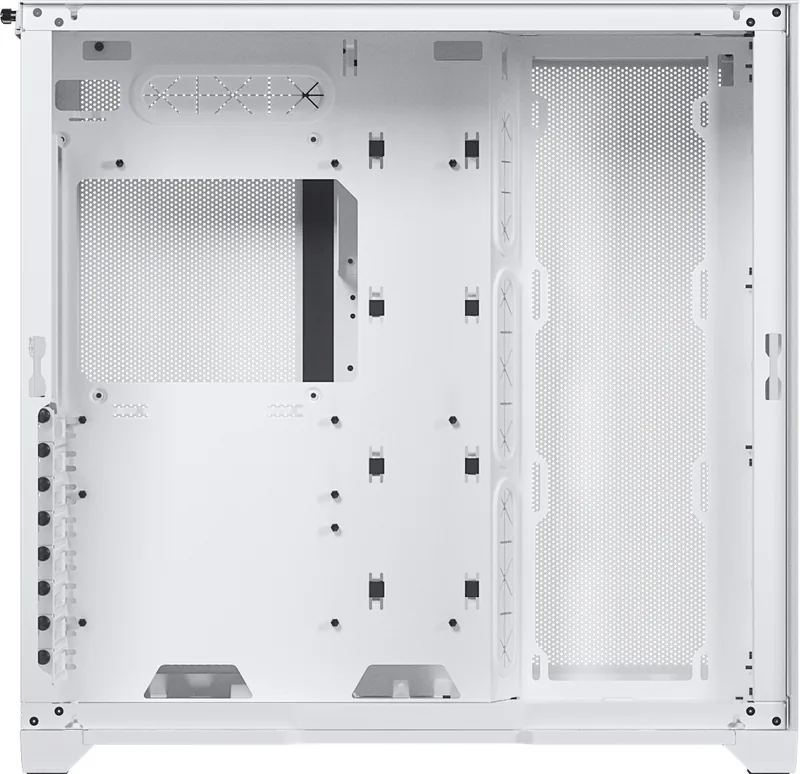
The Neo Qube 2 supports up to three 120 mm fans in several locations and radiators up to 360 mm on top and 280 mm on the side, depending on configuration. Clearance specs include CPU cooler heights around 148 mm and GPU lengths up to 275–280 mm. The chassis offers modular HDD/SSD brackets that can be reconfigured or removed to fit up to five 2.5" SSDs or multiple 3.5" drives. The PSU mounts after removing the storage bracket and secures with four screws. The case ships with a set of screws, zip ties and stand-offs to complete the build.
Installation Notes
Panels are removed via rear thumb screws and sliding/pulling motions; care is advised with the infinity mirror front panel to avoid fingerprints. Storage brackets can be arranged in multiple configurations (A, B, C) to prioritize drive count or radiator clearance. For dual-system setups the Neo Qube 2 supports an additional Mini-ITX board, requires a PHANTEKS REVOLT X PSU for proper power handling, and repurposes the reset switch and HDD LED as a power switch/LED for the secondary system. D-RGB controls on the case may be disabled when connected to a compatible motherboard header.
Design and Expandability
Front I/O includes power, reset (which can act as a second-system power button), D-RGB mode and color controls, headphone and mic jacks, USB-C and USB 3.0. The lighting supports standalone control or motherboard-synced operation via D-RGB headers. Multiple fan and radiator mounting points allow concentrated cooling for high-performance components while maintaining a compact footprint.
Notes
- Infinity mirror front panels are sensitive; handle carefully to avoid fingerprints.
- D-RGB control buttons are deactivated if the lighting is managed by a motherboard header.
- Ensure PSU installation order: remove storage bracket first, then mount PSU.
Search for 67,706 Manuals online


Type-in Brand or Model