Manual.ly Logo

MacTronic Roy 01 Manual

0.0 · 0 Ratings

PDF manual · 2 Pages

English

M: QW-35-FL
page

/ 2

Loading...
b6c062bc15ec33d0132c11b0b35ed4086a07 page 1
/ EN
USER MANUAL
SPECIFICATION
Light source 1 × Cree™ XP-G LED 300 lm
Runtime and operation
modes
Low (40 lm) - 16 h
High (300 lm) - 2 h 10 min
Light Sensing (20-200 lm) - max.11 h
STROBE (60 lm) – 11 h
Power supply Li-ion 1000 mAh
Charging time 5 h
Dimensions 74 × 41 × 29 mm
Weight 59 g
Waterproof IP65
Shock-Resistance 1m
Beam distance 50 m
Thank you for choosing a flashlight from Mactronic®. Similarly to other
high quality devices, proper operation and maintenance will ensure high
durability and reliability of the product. Please read the following instruc-
tion and save it for future reference, as it contains essential information
on safe operation and use.
SAFETY
WARNING
• Do not aim the light directly into the eyes.
• Keep out of reach of children or pets.
• Do not short- circuit the charger or the battery.
• Do not use or handle the device while charging.
• Never crush or puncture the battery.
• Never place the battery or the device on or in heating units.
• Do not dispose of the battery or the device in fire.
• Store the device in a cool and dry place.
• Be sure to full recharge the light/battery if not in use for over 3 months.
OPERATION
MOUNTING
1. Attach the bracket onto the
handlebar tightly.
2. Following the double arrow
“→” on the bracket plate, slide
the light into the bracket.
3. To release the bracket, press
the release tab, pull the light for-
ward out.
HELMET MOUNTING
1. Loosen the straps on each side
of the helmet mount, position the
helmet mount as close to the
centerline of the helmet as pos-
sible, then thread the straps
through helmet and lock them.
2. Connect the bracket
and O-ring adaptor with O-ring
3. Clip the O-ring adaptor
to helmet mount.
4. Slide the light into bracket.
NOTE: The light is shipped in locked mode for safe transportation. Before
the first use, UNLOCK the light.
UNLOCK: Two methods
1. Press the button until the indicator is selected to Red - Blue, release
the button when the indicator turns Blue - the light is now unlocked.
2. Start charging the light to unlock.
LOCK: Press the button until OFF - Strobe - OFF mode is selected, release
the button – the light is now locked.
MODE SWITCH:
1. Press the button to cycle through the modes: Low - High - Light Sensor.
2. OFF: Hold the button for 2 seconds to switch OFF at any mode.
3. Strobe: Hold the button for 3 seconds to enter Strobe Mode.
4. Light Sensor: Adjust light brightness automatically according to ambi-
ent conditions.
Last Setting Memory
Memory Function: The flashlight remembers the mode you used last
time.When the headlamp is switched on, the memory function resumes
the last operational mode.
Battery Life Indicator
The LED indicator on the button displays the current battery status.
100%~15% - Illuminated in green
15%~0 – Illuminated in red
When the battery level is low and the LED is illuminated in red, recharge
your light.
CHARGING
Make sure to charge the battery fully before the first use.
To charge your light:
1. Turn the light OFF.
2. Connect the light to your PC via the USB cable or charge it via a wall
outlet with a 5V USB adaptor (not include in package)
Charging time Approx. 5 hours
Charging indicator:
During charging, the LED indicator on the button shows the charging sta-
tus with the Red/Green LED.
Charging (LED illuminated in red)
Fully charged (LED illuminated in green)
MODIFICATIONS AND REPAIRS*
Unless authorized by Mactronic® in writing, any modifications and user
attempts
at home repairs will automatically void the warranty.
PACKAGE INCLUDES
1 × Light head
1 × USB cable
1 × 360° rotating O-ring Bracket (for installation on handlebar and hel-
met)
1 × Helmet strap
1 × O-ring adaptor
2 × Rubber O-ring
1 × White & black manual
*Mactronic® WARRANTY
Mactronic® covers the flashlight with a 5-year warranty for any manufac-
tured defects in material and/or workmanship. The warranty does not
cover normal use, rust, unauthorized modifications, improperstorage,
damage from falls, improper handling, corrosion from leaking batteries
and use of the headlamp contrary to its intended purpose, for example
as a diving lamp. The warranty does not cover consumables.
/ DE
BEDIENUNGSANLEITUNG
SPEZIFIKATION
Lightquelle 1 × Cree™ XP-G LED 300 lm
Leuchtdauer und Licht-
modi
Low (40 lm) - 16 h
High (300 lm) - 2 h 10 min
Light Sensing (20-200 lm) - max.11 h
STROBE (60 lm) – 11 h
Energieverorgung Li-ion 1000 mAh
Ladezeit 5 h
Größe 74 × 41 × 29 mm
Gewicht 59 g
IP-Schutzart IP65
Stoßschutz 1m
Leuchtweite 50 m
Wir bedanken uns für den Kauf einer Mactronic® Taschenlampe. Ein
sorgfältiger Umgang und Pflege erhöhen die Lebensdauer. Bitte Lesen
Sie diese Gebrauchsanweisung vor erstem Gebrauch. Sie enthält wichtige
Informationen für den korrekten Umgang mit diesem Pordukt. Bitte da-
nach sorgfältig aufbewahren.
SICHERHEITSHINWEIS
HINWEIS!
• Den Lichtstrahl nicht direkt in die Augen richten.
• Von Kindern und Haustieren fernhalten.
• Kurzschluss des Ladegeräts und der Batterie vermeiden.
• Während der Batterieladung die Taschenlampe nicht benutzten.
• Batterie nicht quetschen oder lochen.
• Batterie und Gerät weder auf noch in Heizgeräten legen.
• Batterie und Gerät nicht ins Feuer werfen.
• Das Gerät im trockenen und kühlen Ort aufbewahren.
• Soll das Gerät mehr als 3 Monate nicht benutzt werden, ist seine Bat-
terie voll aufzuladen.
FUNKTIONSWEISE
MONTAGE
1. Den Griff an das Lenkrad gut
befestigen.
2. Nach Lokalisierung des dop-
pelten Pfeils „→“ auf der Griff-
platte, die Taschenlampe auf
den Griff hineinschieben.
3. Um den Griff wegzunehmen,
den Lösungsknopf drücken und
die Taschenlampe nach Vorne
schieben.
BEFESTIGUNG AM HELM
1. Lösen Sie beide Griffriemen,
halten Sie den Griff möglich nah
an der Zentrallinie des Helms.
Anschließend führen Sie die
Riemen durch die Öffnungen am
Helm durch und schließen Sie
diese.
2. Verbinden Sie den Griff mit
dem Adapter
3. Befestigen Sie den Adapter
am Helm
4. Schieben Sie die Lampe in
den Griff
ABF0031
mactronic.pl

Chat with your MacTronic Roy 01 manual using AI

Get instant AI answers from your MacTronic Roy 01 manual

Ask anything about the MacTronic Roy 01. Answers come from this manual, with the pages they are based on.

Ask a Question

0/1000

Do you recommend Roy 01?

Yes No

Frequently Asked Questions

A

You can unlock the light by pressing the button until the indicator shows red then blue, releasing when it turns blue. Alternatively, simply connect the device to a power source to start charging, which will automatically unlock it.

Is this answer helpful?

A

The headlight features four main modes: Low (40 lumens), High (300 lumens), Light Sensing (auto-adjusts brightness), and Strobe (60 lumens). You cycle through these by pressing the button.

Is this answer helpful?

A

Battery life varies by mode. In Low mode, it lasts up to 16 hours. In High mode, it runs for about 2 hours and 10 minutes. Both Light Sensing and Strobe modes offer up to 11 hours of runtime.

Is this answer helpful?

A

Yes, the MacTronic Roy 01 Headlight has an IP65 rating, meaning it is dust-tight and protected against water jets from any direction, making it suitable for rainy weather.

Is this answer helpful?

A

Absolutely. The package includes a helmet strap, a 360-degree rotating O-ring bracket, and an adapter specifically designed for secure installation on bicycle helmets.

Is this answer helpful?

A

Mactronic provides a five-year warranty covering manufacturing defects in materials and workmanship. It does not cover normal wear, rust, unauthorized modifications, or damage from falls.

Is this answer helpful?

A

An LED indicator inside the button displays the battery status. Green indicates a charge between 15% and 100%, while red signals that the battery is below 15% and needs recharging.

Is this answer helpful?

M: QW-35-FL

Advantages and Disadvantages

Advantages

  • High brightness output of 300 lumens using efficient Cree XP-G LED
  • Lightweight design at only 59 grams for comfortable all-day wear
  • Long runtime in low mode reaching up to 16 hours
  • Automatic light sensing mode adapts to ambient conditions
  • IP65 waterproof rating protects against rain and water splashes
VS

Disadvantages

  • Wall outlet adapter required but not included in the package
  • Shortest runtime in high mode limited to just over two hours
  • Charging process takes a relatively long five hours
  • Lock mechanism prevents accidental use until manually unlocked
  • Warranty does not cover consumables or damage from misuse
M: QW-35-FL

Product Specification

Type

Front light

Colors

black

Max. Light Output

300lm

Light Source

Cree XP-G LED

Max. Runtime

11h

Min. Runtime

2.2h

Charging Time

6h

Light Mode

Constant (3 levels), 1 Blink mode

Power Supply

1x 18650

Mounting

Bracket

Dimensions

2.91x1.61x1.14in

Weight

2.08oz

Features

USB port (Micro)

M: QW-35-FL

Product Description

MacTronic Roy 01 Headlight Manual: A Comprehensive Review

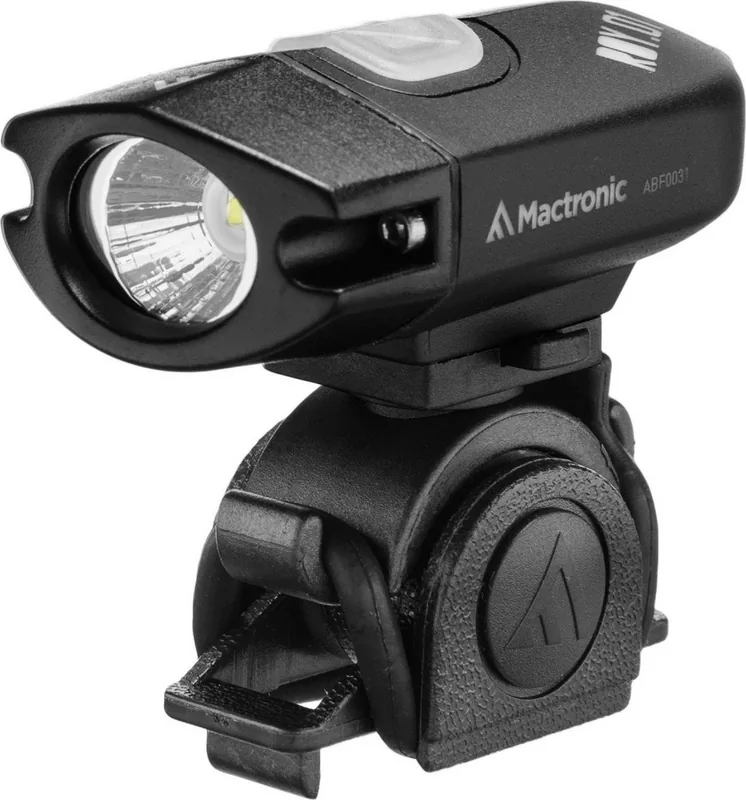
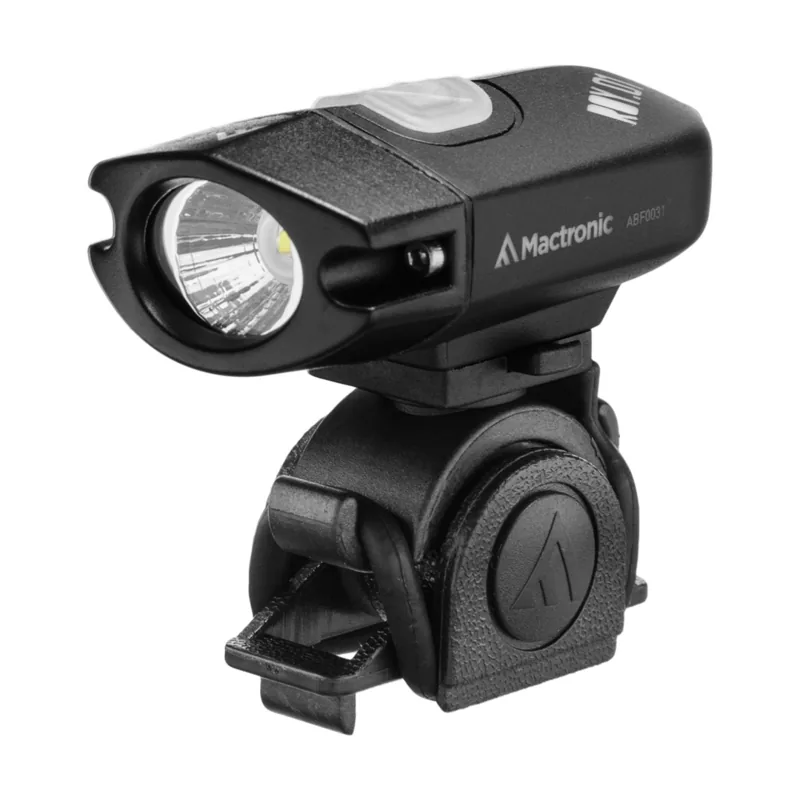
The MacTronic Roy 01 Headlight stands out as a versatile and compact lighting solution designed for cyclists, hikers, and outdoor enthusiasts who demand reliability in various conditions. Powered by a high-performance Cree XP-G LED, this device delivers up to 300 lumens of brightness, ensuring you can navigate dark trails or busy roads with confidence. Its lightweight design, weighing only 59 grams, makes it comfortable for extended wear without causing neck strain.

One of the standout features is its intelligent operation modes. Users can toggle between Low mode for long-duration visibility lasting up to 16 hours, High mode for maximum illumination over 2 hours, and a unique Light Sensing mode that automatically adjusts brightness based on ambient light levels. For emergency situations, a dedicated Strobe mode provides a powerful 60-lumen signal. The headlight also includes a Last Setting Memory function, which recalls your previous usage mode, saving time when turning the light back on.

Installation is straightforward thanks to the included 360-degree rotating O-ring bracket. This allows for flexible mounting on bicycle handlebars or helmets. The helmet mount kit includes straps and an adapter for secure attachment. Safety is paramount, so the unit ships in a locked mode to prevent accidental activation during transport. Unlocking is simple via a button sequence or by connecting the charger.

Power management is handled by a built-in 1000 mAh Li-ion battery. Charging takes approximately five hours via a standard USB connection, indicated by a color-changing LED on the button - red for charging and green when fully powered. The device boasts an IP65 waterproof rating, protecting it from rain and splashes, and offers shock resistance up to one meter. Backed by a robust five-year warranty against manufacturing defects, the MacTronic Roy 01 Headlight Manual ensures users have access to support for years to come.

Important Notes

  • Always unlock the device before first use to ensure proper functionality.
  • Do not leave the battery uncharged for more than three months to maintain health.
  • Avoid exposing the device to extreme heat or direct fire.
  • The 5V USB wall adapter is not included in the package.
M: QW-35-FL

© Copyright 2026 Manual.ly
