
Mackie XR624 Manual
PDF manual · 16 Pages
English



Quick check
Incorrect answer, please try again.
Chat with your Mackie XR624 manual using AI
Get instant AI answers from your Mackie XR624 manual
Ask anything about the Mackie XR624. Answers come from this manual, with the pages they are based on.
Ask a Question
Do you recommend XR624?
Yes NoFrequently Asked Questions
It is designed for accurate, honest monitoring rather than boosted playback. The XR624 aims for balanced mids, clear highs, and controlled low end so mixes translate well across different systems.
Is this answer helpful?
Yes. Its room-tuning controls make it especially useful in home and project studios where placement and acoustics are not ideal. It can help compensate for walls, corners, and other common setup issues.
Is this answer helpful?
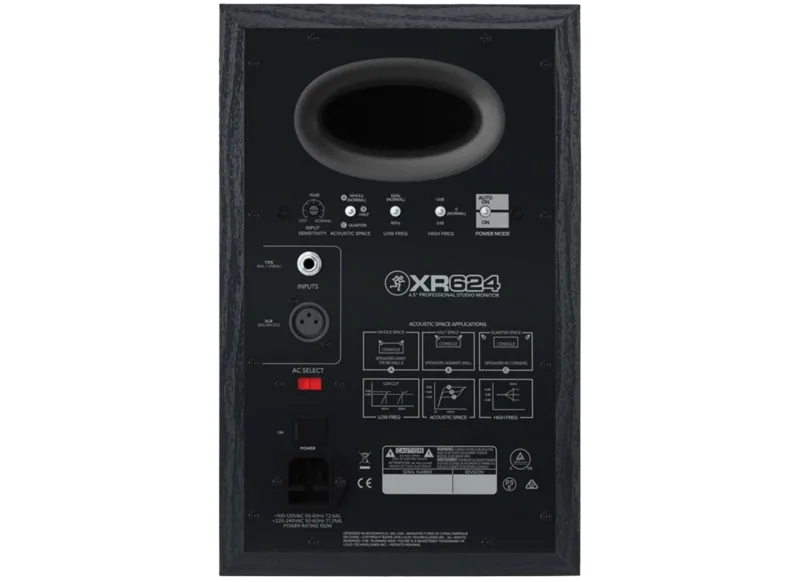
The monitor accepts line-level balanced or unbalanced signals through XLR and 1/4-inch TRS connections. It is not designed for direct speaker-level connections.
Is this answer helpful?
Vertical placement is preferred. If you must place it horizontally, keep the woofers toward the inside. Also leave space behind the cabinet for ventilation and to avoid unwanted bass buildup.
Is this answer helpful?
It adjusts low-frequency response to match speaker placement. Use it to reduce bass buildup when the monitor is near a wall or in a corner, and leave it flat when placed freely in the room.
Is this answer helpful?
A blinking overload light means the monitor is reaching its limit. Occasional blinking is usually acceptable, but frequent blinking means the input level should be lowered to avoid clipping and distortion.
Is this answer helpful?
Advantages and Disadvantages
Advantages

- Balanced monitoring with clear mids, detailed highs, and controlled bass.
- Room compensation switches help tailor the sound to wall, corner, or free-standing placement.
- Kevlar woofer and Class-D amplification support fast, clean, professional playback.
- Auto On/Off and durable build make it easy to use in daily studio work.
Disadvantages

- Bass performance is strongly affected by room placement and acoustic treatment.
- Rear-panel tuning requires some trial and error to get the best result.
- Pushed too hard, the monitor can trigger overload protection and reduce output.
Product Specification
Principle
2-way
Tweeter
1x 1"
Woofer
1x 6.50"
Frequency Range
45Hz-22kHz (-3dB)
Power
60W/100W RMS (HF/LF)
Sensitivity
107dB
Max. SPL
113dB
Dimensions
8.58x13.11x12.60in (WxHxD)
Weight
23.37 lbs
Product Description
Mackie XR624: Honest Monitoring for Serious Studio Work
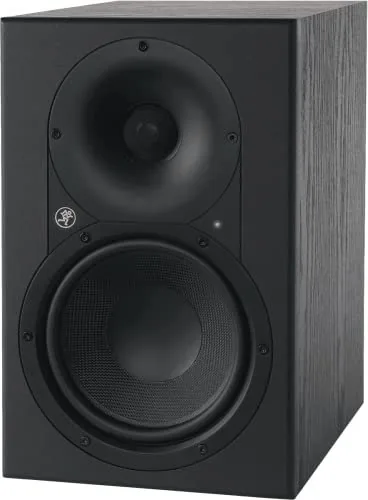
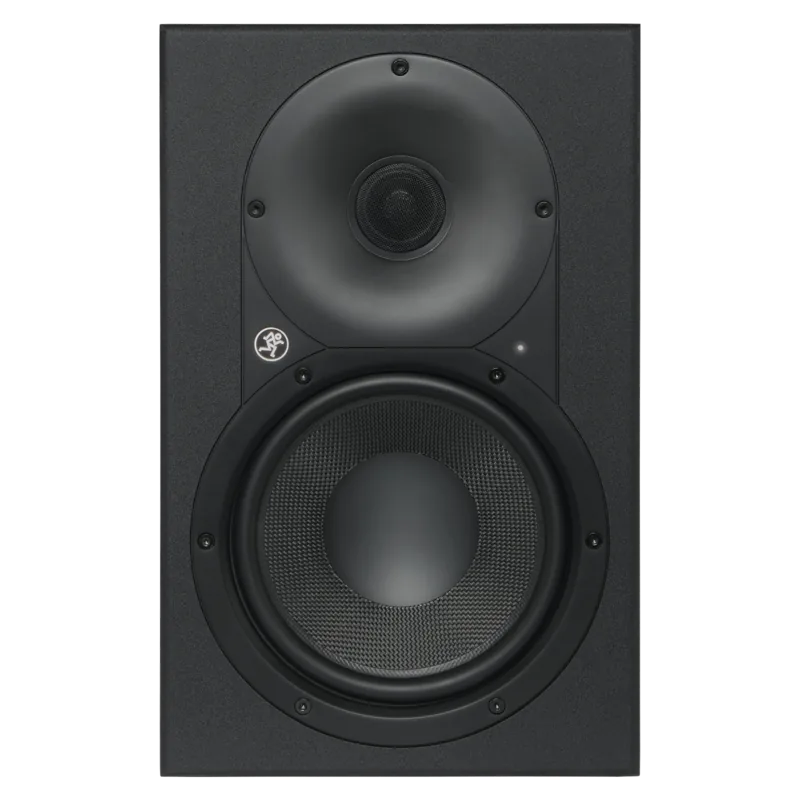
The Mackie XR624 is built for creators who want a compact monitor that tells the truth. Designed as part of the XR series, it combines a 6.5-inch Kevlar woofer, a 1-inch aluminum tweeter, and a carefully tuned waveguide to deliver a balanced picture across the full spectrum. That means tighter low end, clearer mids, and highs that stay detailed without becoming harsh.
What makes the XR624 especially appealing is how well it adapts to real rooms. Not every studio is treated perfectly, and that is where the rear-panel controls become useful. You can shape the bass with Acoustic Space settings, trim or add high-end presence, and even simulate a smaller speaker with the low-frequency filter. For mixing in a home setup, project room, or edit suite, those tools help the monitor stay more consistent and reliable.
Power and clarity go hand in hand here. The XR624 uses 160 watts of bi-amplified Class-D power, which gives it enough headroom for modern production without sacrificing control. Its custom bass reflex port is designed to reduce turbulence and extend low-frequency response, while internal bracing helps keep resonance down. The result is a monitor that feels compact on the outside but detailed and confident when you start working.
Practical touches also matter. Auto On/Off makes daily use easier, the rear-panel layout is straightforward, and the classic wood-grain finish gives it a more refined studio look. Whether you are tracking vocals, shaping beats, editing dialogue, or checking a final mix, the XR624 is designed to reveal problems early so you can make better decisions faster.
Why it stands out
- Accurate voicing helps mixes translate better to other systems.
- Room controls make it easier to work in less-than-perfect spaces.
- Kevlar woofer design supports quick bass response and cleaner transients.
- Auto power management adds convenience for long studio sessions.
Notes
- Best results come from proper placement and a little room tuning.
- Keep the monitors ventilated and avoid blocking the rear panel.
- Use line-level inputs only, and match the source level carefully.
- Small adjustments can make a big difference in what you hear.
Search for 67,706 Manuals online


Type-in Brand or Model