
Mackie FreePlay Home Manual
PDF manual · 13 Pages
English



Quick check
Incorrect answer, please try again.
Chat with your Mackie FreePlay Home manual using AI
Get instant AI answers from your Mackie FreePlay Home manual
Ask anything about the Mackie FreePlay Home. Answers come from this manual, with the pages they are based on.
Ask a Question
Do you recommend FreePlay Home?
Yes NoFrequently Asked Questions
It focuses on fuller, more powerful sound than many compact speakers, with tuned drivers and dual passive radiators for better bass and clarity. It is also built for flexible use at home and on the move.
Is this answer helpful?
Turn the speaker on, enter Bluetooth pairing mode using the Bluetooth button, and select the FreePlay speaker from your device’s Bluetooth list. Once connected, the Bluetooth LED stays solid white.
Is this answer helpful?
No. If an aux cable is connected, it takes priority over Bluetooth. The wired source will interrupt Bluetooth playback until the cable is removed.
Is this answer helpful?
Battery life can reach up to about 15 hours, but actual runtime varies based on volume level and the type of audio being played. Louder playback and bass-heavy content will reduce runtime.
Is this answer helpful?
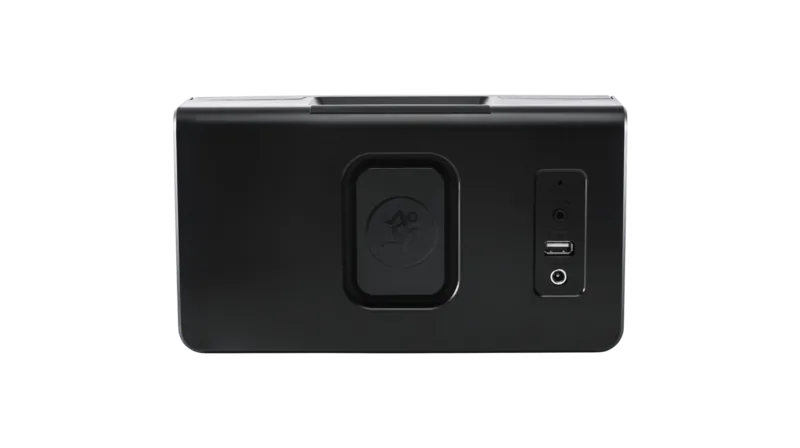
Yes. The USB-A port can be used to charge a smartphone or tablet, making the speaker useful as a small power bank during listening sessions or travel.
Is this answer helpful?
Yes. You can link a second FreePlay speaker for stereo playback in one location or for zone mode across different areas. The FreePlay Connect app helps manage the setup.
Is this answer helpful?
Try reconnecting manually, since Bluetooth can be affected by electrostatic discharge. If needed, reset the speaker and re-pair it in your device’s Bluetooth settings.
Is this answer helpful?
Advantages and Disadvantages
Advantages

- Portable design with room-filling sound and a clean, modern look.
- Bluetooth streaming plus 1/8" aux input gives flexible playback options.
- Rechargeable battery supports long listening sessions and can charge a mobile device.
- Speaker linking and app control add stereo and multi-room convenience.
Disadvantages

- Bluetooth and aux input cannot play simultaneously.
- Battery runtime depends heavily on volume and music content.
- Not intended for wet environments or exposure to splashing.
- Requires the included power supply and careful setup for best results.
Product Specification
Power
30W RMS, 60W Peak
Display
No
Frequency Range
75Hz-20kHz (-3dB)
Connections
AUX In (0.14in Jack)
Wireless
Bluetooth 4.2
Power Supply
Li-Ion Battery (2600mAh), Mains Operation
Playback Time
15h
Special Features
Stereo Pairing, Charging Function (USB)
Color
Black
Dimensions
9.49x5.24x4.02in (WxHxD)
Weight
3.97lb
Product Description
Mackie FreePlay HOME: Big Sound in a Compact, Travel-Friendly Design
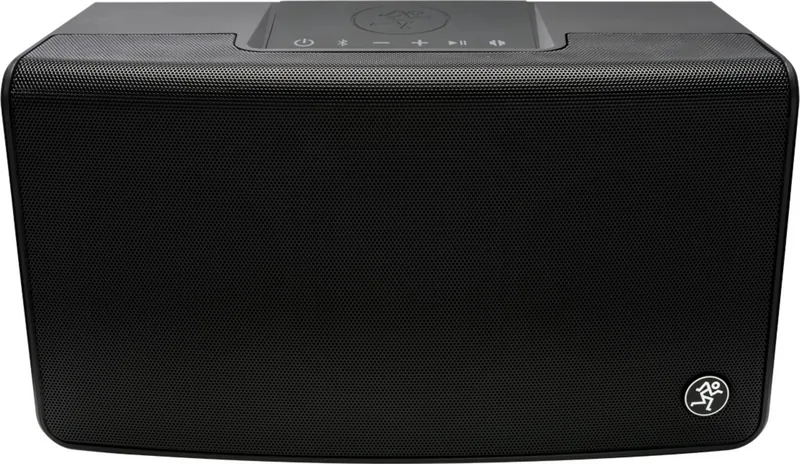
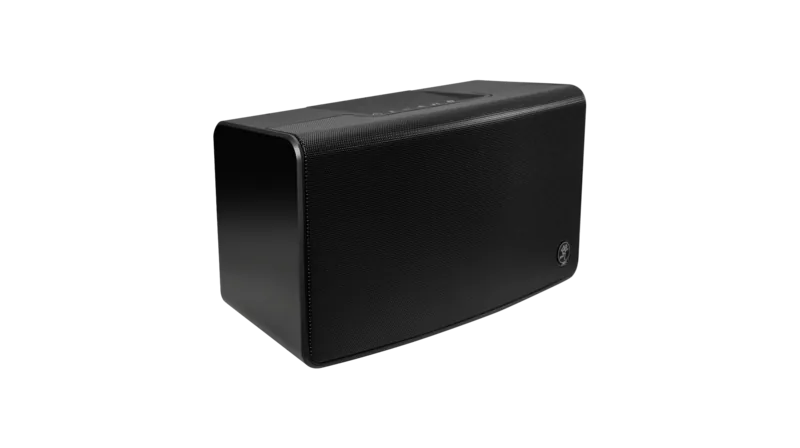
The Mackie FreePlay HOME is built for listeners who want more than a simple wireless speaker. It combines portable convenience with a tuned, room-filling sound profile that feels closer to a compact home audio system than a casual tabletop speaker. With Bluetooth streaming, a rechargeable lithium-ion battery, and a clean modern look, it fits easily into everyday listening at home, in a studio corner, or on the go.
Why it stands out
One of the strongest parts of the FreePlay HOME is its balance of power and portability. It delivers clear, high-headroom audio with dual passive radiators that help extend bass and add fullness to music playback. Whether you are streaming playlists, podcasts, or background audio for a gathering, the speaker is designed to stay smooth and punchy without feeling oversized.
The wireless experience is simple and flexible. You can pair a smartphone or tablet over Bluetooth, use the 1/8" stereo aux input for a wired source, or connect a second FreePlay speaker for stereo or multi-room listening. The FreePlay Connect app adds another layer of control, making it easier to manage linked speakers and monitor battery status.
Everyday convenience
Another practical highlight is the built-in battery, which can last for many hours depending on volume and content. The USB-A port also lets the speaker double as a power bank for charging a mobile device, which is a handy feature when you are moving between rooms or setting up for a long listening session. The simple top-panel controls keep playback and volume changes within easy reach.
For users looking up the Mackie FreePlay Home Manual, the product is especially appealing because it is designed to be straightforward from setup to daily use. Plug it in, pair it, and start playing. The speaker’s understated matte finish and metal grille also help it blend into modern interiors without drawing too much attention away from the music.
Notes
- Bluetooth and aux input cannot be used at the same time.
- Battery life varies with volume and audio content.
- For best results, use the supplied power adapter and follow safety guidance.
- Linking two FreePlay speakers can create a wider stereo image or a zone-style setup.
Search for 67,706 Manuals online


Type-in Brand or Model