
Mackie EM-91C Manual
PDF manual · 12 Pages
English



Quick check
Incorrect answer, please try again.
Chat with your Mackie EM-91C manual using AI
Get instant AI answers from your Mackie EM-91C manual
Ask anything about the Mackie EM-91C. Answers come from this manual, with the pages they are based on.
Ask a Question
Do you recommend EM-91C?
Yes NoFrequently Asked Questions
No, the Mackie EM-91C is designed for true plug-and-play functionality. It works immediately upon connection to a USB port on Windows or Mac computers without needing any additional driver installations.
Is this answer helpful?
The package includes Pro Tools | First and Waveform OEM software. These DAWs come with extensive plugin collections, such as EQs, compressors, and reverbs, allowing you to start producing professional audio right away.
Is this answer helpful?
Yes, the microphone features a dedicated 3.5mm headphone output jack. This allows you to listen to your recordings in real-time to check levels and catch mistakes instantly during your sessions.
Is this answer helpful?
Absolutely. An onboard mute switch is located on the front panel. Pressing it silences the microphone signal immediately, indicated by a red LED light, which is perfect for pausing streams or conversations quickly.
Is this answer helpful?
The microphone supports Windows XP through Windows 10 and macOS versions 10.11 and higher. As long as your system has a functional USB port, the device will be recognized automatically.
Is this answer helpful?
To maintain the microphone, gently wipe the exterior with a soft, dry cloth. Avoid using liquids or harsh chemicals. Never attempt to disassemble the unit, and store it in its case when not in use to protect it from dust.
Is this answer helpful?
Advantages and Disadvantages
Advantages

- True plug-and-play operation with no driver installation required
- Includes professional DAW software and plugin bundles for immediate production
- Built-in mute switch and headphone jack for convenient real-time monitoring
- Rugged Built-Like-a-Tank construction ensures long-term reliability
- Cardioid polar pattern effectively isolates voice from background noise
Disadvantages

- No built-in gain control knob on the microphone body itself
- Requires a direct USB connection rather than working through hubs
- Headphone volume must be managed carefully to avoid sudden loud spikes
Product Specification
Type
Instrument microphone, vocal microphone
Transducer principle
Condenser
Polar pattern
Cardioid
Signal-to-noise ratio (SNR)
78 dB
Weight
0.46 lb
Product Description
Elevate Your Audio with the Mackie EM-91C
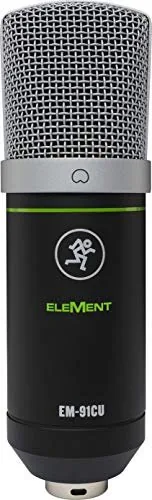
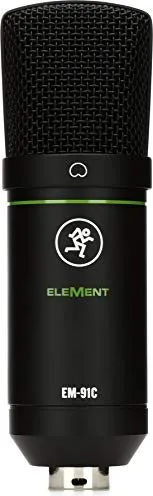
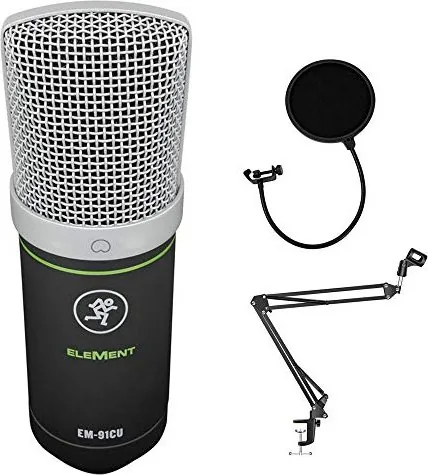
The Mackie EM-91C, part of the renowned EleMent series, represents a significant leap forward in USB condenser microphone technology. Designed for content creators, streamers, and home studio enthusiasts, this microphone combines professional-grade sound quality with rugged durability. The EM-91C takes the acclaimed audio performance of its predecessor and enhances it with practical features that streamline the recording workflow.
One of the standout capabilities of the EM-91C is its plug-and-play simplicity. Users can connect directly to their computer via a standard USB port without needing to install any drivers or complex software configurations. This immediate connectivity allows you to start recording high-quality audio in seconds. The microphone features an onboard mute switch and a dedicated headphone output jack, enabling real-time monitoring so you can catch errors instantly and adjust your performance on the fly.
Sound fidelity is at the core of the EM-91C's design. Equipped with a 14mm electret condenser capsule, it delivers a frequency response ranging from 30 Hz to 18 kHz. The cardioid polar pattern effectively rejects peripheral noise, ensuring that your voice remains the focal point while minimizing background distractions. Whether you are broadcasting live, conducting online meetings, or tracking vocals, the crystal-clear audio captures every nuance with precision.
For those looking to dive into production immediately, the Mackie EM-91C includes Pro Tools | First and Waveform OEM software packages. These industry-standard digital audio workstations come loaded with powerful plugins, including equalizers, compressors, and reverbs, giving you a complete toolkit to shape your sound right out of the box. The hardware itself is built like a tank, featuring low-noise circuitry and studio-grade components that promise years of reliable service.
Important Notes
- Always lower volume before connecting headphones to prevent hearing damage.
- Do not use USB hubs; connect directly to the computer for optimal power and data transfer.
- Keep the microphone clean with a dry cloth and store it in its case when not in use.
Pros and Cons
Pros
- True plug-and-play operation with no driver installation required.
- Includes professional DAW software and plugin bundles for immediate production.
- Built-in mute switch and headphone jack for convenient real-time monitoring.
- Rugged "Built-Like-a-Tank" construction ensures long-term reliability.
- Cardioid polar pattern effectively isolates voice from background noise.
Cons
- No built-in gain control knob on the microphone body itself.
- Requires a direct USB connection rather than working through hubs.
- Headphone volume must be managed carefully to avoid sudden loud spikes.
Search for 67,706 Manuals online


Type-in Brand or Model