
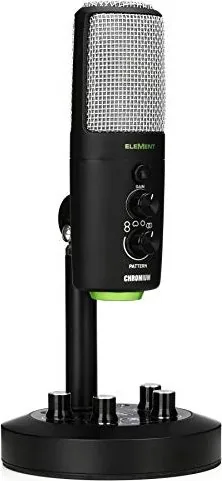
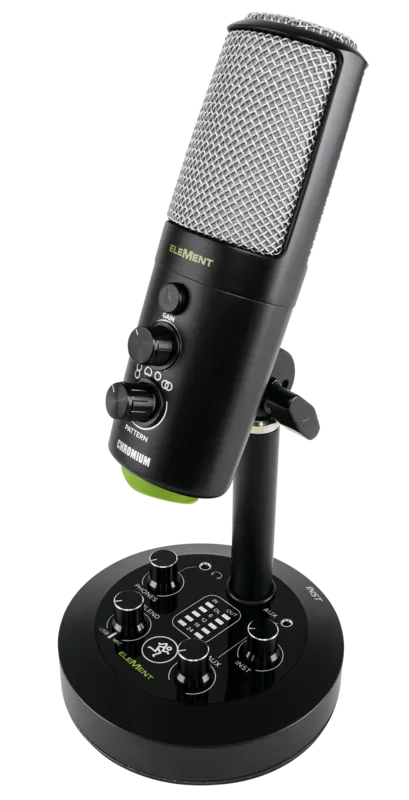
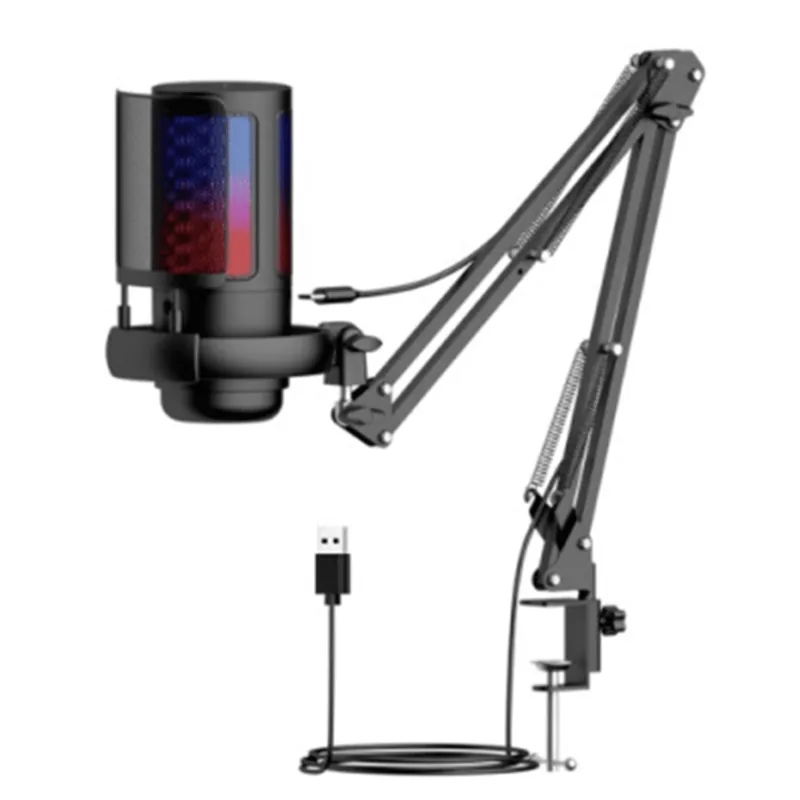
Mackie EleMent Chromium Manual
PDF manual · 20 Pages
English



Quick check
Incorrect answer, please try again.
Chat with your Mackie EleMent Chromium manual using AI
Get instant AI answers from your Mackie EleMent Chromium manual
Ask anything about the Mackie EleMent Chromium. Answers come from this manual, with the pages they are based on.
EleMent Chromium Maintenance Schedule
Keep the microphone clean by washing the outside with a dry cloth. Do not use water or damp cloths.
Keep the microphone in its case when not in use to protect it from dust and damage.
Ask a Question
Do you recommend EleMent Chromium?
Yes NoFrequently Asked Questions
No, the Chromium is class-compliant and works via plug-and-play on both Windows and Mac operating systems without needing any additional drivers.
Is this answer helpful?
Yes, the Chromium features a dedicated Instrument input that allows you to connect a guitar directly and record it alongside your vocals.
Is this answer helpful?
The device offers Stereo, Cardioid, Bi-directional (Figure-8), and Omni-directional patterns to suit different recording environments and source types.
Is this answer helpful?
Use the Blend knob located on the front panel to adjust the mix ratio between the incoming USB signal from your computer and the live microphone signal.
Is this answer helpful?
No, the mute switch only silences the microphone input. You will still hear audio coming from your computer through the headphones even when muted.
Is this answer helpful?
It comes with Pro Tools | First and Waveform™ OEM software, along with plugin collections like the Musician Collection and DAW Essentials bundle.
Is this answer helpful?
Advantages and Disadvantages
Advantages

- Built-in 2-channel mixer with instrument and aux inputs eliminates need for external interface
- Legendary Onyx preamp circuitry delivers crystal clear sound with ultra-low noise
- Four selectable polar patterns (Stereo, Cardioid, Bi-directional, Omni) for versatile recording scenarios
- Plug-and-play USB-C connectivity requires no driver installation
- Includes professional software suite with Pro Tools | First and Waveform OEM plus extensive plugin packs
Disadvantages

- Heavy weight of 3.6 lbs may make portable setups less convenient
- Mute switch does not silence computer audio sent to headphones, which can be confusing initially
- Side-address design requires specific positioning, unlike top-address mics
- Maximum Input SPL of 110 dB may clip on extremely loud sources without careful gain management
- Limited to 16-bit / 48 kHz sample rate which may not suit some high-end studio requirements
Product Specification
Type
Streaming microphone, desktop microphone
Design
digital (16bit/48kHz)
Transducer principle
dynamic
Polar pattern
figure-8, omnidirectional, cardioid, stereo
Connection
USB-C
Frequency range
20Hz-20kHz
Max SPL
110dB
Package contents
desktop stand
Weight
3.53 lbs
Product Description
Mackie Chromium: The Ultimate All-in-One Recording Solution
The Mackie Chromium Premium USB Condenser Microphone stands as a beacon of versatility for modern musicians, content creators, and singer-songwriters. Designed with an all-in-one philosophy, it integrates a high-quality condenser mic directly into a rugged 2-channel mixer stand, eliminating the need for external interfaces or complex setups. This device is engineered to deliver professional-grade audio quality right out of the box, making it perfect for recording music, producing podcasts, live streaming, and creating online content.
At the heart of the Chromium lies the legendary Onyx microphone preamp circuitry, renowned for providing crystal-clear sound with ultra-low noise levels. Users can choose from four selectable polar patterns - Cardioid, Omni-directional, Bi-directional (Figure-8), and Stereo - to optimize the microphone for various scenarios, from intimate vocal recordings to room ambience capture and two-person interviews. The built-in mixer features dedicated controls for gain, mute, and headphone monitoring, alongside professional metering that displays input and output levels at a glance.
Connectivity is seamless thanks to the onboard USB-C interface, which allows for direct plug-and-play connection to computers running Windows or Mac OS without requiring any additional drivers. The unit includes an Instrument input for connecting guitars directly and a stereo 1/8-inch Aux input for backing tracks or smartphone playback. A unique Blend knob enables zero-latency mixing between the computer's USB signal and the microphone's live input, allowing users to monitor their performance in real-time. The package also comes with Pro Tools | First and Waveform™ OEM software, giving users immediate access to professional recording tools and a vast library of plugins.
Key Features Summary
- Legendary Sound: Onyx preamp circuitry ensures pristine audio quality.
- Versatile Patterns: Four polar options adapt to any recording environment.
- Integrated Mixer: Built-in 2-channel mixer simplifies workflow.
- Direct Connectivity: USB-C class-compliant design requires no drivers.
- Professional Software: Includes industry-standard DAWs and plugins.
Important Notes
- Always ensure the headphone volume is turned down before connecting headphones to prevent hearing damage.
- The mute switch only silences the microphone input; computer audio will still play through the headphones.
- For best results, speak or sing into the side of the microphone rather than the top.
- Use a direct USB port on your computer rather than a hub for optimal performance.
Search for 67,706 Manuals online


Type-in Brand or Model