
Mackie CR5-XBT Manual
PDF manual · 17 Pages
English



Quick check
Incorrect answer, please try again.
Chat with your Mackie CR5-XBT manual using AI
Get instant AI answers from your Mackie CR5-XBT manual
Ask anything about the Mackie CR5-XBT. Answers come from this manual, with the pages they are based on.
Ask a Question
Do you recommend CR5-XBT?
Yes NoFrequently Asked Questions
Press the Running Man logo button on the front panel once. The ring will flash green for about 30 seconds. On your phone, select 'CR-XBT' from the available Bluetooth devices list. Once connected, the light will turn solid white.
Is this answer helpful?
Yes, simply connect your computer to the rear panel using the included 1/8-inch to RCA cable or a 1/4-inch TRS cable for better noise rejection. Adjust the volume using the front knob.
Is this answer helpful?
OSHA recommends limiting exposure to 90 dBA for 8 hours. For levels above 100 dBA, exposure should be limited to 15 minutes. Use hearing protection if you plan to listen at high volumes for extended periods.
Is this answer helpful?
Yes, plugging headphones into the 1/8-inch front jack automatically cuts off the signal to the main speakers, allowing for private listening without affecting the system settings.
Is this answer helpful?
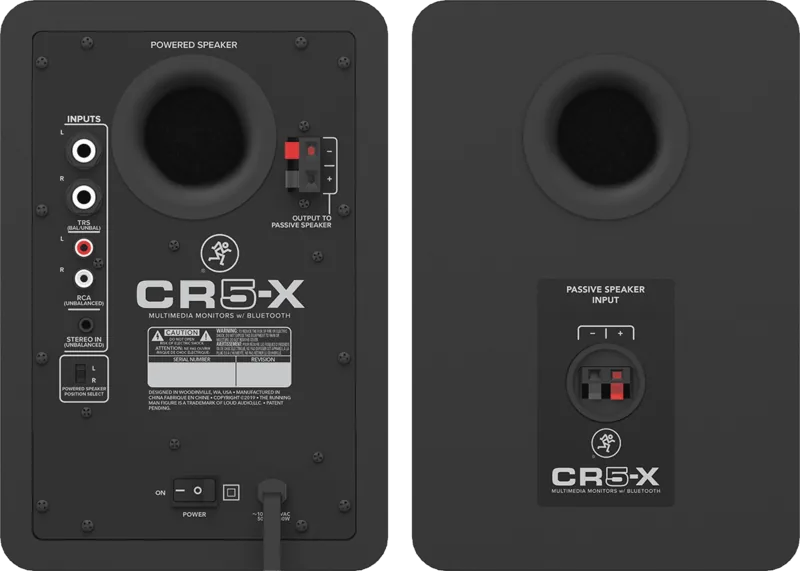
Absolutely. Use the Powered Speaker Position Select switch on the rear panel to set it to 'L' for left or 'R' for right, allowing the master controls to be on whichever side you prefer.
Is this answer helpful?
No, the CR5-X BT monitors are not water-resistant. Keep them away from liquids, rain, and high humidity to prevent damage and ensure safety.
Is this answer helpful?
LOUD Audio provides a limited warranty covering defects in materials and workmanship for the original purchaser. Check www.mackie.com for specific duration details based on your region.
Is this answer helpful?
Advantages and Disadvantages
Advantages

- Studio-quality sound with extended low-frequency response from custom-tuned rear ports
- Versatile connectivity including Bluetooth, 1/4-inch, RCA, and 1/8-inch inputs
- Powered speaker position switch allows flexible left or right desk placement
- Sleek brushed metal design fits well in modern home studios and workspaces
- Included accessories like acoustic isolation pads enhance sound clarity
Disadvantages

- No dedicated subwoofer output on the CR5-XBT model itself
- Bluetooth connection may occasionally drop due to electrostatic discharge
- Headphone amplifier can be very loud and requires careful volume management
- Rear-mounted power switch may be less accessible depending on desk layout
- Unbalanced RCA inputs may introduce more noise over long cable runs compared to balanced TRS
Product Specification
Principle
2-way
Tweeter
1x 0.75"/19.1mm
Woofer
1x 5"/127mm
Frequency range
69Hz-20kHz (-3dB)
Power
80W Peak
Max SPL
105dB
Features
Bluetooth 4.2
Dimensions
6.9x10.2x9.3in (WxHxD)
Weight
15.0lbs
Product Description
Elevate Your Audio Experience with Mackie CR5-X BT
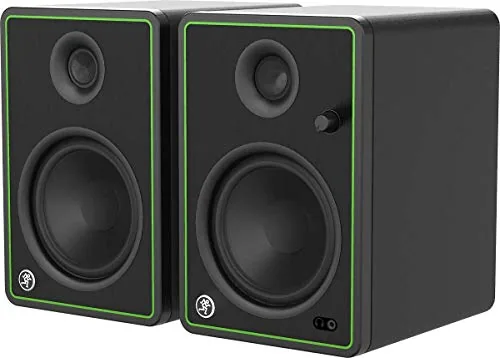
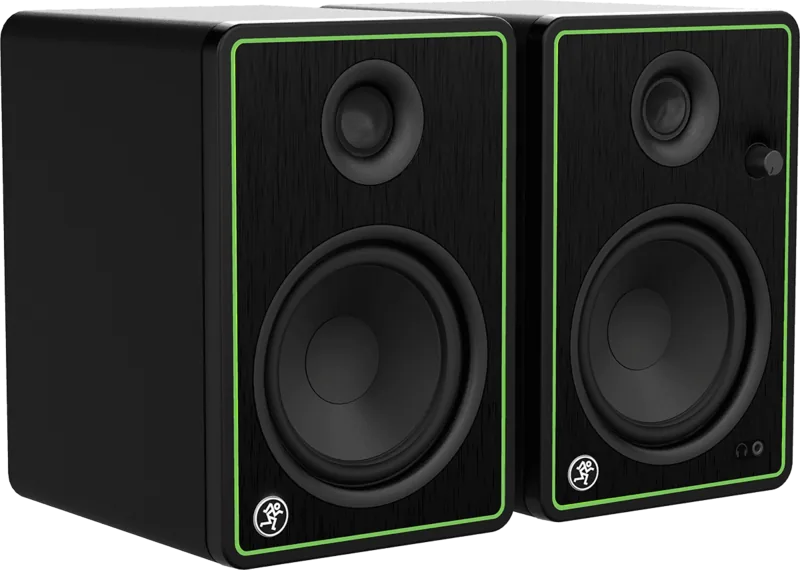
The Mackie CR5-X BT Pair brings professional studio-quality sound to your desktop, home studio, or gaming setup. Designed for content creators and music enthusiasts, these multimedia monitors deliver crisp highs and deep bass thanks to their custom-tuned rear ports and 5-inch polypropylene woofers. The sleek brushed metal front panel adds a modern aesthetic that complements any workspace.
Seamless Connectivity and Control
One of the standout features is the built-in Bluetooth streaming capability. You can wirelessly connect smartphones, tablets, or laptops to stream your favorite tunes directly to the speakers. The pair also includes versatile input options such as 1/4-inch TRS balanced inputs, RCA unbalanced inputs, and a dedicated 1/8-inch stereo input for mobile devices. A convenient front-panel volume knob controls power and level, while an auto-defeating headphone jack allows for private listening without disturbing others.
Flexible Setup for Every User
The CR5-X BT offers unique flexibility with its Powered Speaker Position Select switch. This feature lets you choose whether the powered speaker (the one with the controls) sits on the left or right side of your desk, ensuring cables don't cross your workspace. Whether you are mixing tracks, playing games, or enjoying music, the acoustic isolation pads included in the box help minimize unwanted bass buildup and improve sound focus.
Important Notes
- Always turn the volume down before powering on to prevent loud surges.
- Use high-quality shielded cables to avoid hum and interference.
- Ensure proper ventilation by keeping at least 5 cm around the unit.
- Do not expose the monitors to moisture or extreme temperatures.
Search for 67,706 Manuals online


Type-in Brand or Model