

Free Lutec Manuals – Read, Download & Print
7 Manuals
Manuals
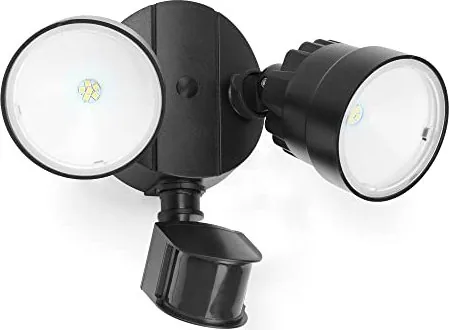
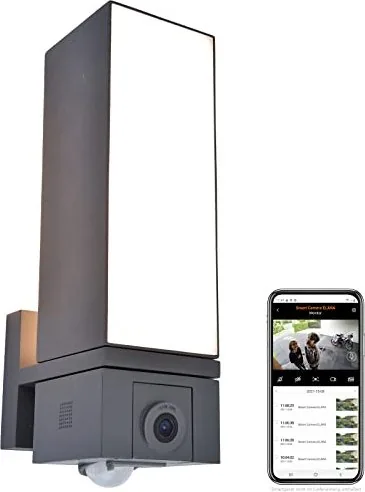
Categories


Free Lutec Manuals - Read, Download & Print
Find the Right Lutec Manual for Your Product
Looking for a Lutec manual? Product documentation can make installation, setup, maintenance, and troubleshooting much easier. Whether you need instructions for an outdoor wall light, security floodlight, solar lamp, garden fixture, motion-sensor light, or another Lutec product, having the correct manual helps you understand the equipment before you begin.
Lutec manuals usually provide practical details that are important for safe and reliable use. They may include model identification, package contents, mounting diagrams, wiring guidance, sensor settings, operating instructions, technical specifications, maintenance advice, and warranty information. Reading the manual first can reduce installation mistakes and help ensure that the light performs as intended.
This page is designed to help users locate, read, download, and print Lutec manuals for reference. Always match the document to the exact model number shown on the product label, packaging, receipt, or original paperwork. Similar-looking fixtures can have different electrical ratings, mounting hardware, control functions, or configuration steps.
Why a Lutec Manual Is Useful
A manual is more than a basic instruction sheet. It is a product-specific guide that explains the intended use of the fixture and the steps required to install it correctly. Outdoor lighting often involves electrical connections, wall or ceiling mounting, weather exposure, and adjustable settings. Following the appropriate instructions is especially important for these products.
A Lutec manual can help answer common questions such as:
- What tools and hardware are needed for installation?
- Is the fixture designed for indoor, outdoor, wall, ceiling, or ground use?
- What electrical supply and safety requirements apply?
- How should the mounting bracket and wire connections be installed?
- How do motion, daylight, timer, or brightness controls work?
- How can a solar light be positioned for better charging?
- What maintenance is recommended for lenses, sensors, and housings?
- What should be checked if the light does not turn on or behaves unexpectedly?
Using the product documentation is often faster and safer than relying on generic installation advice. The manual is written for the specific design, features, and limitations of the unit.
How to Identify Your Lutec Model Number
Before searching for a manual, locate the product model number. This is the best way to avoid downloading instructions for a different fixture. The model number may be printed on a rating label attached to the back, side, underside, base, or mounting area of the product. It may also appear on the original box, invoice, retailer listing, or warranty card.
Places to Check
Look carefully at the following locations:
- The label on the light housing or mounting plate
- The rear of a solar panel or battery compartment
- The original packaging and barcode label
- The installation leaflet supplied with the fixture
- Your order confirmation or retailer account
- A label inside the wall-mount base or cover
Record the complete number, including letters, dashes, and version markings. If the product has a separate sensor, remote control, solar panel, or power supply, check whether those parts have their own identification numbers as well.
Match Features as Well as Numbers
If you cannot find a model number, compare the fixture's visible features with available documentation. Note the shape, finish, number of light heads, sensor location, solar panel position, switch layout, mounting style, and type of lamp. This can help narrow the search, but the exact model number remains the most reliable way to select a manual.
Read Lutec Manuals Before Installation
Reading the installation section before opening the mounting hardware can save time. Many lighting products require a suitable mounting surface, correct cable routing, proper grounding where applicable, and a compatible electrical supply. The manual may also specify the order in which parts should be assembled.
For mains-powered fixtures, turn off power at the relevant circuit breaker before handling any wiring. Verify that the supply is off using appropriate testing equipment. If you are unsure about electrical work, local building requirements, or weatherproof cable connections, use a qualified electrician. A manual provides product guidance, but it does not replace professional judgment or local electrical regulations.
Important Safety Information
Lutec lighting manuals may include warnings about electrical shock, fire risk, moisture protection, hot surfaces, and unsuitable installation locations. Pay close attention to the stated voltage, frequency, ingress protection rating, ambient temperature limits, and intended use. Do not modify the fixture, bypass protective components, or use replacement parts that are not approved for the product.
For outdoor installations, make sure seals, gaskets, cable entries, and mounting points are correctly positioned. Water entering a light fixture can cause damage, corrosion, electrical faults, and reduced service life. Use the mounting orientation described in the manual and keep drainage openings clear.
Download and Print a Manual for Easy Reference
Digital manuals are convenient because they can be searched, stored, and viewed on a phone, tablet, or computer. A downloaded copy is useful when you need quick access to wiring diagrams, settings tables, replacement information, or troubleshooting steps.
When saving a manual, use a clear file name that includes the brand and model number. For example, a file name such as "Lutec-model-number-installation-manual.pdf" is easier to find later than a generic download name. Keep a copy with other home documents, especially if the fixture is part of a larger exterior lighting system.
Printing the manual can also be helpful during installation. A paper copy lets you review diagrams and safety notes without bringing an electronic device near tools, ladders, dust, or wet outdoor areas. Print only the pages you need if you want a compact work copy, such as the installation diagram, wiring instructions, settings page, and troubleshooting section.
Understanding Common Lutec Light Features
Lutec products may include a variety of lighting controls and design features. The exact functions depend on the model, so always refer to the applicable manual.
Motion Sensors
Motion-sensor lights can improve convenience and security around entrances, driveways, patios, garages, and pathways. Manuals often explain how to adjust detection range, sensitivity, activation duration, and daylight threshold. Sensor performance can be affected by mounting height, nearby heat sources, moving trees, traffic, reflective surfaces, and the direction of travel.
Aim the sensor according to the instructions and test it after installation. Small adjustments can make a major difference in how reliably the light detects movement.
Solar Lighting
Solar lights use a panel to charge an internal battery during daylight hours. For best results, place the solar panel where it receives direct sunlight for a substantial part of the day. Shade from trees, roofs, fences, or nearby buildings can reduce charging performance. Keep the panel clean and remove leaves, dust, snow, or debris that may block sunlight.
A solar manual may also explain initial charging requirements, operating modes, battery replacement guidance, and seasonal performance expectations. Shorter winter days and cloudy weather can naturally reduce run time.
Dusk-to-Dawn and Timer Settings
Some fixtures use a photocell or timer to switch on automatically in low light. The manual may describe different modes, including continuous illumination, dim-to-bright operation, scheduled shutoff, or sensor-triggered lighting. Avoid installing photocell-equipped lights where another lamp shines directly onto the sensor, as this can cause unwanted cycling or prevent activation.
Troubleshooting Common Lighting Problems
If a Lutec light is not operating correctly, consult the troubleshooting section of the relevant manual before assuming the fixture is defective. Many problems have simple causes.
Check whether power is available at the circuit, the switch is on, and the breaker has not tripped. For sensor lights, verify that the unit is not in daylight mode or pointed toward a bright source. For solar models, confirm that the battery has had enough time to charge and that the solar panel is clean and unobstructed.
Also inspect visible connections, mounting hardware, seals, and switches for signs of damage or incorrect assembly. Do not open sealed electrical sections or attempt repairs that are not covered by the instructions. Contact the retailer, manufacturer, or a qualified technician when a fault involves damaged wiring, water intrusion, overheating, unusual odors, repeated breaker trips, or physical damage.
Keep Your Manual With Your Product Records
A Lutec manual is useful throughout the life of the fixture, not just on installation day. Keep it available for seasonal checks, setting changes, cleaning, battery service, property maintenance, or future replacement planning. If you sell or rent a property, leaving relevant lighting documentation for the next owner or occupant can also be helpful.
For the best results, use official or trusted documentation that matches your exact product model. Read the safety information carefully, follow local regulations, and seek professional assistance whenever installation conditions or electrical requirements are uncertain. With the correct Lutec manual on hand, you can approach setup, operation, and maintenance with greater confidence.
Search for 67,732 Manuals online


Type-in Brand or Model