
Lorgar Steller Manual
PDF manual · 28 Pages
English



Quick check
Incorrect answer, please try again.
Chat with your Lorgar Steller manual using AI
Get instant AI answers from your Lorgar Steller manual
Ask anything about the Lorgar Steller. Answers come from this manual, with the pages they are based on.
Ask a Question
Do you recommend Steller?
Yes NoFrequently Asked Questions
Connect the micro-USB cable from the control box to a USB port on a desktop computer or notebook. Ensure the connection is secure and matches power parameters. Check that the light functions upon connection.
Is this answer helpful?
The warranty period is two years from the date of retail sale to the end buyer upon proof of payment. Contact the point of purchase for service. Local laws may vary the duration.
Is this answer helpful?
Yes, it is designed for any sensor and any mouse resolution. This ensures compatibility with various mice. Check your specific sensor settings for best results.
Is this answer helpful?
Use a soft lint-free cloth lightly dampened with water. For heavy soiling use a mild soap solution. Wipe and let dry naturally without using it until dry.
Is this answer helpful?
Model LRG-GMP913 is 360 x 300 x 3 mm weighing 230g. Model LRG-GMP919 is 900 x 360 x 3 mm weighing 640g. Choose based on desk space.
Is this answer helpful?
No software is mandatory for basic operation. Plug and play functions work immediately. Install Lorgar WP for additional lighting customization.
Is this answer helpful?
The braided USB cable is two meters long. This aids in desk management and reduces strain. Ensure the cable is not damaged.
Is this answer helpful?
Advantages and Disadvantages
Advantages

- Features five distinct RGB lighting modes for customization
- Natural rubber base ensures stability without slipping
- Braided USB cable prevents fraying over time
- Speed surface optimized for fast lateral movements
- Waterproof coating protects against accidental spills
Disadvantages

- External control box may get in the way
- No wireless connectivity option available
- Standard two-year warranty limits long-term coverage
- Only two size options limit desk fitment
- App required for advanced lighting customization
Product Specification
Height
0.12 inches
Material
Fabric, Elastomer
Shape
Rectangular
Design
Solid color (black)
Construction
Two-layered
Features
Illuminated (RGB)
Product Description
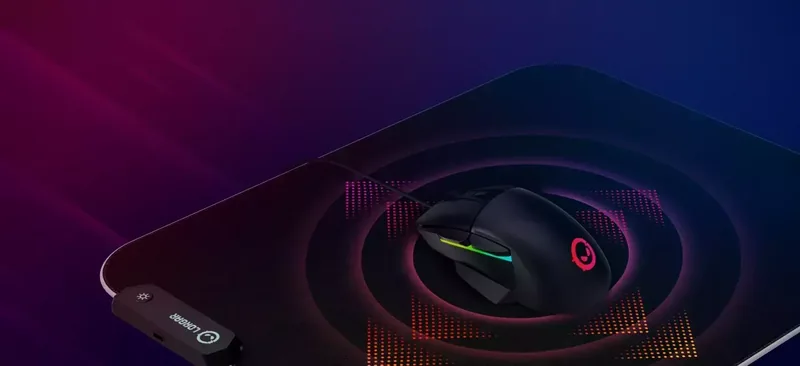
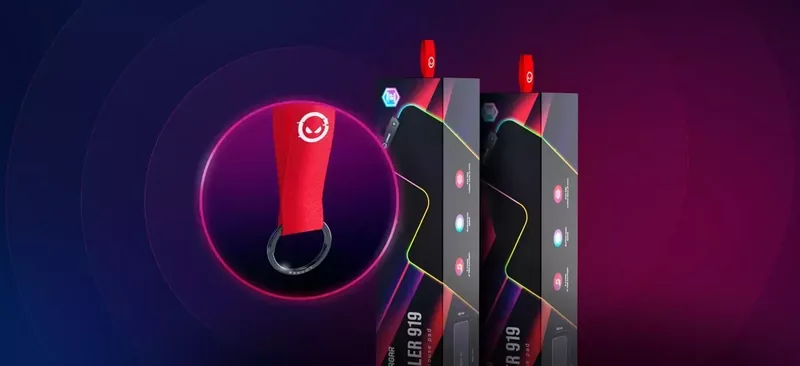
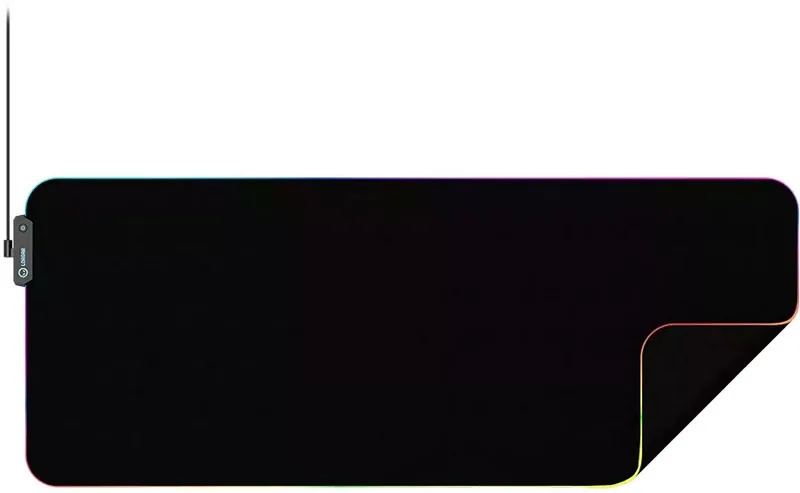
Welcome to our latest gaming gear review featuring the Lorgar Steller RGB Gaming Mousepad Manual. This peripheral is designed for serious gamers who seek precision and style. The mouse surface offers a dedicated speed finish ideal for quick movements. It features a natural rubber base ensuring stability without slipping. The RGB backlighting provides five distinct modes for customization. Users manage lighting via a button on the external control box. The braided USB cable ensures durability during intense sessions. Two sizes are available including a compact model plus a large extended option. Waterproof coating protects electronics against spills. Power consumption is low at one watt ensuring efficiency. The control box must remain safe from heat. Cleaning requires a soft damp cloth without harsh chemicals. The warranty covers two years from purchase for peace of mind. Advanced software allows further lighting customization if basic hardware controls are insufficient. Troubleshooting steps involve checking physical connections first if lights fail. If issues persist contact customer support for assistance via email or chat. This device works seamlessly with all sensor types regardless of resolution. The design fits standard mouse resolutions perfectly. It connects via micro-USB for reliability. Power input specifications are five volts direct current. Storage temperatures range widely. This mousepad suits home and office setups due to its robust build. Many users appreciate the durable quality compared to cheaper alternatives. The included quick guide explains operation steps clearly. Setup is straightforward without drivers for basic function. Advanced lighting requires the application from the official website. Overall it is a solid choice for competitive players. Ensure proper ventilation for the controller module to prevent overheating. The cable length aids desk management effectively. It prevents skin friction fatigue with smooth gliding. Safety guidelines prevent electrical hazards during installation. Always unplug before cleaning the electronics. Enjoy enhanced gameplay with this reliable gear. The external unit houses the USB connection point securely. It allows easy access for plugging into your computer. The cable braiding protects against fraying. This maintains signal integrity throughout sessions. Surface texture is optimized for fast lateral movements. It reduces friction significantly aiding in precise aiming. Rubber backing grips tightly to prevent shifting. Temperature limits ensure stability in various climates. Packaging includes pad cable and quick start guide. No software is mandatory for lights initially. Driver installation unlocks more effects for enthusiasts. Cleaning should avoid solvents that degrade coating. Natural drying prevents water damage. The manufacturer advises against disassembling the control unit. Repair attempts void warranty terms immediately. If the light fails check the port first. Match power supply to required voltage levels. Customer service offers online chat support for quick resolution. They accept feedback through specific forms on their portal. The website hosts full warranty terms for reading. Local laws affect service duration in regions. Manufacturer data is located in Cyprus. All trademarks belong to their respective owners. The product is available in black color only. Weight varies by size but remains manageable. Installation takes less than ten minutes to complete. No complicated wiring is necessary for setup. Enjoy the enhanced visual appeal of the RGB stream. It adds a modern touch to any gaming station. Reliable performance supports high end gaming experiences. Build quality suggests long term value investment.
Search for 67,706 Manuals online


Type-in Brand or Model