
Lorgar Circulus 910 Manual
PDF manual · 28 Pages
English



Quick check
Incorrect answer, please try again.
Chat with your Lorgar Circulus 910 manual using AI
Get instant AI answers from your Lorgar Circulus 910 manual
Ask anything about the Lorgar Circulus 910. Answers come from this manual, with the pages they are based on.
Ask a Question
Do you recommend Circulus 910?
Yes NoFrequently Asked Questions
The webcam is compatible with devices running Windows XP/7/8/10, Android 5.0+, macOS 10.6+, Linux 2.6.24+, Chrome OS 29.01547+, and Ubuntu 10.04+, and works with computers, laptops, interactive panels and smart TVs that accept USB video input.
Is this answer helpful?
Connect the included USB Type-A/Type-C cable to a compatible host USB port. The camera requires 5 V / 1 A DC (up to 5 W). Do not connect it to mains power; ensure the device USB port can supply adequate power for the ring light.
Is this answer helpful?
The camera has a 5 MP sensor (1/2.8"), 92° diagonal viewing angle, 3x digital zoom and can output up to 60 fps at resolutions up to 1944p. Audio is provided by dual omnidirectional microphones covering 30–8000 Hz.
Is this answer helpful?
Use the light switch button to toggle the ring light and the colour temperature mode button to cycle through available lighting modes. The ring light offers 36 LEDs and a wide colour temperature range (1700–14000 K) with a 180° tilt for positioning.
Is this answer helpful?
Confirm the webcam is selected as the video and audio source in the application and OS settings, check the USB cable and connector, ensure drivers installed on first connection, and update the application to the latest version.
Is this answer helpful?
Poor quality can result from limited internet bandwidth or high resolution settings. Check your connection speed and reduce the webcam resolution within the application if necessary; also ensure the host system resources and app settings are optimized.
Is this answer helpful?
Full user manual, drivers, certificates and warranty terms are available at lorgar.eu/drivers-and-manuals; warranty service instructions and regional specifics can be found at lorgar.eu/warranty-terms.
Is this answer helpful?
Advantages and Disadvantages
Advantages

- Integrated 132 mm ring light with wide colour temperature range (1700–14000 K) for flexible lighting.
- 5 MP camera with 92° diagonal view, 3x digital zoom and up to 60 fps for smooth video.
- Dual omnidirectional microphones capture clear audio across 30–8000 Hz.
- Universal USB Type-A/Type-C connection and wide OS compatibility (Windows, macOS, Linux, Android, Chrome OS).
- Compact design with removable magnetic cover and included tripod for easy mounting.
Disadvantages

- Digital zoom only (no optical zoom), which can reduce image quality when zoomed.
- Ring light power depends on host USB port; may perform poorly on low-power ports.
- Maximum resolution up to 1944p—below some high-end 4K webcams.
- No mains power option; must be powered via device USB port.
- Basic build (ABS plastic) may feel less premium compared to metal-bodied webcams.
Product Specification
Type
Webcam
Image sensor
1x 1/2.8" CMOS (Sony Starvis) 5.0 MP
Resolution
2592x1944 Pixel (30fps), 1920x1080 Pixel (60fps)
Viewing angle
80°
Zoom function
3x digital
Connections
1x USB-C (female)
Wireless
N/A
Focusing
Autofocus
Camera cover
included
Microphone
integrated (stereo, omnidirectional)
Speaker
N/A
Lighting
Ring light
Power supply
via USB
Mount
Mounting clip, with 1/4" thread
Scope of delivery
Camera, camera cover, tripod, USB-C to USB-A adapter
Special features
Status LED
Product Description
Lorgar Circulus 910 — versatile webcam with ring light
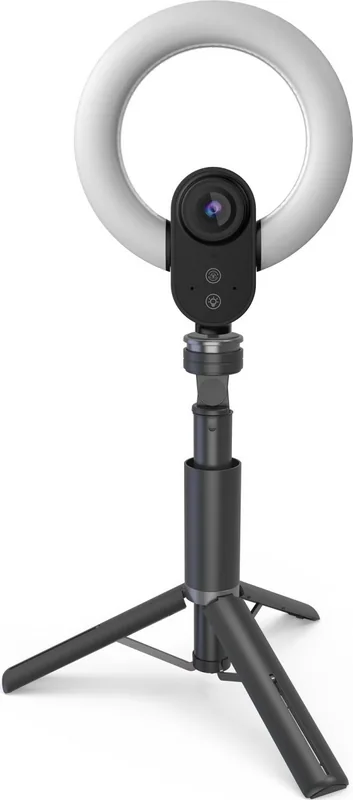
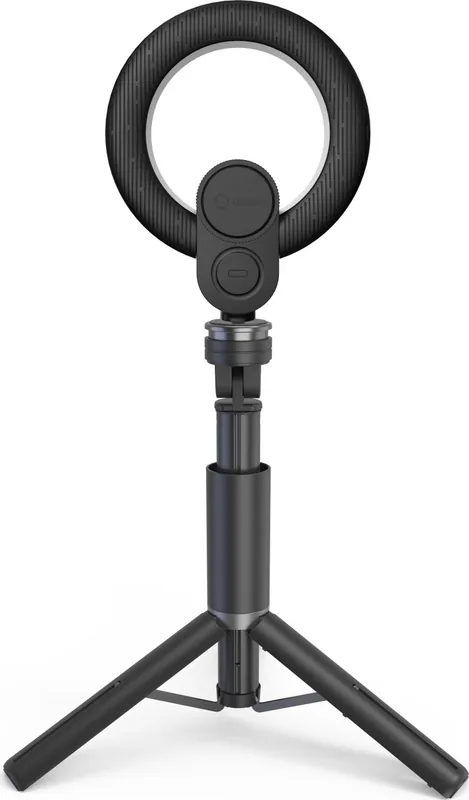
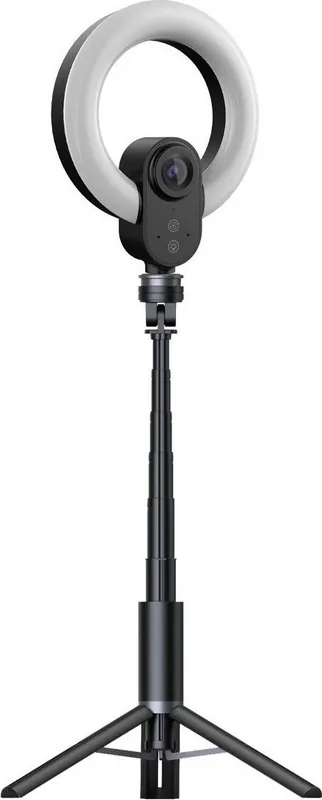
The Lorgar Circulus 910 Manual introduces a compact, feature-rich webcam designed for video calls, streaming, and content creation. The Lorgar Circulus 910 (LRG-SC910) pairs a 5 MP camera with an integrated 132 mm ring light, a removable magnetic protective cover, and a small tripod for flexible desktop or monitor mounting. It supports broad platform compatibility — Windows, macOS, Linux, Android, Chrome OS and Ubuntu — and connects via a 2 m USB Type-A/Type-C cable for universal device support.
The camera uses a 1/2.8" sensor with a 92° diagonal field of view, 3x digital zoom and can deliver up to 60 fps at resolutions up to 1944p. Dual omnidirectional microphones cover 30–8000 Hz for clear voice capture in calls and recordings. The ring light houses 36 LEDs with an adjustable colour temperature range (1700–14000 K) and a 180° tilt for customizable lighting. Power requirements are modest (5 V / 1 A DC, up to 5 W), making it suitable for laptop or PC USB ports that meet the device’s power specs.
Designed in ABS plastic, the unit measures approximately 80×40×32 mm and ships with the ring light, tripod, protective cover, USB cable and quick start guide. The manual emphasizes safe use: avoid lens damage, don’t power the webcam from mains, keep it away from high heat, humidity, dust and liquids, and clean only when unplugged with a dry cloth. The manual also outlines straightforward setup — attach, connect the USB cable, wait for standard drivers on first use — and simple controls for switching the light and selecting colour temperature modes.
Troubleshooting guidance helps resolve common issues: verify the webcam is selected as the audio/video source, check cables and connectors, reduce resolution for poor bandwidth conditions, and ensure the host USB port provides sufficient power if the ring light is dim or intermittent. For up-to-date details, certificates and warranty information, the manual points users to lorgar.eu/drivers-and-manuals. Manufacturing and warranty notes identify ASBISc Enterprises PLC as the manufacturer and include regional warranty/service instructions.
Overall, the Lorgar Circulus 910 is positioned as an affordable, all-in-one webcam solution for creators, remote workers, and streamers who need a compact camera with integrated adjustable lighting and universal connectivity.
Notes
- USB port power must meet device specs for proper ring light operation.
- Clean only when disconnected; avoid solvents and liquids.
- Drivers typically install automatically on first connection; check app settings to select the camera.
- Warranty and full manuals available at lorgar.eu/drivers-and-manuals.
Search for 67,706 Manuals online


Type-in Brand or Model