
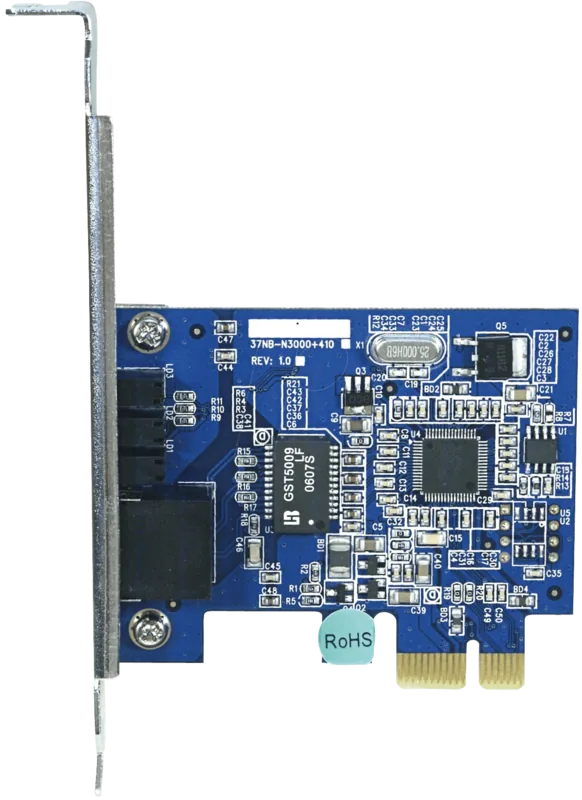
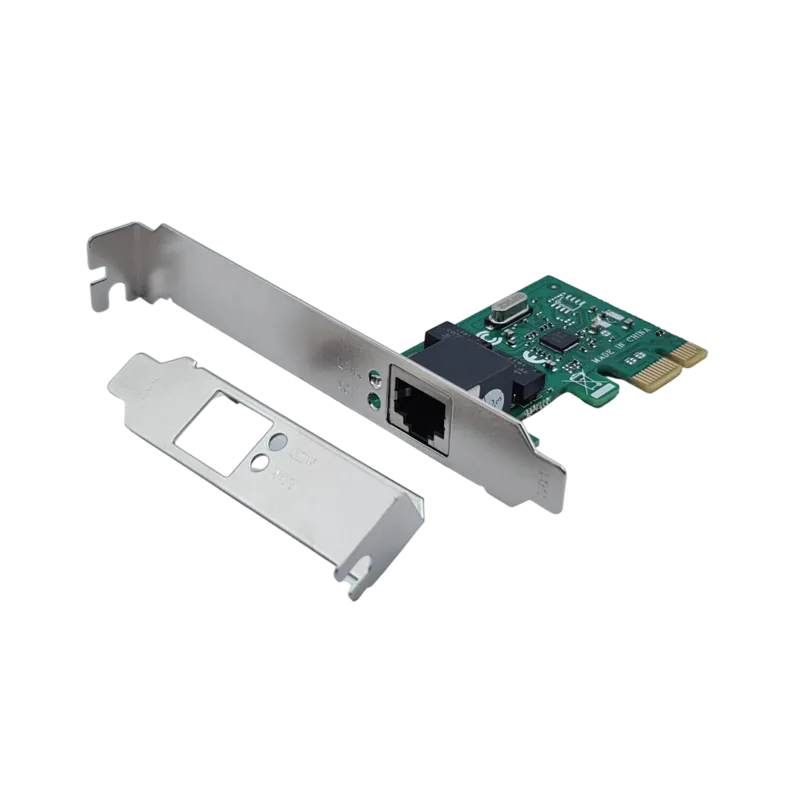
Longshine PCI Express Gigabit Ethernet Adapter Manual
PDF manual · 11 Pages
English



Quick check
Incorrect answer, please try again.
Chat with your Longshine PCI Express Gigabit Ethernet Adapter manual using AI
Get instant AI answers from your Longshine PCI Express Gigabit Ethernet Adapter manual
Ask anything about the Longshine PCI Express Gigabit Ethernet Adapter. Answers come from this manual, with the pages they are based on.
Ask a Question
Do you recommend PCI Express Gigabit Ethernet Adapter?
Yes NoFrequently Asked Questions
The adapter supports 10 Mbps, 100 Mbps, and 1000 Mbps (gigabit) auto-negotiation, allowing it to connect at the optimal speed supported by your network and connected device.
Is this answer helpful?
This card requires one available PCI Express x1 slot (PCIe 1.0a x1). It can be installed into x1 slots and is often compatible with larger PCIe slots if physically supported by the motherboard.
Is this answer helpful?
For reliable 1000BASE-T gigabit speeds use Category 5e or better UTP/STP cables. Cat5 can sometimes work but Cat5e or Cat6 is recommended for stable gigabit performance.
Is this answer helpful?
Yes, the adapter supports Wake-on-LAN but it also requires motherboard BIOS/UEFI and operating system support. Enable WoL in the BIOS/UEFI and in the OS network adapter power management settings.
Is this answer helpful?
Drivers included target legacy Microsoft platforms such as Windows 2000, Windows XP, and Windows x64. For modern OSs, check the manufacturer’s site or use generic OS drivers where compatible.
Is this answer helpful?
Separate LEDs indicate 10M, 100M, and 1000M link status: steady green for link, blinking green for transmit/receive activity at the corresponding speed.
Is this answer helpful?
The device complies with CE, FCC and VCCI Class B emissions standards and meets relevant IEEE networking standards listed in the product specifications.
Is this answer helpful?
Advantages and Disadvantages
Advantages

- Supports 10/100/1000 Mbps with auto-negotiation for flexible network speeds.
- Auto-MDI/MDI-X removes the need for crossover cables.
- 128KB integrated frame buffer improves reliability under load.
- Wake-on-LAN and ACPI power management enable remote wake and energy savings.
- Compliant with IEEE 802.3 standards and CE/FCC VCCI Class B emissions.
Disadvantages

- Driver support is focused on legacy Windows (2000/XP/x64), limiting modern OS compatibility.
- PCI Express 1.0 x1 interface may be slower than newer PCIe revisions in some systems.
- Requires manual driver installation from CD; no mention of online driver updates.
- Operating temperature range and older certification dates indicate dated hardware lifecycle.
- Single RJ-45 port offers no redundancy or link aggregation out of the box.
Product Specification
Type
LAN Adapter
Form Factor
1x PCIe Card (full height bracket)
Connection
1x PCIe 1.0 x1
Port
1x RJ-45
Transmission
1x RJ-45 (10/100/1000Base-T)
Power Supply
Power supply only via connection
Chipset
Realtek RTL8168 (LAN Adapter, RJ-45)
Dimensions
2.95x2.40x0.67in (WxHxD)
Compatibility
universal
Features
VLAN, Wake on LAN
Product Description
Longshine LAN adapter, RJ-45, PCIe 1.0 x1 Manual
The Longshine LAN adapter is a compact PCI Express 1.0 x1 gigabit network card built to bring stable, high-speed wired connectivity to desktops and workstations. Designed to support 10/100/1000 Mbps data rates and full/half duplex modes, it caters to users who need reliable network throughput for file transfers, streaming, and latency-sensitive applications. With auto-negotiation and Auto-MDI/MDI-X, the adapter detects link speed and polarity automatically, removing cable-type concerns and simplifying setup.
This RJ-45 equipped adapter integrates a 128KB frame buffer and supports IEEE 802.3, 802.3u, and 802.3ab standards as well as IEEE 802.3x flow control. It’s compliant with PCI Express 1.0a x1 slot specifications and includes Wake-on-LAN and ACPI power management features for better energy control and remote wake capabilities. The card’s LED set provides clear link/activity indicators for 10M, 100M, and 1000M connections, making diagnostics and status checks straightforward.
Hardware installation is straightforward: power down the PC, insert the adapter into an available PCIe x1 slot, secure the bracket screw, connect an appropriate Category cable (Cat3–5e depending on speed), and power on. Driver installation is handled via the included CD with a simple setup wizard for legacy Windows platforms such as Windows 2000, Windows XP, and x64 variants. Users should discharge static before handling the card and follow standard ESD precautions.
Longshine certifies electromagnetic compliance (CE, FCC, VCCI Class B) and lists operating conditions suitable for typical office environments. The product specification sheet highlights a 1x RJ-45 port, LED link/activity indicators, and compatibility with common Ethernet cabling. This adapter is a practical, budget-friendly option for upgrading older systems to gigabit networking or providing additional wired ports in constrained builds.
Notes
- Ensure you have an available PCIe x1 slot and compatible OS drivers before installation.
- Use Cat5e cables for reliable gigabit links; Cat5 or lower may limit speeds.
- Observe anti-static precautions when installing to prevent hardware damage.
- Wake-on-LAN requires BIOS and OS support to function properly.
Search for 67,706 Manuals online


Type-in Brand or Model
sapiente_enim
8 months ago
Does this PCIe network card require the driver CD, and is installation straightforward on Windows?
Manual.ly
8 months ago
Based on customer feedback, setup is straightforward. The card is small and plugs into an available PCIe slot. Many users did not need the included driver CD because Windows recognized the network adapter automatically and installed the needed drivers. For best results, install the card first, boot your PC, and then connect your Ethernet cable. If Windows does not detect it right away, you can install the drivers from the included media or download the latest driver from the manufacturer. Performance is reported as strong and the PCIe x1 form factor helps keep other PCI slots free for additional hardware.