
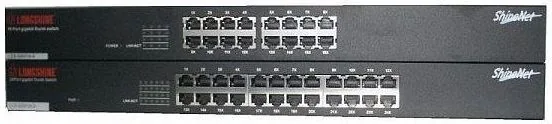
Longshine GS9100 Manual
PDF manual · 10 Pages
English



Quick check
Incorrect answer, please try again.
Chat with your Longshine GS9100 manual using AI
Get instant AI answers from your Longshine GS9100 manual
Ask anything about the Longshine GS9100. Answers come from this manual, with the pages they are based on.
Ask a Question
Do you recommend GS9100?
Yes NoFrequently Asked Questions
The switch supports speeds of 10, 100, and 1000 Mbps. It uses auto-negotiation to determine the best possible speed and duplex mode for each connected device.
Is this answer helpful?
Yes, the device is designed for 19-inch rack mounting. The package includes two rack mounting brackets and necessary screws for secure installation.
Is this answer helpful?
For 1000 Mbps speeds, you must use Category 5, 5e, or better UTP/STP cables. Lower categories like Cat3 are sufficient only for 10 Mbps connections.
Is this answer helpful?
No, the Longshine GS9100 is a plug-and-play device. It operates fully compliant with network protocols without requiring additional drivers or configuration software.
Is this answer helpful?
It utilizes IEEE 802.3x flow control for full-duplex modes and back-pressure mechanisms for half-duplex modes to ensure data integrity and prevent collisions.
Is this answer helpful?
Yes, the internal power supply supports an input voltage range of 100 to 240VAC at 50/60Hz, making it suitable for use in most countries worldwide.
Is this answer helpful?
Advantages and Disadvantages
Advantages

- Plug-and-play design requires no software configuration
- Supports Auto-MDI/MDI-X to eliminate cable type concerns
- High performance with 10/100/1000 Mbps auto-negotiation
- Includes rack-mounting brackets for flexible installation
- Energy efficient with IEEE 802.3az support
Disadvantages

- No web management interface for remote configuration
- Limited to fixed 16-port capacity per unit
- Internal power supply means no hot-swappable redundancy
- LED indicators show basic status but no detailed metrics
- Requires Category 5e cables for optimal gigabit performance
Product Specification
Function
Switch
Type
Standalone, Rackmount (via mounting bracket)
Network Connections
16x RJ-45
Speeds
16x RJ-45 (10/100/1000Base-T)
PoE
N/A
Backplane
32Gb/s, 9KB Jumboframes, 256kB Packet Buffer, 8K MAC Addresses
Officially Supported Standards
802.3, 802.3ab, 802.3u, 802.3x, 802.3z
Configuration
unmanaged
Cooling
passive
Dimensions (WxDxH)
17.36x1.73x7.76 inches, 1HE
Color
black
Features
Metal enclosure, removable mounting brackets
Product Description
Elevate Your Network with the Longshine GS9100 Rackmount Gigabit Switch
The Longshine GS9100 Rackmount Gigabit Switch represents a robust solution for modern networking needs. Designed as a powerful and high-performance device, this switch features 16 RJ-45 ports that support speeds up to 1000 Mbps. It offers a cost-effective and space-saving method to expand your network infrastructure without compromising on speed or reliability.
One of the standout features is its plug-and-play capability. There is no need for complex software configuration or manual setup. The device automatically detects the speed and duplex mode of connected devices through the NWay protocol. This eliminates the hassle of selecting between straight-through or crossover cables because the switch handles MDI/MDI-X auto-crossover detection seamlessly. Whether you are connecting PCs, routers, or other switches, the connection process remains straightforward.
Performance is further enhanced by advanced flow control mechanisms. The switch supports IEEE 802.3x for full-duplex modes and back-pressure for half-duplex modes. This ensures data integrity and prevents packet loss during heavy traffic loads. Additionally, the store-and-forward architecture filters out fragment and CRC error packets, ensuring only valid data traverses your network. For large file transfers, the support for 9K byte jumbo frames allows for significantly faster throughput.
Energy efficiency is also a priority. The unit complies with the IEEE 802.3az Energy Efficient Ethernet standard, reducing power consumption when link partners are idle. Diagnostic LEDs on the front panel provide real-time visibility into port status and system health, making troubleshooting quick and easy. You can easily distinguish between a powered-on state, a valid connection, or active data transmission simply by observing the LED colors.
Installation flexibility is another key benefit. While it can sit on a desktop using the included rubber feet, it is primarily designed for rack mounting. The package includes brackets and screws to secure the unit in a standard 19-inch rack. Proper ventilation is recommended, with at least 25mm of space around the unit to prevent overheating. The internal power supply accepts a wide voltage range from 100 to 240VAC, making it suitable for global use.
Important Notes
- Ensure all cables are Category 5 or higher for gigabit speeds.
- Maintain proper airflow to keep operating temperatures within the 0 to 40 degrees Celsius range.
- Verify FCC and CE compliance if operating in commercial environments.
Search for 67,706 Manuals online


Type-in Brand or Model