
Longshine GS8100 Manual
PDF manual · 32 Pages
English



Quick check
Incorrect answer, please try again.
Chat with your Longshine GS8100 manual using AI
Get instant AI answers from your Longshine GS8100 manual
Ask anything about the Longshine GS8100. Answers come from this manual, with the pages they are based on.
Ask a Question
Do you recommend GS8100?
Yes NoFrequently Asked Questions
It is designed to expand wired networks with 16 Gigabit RJ-45 ports. The switch helps connect multiple devices at high speed while keeping setup simple and reliable for office or workgroup use.
Is this answer helpful?
No. It is a plug-and-play device, so it can be used right after connecting the cables and power. This makes it ideal for users who want a quick networking upgrade without complex setup steps.
Is this answer helpful?
Yes. Auto MDI/MDI-X allows switch-to-switch or switch-to-hub connections without needing a crossover cable. A standard straight-through RJ-45 cable is often enough.
Is this answer helpful?
Each port supports 10, 100, and 1000 Mbps auto-negotiation. Devices connected to the switch can automatically choose the best available speed and duplex mode for the link.
Is this answer helpful?
Jumbo frame support up to 9K bytes allows larger data packets to pass through the network. This can improve efficiency during big file transfers and other bandwidth-heavy tasks.
Is this answer helpful?
It can work in a home environment, but it is Class A compliant and mainly aimed at commercial settings. Users should consider that it may generate radio interference in residential environments.
Is this answer helpful?
Advantages and Disadvantages
Advantages

- 16 Gigabit RJ-45 ports provide fast wired connectivity for multiple devices at once.
- Plug-and-play design makes installation quick and avoids software configuration.
- Auto MDI/MDI-X supports easy switch-to-switch connections with straight cables.
- 9K jumbo frames and full-duplex support help improve throughput for heavier transfers.
Disadvantages

- No advanced managed-switch features such as VLANs, QoS controls, or remote administration.
- Class A compliance means it is better suited for commercial use than typical home settings.
- 1000 Mbps operation is full-duplex only, which may limit some legacy network setups.
- Desktop form factor may be less convenient than rack-mount hardware for larger installations.
Product Specification
Function
Switch
Type
Standalone, Rackmount (via optional mounting bracket)
Network ports
16x RJ-45
Speeds
16x RJ-45 (10/100/1000Base-T)
PoE
N/A
Backplane
32Gb/s, 23.8Mp/s, 9KB Jumbo frames, 256kB packet buffer, 8K Mac addresses
Officially supported standards
802.3, 802.3ab, 802.3az, 802.3u, 802.3x
Configuration
unmanaged
Cooling
passive
Dimensions (WxHxD)
8.50x1.65x5.24in, 1U
Color
anthracite
Special features
Metal housing
Product Description
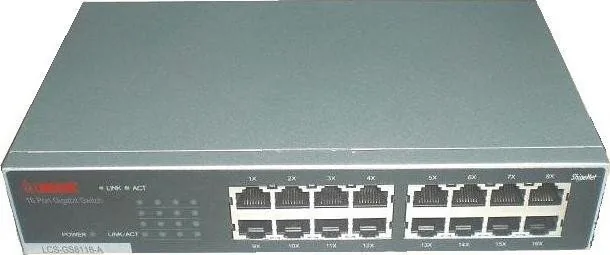
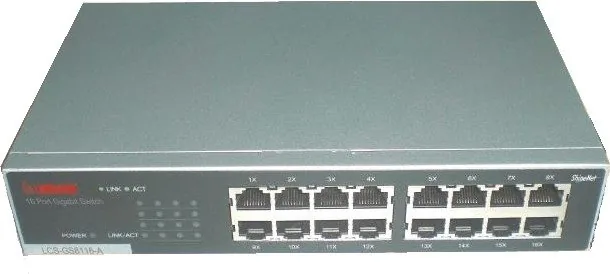
Longshine GS8100 Desktop Gigabit Switch, 16x RJ-45
The Longshine GS8100 Desktop Gigabit Switch is built for users who need a simple but capable networking upgrade. With 16 Gigabit RJ-45 ports, it is designed to move data quickly across a growing office, studio, or workgroup without adding unnecessary setup steps. Each port supports 10/100/1000 Mbps auto-negotiation, so connected devices can find the right speed and duplex mode automatically.
What stands out most is the balance between performance and ease of use. The switch is plug-and-play, which means there is no software to install and no complex configuration to manage. That makes it a practical choice for fast network expansion, especially when you want to connect PCs, printers, access points, storage devices, or another switch with minimal effort. Auto MDI/MDI-X support also reduces cable headaches by allowing straight-through cables for uplinks and inter-switch connections.
Performance features are equally important. Store-and-forward switching helps reduce transmission errors, while full-duplex operation can improve throughput by sending and receiving data at the same time. The 9K jumbo frame support is useful in environments that handle larger data transfers, such as media workflows, imaging tasks, or heavy file sharing. In short, this is a switch that focuses on smooth traffic flow rather than advanced management tools.
The front-panel LEDs provide quick status feedback, making it easy to see power and link activity at a glance. That small detail matters in everyday use, especially when troubleshooting a cable or identifying which port is active. The internal power supply and desktop form factor also help keep installation straightforward.
For growing networks, the GS8100 is a solid bridge between older 10/100 setups and modern Gigabit environments. It supports the migration path many small networks need: connect now, scale later, and keep the experience simple.
Notes
- Class A EMC/FCC compliance suggests it is intended primarily for commercial or controlled environments.
- The switch is best suited to users who want speed, stability, and simplicity over advanced management features.
- The "Longshine GS8100 Desktop Gigabit Switch, 16x RJ-45 Manual" highlights a product focused on quick deployment and dependable everyday networking.
Search for 67,706 Manuals online


Type-in Brand or Model