
Longshine Gigabit Ethernet PCI Adapter Manual
PDF manual · 8 Pages
English



Quick check
Incorrect answer, please try again.
Chat with your Longshine Gigabit Ethernet PCI Adapter manual using AI
Get instant AI answers from your Longshine Gigabit Ethernet PCI Adapter manual
Ask anything about the Longshine Gigabit Ethernet PCI Adapter. Answers come from this manual, with the pages they are based on.
Ask a Question
Do you recommend Gigabit Ethernet PCI Adapter?
Yes NoFrequently Asked Questions
The adapter supports 10BASE-T, 100BASE-TX and 1000BASE-T (10/100/1000 Mbps) with auto-sensing between speeds and support for half and full duplex modes.
Is this answer helpful?
You need a 32-bit PCI expansion slot compliant with PCI 2.2 specifications. The card is not compatible with PCIe-only motherboards.
Is this answer helpful?
1000BASE-T requires four twisted pairs of Category 5e or better UTP cabling, tested per TIA/EIA or ISO standards, and supports distances up to 100 meters.
Is this answer helpful?
The included drivers target older Windows versions (98SE–Vista), Linux kernels and NetWare. Newer OSes may use generic NIC drivers or require vendor-updated drivers available from support channels.
Is this answer helpful?
If a newly installed adapter shares an interrupt with another device, enter the system CMOS/BIOS setup and manually assign a non-conflicting IRQ to the adapter or reconfigure other devices to eliminate the conflict.
Is this answer helpful?
Wake-On-LAN is supported by the adapter hardware but is dependent on motherboard BIOS and system configuration. Enable related BIOS settings and OS support to use this feature.
Is this answer helpful?
The adapter has bracket-mounted LEDs showing Link (green) and Activity (blinking green) to help verify physical connection and data transmission during diagnostics.
Is this answer helpful?
Advantages and Disadvantages
Advantages

- Broad standard support: 10/100/1000 Mbps with IEEE 802.3/802.3u/802.3ab compliance.
- Wide OS compatibility: drivers for Windows 98SE–Vista, multiple Linux kernels, and NetWare.
- Bus-master 32-bit PCI support reduces CPU load and improves throughput.
- Diagnostic LEDs on bracket simplify link and activity troubleshooting.
- Plug-and-play installation with included driver CD for straightforward setup.
Disadvantages

- Requires a free PCI 2.2 slot, incompatible with systems that only have PCIe slots.
- Driver CD targets older OS versions; modern OS support may be limited or require generic drivers.
- Gigabit performance depends on proper Cat5e/Cat6 cabling and correct installation.
- Some BIOSes may assign conflicting IRQs requiring manual CMOS adjustment.
- Wake-On-LAN depends on motherboard and BIOS support, not guaranteed on all systems.
Product Specification
Type
LAN adapter
Form Factor
1x PCI card (full height bracket)
Interface
1x PCI 2.2
Connection
1x RJ-45
Transfer
1x RJ-45 (10/100/1000Base-T)
Power Supply
Power supply only via interface
Chipset
Realtek RTL8169 (LAN adapter, RJ-45)
Dimensions
4.92x1.73x0.87in (WxHxD, without bracket)
Compatibility
universal
Features
VLAN, Wake on LAN, PXE bootrom socket
Note
Various revisions available.
Product Description
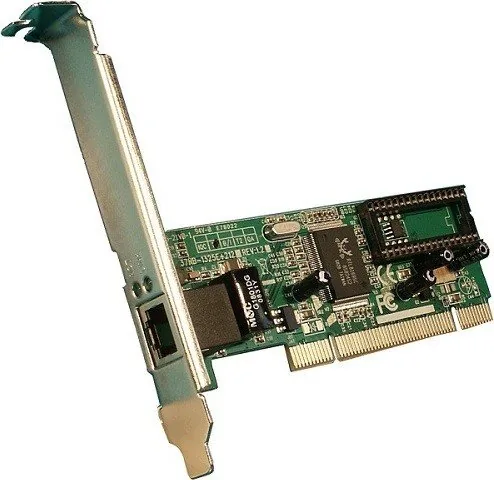
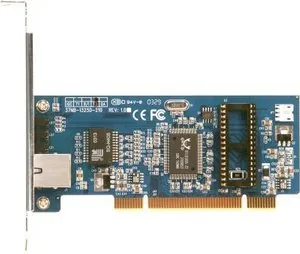
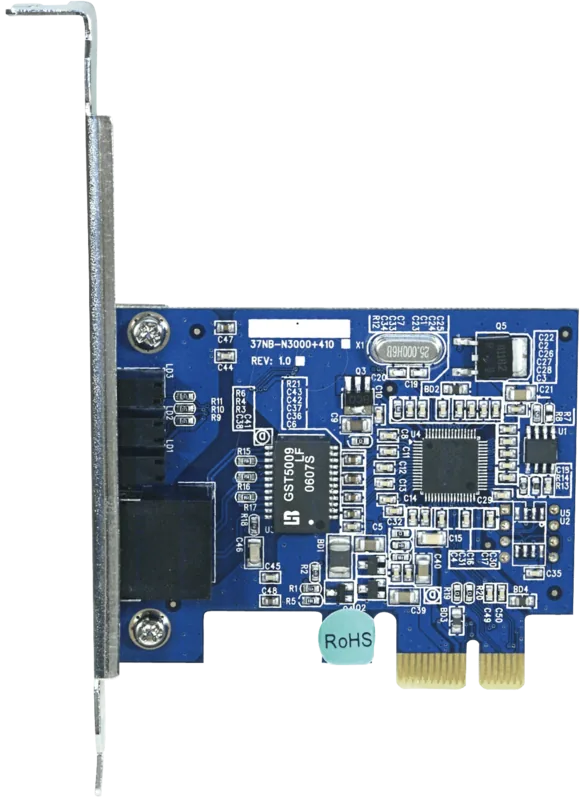
Longshine LAN adapter, RJ-45, PCI 2.2 Manual
The Longshine LAN adapter is a reliable Gigabit Ethernet PCI card designed to bring wired network connectivity to desktops with a standard PCI 2.2 slot. Supporting 10BASE-T, 100BASE-TX and 1000BASE-T, this RJ-45 equipped adapter auto-senses link speeds and negotiates half or full duplex to match switches and hubs. Built as a 32-bit PCI bus master, it offloads processing to improve throughput and reduce CPU utilization, making it suitable for home offices, small businesses, and legacy systems that still use PCI expansion slots.
Installation is straightforward: power down the PC, insert the card into an available PCI slot, secure the bracket, connect a Cat5/Cat5e UTP cable to the RJ-45 port, then boot and install drivers. The adapter ships with drivers for a wide range of operating systems—from Windows 98SE through Vista, multiple Linux kernels, and NetWare—plus a driver CD for easy setup. Diagnostic LEDs on the bracket indicate link and activity status to help with basic troubleshooting.
Technically, the card complies with IEEE 802.3, 802.3u and 802.3ab standards and meets PCI Local Bus specifications for 32-bit operation. It also carries FCC and CE Class B certifications, and includes Wake-On-LAN support depending on the motherboard. For gigabit performance, it requires four-pair Category 5 (or better) cabling and supports up to 100 meters of UTP cabling per standard Ethernet guidelines.
The manual provides step-by-step driver installation instructions for multiple Windows versions, compilation and module insertion notes for older Linux kernels, and guidance for NetWare server integration. It includes details on forcing media modes for link speed and duplex under Linux, BIOS conflict notes for IRQ settings, and cautions about ESD handling during installation. Regulatory declarations and conformity test results are listed for European standards and EMC testing.
Overall, the Longshine LAN adapter is a practical, cost-effective solution for adding wired Ethernet to systems with PCI 2.2 slots, particularly where legacy OS support or simple, durable hardware is needed.
Notes
- For 1000BASE-T, use Cat5e or better with four twisted pairs and follow TIA/EIA or ISO cabling standards.
- If a BIOS IRQ conflict occurs, use the CMOS setup to assign a different interrupt.
- Observe ESD precautions when handling the card; touch a grounded surface first.
- Wake-On-LAN functionality depends on motherboard support and BIOS settings.
Search for 67,706 Manuals online


Type-in Brand or Model
Agustina Ondricka
8 months ago
My connection drops after 24+ hours and then there is no network until I restart the server. Will new drivers fix this, and what can I do to prevent it?
Manual.ly
8 months ago
Sorry about that. Intermittent disconnects after long uptime are often caused by outdated drivers/firmware or network power-management settings. Please: 1) Update to the latest driver and firmware from our support page, then reboot. 2) Check that the network link is stable (cable, switch/port, negotiate speed). 3) Disable adapter power saving (energy saving / allow the device to turn off). 4) Monitor event logs around the disconnect to confirm the root cause. If the issue persists after updating, contact support with the driver version, OS, uptime when it happens, and any log excerpts so we can provide a targeted fix or patch notes.