
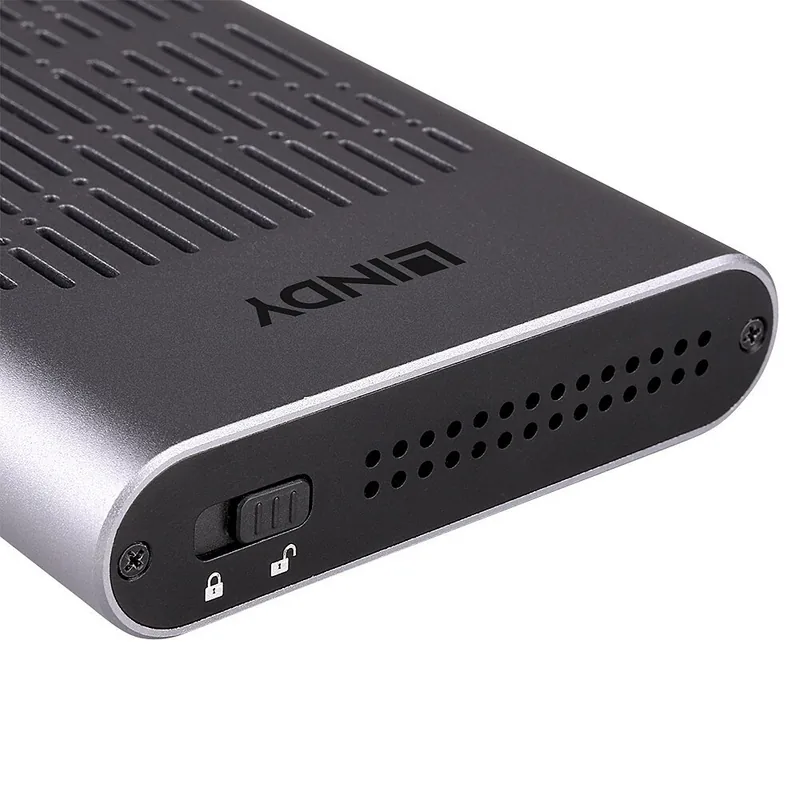
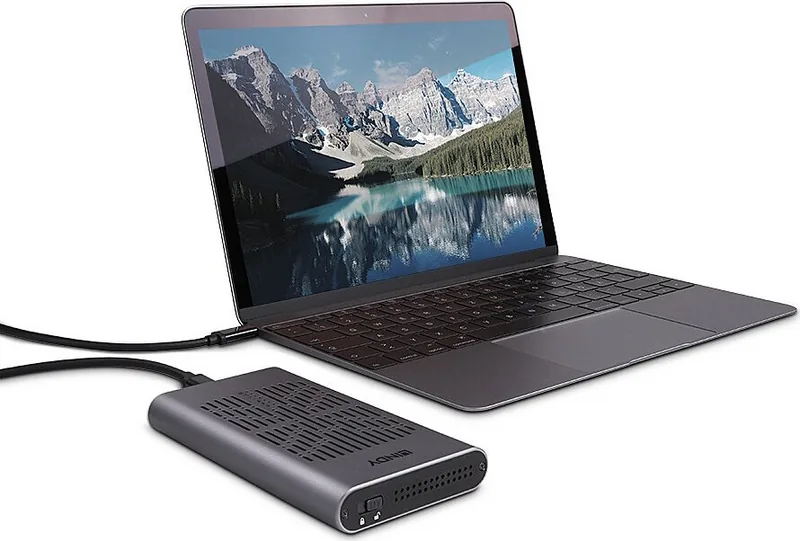
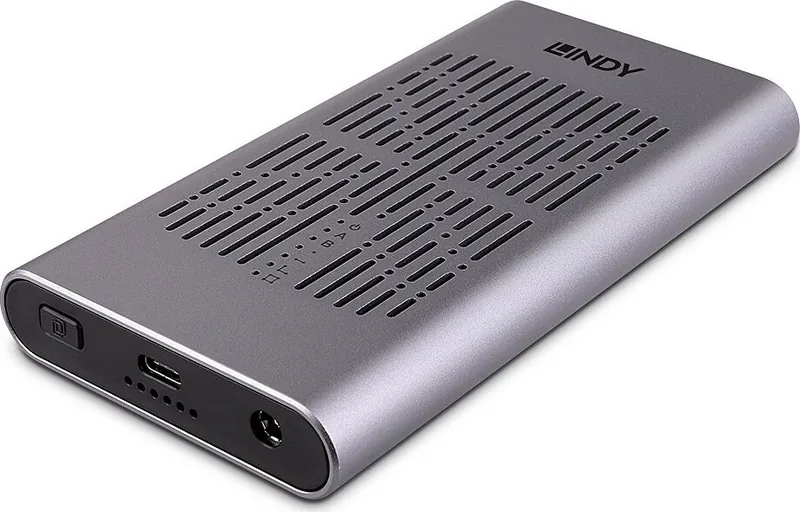
Lindy USB 3.2 Gen 2x2 Dual M.2 NVMe 43382 Manual
PDF manual · 29 Pages
English



Quick check
Incorrect answer, please try again.
Chat with your Lindy USB 3.2 Gen 2x2 Dual M.2 NVMe 43382 manual using AI
Get instant AI answers from your Lindy USB 3.2 Gen 2x2 Dual M.2 NVMe 43382 manual
Ask anything about the Lindy USB 3.2 Gen 2x2 Dual M.2 NVMe 43382. Answers come from this manual, with the pages they are based on.
Ask a Question
Do you recommend USB 3.2 Gen 2x2 Dual M.2 NVMe 43382?
Yes NoVideo Manual
The Only USB Cable You'll Ever Need? 🤩
Frequently Asked Questions
It supports PCIe/NVMe M.2 SSDs in 42/60/80mm lengths and accepts M key and B+M key modules. New drives must be initialized, formatted and partitioned before first use.
Is this answer helpful?
The enclosure uses USB 3.2 Gen 2x2 for SuperSpeed up to 20 Gbps and PCIe 3.0 x2 lanes per drive; UASP support can further improve performance on compatible hosts. Actual speeds depend on SSD model and host capabilities.
Is this answer helpful?
Install two M.2 NVMe drives, connect the power supply, hold the clone button until LEDs light, release and press again to start. LEDs indicate 25/50/75/100% progress. The target disk must be equal or larger than the source.
Is this answer helpful?
No. Dual‑drive operation and offline cloning require the included 12V DC power supply. The enclosure is not bus‑powered via the short USB‑C cable and needs external power for full functionality.
Is this answer helpful?
The package includes thermal conductive pads and plates to attach to SSDs and an aluminium housing that helps dissipate heat. Correct installation of pads and plates improves thermal performance during heavy use.
Is this answer helpful?
It is compatible with computers that have USB Type‑C ports. For full USB 3.2 Gen 2x2 speeds and UASP benefits, the host must support those standards; otherwise the connection will fall back to lower USB speeds supported by the host.
Is this answer helpful?
Documentation lists CE, UKCA and FCC compliance, relevant safety instructions and WEEE recycling guidance. The included power supply meets international safety standards; follow manual warnings and use indoor, dry environments only.
Is this answer helpful?
Advantages and Disadvantages
Advantages

- Supports two M.2 NVMe SSDs simultaneously for external dual‑drive read/write and large combined capacity.
- USB 3.2 Gen 2x2 and UASP support enable up to 20 Gbps SuperSpeed transfers on compatible hosts.
- Offline cloning duplicates a source M.2 to a target without a PC using a button and LED progress indicators.
- Includes thermal pads/plates and aluminium housing to help dissipate heat during sustained operations.
- Supplied multi‑country 12V DC/2A power adapters and USB‑C cable make it ready for worldwide use.
Disadvantages

- Requires external power for dual‑drive operation and cloning, making it less portable than bus‑powered enclosures.
- PCIe 3.0 x2 lane configuration can limit peak single‑drive throughput versus higher‑lane controllers.
- Offline cloning needs the target drive to be equal or larger, restricting some cloning scenarios.
- Short 0.25 m USB cable may limit connection flexibility on some setups.
- Operating temperature limits mean high ambient heat can reduce sustained performance.
Product Specification
Form factor
M.2 2280, M.2 2260, M.2 2242
Internal connector
2x M.2 (PCIe 3.0 x2, NVMe)
External connector
1x USB-C 3.2 (20Gb/s)
RAID level
N/A
Fan
N/A
Chipset
JMicron JMS586U
Dimensions
5.63x3.03x0.69in
Weight
0.38 lb
Color
silver
Special features
Aluminum housing, incl. USB cable (9.84in, USB-C), active cooling (fan), external power supply, lockable
Manufacturer's warranty
two years
USB notation
Link
Product Description
Lindy USB 3.2 Gen 2 M.2 SSD Enclosure, USB-C 3.2 Manual
The Lindy USB 3.2 Gen 2 M.2 SSD Enclosure is a compact, dual‑bay external solution for PCIe/NVMe M.2 drives that combines high transfer speeds with practical cloning and thermal management features. Designed for laptops and desktops with USB‑C, it supports the USB 3.2 Gen 2x2 standard (up to 20 Gbps) and UASP for improved throughput on compatible systems. Constructed with an aluminium and ABS housing, the enclosure accepts 42/60/80mm M.2 SSDs and provides space for two drives simultaneously, allowing read/write access to both drives when connected to a host.
Beyond standard external storage use, this Lindy enclosure offers an offline clone feature to duplicate a source M.2 NVMe drive to a target drive without a connected computer. The cloning process is controlled via a dedicated button and guided by multi‑LED progress indicators (25%, 50%, 75%, 100%). The enclosure includes thermal conductive pads and plates to help dissipate heat under load and rubber holders for secure SSD seating.
Installation is straightforward: unlock the secure slider, press out the internal plastic frame, insert M.2 drives into the appropriate sockets (M key and B+M key supported), apply thermal pads and plates, reseat the frame and lock. For offline cloning, install two SSDs (target must be equal or larger than source), attach the multi‑country power supply, and follow the LED/button sequence to begin cloning. For normal USB operation, connect the supplied Type‑C cable and power adapter; the OS will handle driver installation and both drives can be accessed simultaneously.
The enclosure ships with a 0.25 m USB Type‑C cable, multi‑country 12 VDC/2 A power supply with adapters (EU/UK/US/AUS), thermal pads and plates, rubber plugs, and a manual. Safety and recycling information, CE/UKCA/FCC compliance, and warranty details are provided in multiple languages in the manual.
Notes:
- Offline cloning requires the target drive capacity to be equal to or larger than the source; LED errors indicate mismatches.
- Initialize, format and partition new M.2 SSDs before use.
- Ensure the correct country adapter is securely attached to the power supply before plugging in.
- Do not expose the enclosure to moisture, extreme heat, or heavy loads; indoor use only.
Pros and Cons
Pros:
- Supports two M.2 NVMe drives simultaneously for high‑capacity external storage and parallel read/write operations.
- USB 3.2 Gen 2x2 and UASP support deliver up to 20 Gbps SuperSpeed performance on compatible hosts.
- Offline cloning lets you duplicate drives without a PC using a button and LED progress indicators.
- Includes thermal pads/plates and aluminium housing to help manage SSD temperatures under load.
- Comes with multi‑country power adapters and a short USB‑C cable for worldwide use out of the box.
Cons:
- Requires an external power supply for cloning and dual‑drive operation, adding bulk compared with bus‑powered enclosures.
- PCIe 3.0 x2 lane configuration may limit single‑SSD peak speeds compared with higher lane controllers.
- Offline cloning requires the target disk to be equal or larger, limiting some migration scenarios.
- Short 0.25 m USB cable may be restrictive for some desk setups.
- Operating temperature range is limited; high ambient heat may impact sustained performance.
Most Important Results
- Dual‑drive support: Install two M.2 NVMe SSDs for simultaneous external read/write and high combined capacity.
- Offline clone feature: Duplicate a source M.2 to a target drive without a computer using the dedicated clone button and LED progress.
- High transfer standard: USB 3.2 Gen 2x2 (20 Gbps) with UASP support for faster transfers on compatible systems.
- Thermal management: Supplied thermal pads and plates plus an aluminium housing help dissipate heat during heavy use.
- Worldwide power kit: Multi‑country 12V DC/2A power supply with EU/UK/US/AUS adapters included.
FAQ
{ "question": "What drives does the Lindy enclosure support?", "answer": "It supports PCIe/NVMe M.2 SSDs in 42/60/80mm lengths and accepts M key and B+M key modules. New drives must be initialized, formatted and partitioned before first use." }, { "question": "How fast is data transfer with this enclosure?", "answer": "The enclosure uses USB 3.2 Gen 2x2 for SuperSpeed up to 20 Gbps and PCIe 3.0 x2 lanes per drive; UASP support can further improve performance on compatible hosts. Actual speeds depend on SSDs and host capabilities." }, { "question": "How does the offline clone function work?", "answer": "Install two M.2 NVMe drives, connect the power supply, then press and hold the clone button until LEDs light and press again to start. LEDs indicate progress (25/50/75/100%). The target disk must be equal or larger than the source." }, { "question": "Can I use the enclosure without the power supply?", "answer": "No. Dual‑drive operation and offline cloning require the included 12V DC power supply. For host read/write access the enclosure still needs external power; it is not bus‑powered via the short USB‑C cable." }, { "question": "What cooling features are included?", "answer": "The enclosure includes thermal conductive pads and plates that attach to SSDs plus an aluminium housing to assist heat dissipation. Proper installation of pads/plates is required for optimal thermal performance." }, { "question": "Is the enclosure compatible with my laptop?", "answer": "It is compatible with computers that have USB Type‑C ports. For full USB 3.2 Gen 2x2 speeds and UASP benefits, the host must support those standards; otherwise it will negotiate lower USB speeds." }, { "question": "What safety or regulatory certifications does it have?", "answer": "The product documentation cites CE, UKCA and FCC compliance and includes safety instructions and WEEE recycling guidance. The supplied power adapter conforms to relevant international safety standards." }
Search for 67,706 Manuals online


Type-in Brand or Model