
Lindy USB 3.1 43231 Manual
PDF manual · 8 Pages
English



Quick check
Incorrect answer, please try again.
Chat with your Lindy USB 3.1 43231 manual using AI
Get instant AI answers from your Lindy USB 3.1 43231 manual
Ask anything about the Lindy USB 3.1 43231. Answers come from this manual, with the pages they are based on.
Ask a Question
Do you recommend USB 3.1 43231?
Yes NoFrequently Asked Questions
Yes, the offline clone function allows you to copy from slot A to slot B without connecting the dock to a computer. Just press the clone button for three seconds and then again to start the process.
Is this answer helpful?
It accepts 1.8, 2.5, and 3.5-inch HDDs and SSDs using a 22-pin SATA combo interface. Micro SATA requires LINDY adapter No. 33502.
Is this answer helpful?
The device features a USB 3.1 Gen 2 interface capable of SuperSpeed+ speeds up to 10Gbps for efficient data management.
Is this answer helpful?
Yes, the product includes a two-year manufacturer warranty and free lifetime technical support from LINDY for customer satisfaction.
Is this answer helpful?
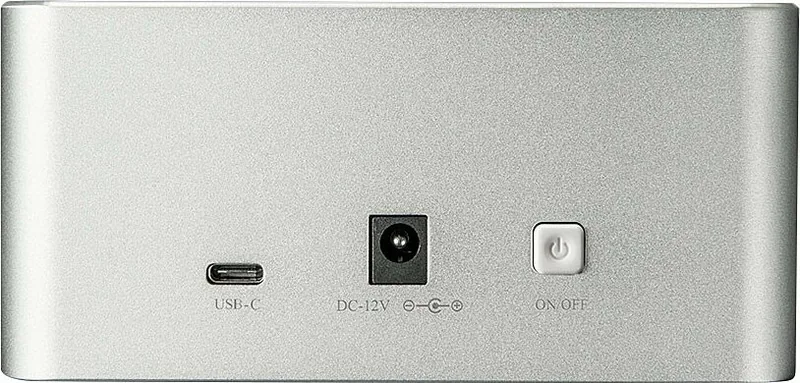
Yes, an external Level VI power supply providing 12V and 4A is included in the package for proper operation.
Is this answer helpful?
The dock supports standard SATA interfaces directly. For Micro SATA, you must purchase the specific LINDY adapter separately.
Is this answer helpful?
Yes, four specific power cables for Euro, UK, US, and AUS regions are provided in the box for global compatibility.
Is this answer helpful?
Advantages and Disadvantages
Advantages

- High speed transfer up to 10Gbps using USB 3.1 Gen 2.
- Dual drive support allows 2.5 and 3.5 inch HDDs.
- Offline cloning without PC connection required.
- Two year warranty and lifetime support included.
- Regional power cables provided for multiple countries.
Disadvantages

- Requires external 12V power supply unit for operation.
- Clone function needs target drive to be empty.
- Micro SATA drives require separate adapter purchase.
- No internal battery for power safety backup.
- Only USB Type C data interface provided in box.
Product Specification
Form Factor
2.5"/3.5"
Bays
2
External Interface
USB-C 3.1
Internal Interface
SATA 6Gb/s
Chipset
ASMedia ASM1352R, ASMedia ASM1542
Features
Power Switch, Clone Function
Manufacturer Warranty
2 Years
Product Description
Discover High-Speed Data Management Solutions
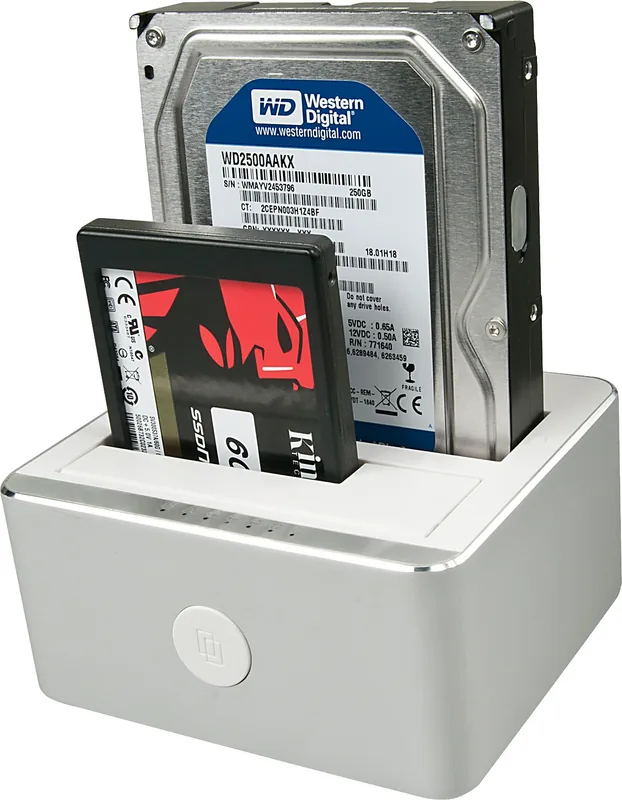
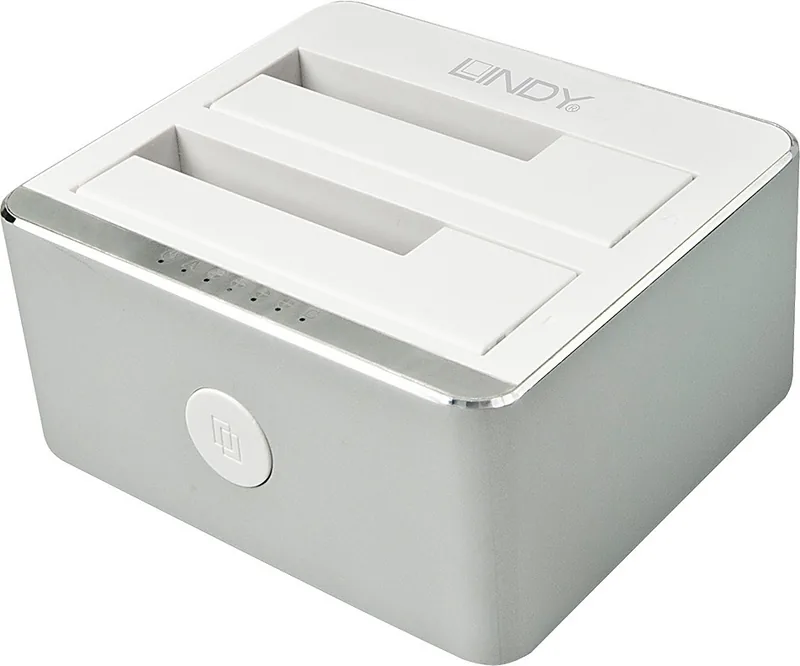
Expanding storage capacity on your desktop computer has never been easier or faster. the Lindy USB 3.1 Docking Station, USB-C 3.1 Manual outlines the capabilities of this robust solution designed for both home and office environments. This device allows users to connect two SATA hard drives or solid-state drives simultaneously through a single connection point. By supporting USB 3.1 Gen 2 SuperSpeed technology, data transfer rates reach impressive speeds of up to 10Gbps. This ensures that large file transfers happen in a fraction of the time compared to older standards. Compatibility with Windows and other USB-equipped computing systems makes it ideal for various workstation setups and simple workflows.
The versatility of this dock extends beyond simple connectivity. It accepts standard 1.8, 2.5, and 3.5-inch HDDs and SSDs equipped with a 22-pin SATA combo interface. This versatility supports modern storage upgrades without requiring expensive internal components. For those needing Micro SATA support, an additional adapter is available separately. The unit includes a comprehensive Level VI power supply rated at 12 volts to ensure stable operation for mechanical drives that require external power. Power cables are included for Euro, UK, US, and Australian outlets to suit different regional electrical standards.
One of the standout features is the offline cloning function. This process operates independently of the operating system, meaning you do not need a computer connected to duplicate data from one drive to another. Users simply press and hold a dedicated button to initiate the cloning process from slot A to slot B. The target drive must be empty and of equal or larger capacity than the source. Visual LED indicators provide clear feedback on power status and cloning progress. This is particularly useful for professionals needing to replicate operating systems quickly.
Reliability is a core promise of this product line. Every unit comes with a two-year warranty and free lifetime technical support from LINDY. This commitment ensures users are covered for defects and can get help if needed. Installation is straightforward with included USB Type-C to A and C to C cables for flexibility in cable connections. Foam pads are included to stabilize drives during operation. Be sure to wait for drivers to load before plugging drives out to prevent data loss. Whether you are backing up data or expanding your storage array, this dock provides a secure and high-speed solution for managing your digital assets.
Additional safety features include compliance with RoHS directives which limits hazardous substances in electronics. This ensures the device is environmentally responsible. Proper disposal is required under WEEE regulations to protect the planet. Users should not throw the unit in regular trash. The device also includes on-off power switches to fully cut energy when not in use. LED lights consume very little power while providing necessary status updates. Users are advised to check drive formatting utilities if the operating system does not immediately recognize the new hardware. Proper partitioning ensures the full capacity is utilized effectively.
Search for 67,732 Manuals online


Type-in Brand or Model