
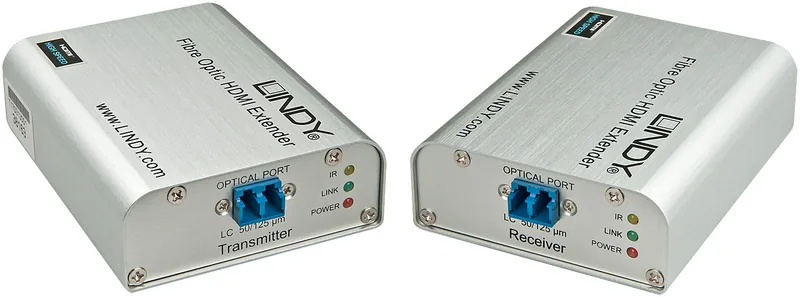
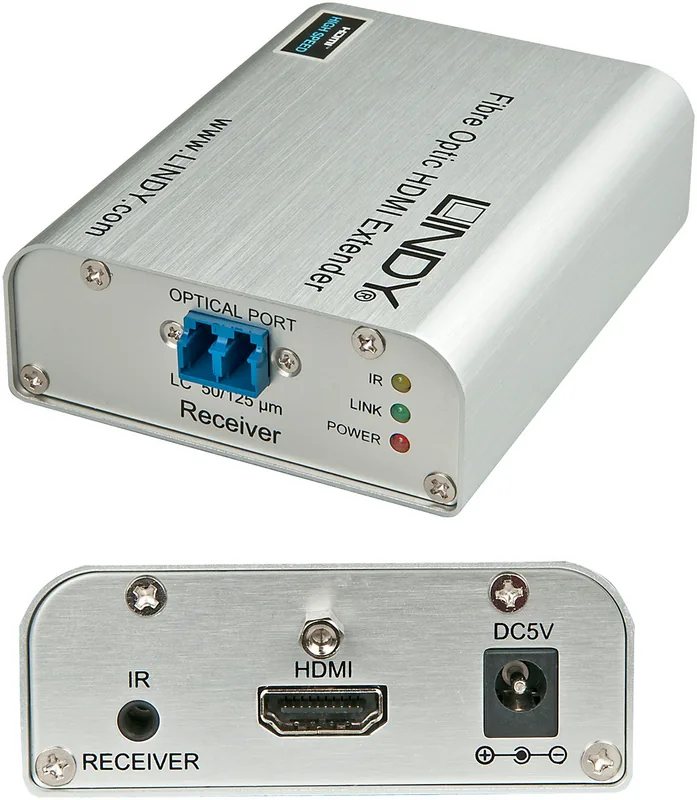
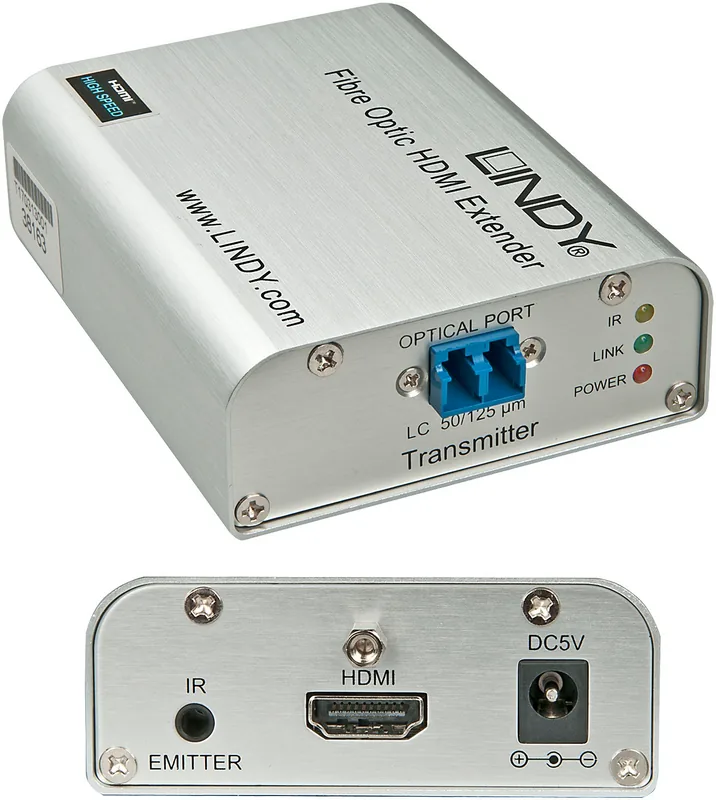
Lindy HDMI 10.2G Fibre Optic Manual
PDF manual · 16 Pages
English



Quick check
Incorrect answer, please try again.
Chat with your Lindy HDMI 10.2G Fibre Optic manual using AI
Get instant AI answers from your Lindy HDMI 10.2G Fibre Optic manual
Ask anything about the Lindy HDMI 10.2G Fibre Optic. Answers come from this manual, with the pages they are based on.
Ask a Question
Do you recommend HDMI 10.2G Fibre Optic?
Yes NoDo you recommend HDMI 10.2G Fibre Optic?
Yes NoFrequently Asked Questions
The 38163 model extends HDMI signals up to 300 meters with HDCP enabled and up to 450 meters without HDCP using Multimode fibre.
Is this answer helpful?
Yes, it supports uncompressed 4K Ultra HD at 3840x2160 resolution running at 60Hz with 4:2:0 chroma subsampling.
Is this answer helpful?
No, this device is strictly designed for indoor use and should not be exposed to moisture or outdoor elements.
Is this answer helpful?
Check that the fibre LEDs are lit, ensure 1:1 wiring, verify power connections, and try forcing the source to a lower colour space like 4:2:0.
Is this answer helpful?
No, the IR repeater function requires purchasing a separate optional IR Repeater Kit to connect to the designated ports.
Is this answer helpful?
Model 38163 requires LC Duplex Multimode (50/125µm) fibre, while Model 38063 requires LC Duplex Singlemode (9/125µm) fibre.
Is this answer helpful?
Advantages and Disadvantages
Advantages

- Supports uncompressed 4K Ultra HD 60Hz resolution with 10.2 Gbps bandwidth
- Transmits HDMI signals up to 300m/450m (Multimode) or 700m/3000m (Singlemode)
- Includes automatic power save mode and laser safety shutdown features
- Passes through HDCP, EDID, CEC, and audio signals transparently
- Durable metal housing ensures long-term reliability in professional environments
Disadvantages

- Requires specific LC Duplex fibre cables which may need separate purchase
- Maximum colour space limited to 4:2:0 8bit due to 10.2Gbps bandwidth cap
- IR control requires an additional optional kit not included in the box
- Strict 1:1 fibre wiring configuration needed to avoid signal loss
- Indoor use only; not rated for outdoor environmental exposure
Product Specification
Type
Extender
Specification
HDMI 1.4
Features
Active, HDCP 2.2
Note
LC-Duplex (10.2Gb/s 50/125µm MM OM3 300m HDCP, 10.2Gb/s 50/125µm MM OM3 450m no HDCP)
Product Description
Revolutionize Your AV Setup with Lindy HDMI 10.2G Fibre Extenders
In the world of high-end audio and video installations, distance often becomes the biggest enemy of signal quality. The Lindy HDMI 10.2G LWL/Fibre Extender series solves this challenge by offering a robust solution for transmitting uncompressed 4K Ultra HD signals over incredible distances. Whether you are setting up a massive home cinema in a sprawling estate or managing digital signage across a large corporate campus, these extenders ensure your visual experience remains crystal clear without degradation.
The product line includes two primary models designed to meet diverse range requirements. Model 38163 utilizes Multimode fibre optic cables to deliver reliable transmission up to 300 meters with HDCP protection, extending to 450 meters when HDCP is disabled. For even greater reach, Model 38063 employs Singlemode technology, pushing the boundaries to 700 meters with HDCP and an impressive 3000 meters without it. Both units support resolutions up to 3840x2160 at 60Hz with 4:2:0 color sampling, ensuring compatibility with modern high-definition content.
Installation is straightforward thanks to standard LC Duplex connectors that interface seamlessly with off-the-shelf fibre cables. The system features automatic power-saving modes and intelligent laser disabling functions that activate if the fibre connection is broken, enhancing both safety and longevity. Additionally, optional IR repeater kits allow users to control source devices from remote locations, adding a layer of convenience to complex setups. With a metal housing for durability and comprehensive pass-through support for CEC, EDID, and audio, these extenders are built for professional reliability.
Key Installation Notes
- Ensure all devices are powered off before connecting cables to prevent electrical issues.
- Use 1:1 fibre connections; avoid crossover configurations unless specifically required and corrected.
- Verify that the Link Status LED is lit after connecting the fibre cable to confirm a successful link.
- Keep HDMI cables between the source/display and extender under 5 meters for optimal performance.
Search for 67,732 Manuals online


Type-in Brand or Model